Gaming Guide

Enshrouded: How to Build a Shelter for Sheltered Beds

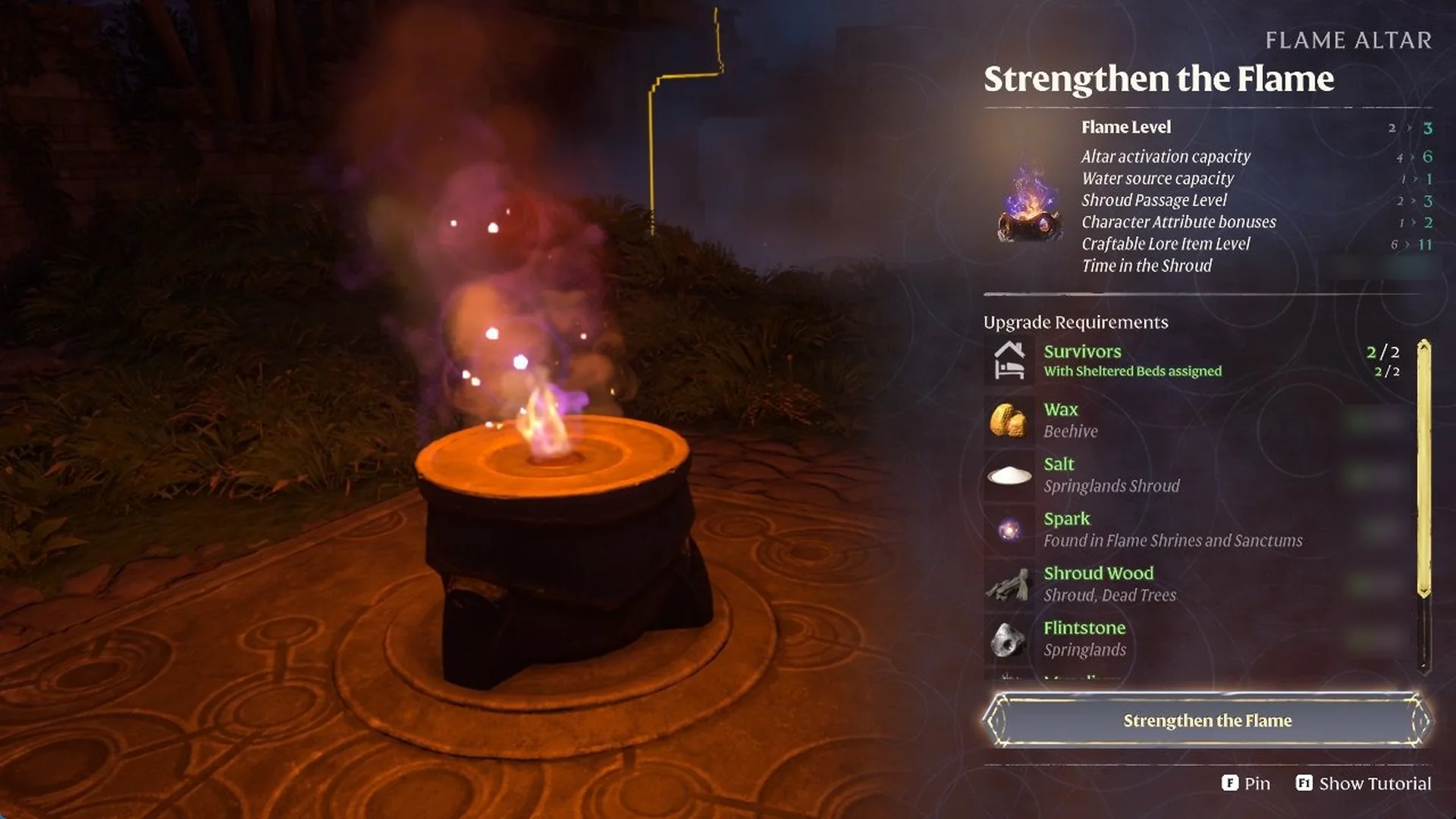
Get two survivors into roofed, assigned beds so the Flame Altar shows the 2/2 it needs for Flame Level 3.

Get two survivors into roofed, assigned beds so the Flame Altar shows the 2/2 it needs for Flame Level 3.

To raise the Flame in Enshrouded from Level 2 to 3, the altar must show “Survivors 2/2” and, below that, “With Sheltered Beds assigned 2/2”. For a bed to qualify, it needs a roof overhead and walls around it, must be within the Flame Altar’s building area, and must have a survivor assigned. A roofed room in a ruin can qualify if it falls inside the altar’s area. Use the survivor’s Summoning Staff to assign each bed. If one bed is still unrecognized, place a single Ceiling piece over the roof opening.

The Flame Level 2 to 3 upgrade lists the Survivors line with ‘With Sheltered Beds assigned’ next to its material list; see requirements for every Flame level.


What counts as a Sheltered Bed in Enshrouded

A bed only counts when all of these are true:

  • It is under a full roof, with no open sky above it.
  • It is enclosed by walls.
  • It is inside your Flame Altar’s building area.
  • A survivor is assigned to it.

The game flags an unsheltered bed in two places. A survivor whose bed sits out in the open shows a red roof over the bed icon in their talk panel, with the line “Missing shelter for bed”. The Blacksmith’s Charcoal Kiln recipe also lists “Blacksmith” in green and “× Sheltered Bed” in red under REQUIREMENTS until the bed is fixed.

Oswald Anders talk panel showing red roof icon, Missing shelter for bed, roaming range 0m
Oswald Anders shows Missing shelter for bed while his bed sits in the open.

Assign survivors to beds in a roofed ruin room

You don’t have to build a room from scratch. Stone ruins with an intact roof already provide shelter. You need to bring them inside your altar’s area.

Set up a Flame Altar next to a ruin room that has walls and an intact roof, so the altar’s building area covers the room. Inside, the Rested list on your HUD should show “Sheltered”, “Warmth” and “Comfort” ticked. The ruin’s own bed now reads “Use the Summoning Staff to assign to a Survivor.” with “E Sleep” and “E Dismantle”, which means it can now be assigned.

If you already use all your altar slots, you can deactivate or move an existing Flame Altar first, then place the new one next to the ruin room.
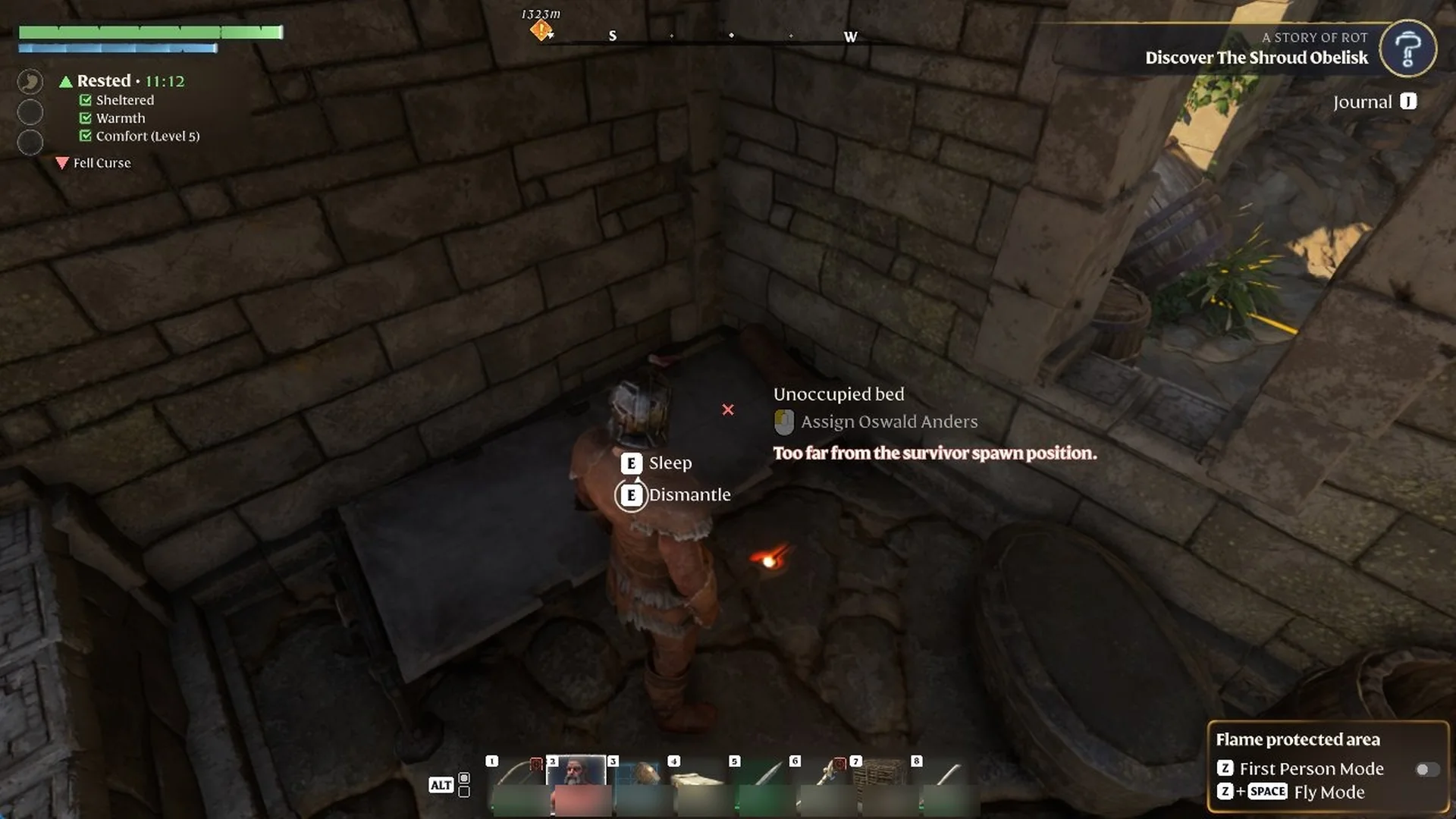
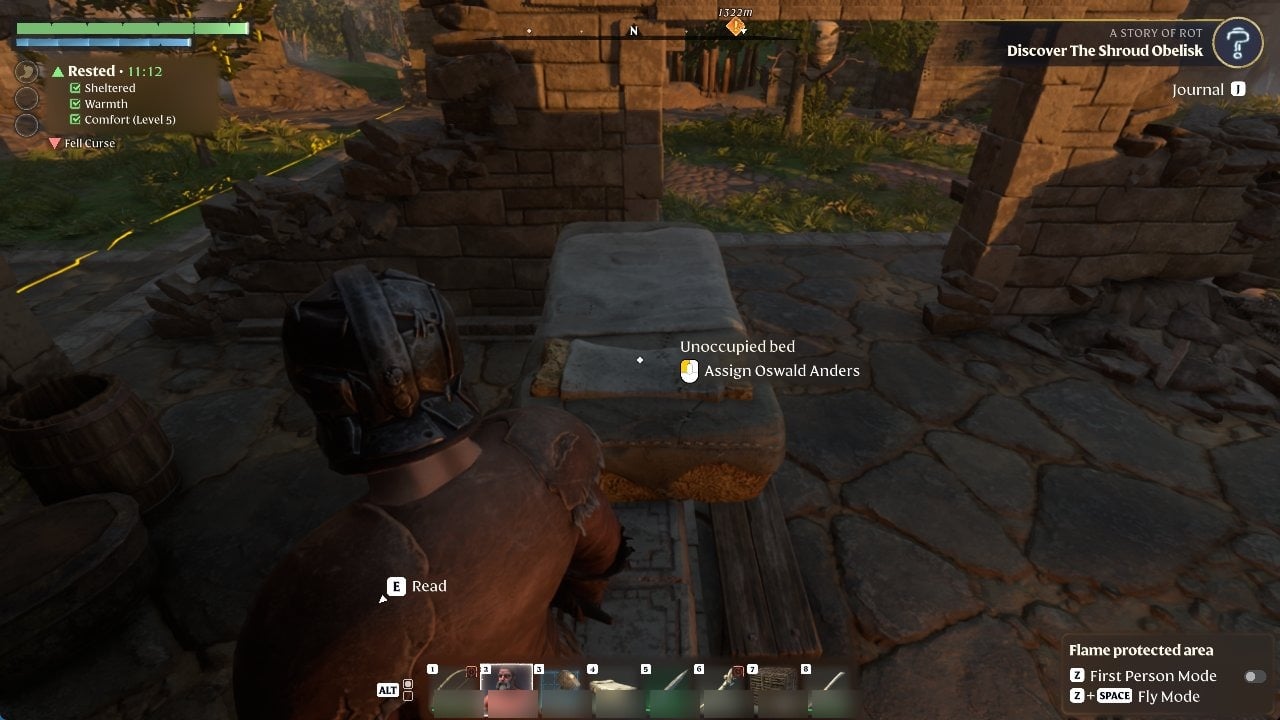
Select the survivor’s Summoning Staff on your action bar and aim at the bed. Each staff shows that survivor’s face. If the survivor is too far away, the bed reads “Unoccupied bed”, the assign option is greyed out, and the red line “Too far from the survivor spawn position.” appears.
Summoning Staff aimed at a ruin stone bed with Assign Oswald Anders greyed out
The ruin’s stone bed shows ‘Too far from the survivor spawn position.’
With that staff still equipped, left click on the floor beside the bed. A blue survivor-shaped preview marks his position; click to place him there. Oswald then enters the room and says “At long last – I return!”
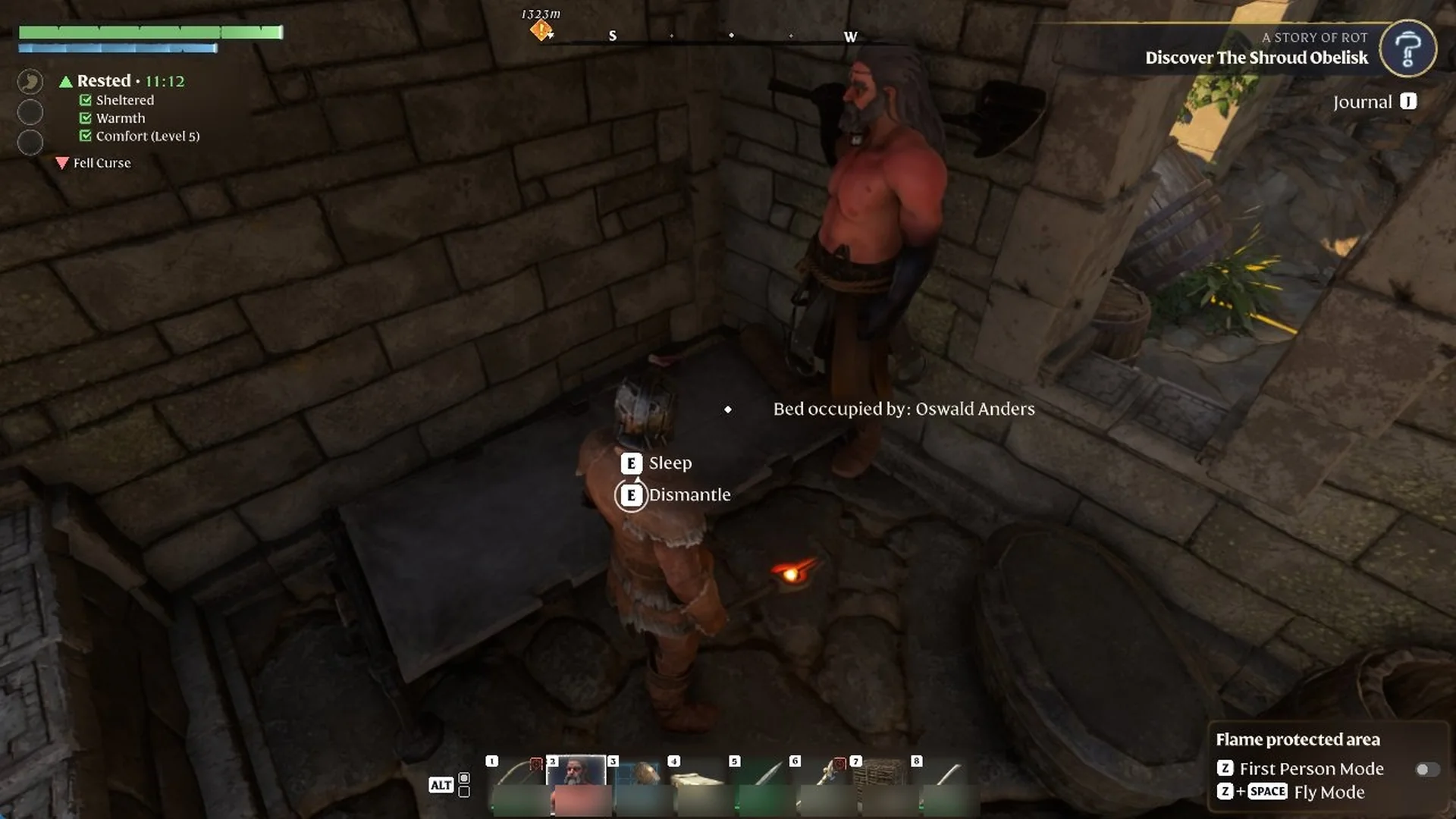
Aim at the bed again. “Assign Oswald Anders” is now active. Left click it, and the bed changes to “Bed occupied by: Oswald Anders”.
Oswald Anders standing beside a stone bed inside a ruin in Enshrouded
The ruin’s stone bed now reads ‘Bed occupied by: Oswald Anders’.
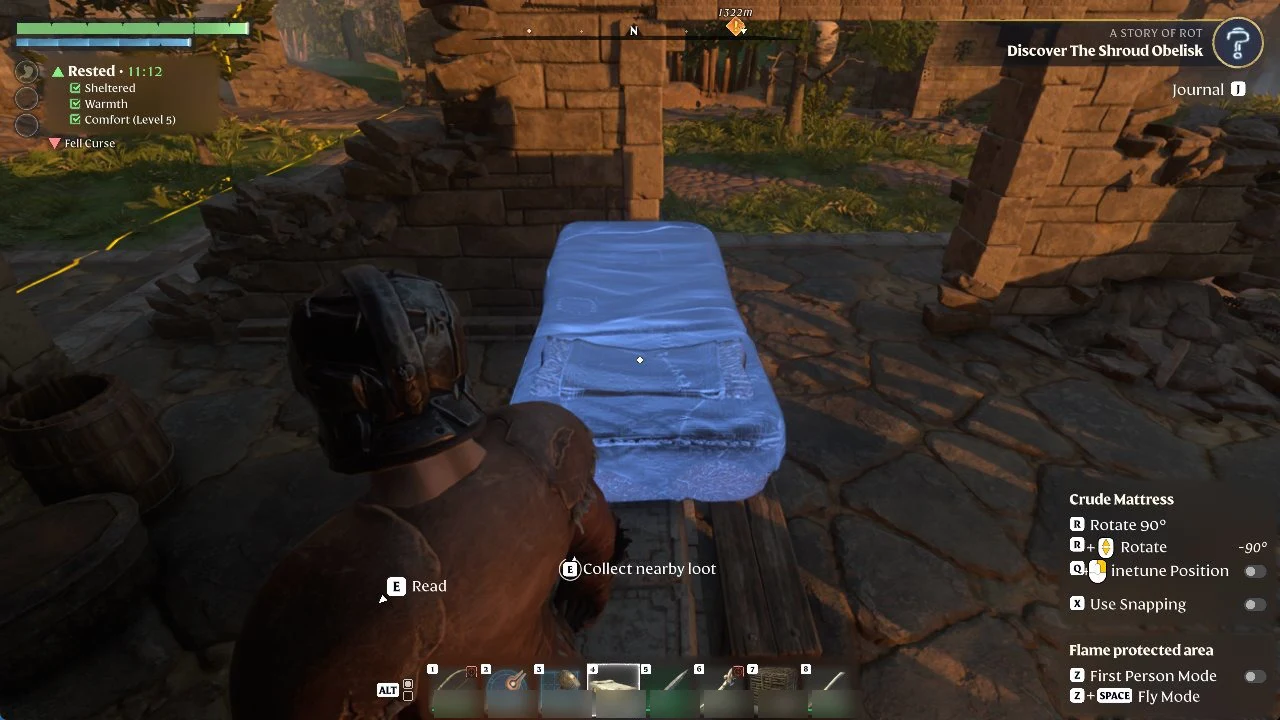
Select a Crude Mattress on the action bar for the second survivor. Its panel lists “R Rotate 90°”, “Finetune Position” and “X Use Snapping”. Move the preview until it turns blue, then left click to place it. The preview turns red with “Cannot build here” over the existing bed and “Not enough free space” next to furniture like barrels, tubs, crates and benches. Open floor under the roof, between the wall stubs, works.
Crude Mattress placement preview on a stone floor with rotate and snapping controls listed
Positioning a Crude Mattress on open stone floor inside the ruin.

The Crude Mattress is crafted at the Workbench from String, Torn Cloth and Plant Fiber; see how to craft the Crude Mattress.
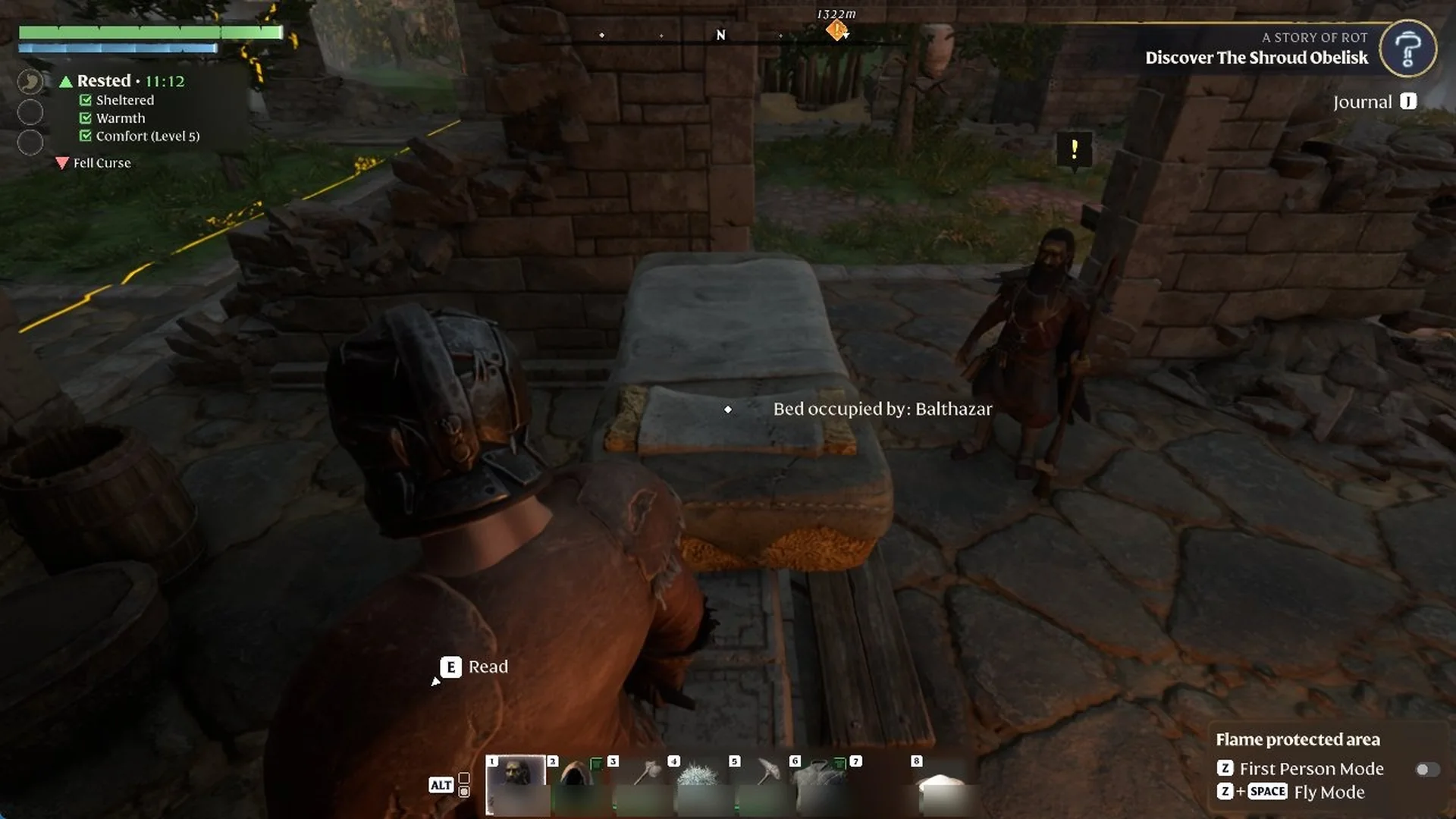
Equip Balthazar’s Summoning Staff, then left click on the floor beside the mattress to put him there.
Aim at the mattress, which reads “Unoccupied bed” with “Assign Balthazar”, and left click. It now shows “Bed occupied by: Balthazar”.
Balthazar standing beside a placed Crude Mattress showing Bed occupied by: Balthazar
Balthazar beside the Crude Mattress, which reads ‘Bed occupied by: Balthazar’.
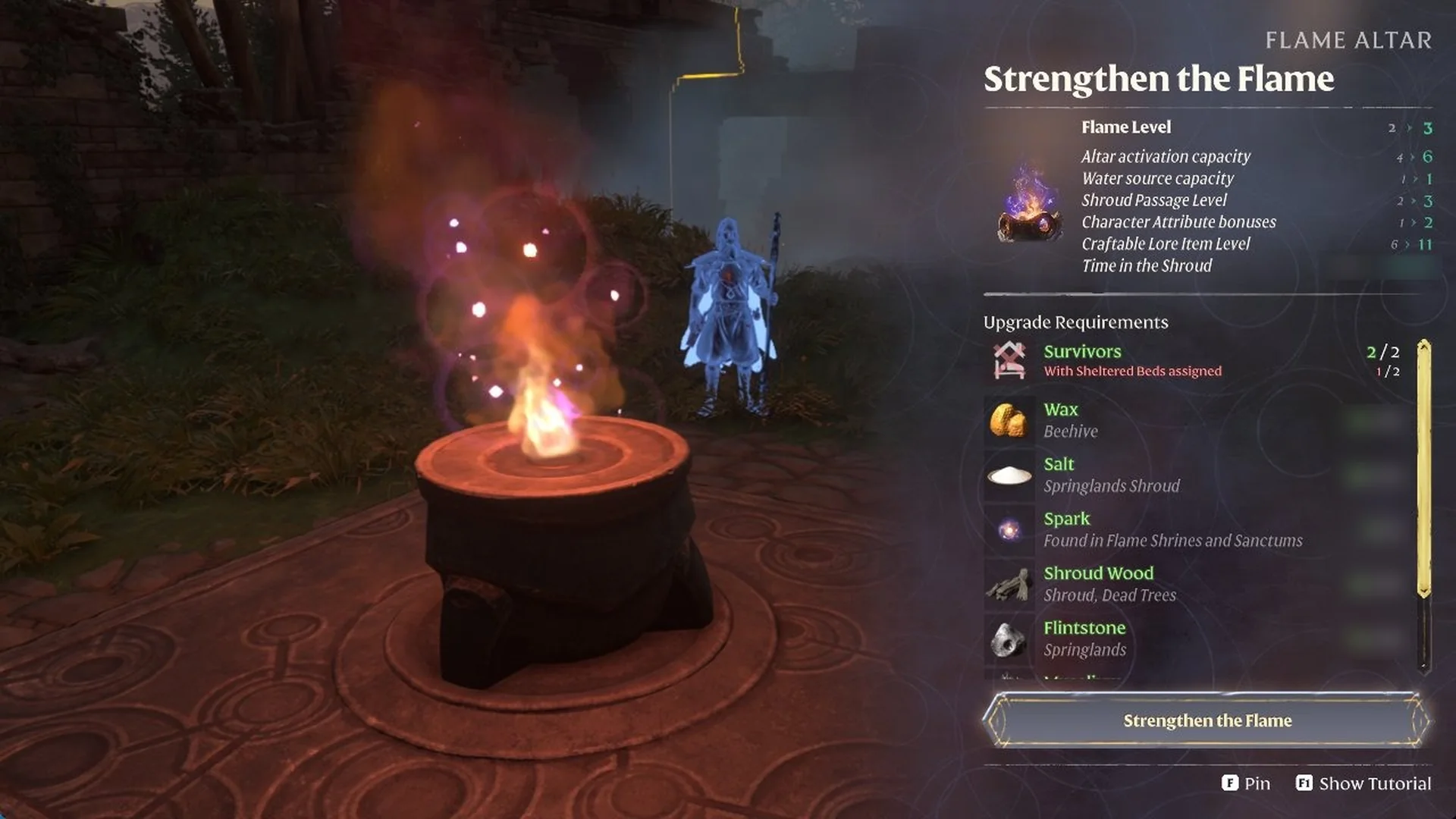
Go back to the altar and open “Strengthen the Flame”. It can read “Survivors 2/2” while showing “With Sheltered Beds assigned 1/2” in red. In that case one bed is assigned but not sheltered, and the next section fixes it.
Enshrouded Flame Altar Strengthen the Flame screen with the Sheltered Beds requirement shown in red
Upgrading from Flame Level 2 to 3, the Sheltered Beds line shows in red.

Fix a bed that doesn’t count with one Ceiling piece

A bed sitting partly under a broken roof is assigned but doesn’t count as sheltered. Plugging the gap fixes it right away.

Stand next to the bed that isn’t counting and check your Rested list. If “Sheltered” is unticked, look up. You’ll see sky through a hole in the roof.

For what the Sheltered, Warmth and Comfort lines in your Rested list mean, see how to get the Rested buff.

Equip the Construction Hammer, press TAB for Building Mode, and pick the “Ceiling” shape in slot 7 (2M) with “Use Snapping” turned on. Each piece costs 16 Rough Wood Blocks.

The other Building Mode keys, including rotate, snapping, undo and fly mode, are covered in our Enshrouded building mode controls guide.
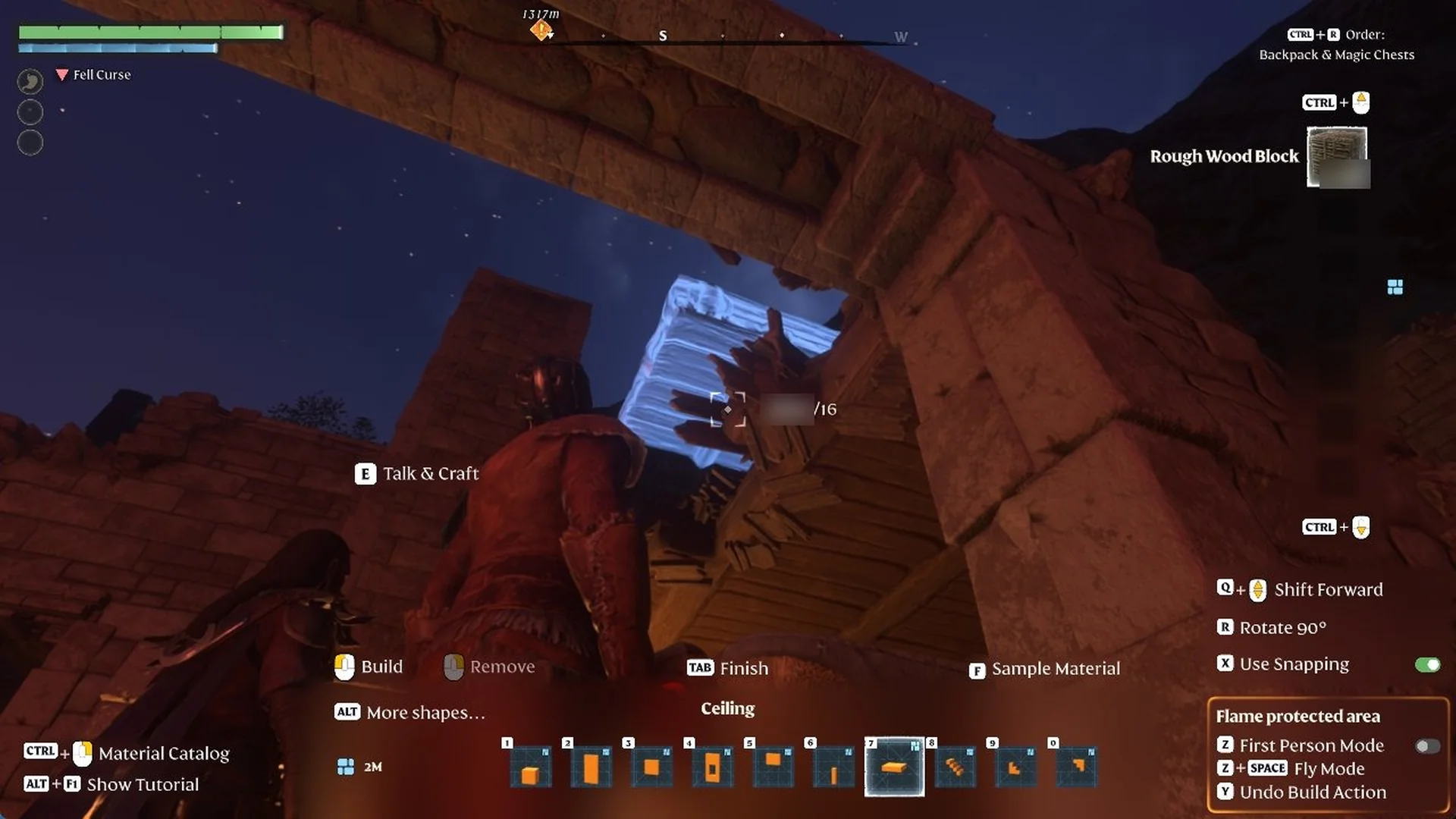
Aim at the hole until the Ceiling preview sits blue in the gap. Left click to build it, then use “TAB Finish” to leave Building Mode.
Building Mode Ceiling preview in blue filling a hole in a ruined wooden roof at night
The Ceiling shape previewed in blue over a gap in the wooden roof.
Return to the altar. The line now reads “With Sheltered Beds assigned 2/2” in green, and the “Strengthen the Flame” button is lit. Press it to reach Flame Level 3.
Flame Altar Strengthen the Flame screen with Sheltered Beds requirement in green and button lit
On the ‘Strengthen the Flame’ screen, Sheltered Beds shows green and the button is lit.

Check a survivor’s bed in the Journal

Open the Journal (J) and go to SURVIVORS > CRAFTSPEOPLE. A survivor with a working bed shows a green house icon labelled “Bed” on their card. Oswald Anders’ card also shows “Base 1” and “0m,” and Balthazar’s card shows the same green “Bed.”
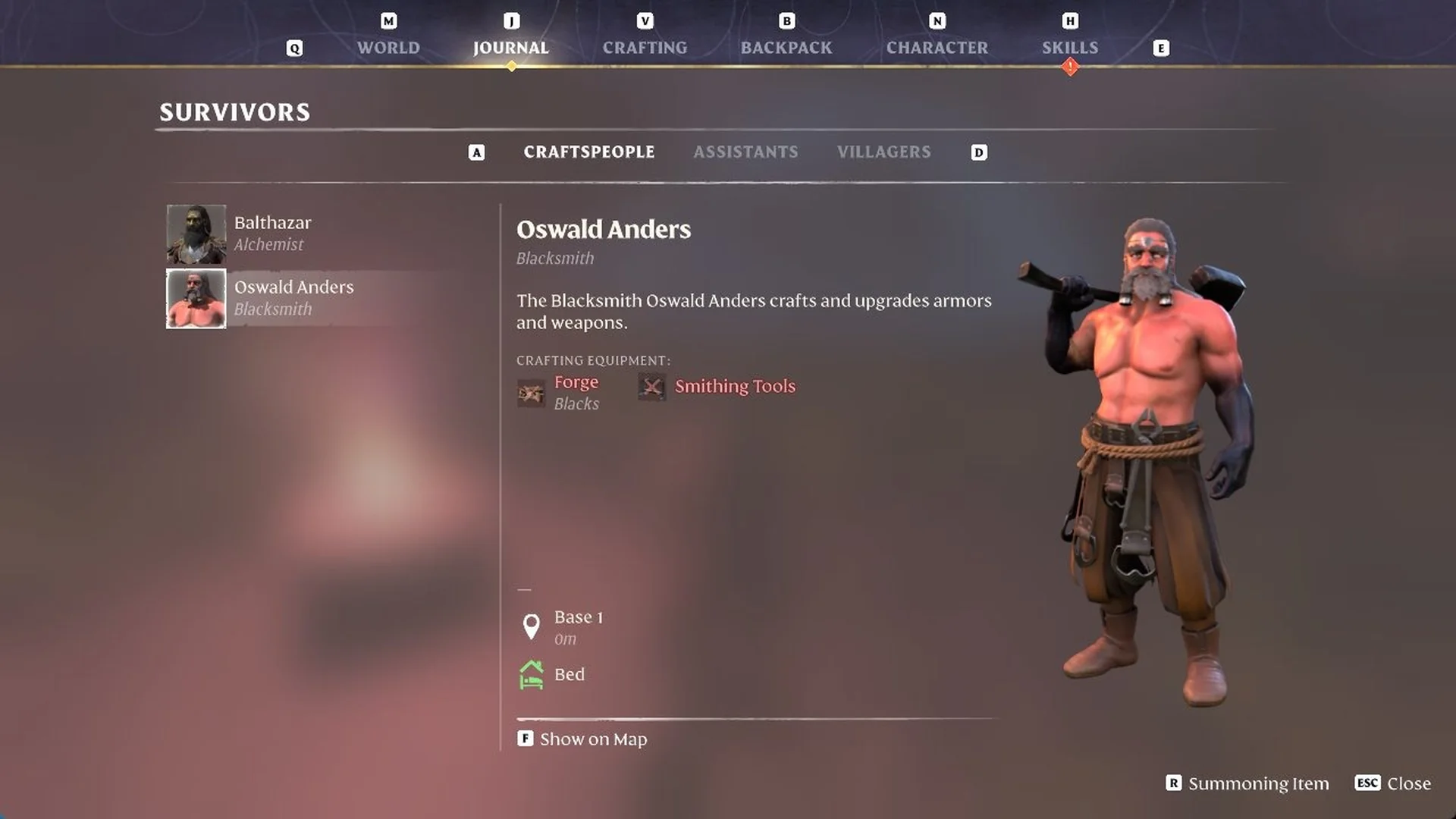
Enshrouded Journal Survivors Craftspeople card showing Oswald Anders, Blacksmith, at Base 1 with green Bed icon
Oswald Anders, Blacksmith, shows a green Bed icon at Base 1.

If you move a survivor to a new bed away from their crafting stations, their “CRAFTING EQUIPMENT” entries turn red. For Oswald, those are “Forge” and “Smithing Tools”.

For another check, go to Journal > WORKSHOPS > BLACKSMITH. In the Charcoal Kiln recipe’s REQUIREMENTS, “Blacksmith” and “✓ Sheltered Bed” now appear in green. The Forge recipe also has the tick.
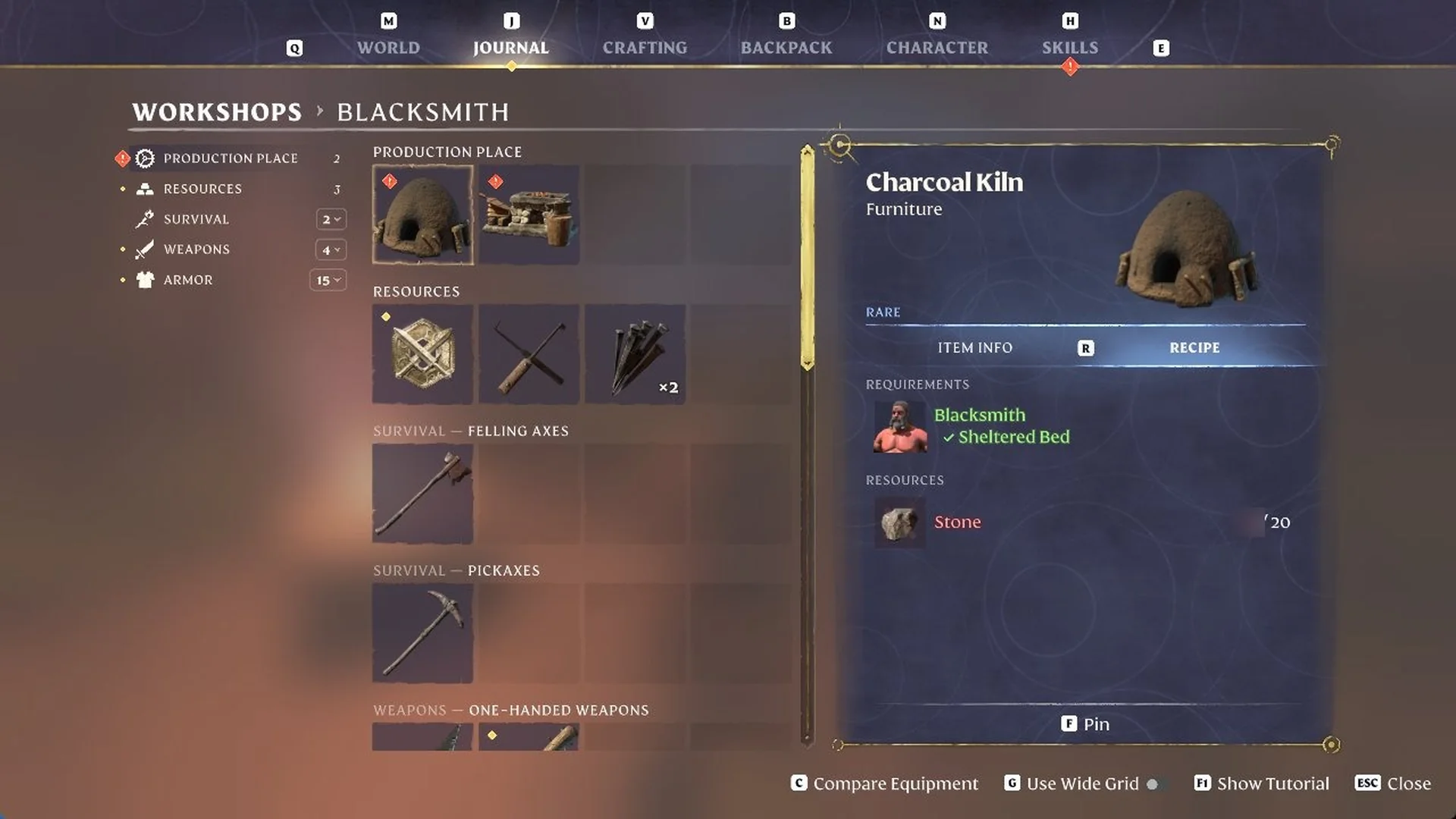
Enshrouded journal Blacksmith workshop page showing Charcoal Kiln recipe with Sheltered Bed requirement ticked
The Charcoal Kiln recipe lists Blacksmith and a Sheltered Bed under requirements.

Building your own shelter room for beds

If you plan to make your own room, put the beds down before finishing the walls. In a compact room, the Crude Mattress preview appears at your position and displays “Not enough free space” in nearly every spot.
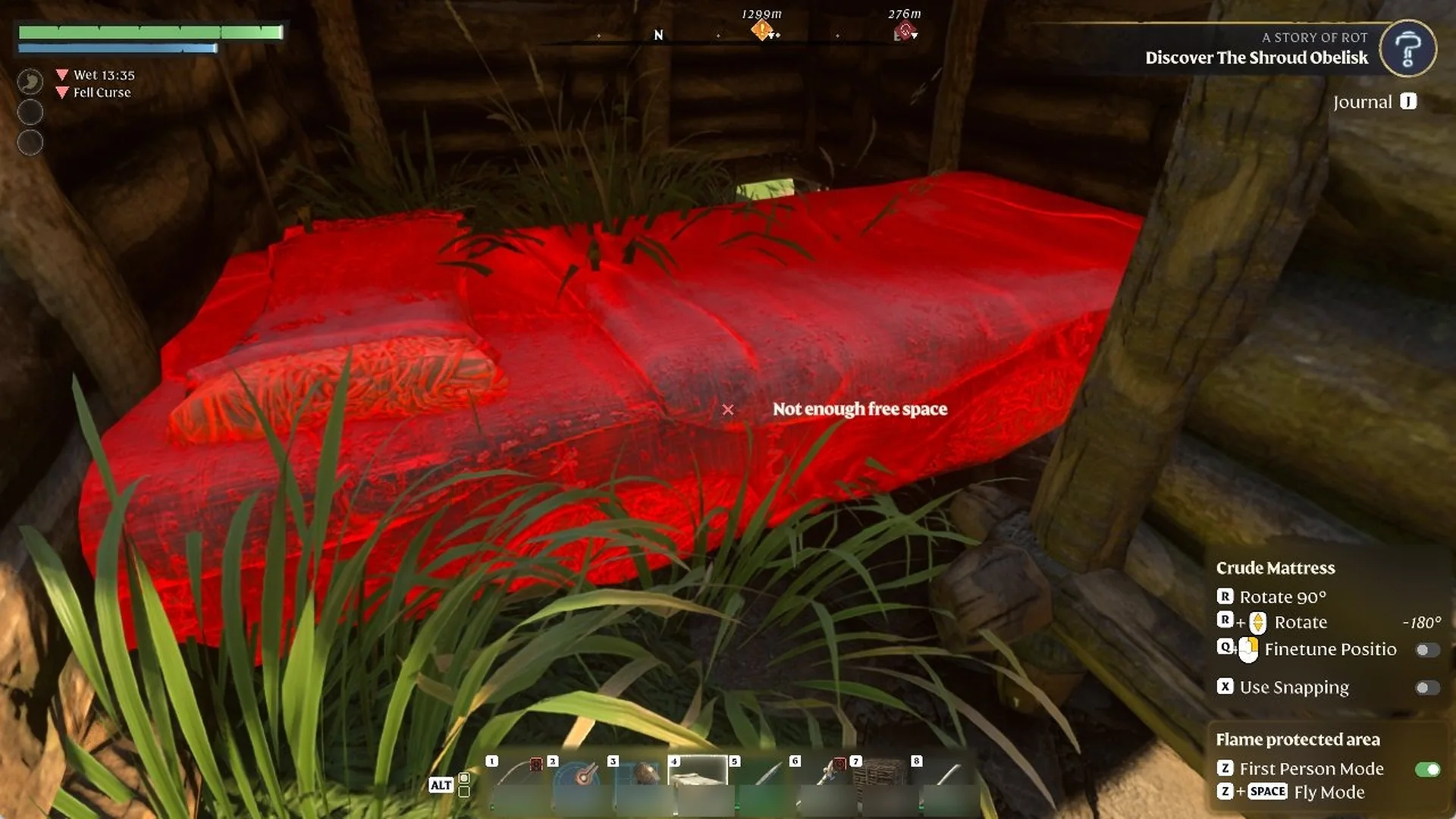
Red Crude Mattress placement preview showing Not enough free space inside a small wooden room
The Crude Mattress preview turns red and reads Not enough free space.
  • Each Wall (2M) and Ceiling (2M) piece requires 16 Rough Wood Blocks.
  • In Building Mode, right click a placed piece (“Remove”) to take it down and get the blocks back. This works on foot, but “Remove” is greyed out from the fly camera.
  • Previews show “Cannot build here” while an enemy is nearby. They turn blue once it’s dealt with.
  • From the ground, aiming a Ceiling preview level with the tops of the walls produces a red “Cannot build here”. Raise your aim a little to make the preview turn blue.