In Modern Warfare 4’s DMZ, your Bank fills up faster than you’d expect. It starts with a $100,000 ceiling, and once you reach it, any extra cash you bring back is wasted. Raising that limit is a one-time purchase at the FOB’s 3D Printer, not a long chain of item hand-ins.
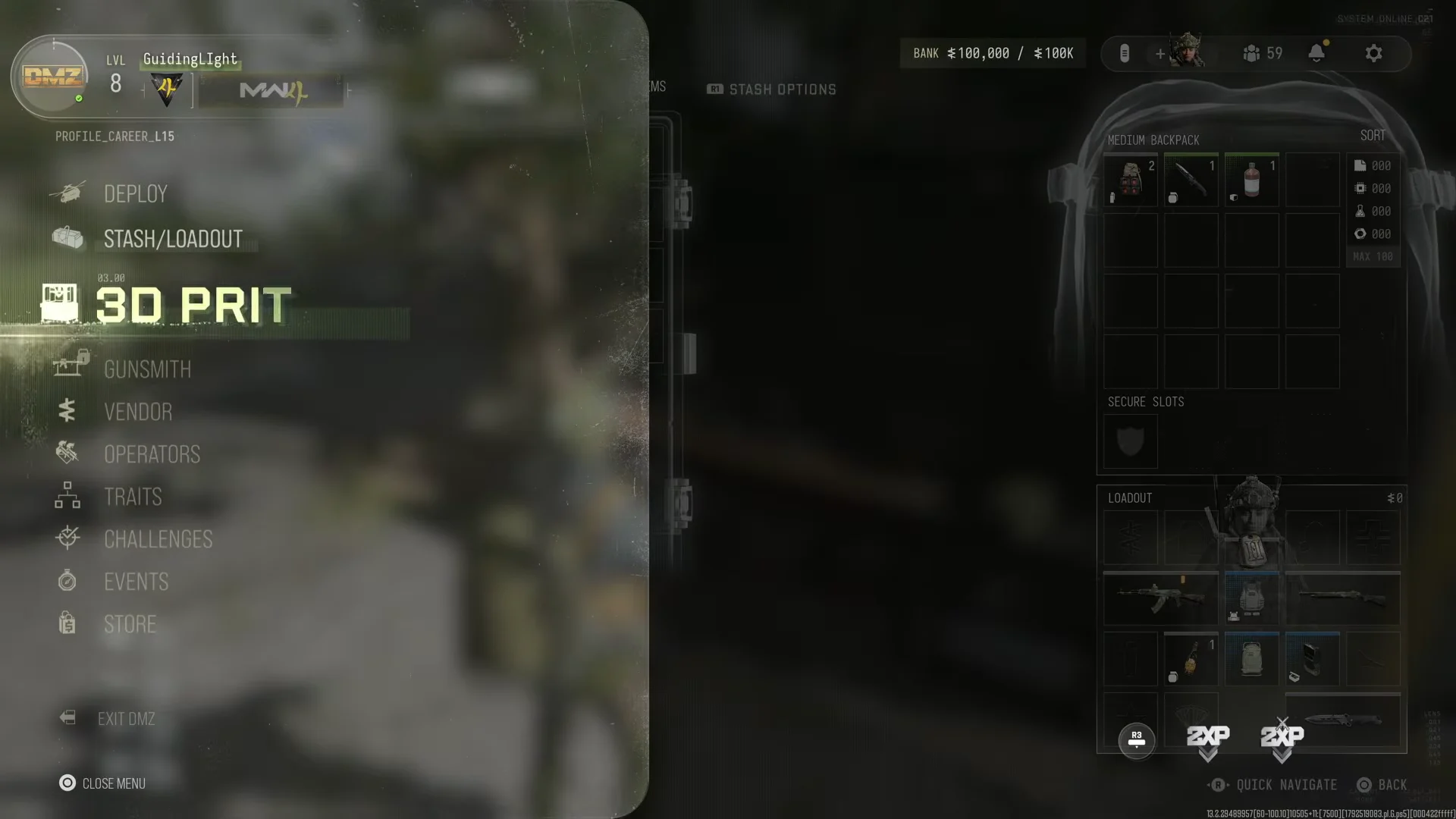
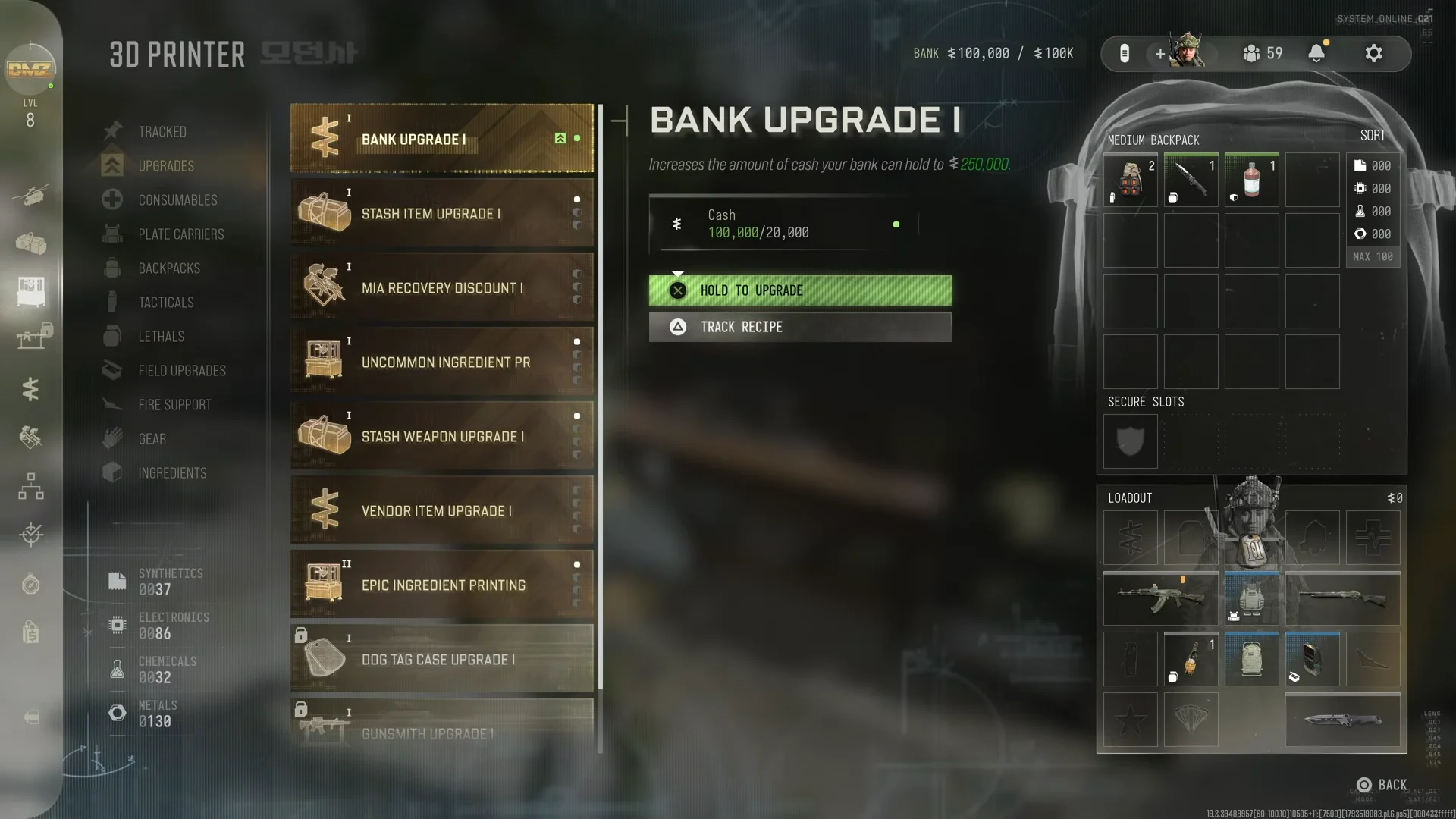
Quick answer: With at least $20,000 banked, open the 3D Printer, go to the Upgrades tab, select BANK UPGRADE I, and hold the upgrade button. Your cap rises to $250,000.
Bank Upgrade I cost and requirements
Bank Upgrade I is the first bank tier in the 3D Printer’s Upgrades list. Higher tiers come after it and raise the limit further, but Bank Upgrade I is the one you can buy first.
| Detail | Value |
|---|---|
| Upgrade name | BANK UPGRADE I |
| Cost | $20,000 DMZ Cash |
| Bank cap before | $100,000 |
| Bank cap after | $250,000 |
| Where to buy | 3D Printer, Upgrades tab |
You also need access to the 3D Printer, which opens within your first couple of DMZ levels. The upgrade is bought from the FOB between deployments, not during a match. Since your Bank is shared across all your Operators, you only buy the upgrade once.
How to buy Bank Upgrade I at the 3D Printer
How to confirm the bank upgrade worked
Look at the Bank readout in the FOB menu. Before the upgrade, it shows your balance against a $100K maximum, for example “BANK $100,000 / $100K.” Once the purchase goes through, the maximum reads $250K and your balance drops by $20,000. Bank Upgrade I is also no longer offered as a purchase in the Upgrades tab.
Fastest ways to earn the $20,000 in DMZ
If you’re short on cash, a few sources pay well enough to cover the upgrade in one or two runs.
| Cash source | Payout | When it pays |
|---|---|---|
| Dynamic Operations | $10,000–$20,000 each | On completion |
| Lieutenant kill (Boss Board) | $10,000 | On kill |
| Weapon Manual or Recipe | $5,000 each | On exfil |
| Gold bar | $25,000 | On exfil |
| Cash registers and vaults | Varies | On exfil |
Dynamic Operations are the most reliable choice because their payout goes straight into your Bank, even if you don’t make it out. Looted cash from registers and vaults works differently. It only reaches your Bank if you exfil with it. DMZ Orders and challenges also pay cash, and the Investor trait slightly increases the cash you extract.
Cash already in your Bank is safe if you die, so buy the upgrade as soon as your balance is close to $100,000. Any income beyond the limit is lost.
Leave yourself some money after buying the upgrade. MIA Operator rescues are paid from the same Bank, so spending everything on Bank Upgrade I right before a risky deployment can leave you unable to recover an Operator.