Gaming Guide

Anime Dress To Impress: 2 Outfit Ideas (Magical Girl and Dark Anime Heroine)

Two free anime DTI looks built step by step: a pink and white magical girl with hot pink ringlet pigtails, and a dark anime heroine with silver hair, a black and red crop top and platform boots.

Two free anime DTI looks built step by step: a pink and white magical girl with hot pink ringlet pigtails, and a dark anime heroine with silver hair, a black and red crop top and platform…

An anime dti look reads from the hair first. Get a clear, saturated hairstyle in a color nobody has naturally, then build the outfit around it. The two looks below, a pastel magical girl and a black-and-red dark heroine, use only free pieces in Dress To Impress, the Roblox fashion game, and each starts from a different base piece in the Dressing Room.

Quick answer: For a magical girl, wear hot pink ringlet pigtails with white bows and a pink and white puff-sleeve corset dress. For a dark heroine, wear long silver-white hair, a black and red crop top, a black wrap skirt, and black platform boots.


Where to find hair, faces, clothes, and the runway in Dress To Impress

Dress To Impress doesn’t show item names, so every piece below is described by where it sits, what it looks like, and its color. Colors use the Default palette on the Palette tab, counted by column from the left and row from the top. Row 8 runs from white to black.

What you needWhere it isHow to open it
Clothes and shoesDressing RoomTeleport pin, then “Dressing Room”
HairLana’s Salon, left archHair chairs, press E
FacesLana’s Salon, right archVanity, press E, Feminine tab
RunwayFreeplay RunwayTeleport pin, then “Freeplay Runway”

The hair chair’s Hairstyles panel sorts styles into Feminine, Masculine, Bangs, Curly, Straight, Wavy, Updo, Locs, Braids, and Afro tabs. Both looks here pull from the Curly and Straight tabs.

A new hairstyle from the chair goes on top of the one you already have. Open the Wearing panel with the hanger button and tap the heart X under the old hairstyle to take it off.


Magical Girl outfit: pink pigtails and a puff-sleeve corset dress

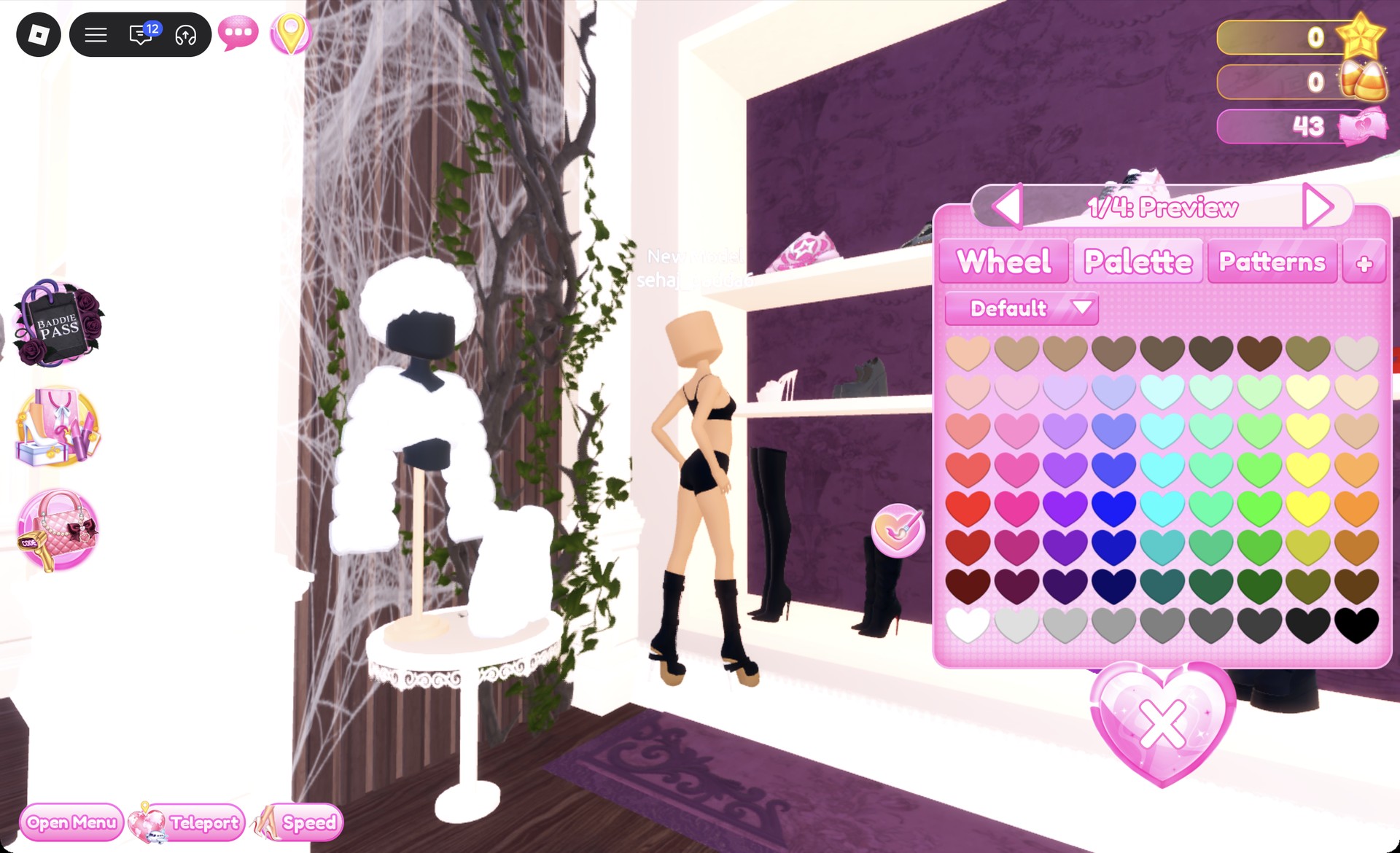
This look is built on the white corset puff-sleeve dress, which sits to the left of the party-dress shelf, next to the shoe shelf. It isn’t one item. The skirt, the sleeves, and the corset are three separate pieces, and you click each one to recolor it.
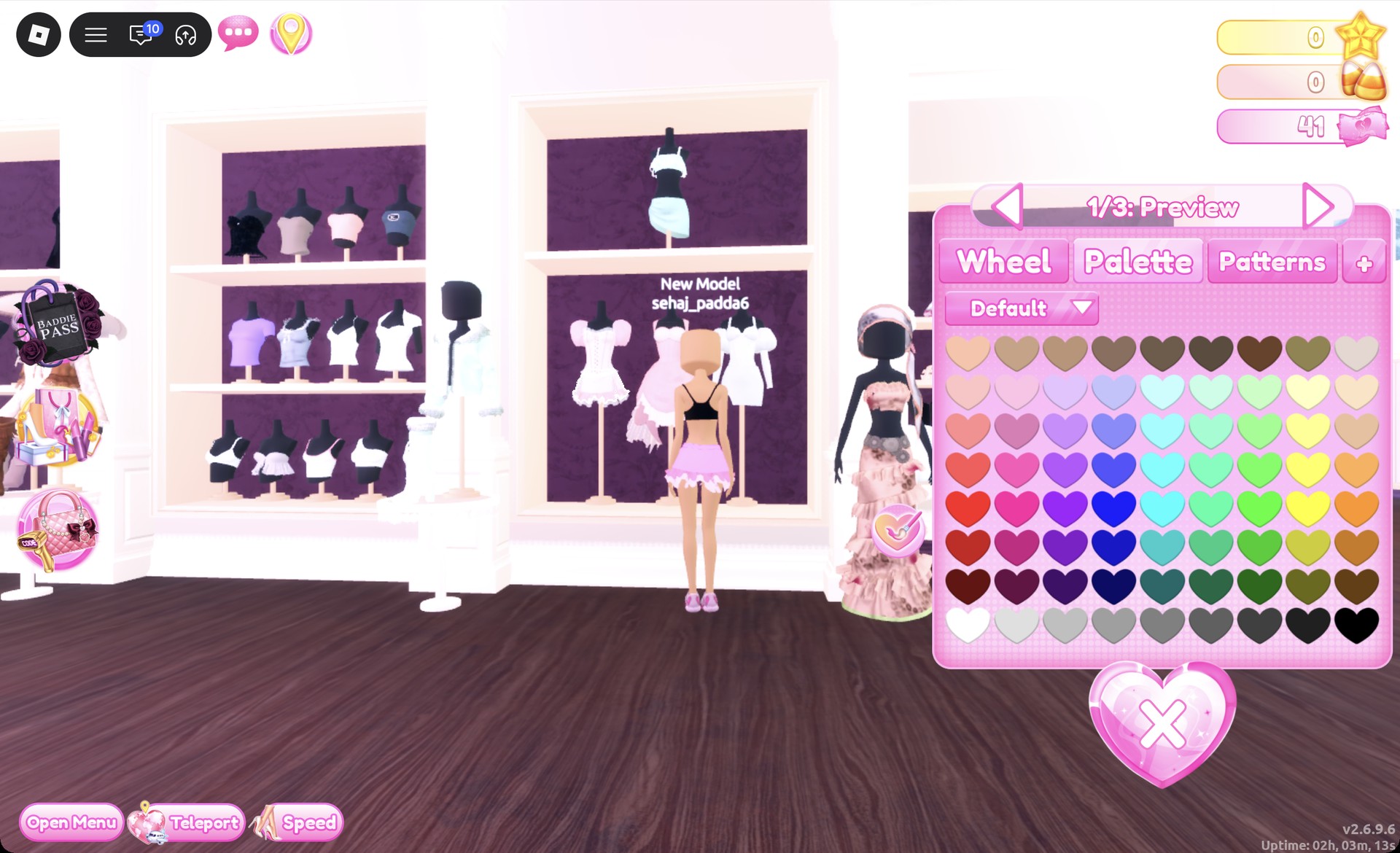
Click the lower part of the dress to open “1/3: Preview”, which is the ruffle mini skirt. Set part 1 to Palette column 2, row 3 for pastel pink, and leave the white ruffle hem as it is.
Ruffle mini skirt recolored pastel pink in Dress To Impress
The ruffle mini skirt ("1/3: Preview") set to pastel pink on the Palette tab.
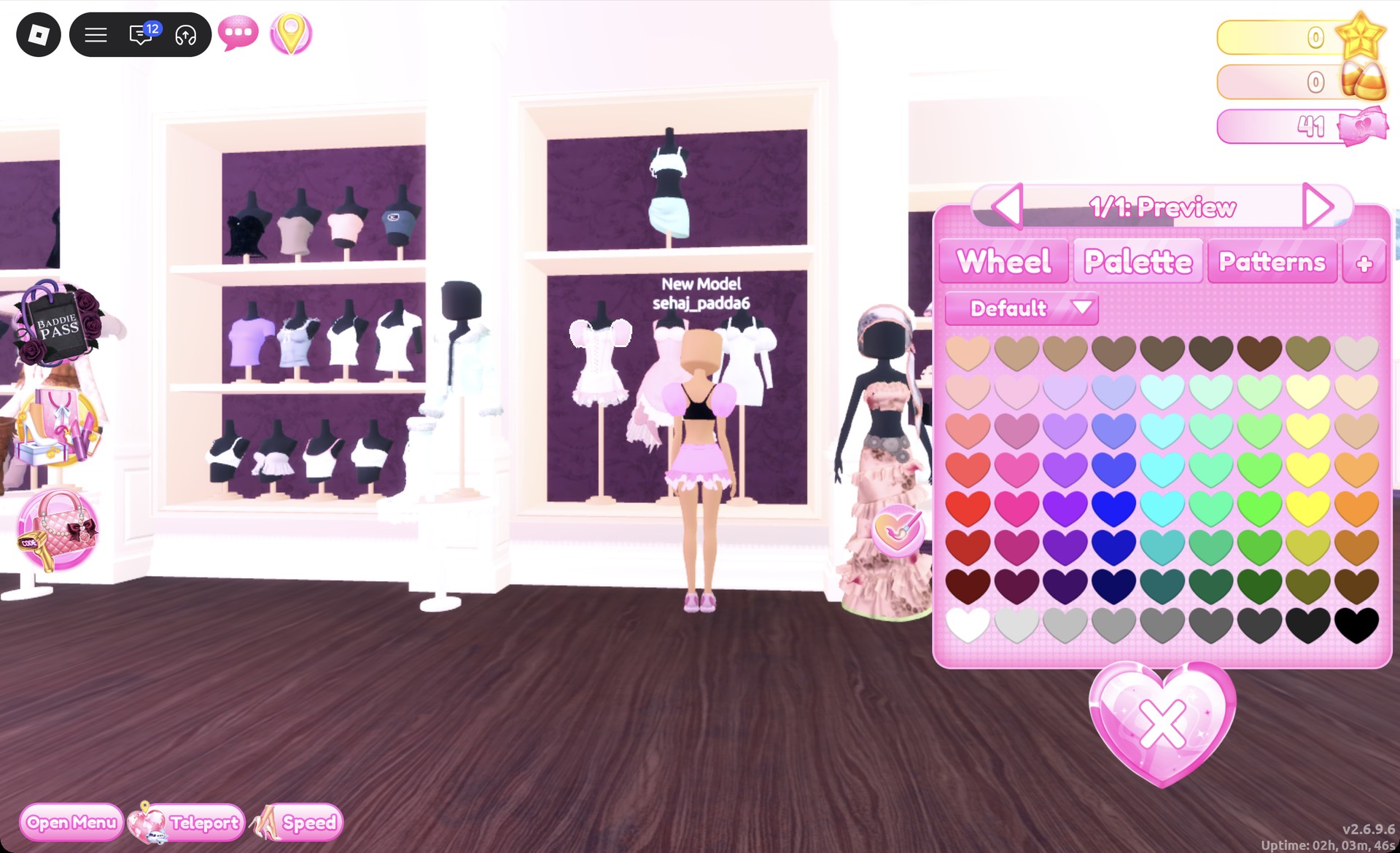
Click the puff sleeves to open “1/1: Preview”. Set them to the same pastel pink, Palette column 2, row 3.
Puff sleeves recolor panel in Dress To Impress
The puff sleeves ("1/1: Preview") set to the same pastel pink.
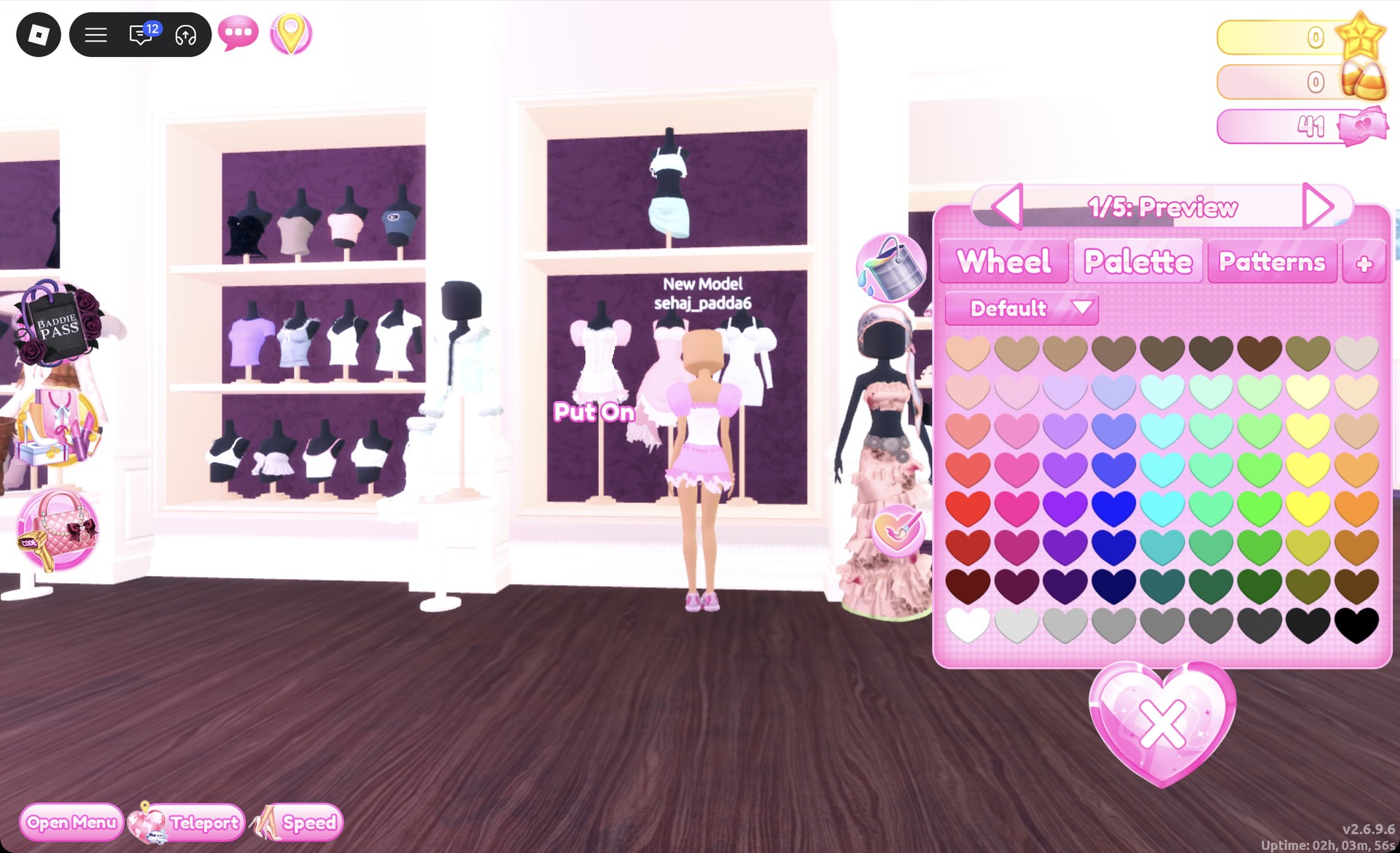
Click the corset body to open “1/5: Preview”. Keep the default white with its pink trim, since that white is what keeps the outfit from turning into a solid block of pink.
White corset body previewing in Dress To Impress
The corset body ("1/5: Preview") kept white with its pink trim.
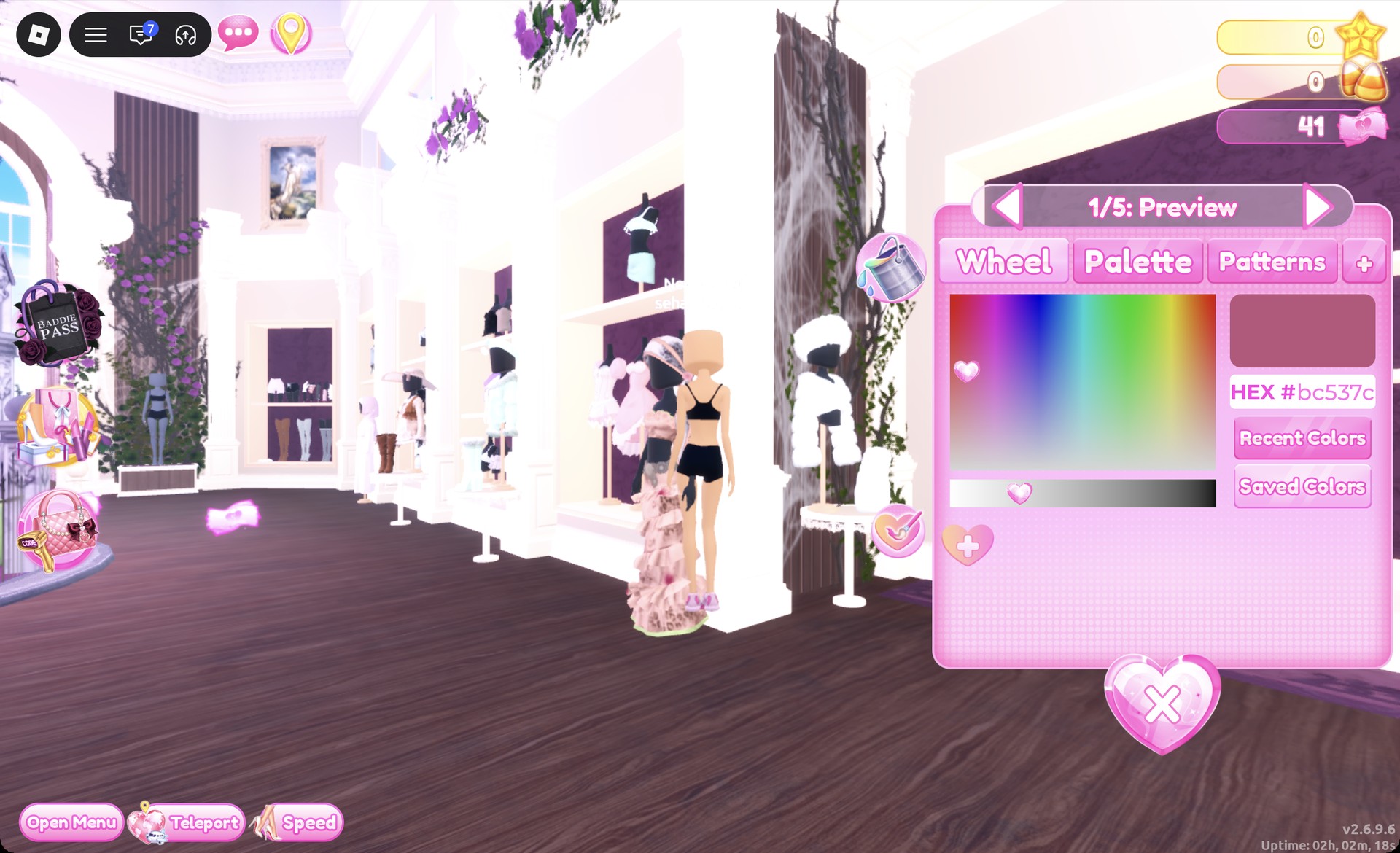
Go to the top row of the shoe shelf and pick the pink chunky sneakers, which open as “1/5: Preview”. The Wheel tab shows HEX #bc537c, and the default pink is kept.
Pink chunky sneakers panel in Dress To Impress
The pink chunky sneakers ("1/5: Preview") with their default pink, HEX #bc537c.
Head to a hair chair, open the Curly tab, and pick the first card on the left in the first row. These are ringlet pigtails with bows, and by default they’re light blonde with black bows.
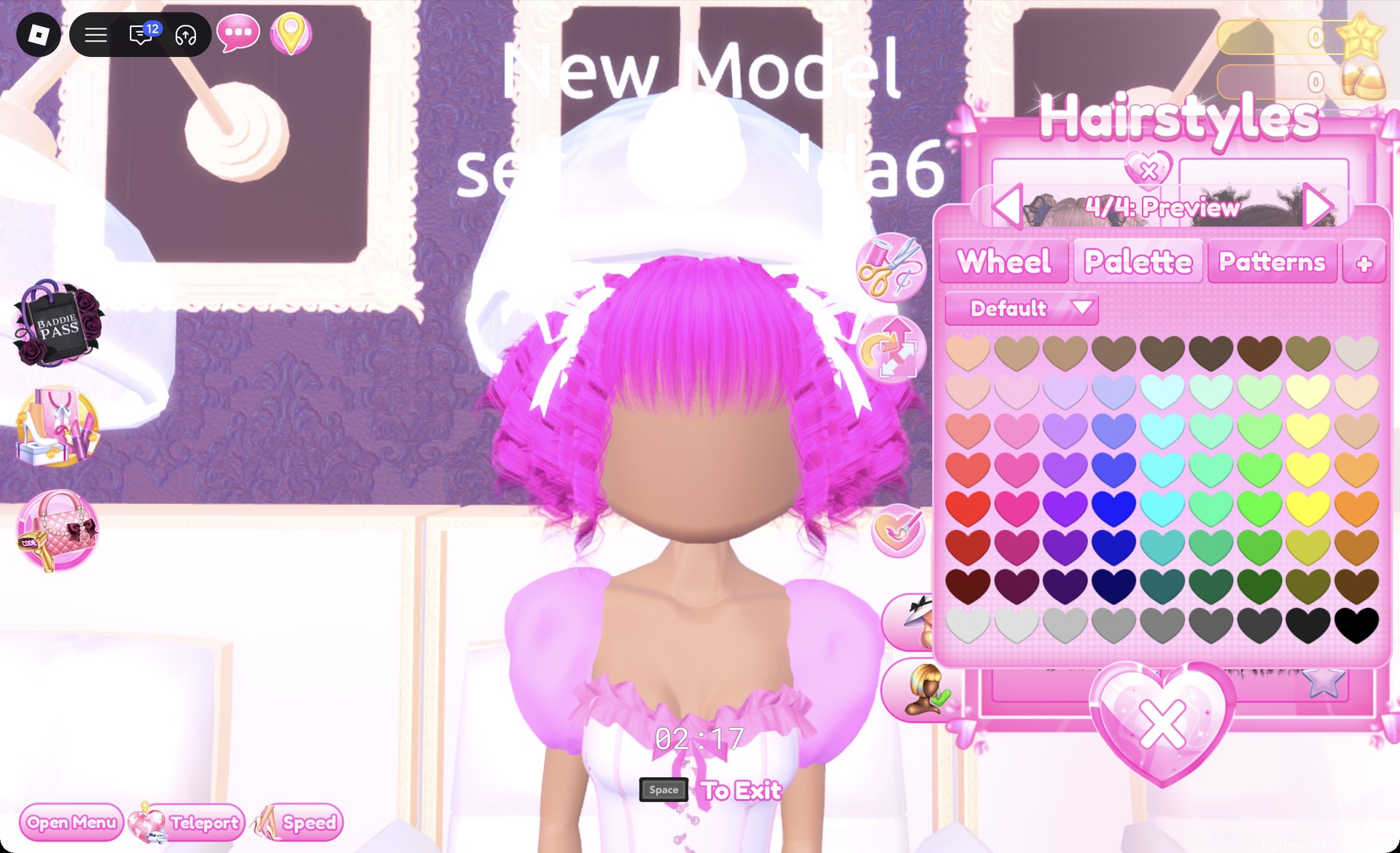
Recolor the hair’s four parts. Set parts 1 and 2 to Palette column 2, row 4 for hot pink, then set parts 3 and 4, the bows, to column 1, row 8 for white.
Hot pink ringlet pigtails with white bows in Dress To Impress
The ringlet pigtails recolored hot pink with white bows, panel on "4/4: Preview".
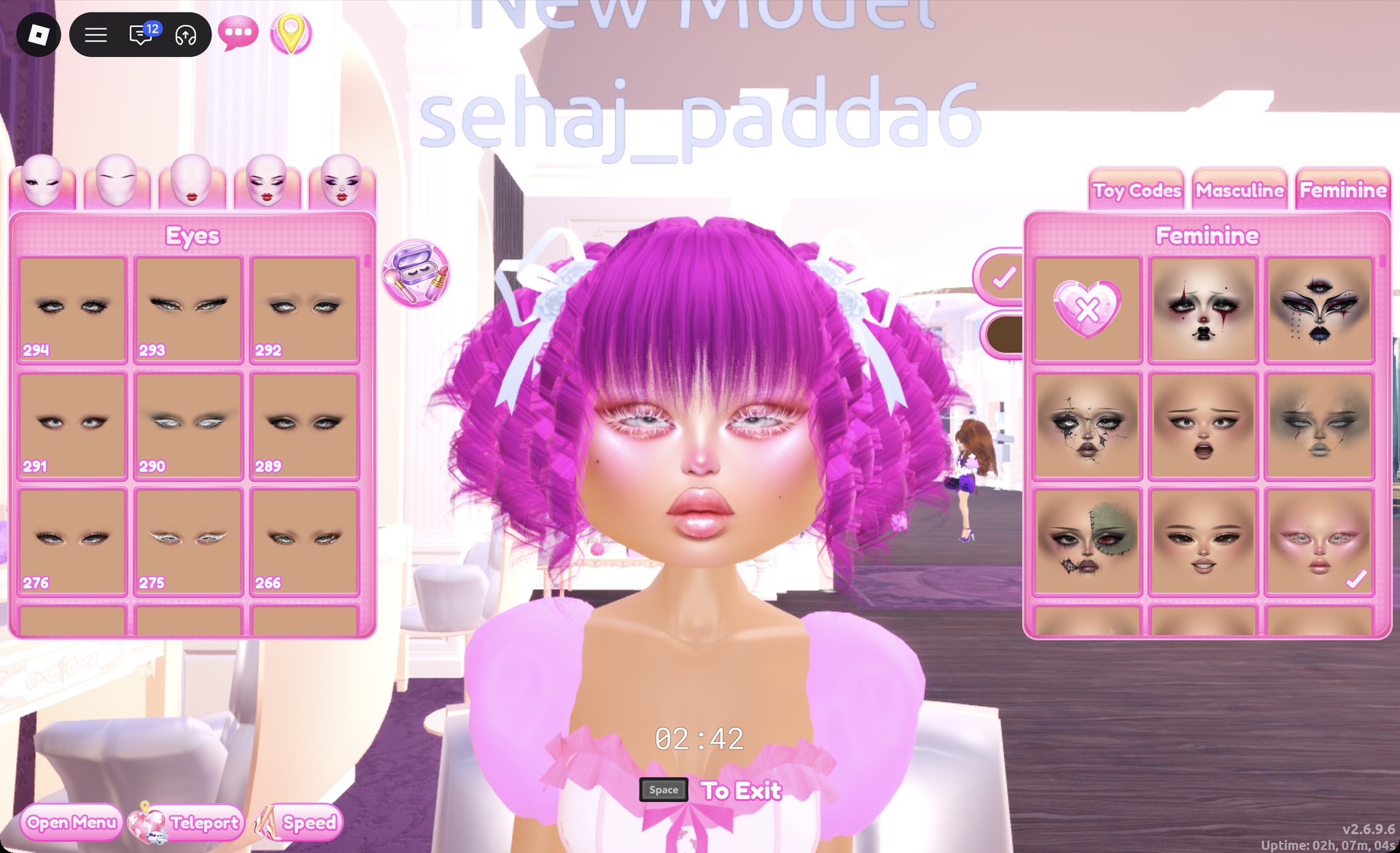
At the vanity, open the Feminine tab and pick the right card in the third row. It’s a pink glitter glam with pink lids and glossy pink lips.
Pink glitter glam face card with pink pigtails in Dress To Impress
The pink glitter glam face card (third row, right) at the vanity.

You’ll know the look is complete when the Wearing panel lists five things: the sneakers, skirt, sleeves, corset, and hair.
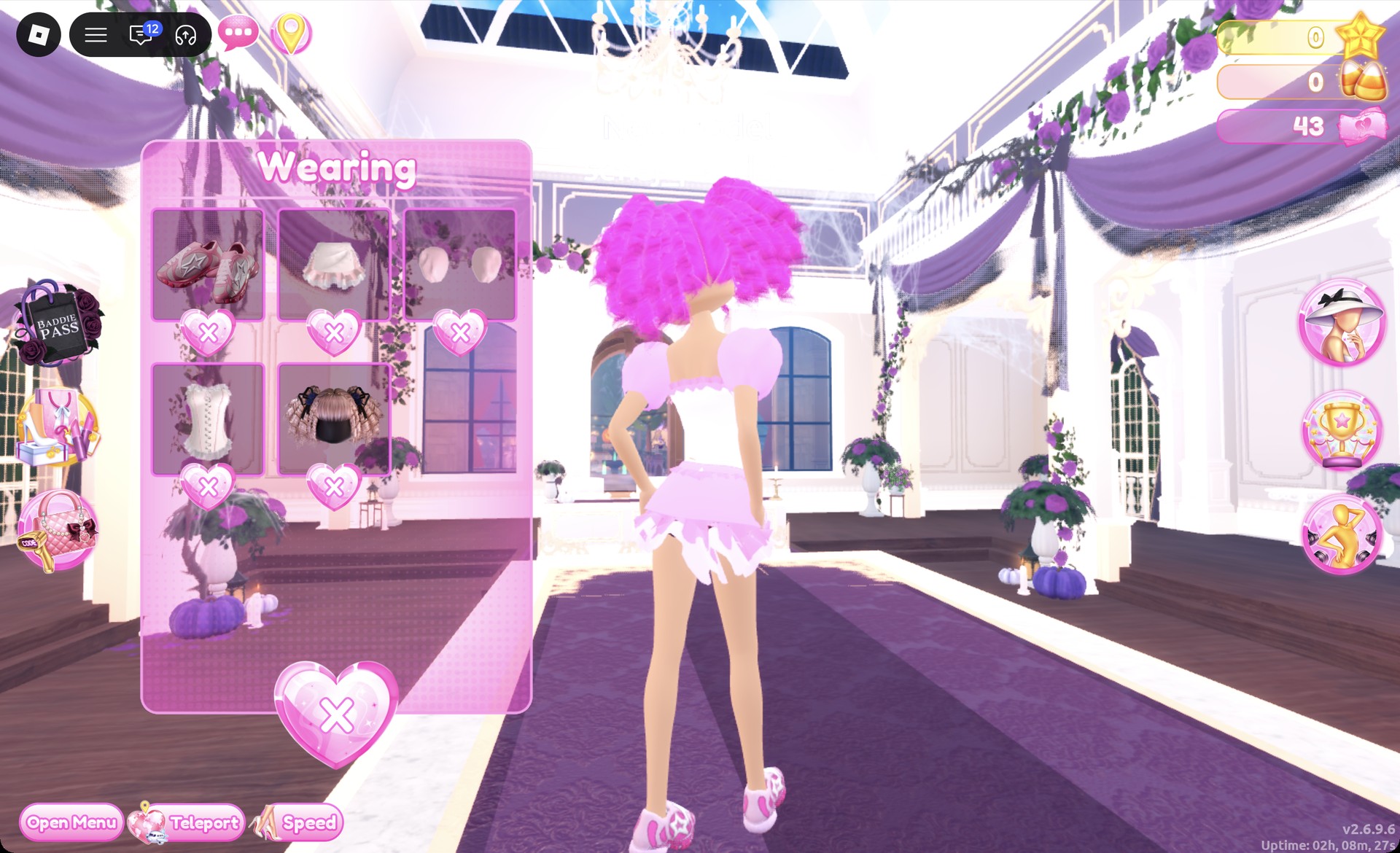
Wearing panel for the magical girl look in Dress To Impress
The Wearing panel for the magical girl look: sneakers, skirt, sleeves, corset and hair.

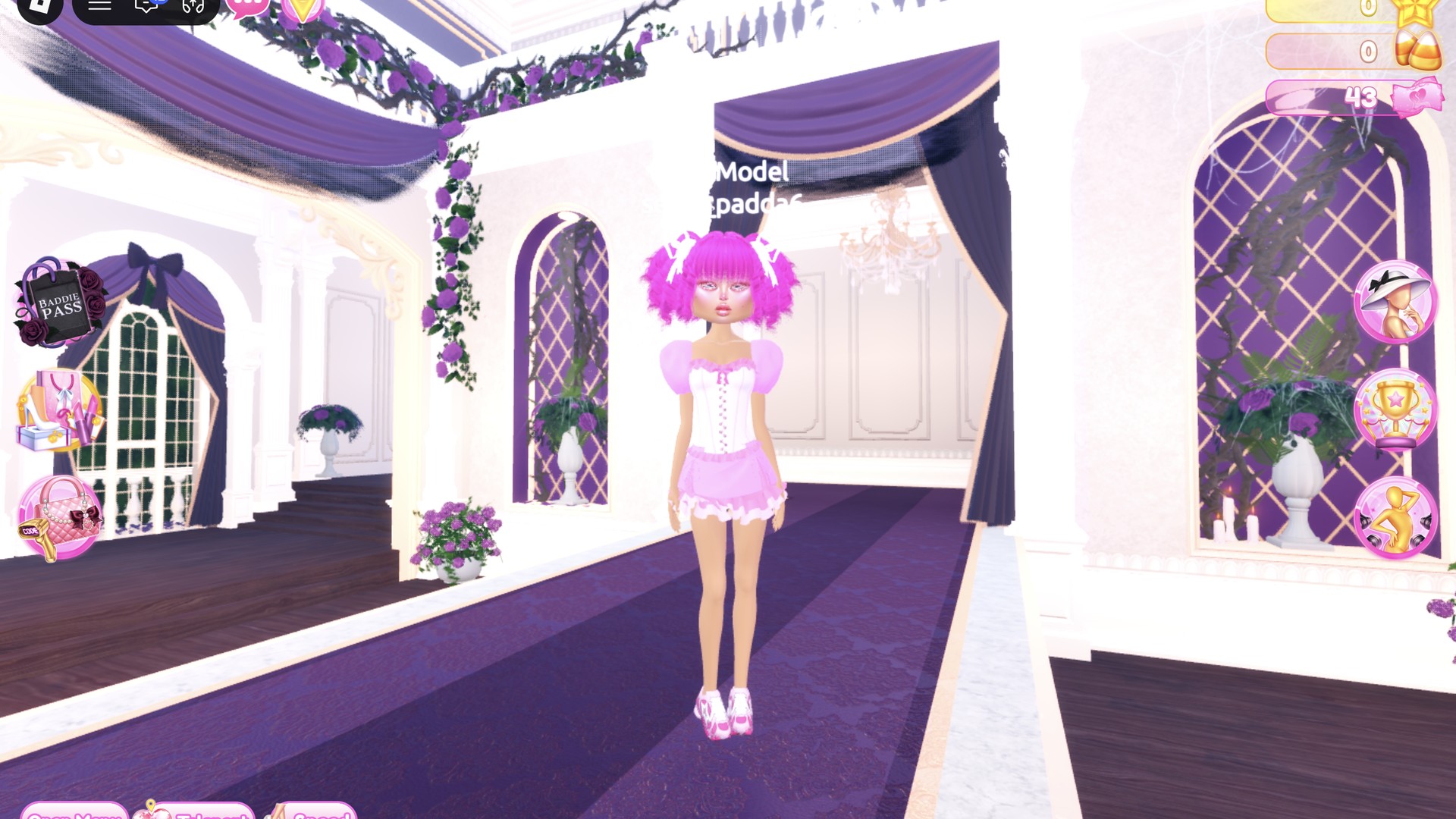
On the runway, the look reads pink and white from the pigtails down to the sneakers.
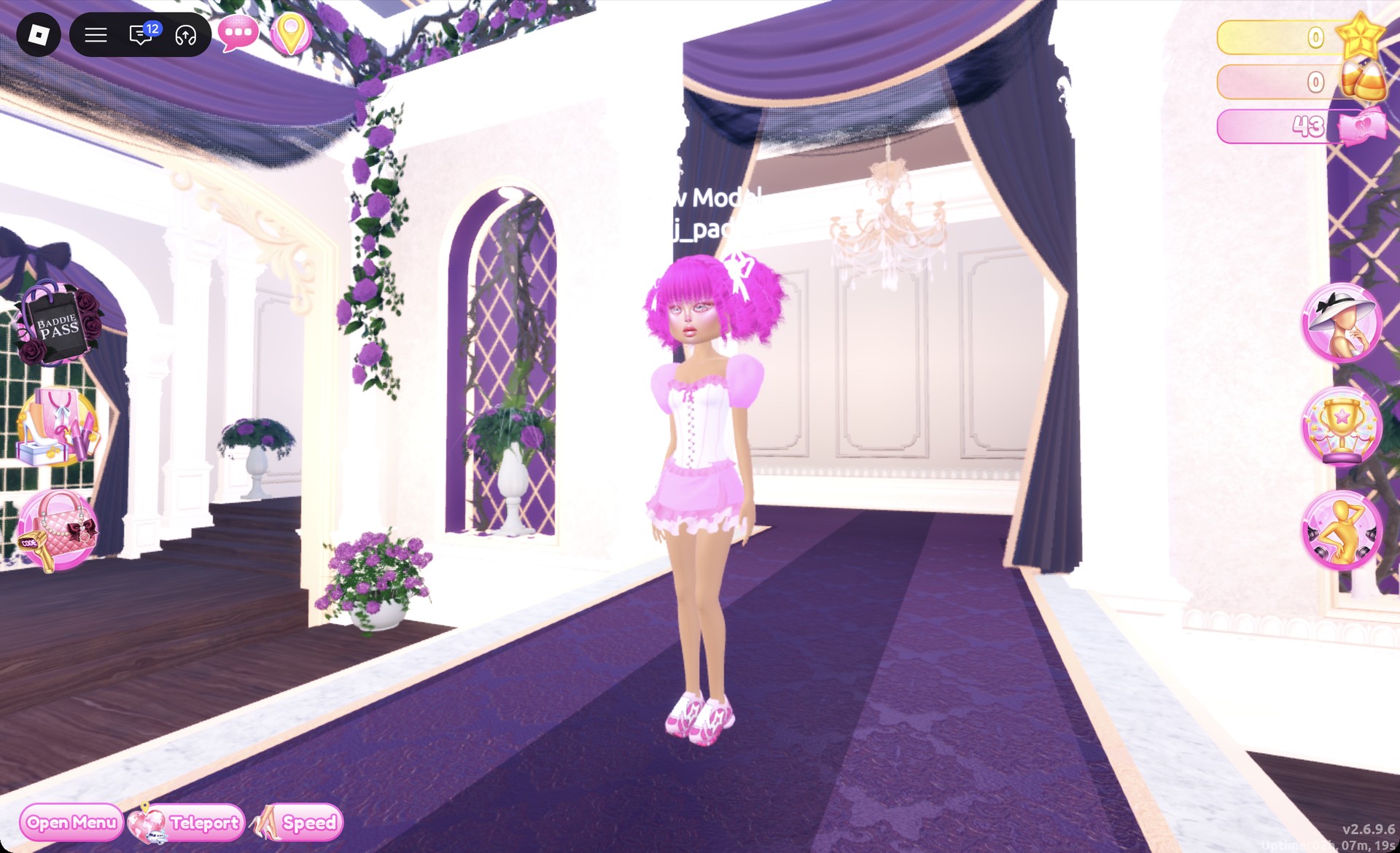
Magical girl anime outfit in Dress To Impress on the runway
The magical girl look on the runway.

The Lilac pose puts a hand on the hip.
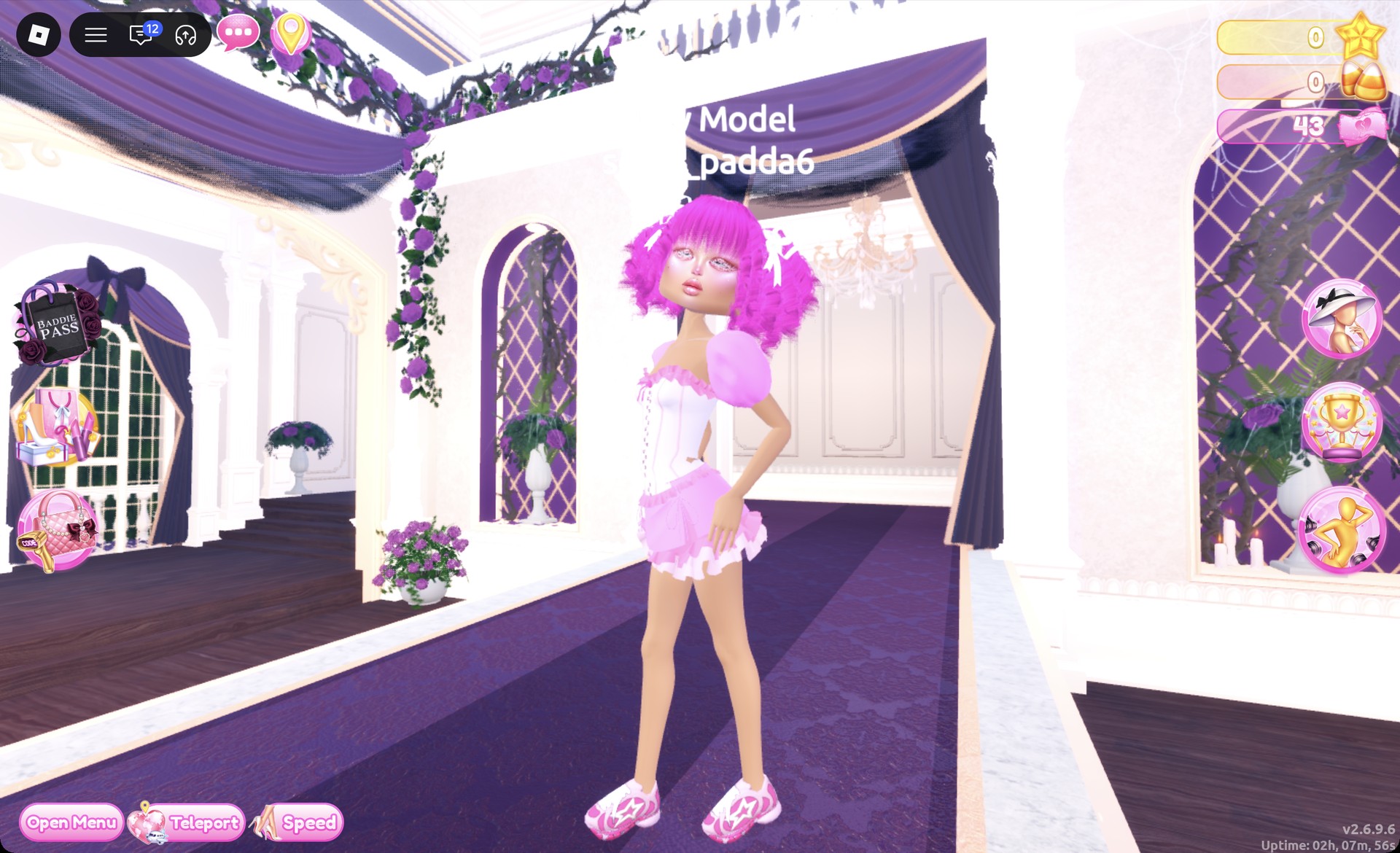
Magical girl anime outfit in the Lilac pose in Dress To Impress
The magical girl look in the Lilac pose.

From behind you should see pink pigtails, puff sleeves, the pink ruffle skirt, and pink sneakers.
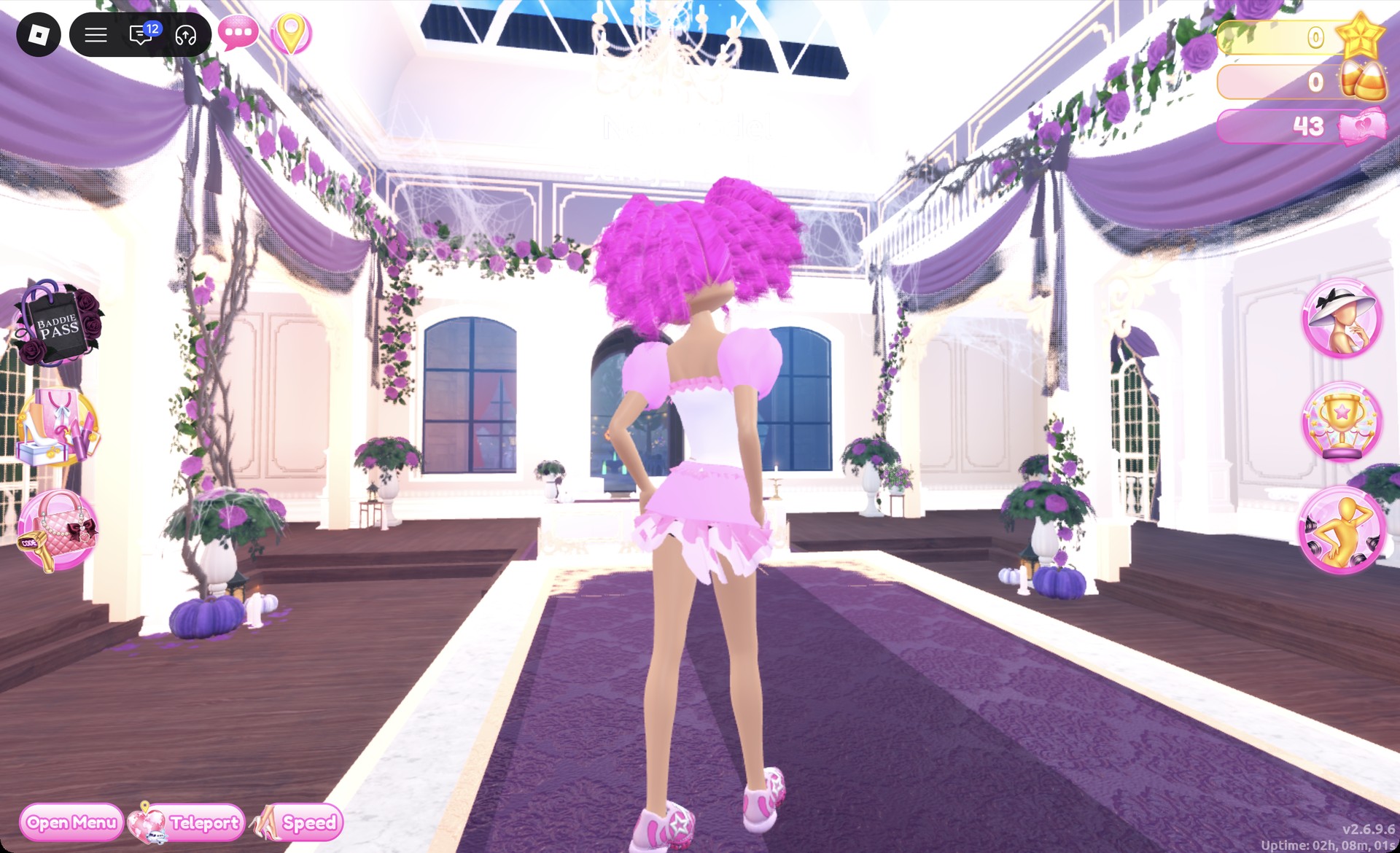
Magical girl anime outfit in Dress To Impress from behind
The magical girl look from behind.

Dark Anime Heroine outfit: silver hair and black and red

Start with a different garment: choose the two-piece on the party-dress unit’s upper shelf, consisting of a white ruffle crop top paired with a mint wrap skirt. Recolor both pieces.
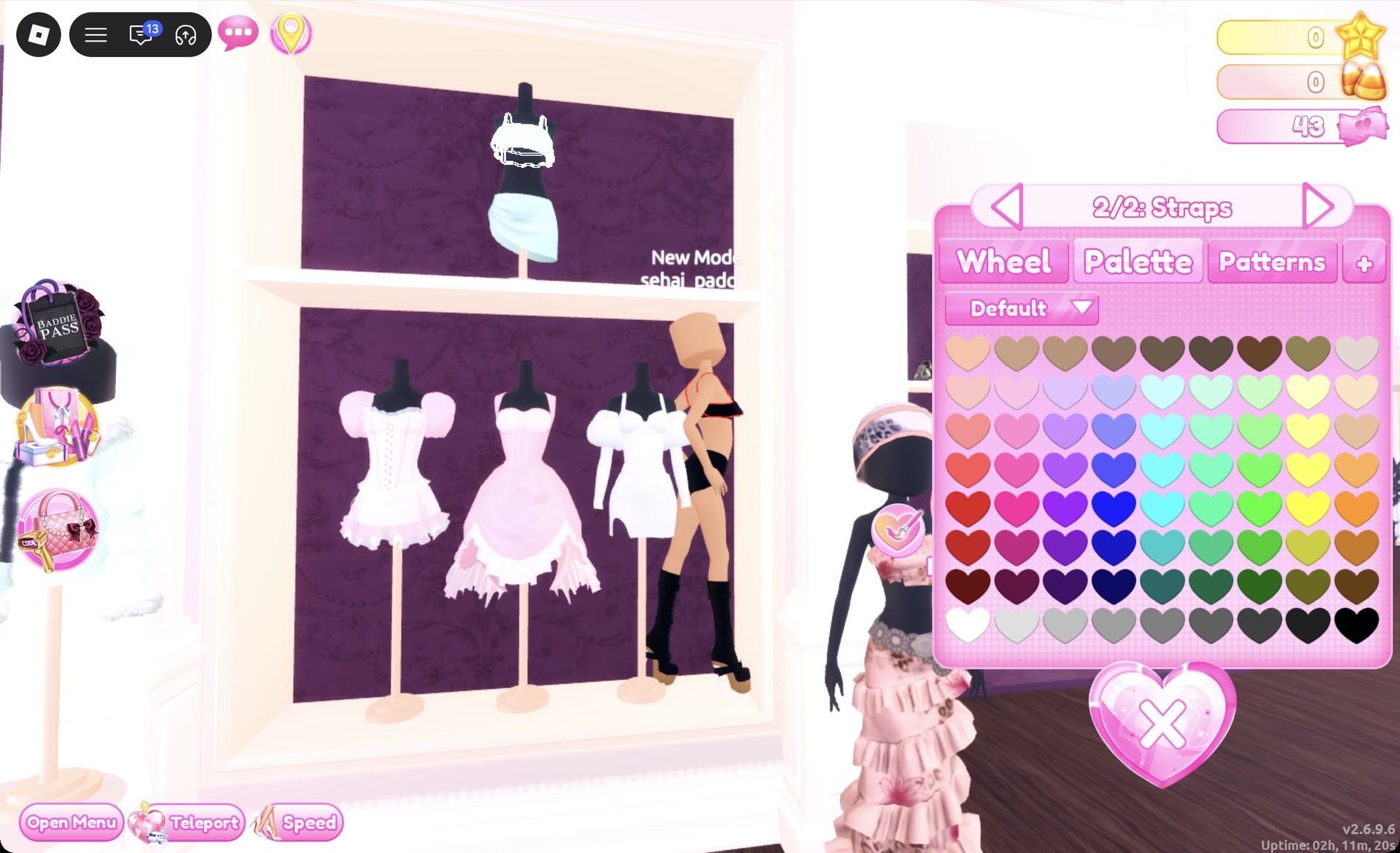
Click the crop top. Under “1/2: Top”, pick Palette column 9, row 8 for black.
Open “2/2: Straps” and set red using column 1, row 5. This creates a black ruffle crop top finished with narrow red straps and red edging.
Crop top straps recolored red in Dress To Impress
The crop top's "2/2: Straps" part set to red after the top was made black.
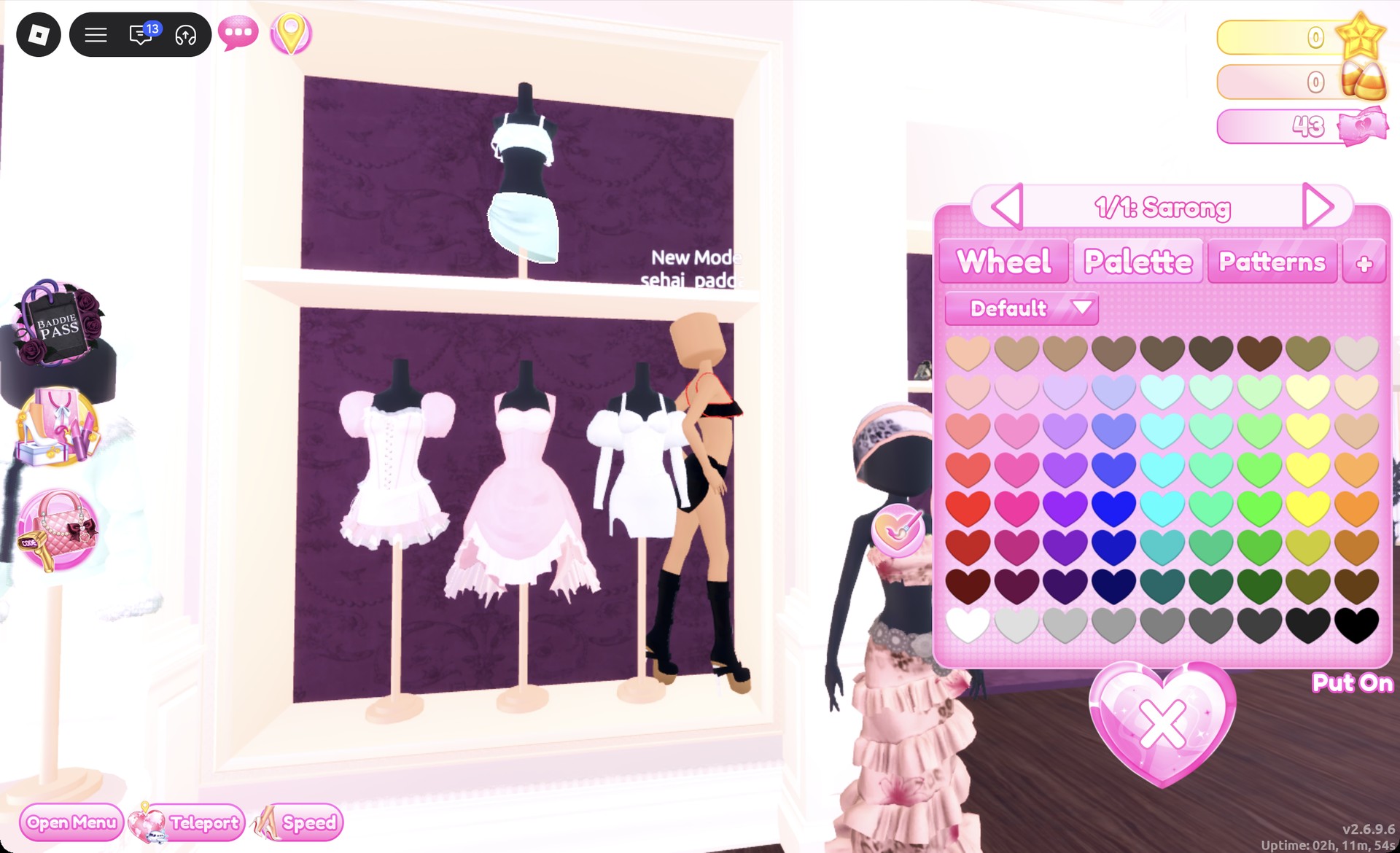
Click the skirt underneath to open “1/1: Sarong”. Set it to Palette column 9, row 8, and it becomes a black wrap mini skirt.
Sarong wrap skirt recolor panel in Dress To Impress
The wrap skirt ("1/1: Sarong") set to black.
Choose the black platform boots with laces and small white bows from the shoe shelf’s lowest row. The preview reads “1/4: Preview”; leave the colors at their defaults.
Black lace-up platform boots previewing in Dress To Impress
The black lace-up platform boots ("1/4: Preview") with their default colors.
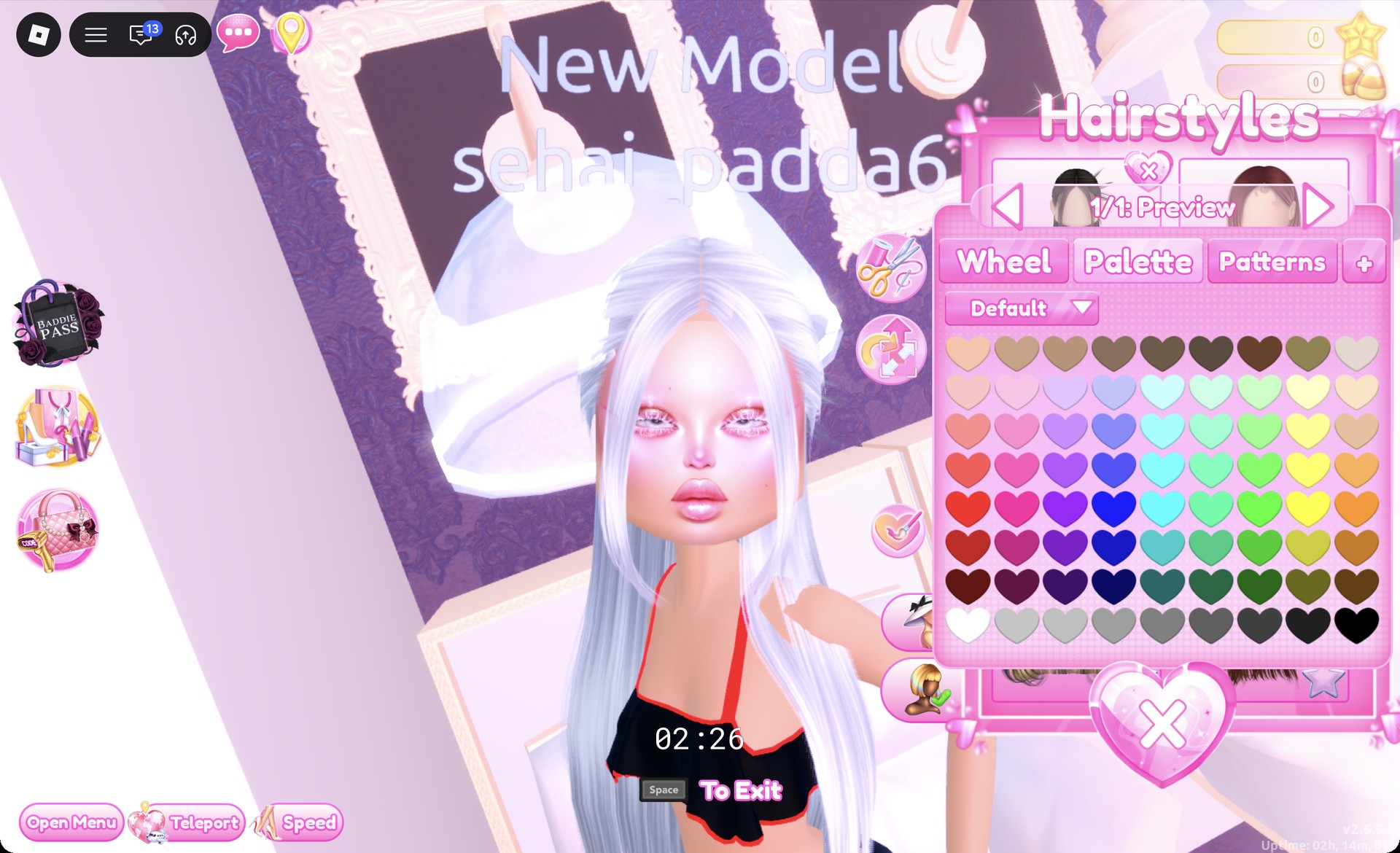
At a hair chair, open the Straight tab and pick the first card on the left in the first row, which is long straight hair, black by default. In “1/1: Preview”, set it to Palette column 2, row 8, a light grey that reads as silver-white.
Long straight hair recolored silver-white in Dress To Impress
The long straight hair from the Straight tab set to light grey, which reads silver-white.
Wear the same pink glitter glam face from the magical girl look. It’s the right card in the third row of the vanity’s Feminine tab.

The Wearing panel lists the boots, top, and sarong, but its icons still show the pieces in their default colors. Check the colors on your avatar, not in the panel.
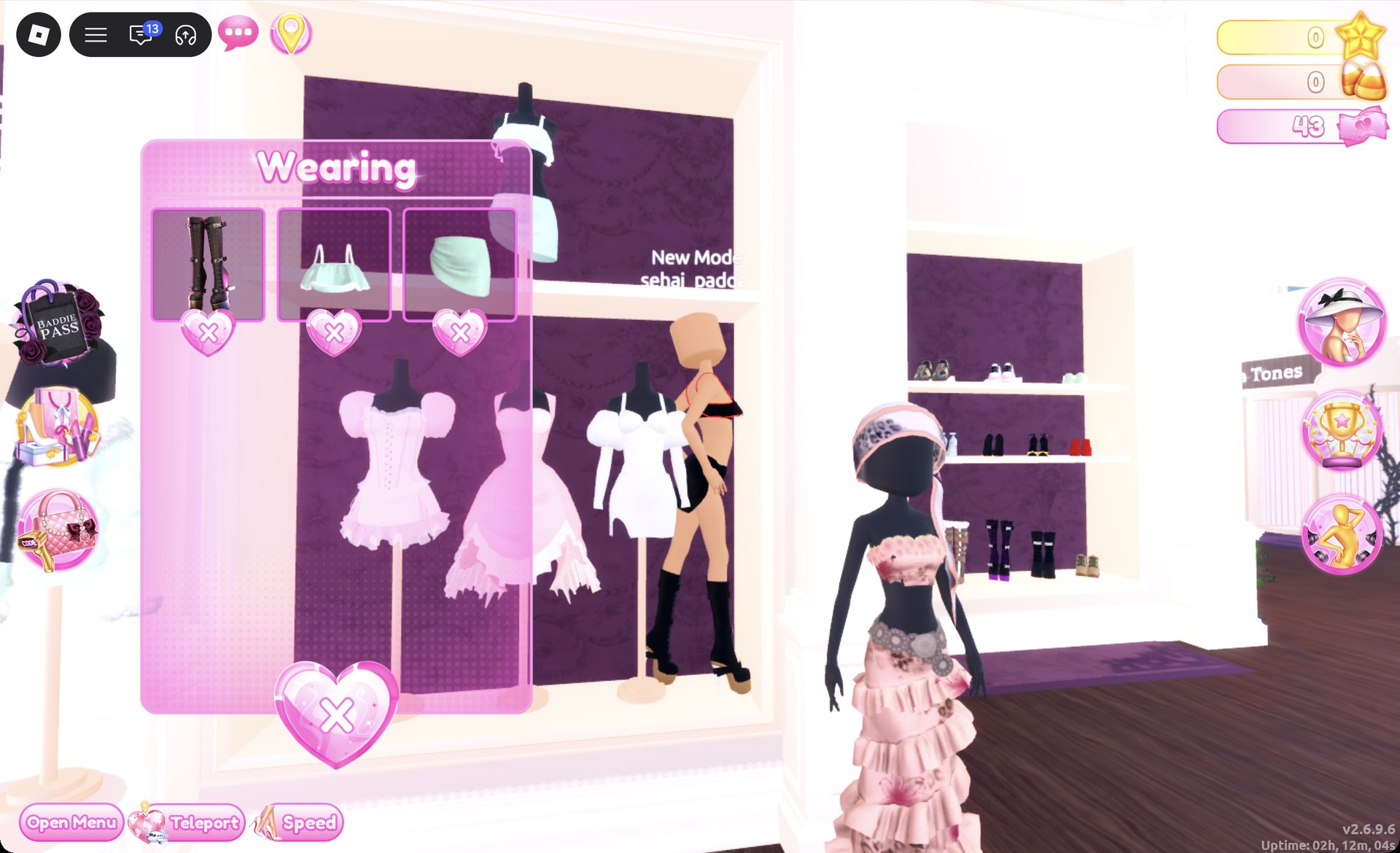
Wearing panel for the dark anime heroine look in Dress To Impress
The Wearing panel lists the boots, top and sarong; the icons keep the default colors.

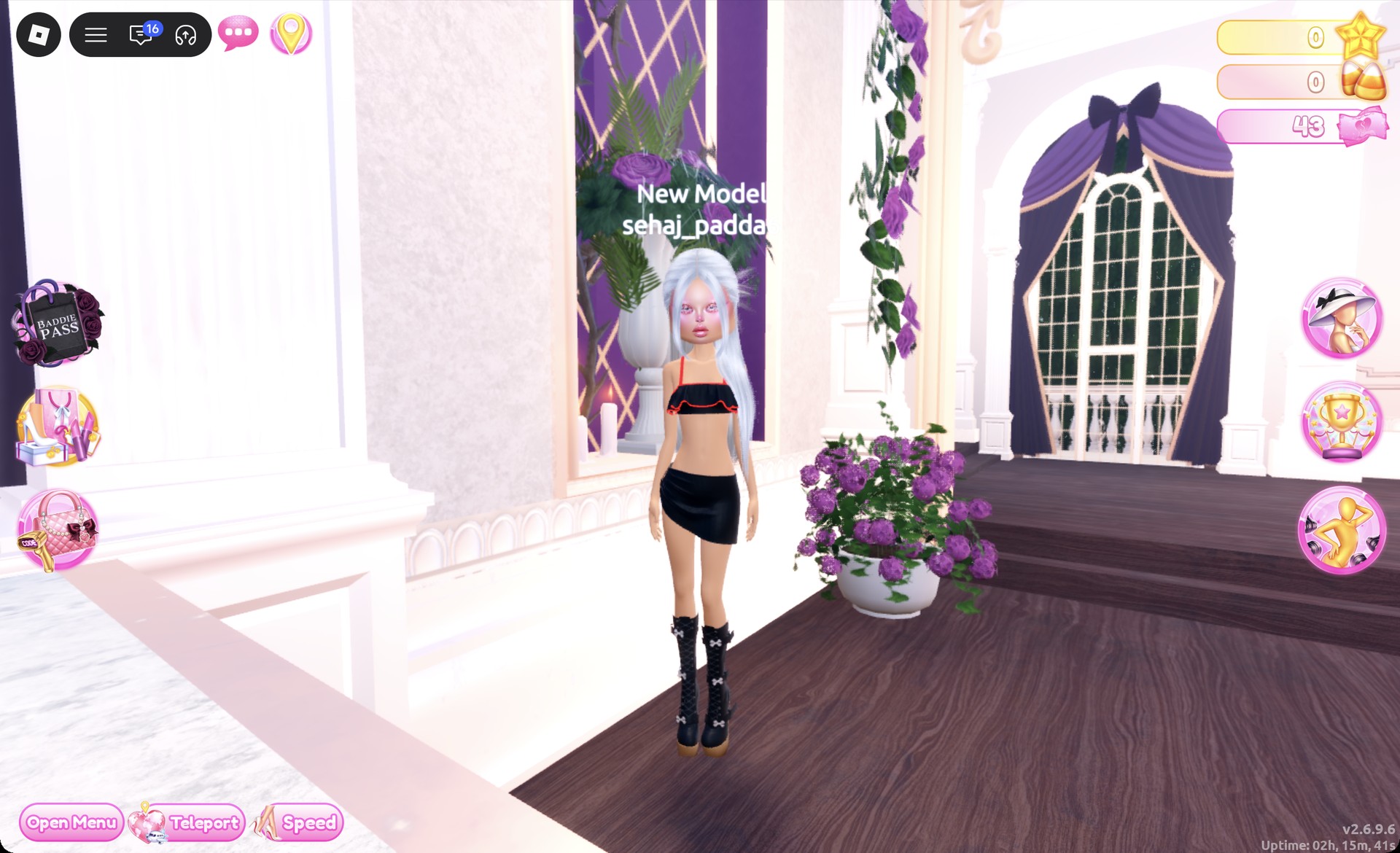
From the front, the silver hair frames the pink glitter face above the black and red crop top.
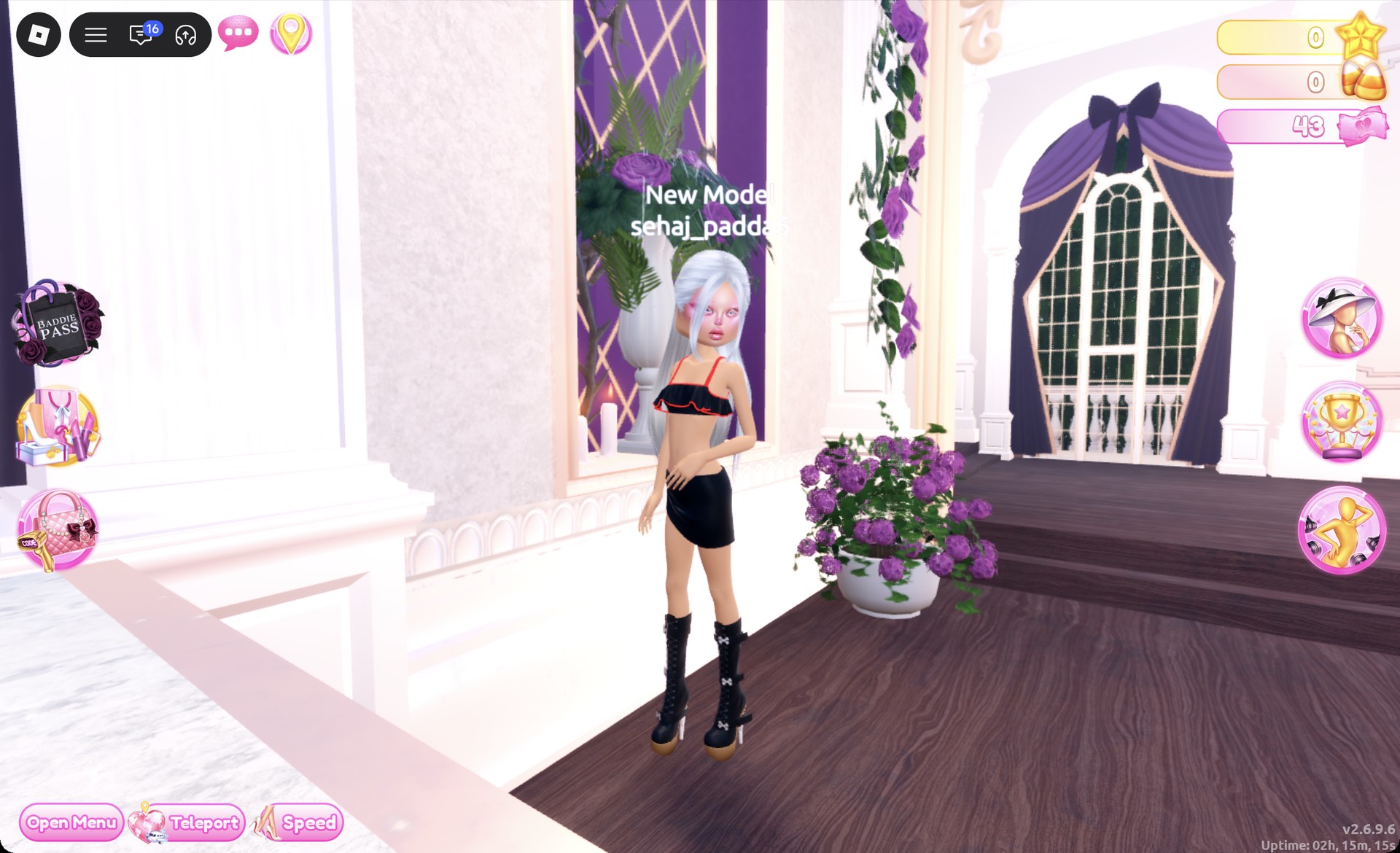
Dark anime heroine outfit in Dress To Impress
The dark anime heroine look from the front, beside the runway.

The Dazzle pose suits this look.

Dark anime heroine outfit in the Dazzle pose in Dress To Impress
The dark anime heroine look in the Dazzle pose.

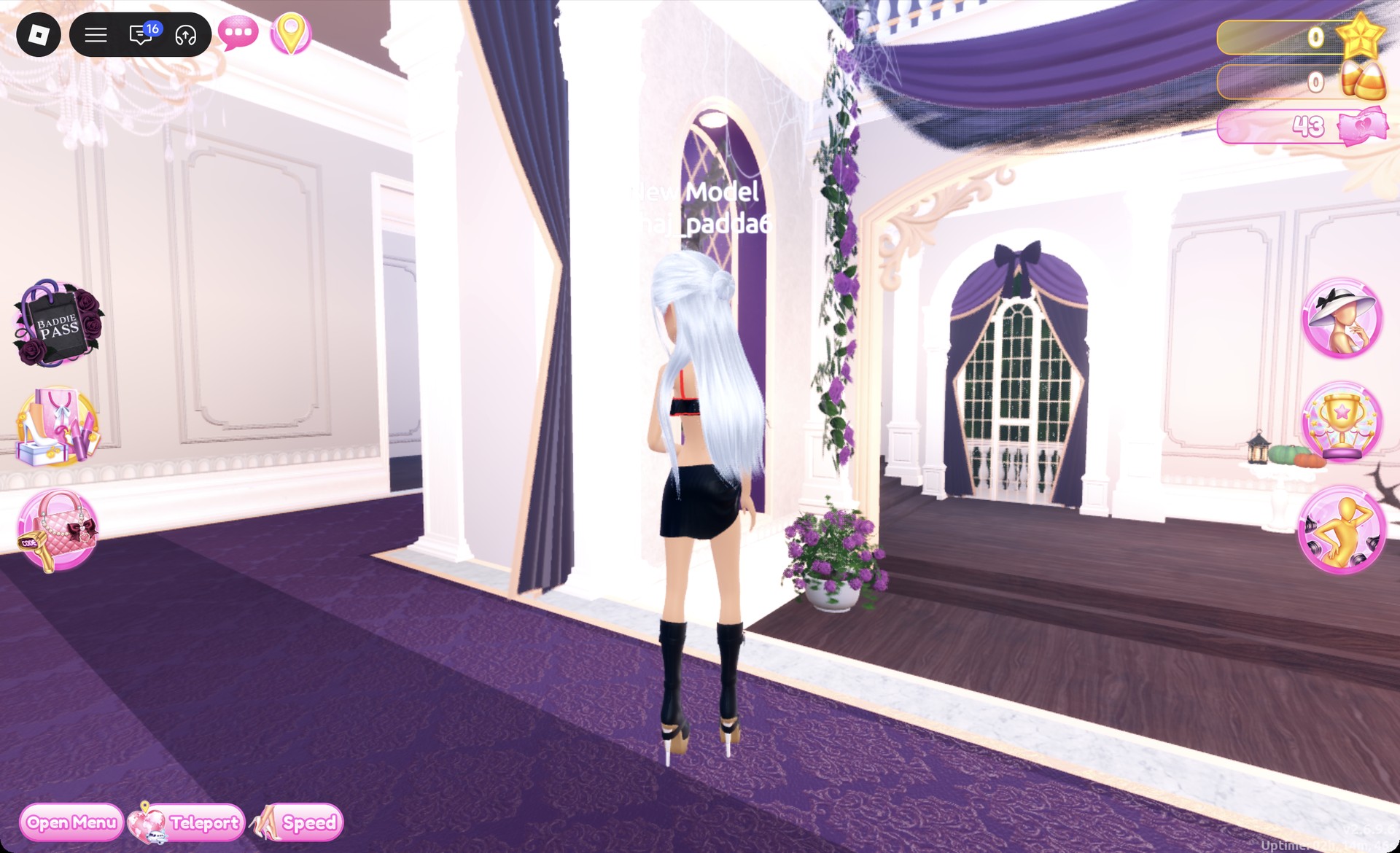
From behind, the silver hair falls down the back over the black top, black skirt, and black platform boots.
Dark anime heroine outfit in Dress To Impress from behind
The dark anime heroine look from behind on the runway.

More Dress To Impress theme ideas

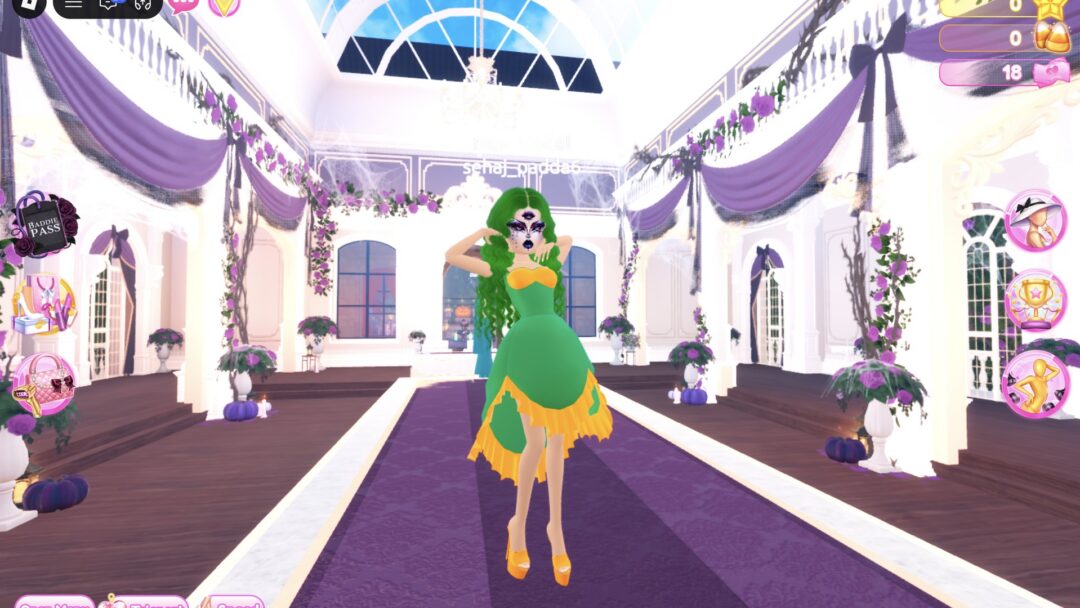
For more looks in the same spirit, see the sailor-school style in Seifuku, the bright layers in Decora, the Video Game Character and Dolls looks, and the green-haired Medusa in Mythology.

Every theme built so far is listed in the Dress To Impress themes hub, and the Dress To Impress poses guide covers free poses such as Lilac and Dazzle.


Anime Dress To Impress FAQ

Can I do the Anime theme in Dress To Impress without VIP?

Yes. Every piece, color, and face card in both looks is free.

Do you need cat ears, a wand or a sword for Anime?

No. Neither look uses ears, wands, weapons or props. The anime feel comes from the bright or silver hair, the face card and the outfit colors, which are all free.

How do I get pink pigtails in Dress To Impress?

Use the ringlet pigtails on the Curly tab of the hair chair, the first card on the left in the first row. Then recolor the hair parts on the Palette tab. Column 2, row 4 gives hot pink.

How do I make white anime hair?

Pick any hairstyle and set it to a shade on row 8 of the Palette tab. The light grey in column 2 reads as silver-white, which is the color the dark heroine look uses.