Gaming Guide

Tudor Period Dress To Impress: 2 Outfit Ideas (Red and Gold Court Gown, Green Gown with a Black Hood)

Two free Tudor Period DTI looks built step by step: a deep red ball dress with a gold Metallic neckline and hem, gold heels and an auburn pinned-curl updo, and a dark green tiered gown with a gold belt under a black hood.

Two free Tudor Period DTI looks built step by step: a deep red ball dress with a gold Metallic neckline and hem, gold heels and an auburn pinned-curl updo, and a dark green tiered gown with…

Tudor Period in Dress To Impress, the Roblox fashion game, asks for royal court dress. A good tudor period dti look comes down to a long, full gown in deep red or dark green, gold trim, pinned-up hair and, if you want the court lady look, a black hood. Every piece below is free. You need no Robux and no VIP. For other themes, see the Dress To Impress themes guide.

Quick answer: Give the pale pink ball dress a deep red color, with gold Metallic on its neckline and hem; alternatively, recolor the tiered ruffle gown dark green and its belt gold. Finish with the black hood and an Updo hairstyle.


Where Tudor Period pieces are in Dress To Impress

The game shows no item names. Pieces are found by where they sit, what they look like and their color. You will use three stations plus the runway.

  • Hair: Lana’s Salon, left arch. Sit in a hair chair under the hood dryers and press E to open the Hairstyles panel.
  • Face: Lana’s Salon, right arch. Sit at a vanity with a round mirror, press E, and open the Feminine tab.
  • Clothes, shoes and the hood: Open the Teleport pin in the upper-left corner and choose “Dressing Room”.
  • Skin: the curtained booths under the “Skin Tones” sign.
  • Runway: Open the Teleport pin and choose “Freeplay Runway”.
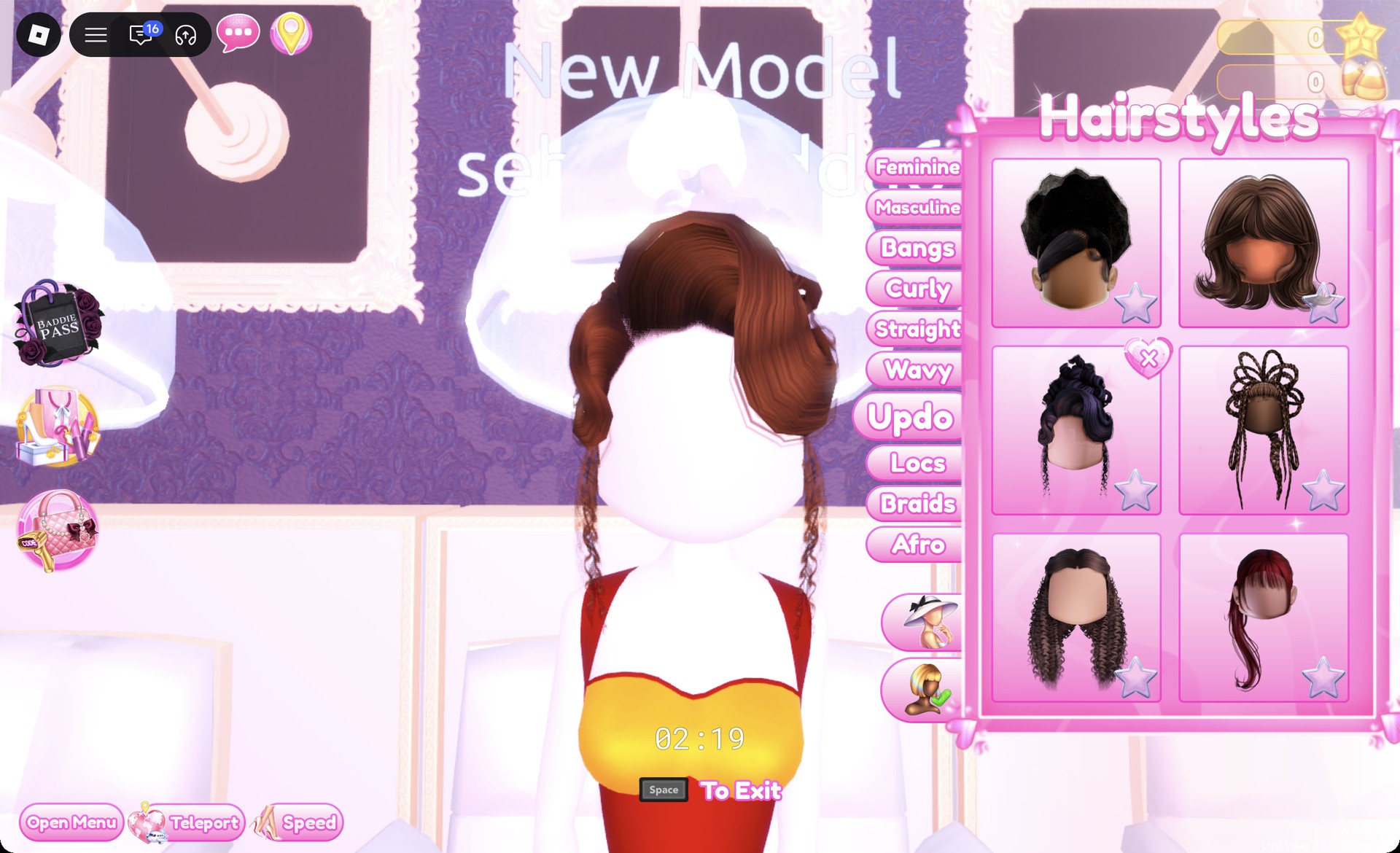
Updo tab in the Hairstyles panel in Dress To Impress
The Hairstyles panel, Updo tab, with the pinned-curl updo picked (second row, left).

You get a 3:00 countdown in both the hair chair and the vanity once seated, so choose your card beforehand.


Tudor colors and the gold recipe in DTI

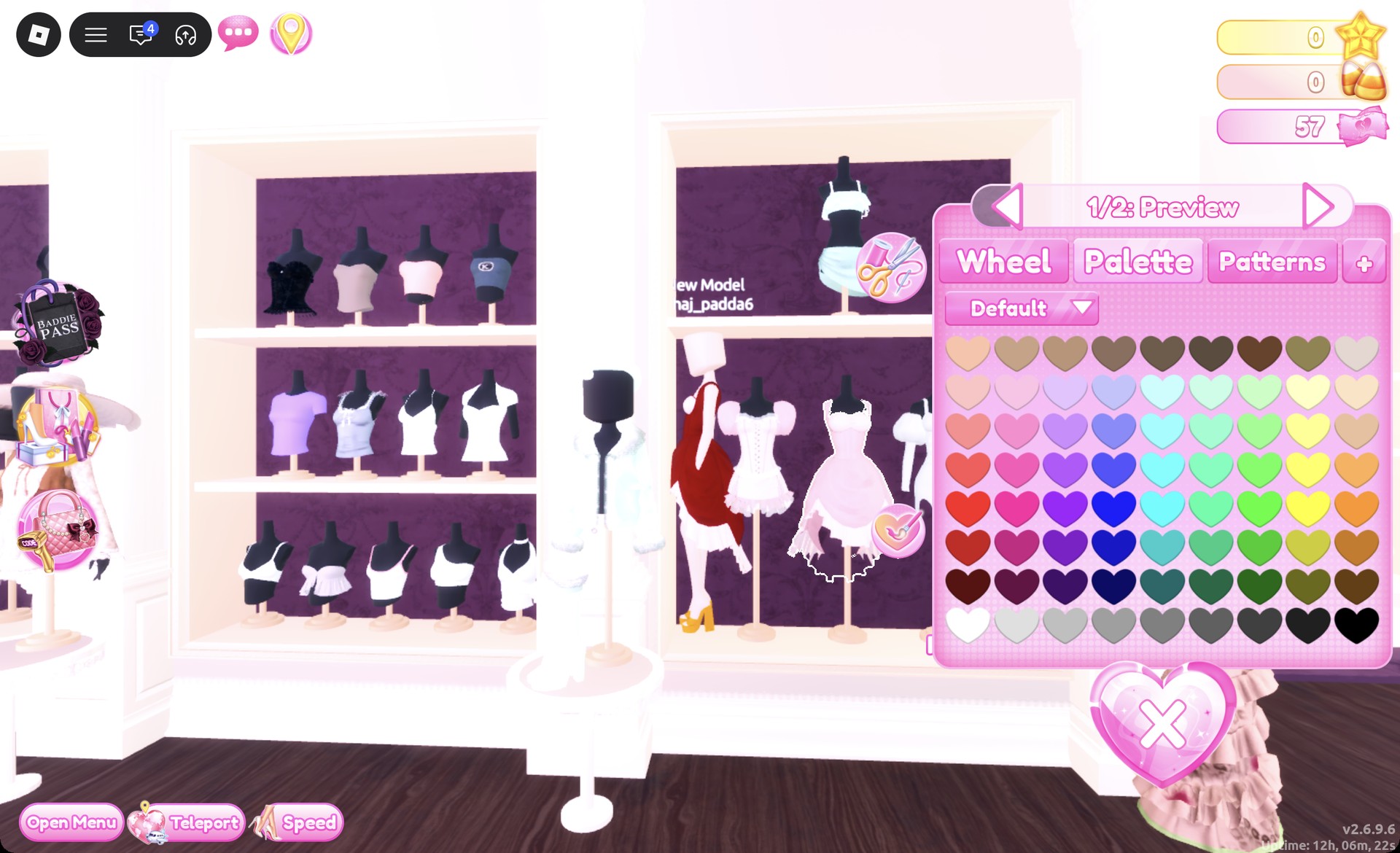
Tudor Period reads as deep red, dark green, black and gold. Palette positions below use the Default palette. Columns count from the left and rows count from the top. Row 8 is the white-to-black row.

ColorWhere to pick itMaterial
Deep redPalette column 1, row 7Silk
Dark greenPalette column 7, row 7Silk
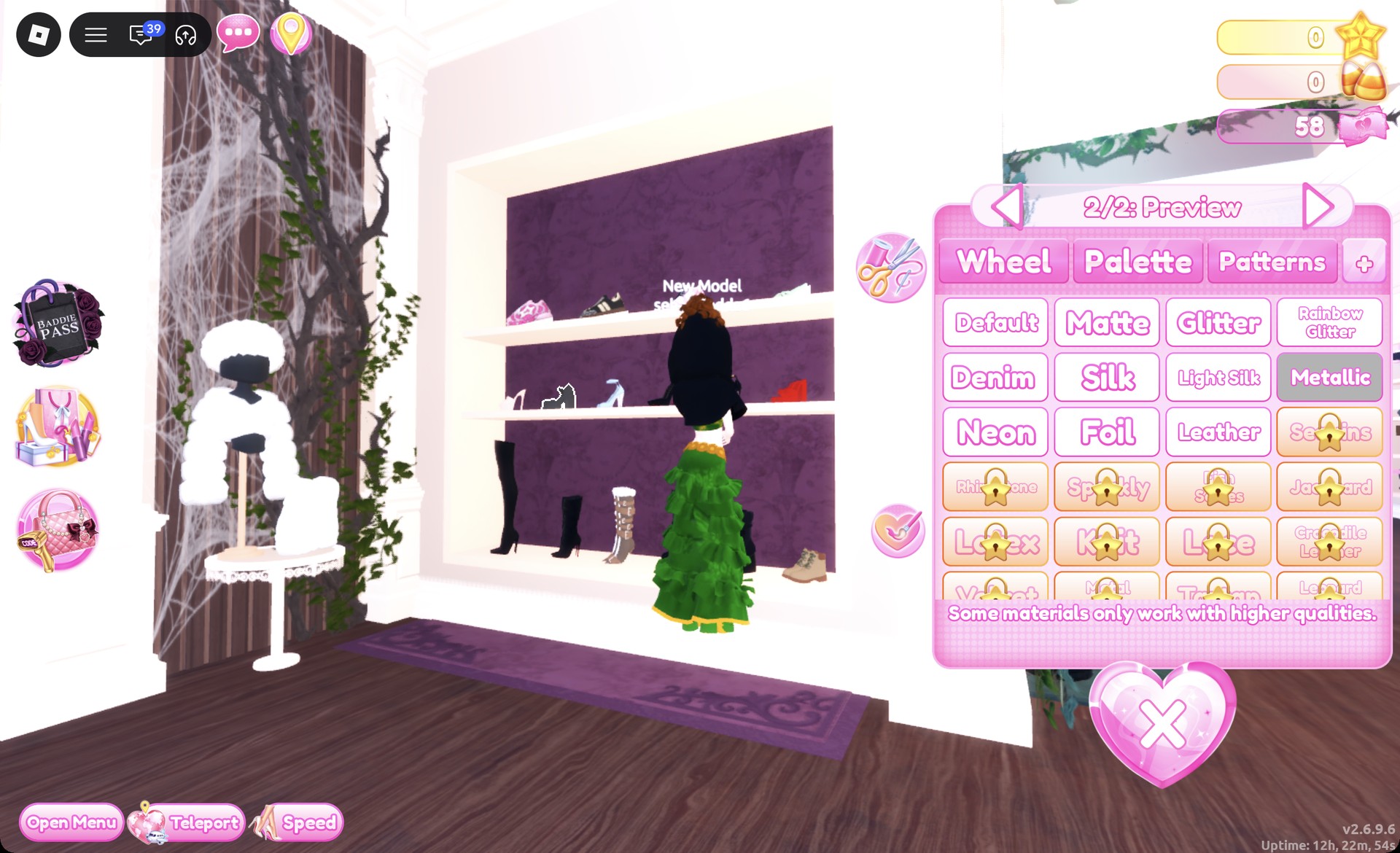
GoldWheel tab, HEX #bb8013Metallic
Auburn hairPalette column 7, row 1None
Dark brown hairPalette column 9, row 7None

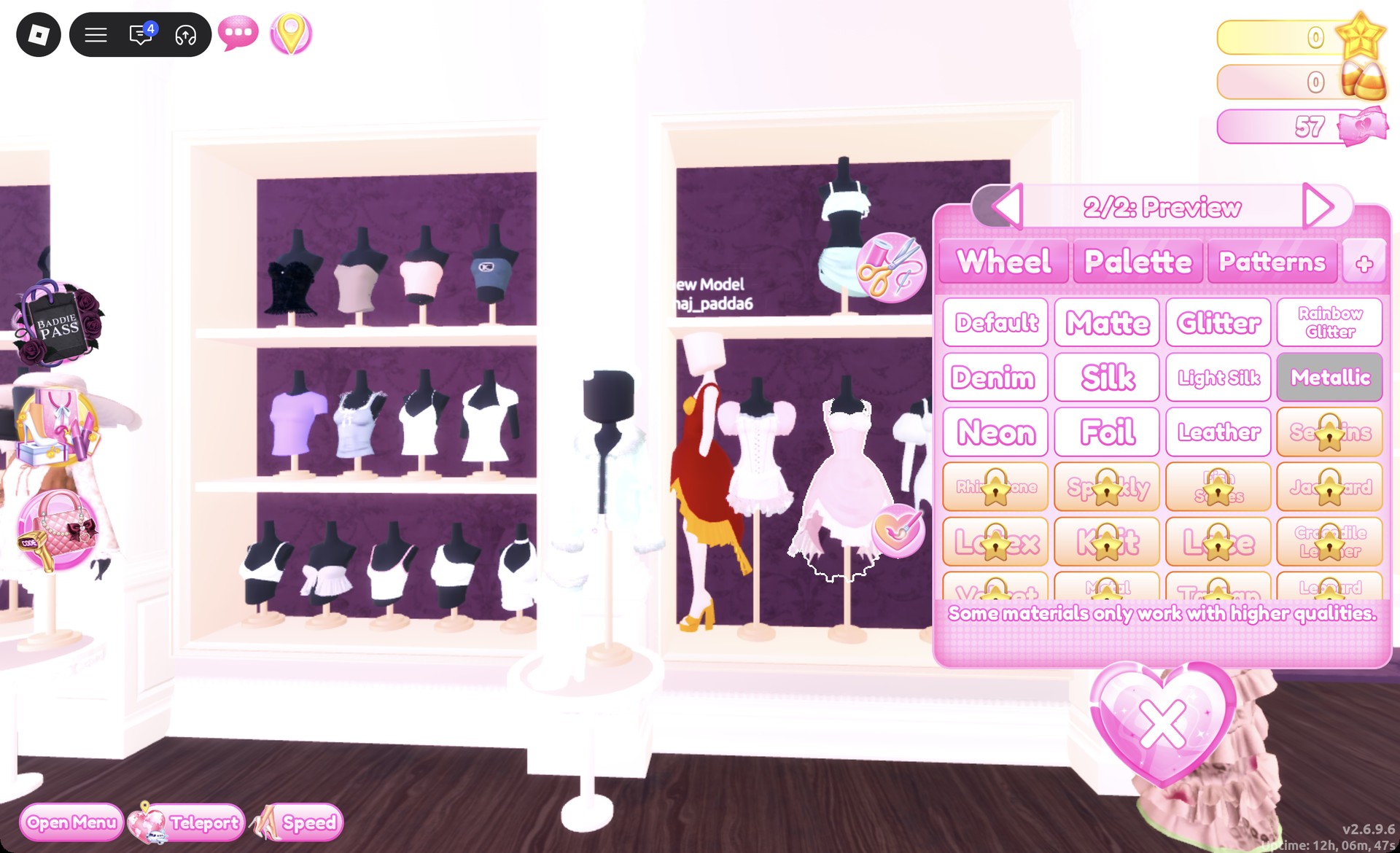
For gold, open the Wheel tab, click the color square near its top right, and drag the brightness slider left until the code reads HEX #bb8013. Then pick Metallic on the “+” tab. Silk and Metallic are both free. Materials marked with a gold star lock, such as Sequins, Rhinestone, Sparkly, Lace, Latex and Knit, are not part of these looks.
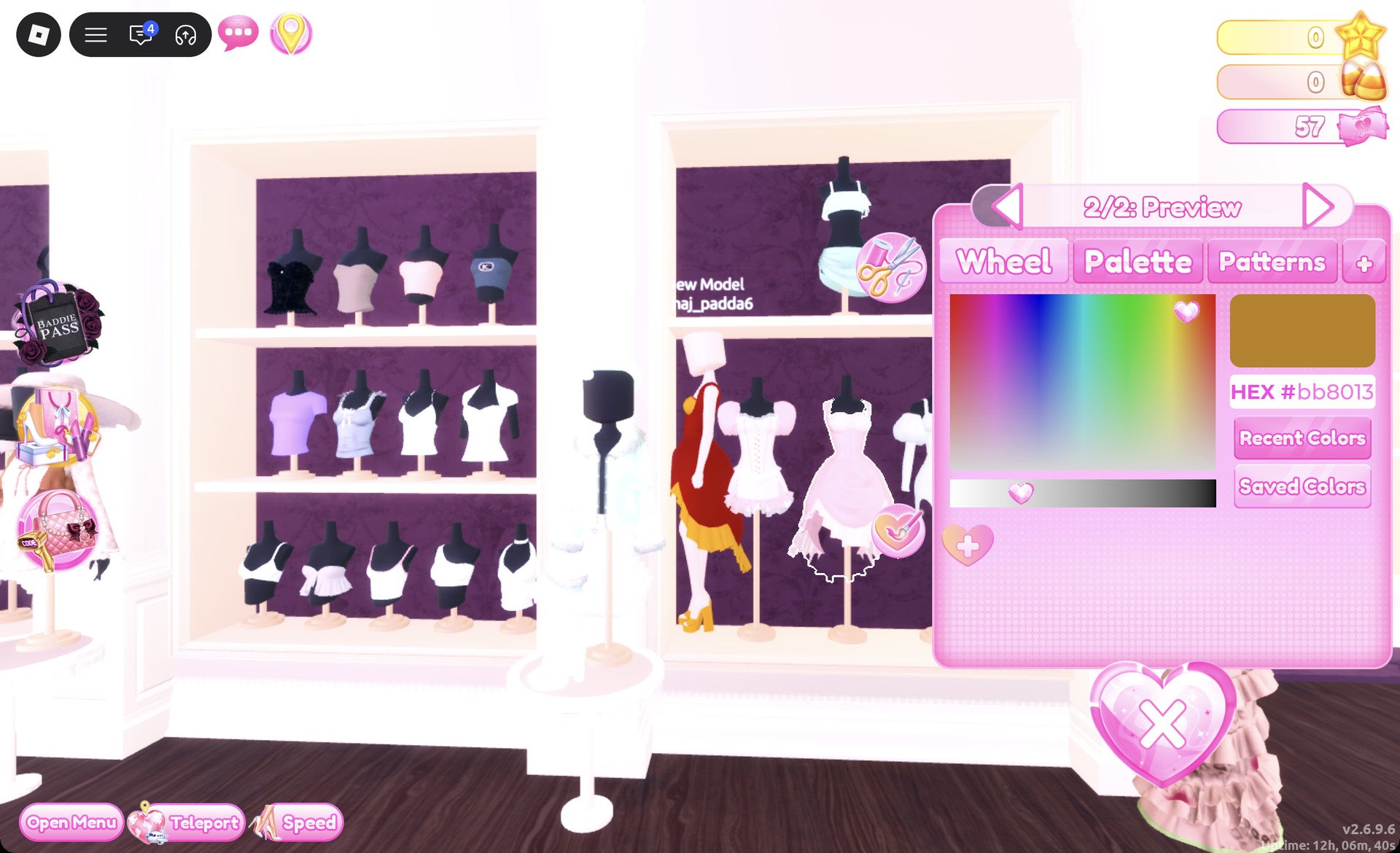
Wheel tab showing HEX #bb8013 in Dress To Impress
The Wheel tab with HEX #bb8013, the gold used in both looks.

How recoloring a piece works

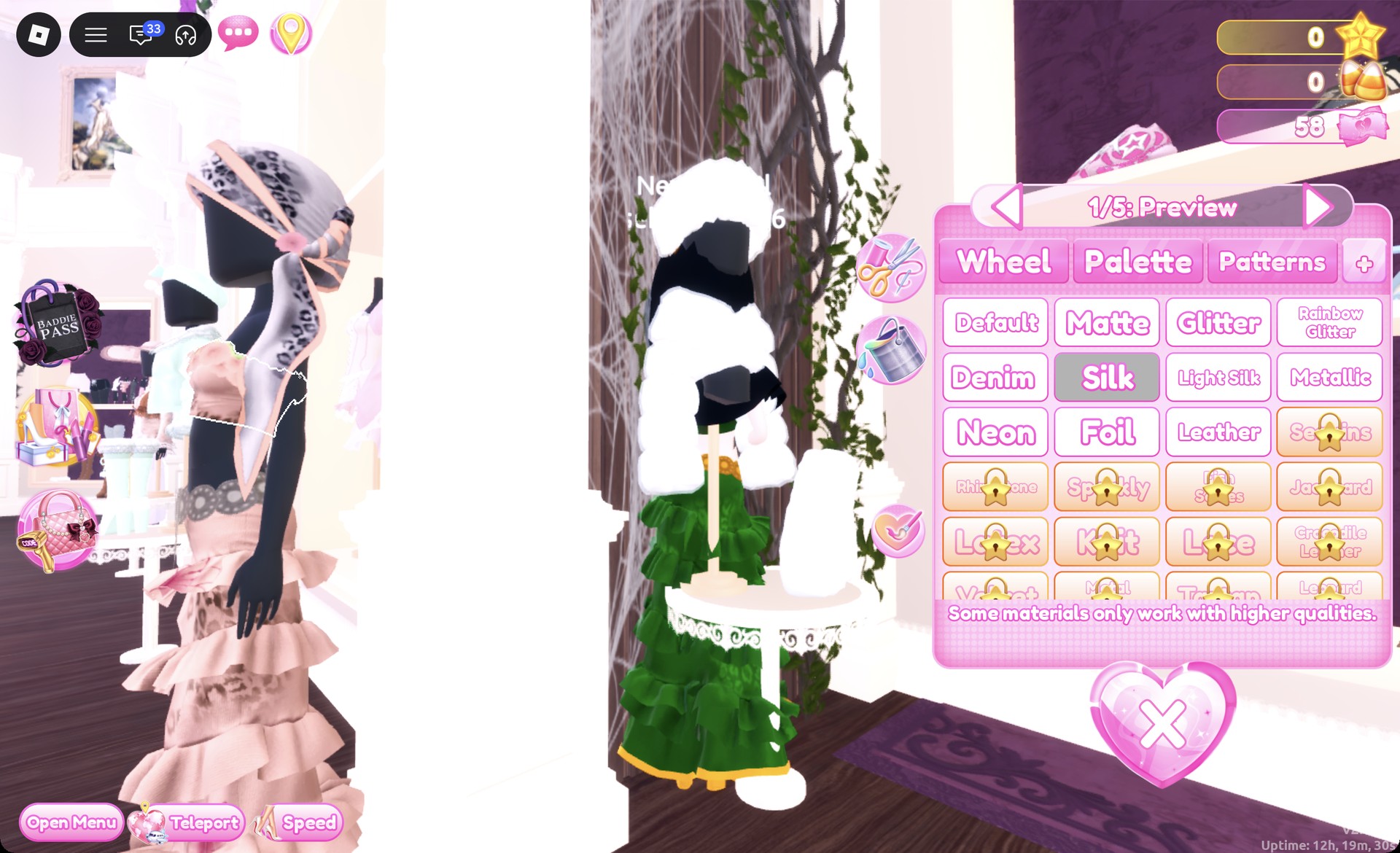
Click a piece in the Dressing Room to preview it. A panel opens with labels such as “1/2: Preview” or “1/5: Skirt”.
Color panel open on the tiered gown bandeau in Dress To Impress
The color panel opens on part 1 of the piece, here "1/5: Preview" on the bandeau.
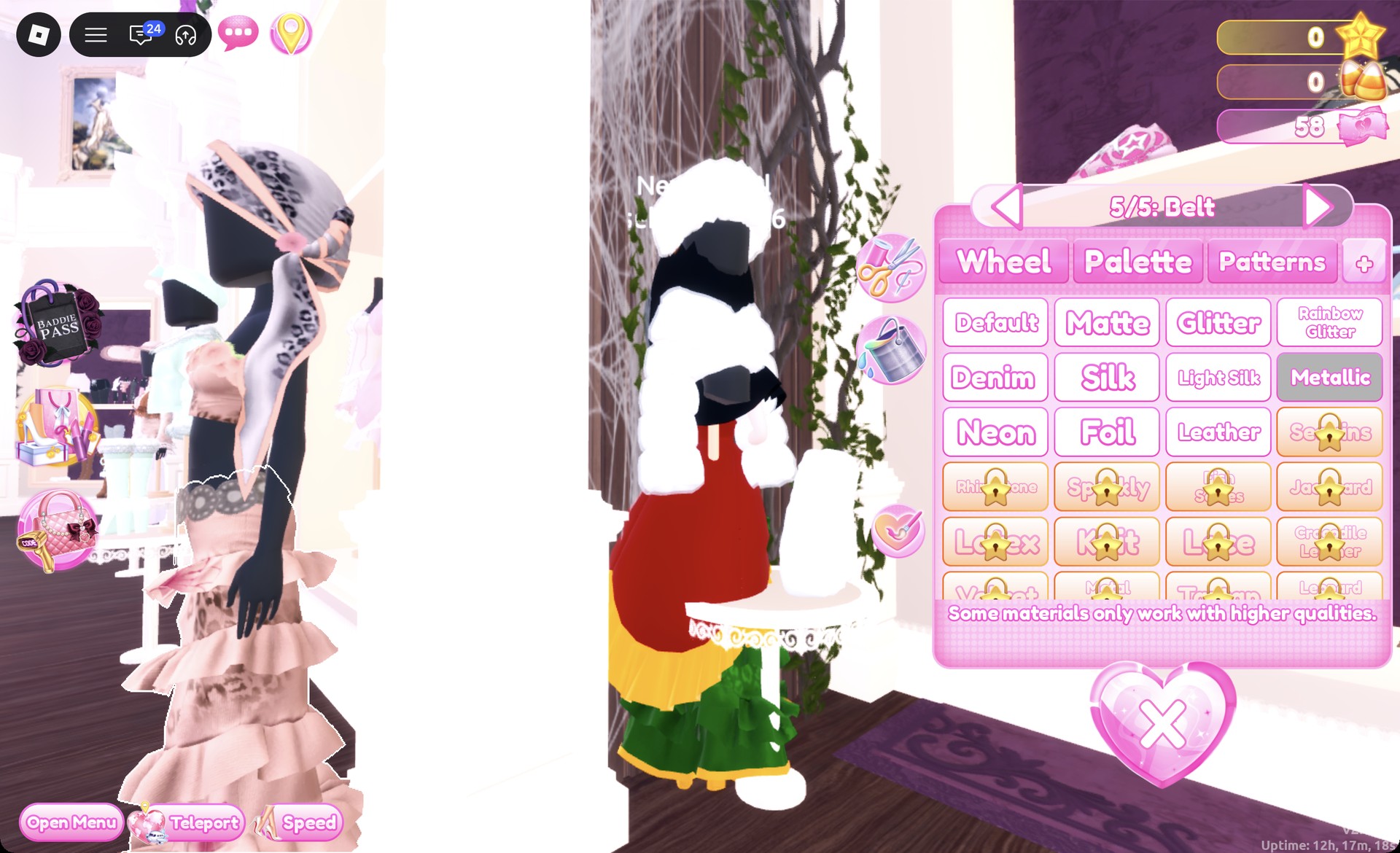
Use the arrows to step through the piece’s parts. Each part takes its own color from the Palette or Wheel tab.
Tiered gown skirt part 5/5: Belt in Dress To Impress
The arrows step through the parts: "5/5: Belt" on the tiered skirt.
Pick a material for each part on the “+” tab.
Press Put On, the heart-and-tick button to the left of the panel. The piece now appears on your avatar in its new colors.

Anything you already wear can be recolored later. Open the Wearing panel with the hanger button on the right and click the piece’s picture. For skin, both looks use the Skin tab in the Skin Tones booth, first row, second swatch. It is a very pale tone that suits a pale court look.
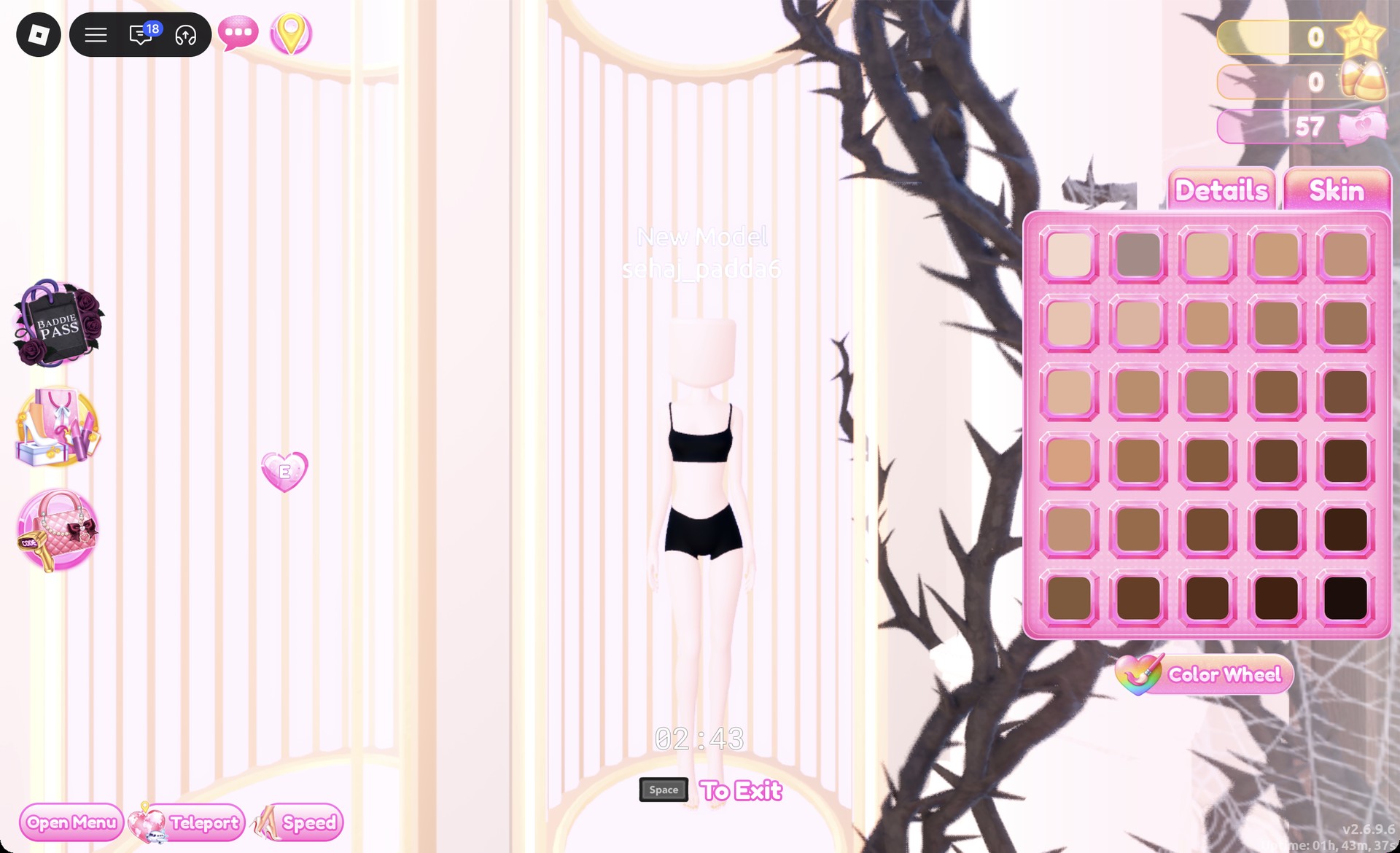
Skin Tones booth Skin tab in Dress To Impress
Skin tab in the Skin Tones booth: first row, second swatch for very pale skin.

Tudor Period look 1: Red and gold court gown

The base is the pale pink ball dress on the lower party-dress shelf, between the white corset puff dress and the white fitted puff mini.
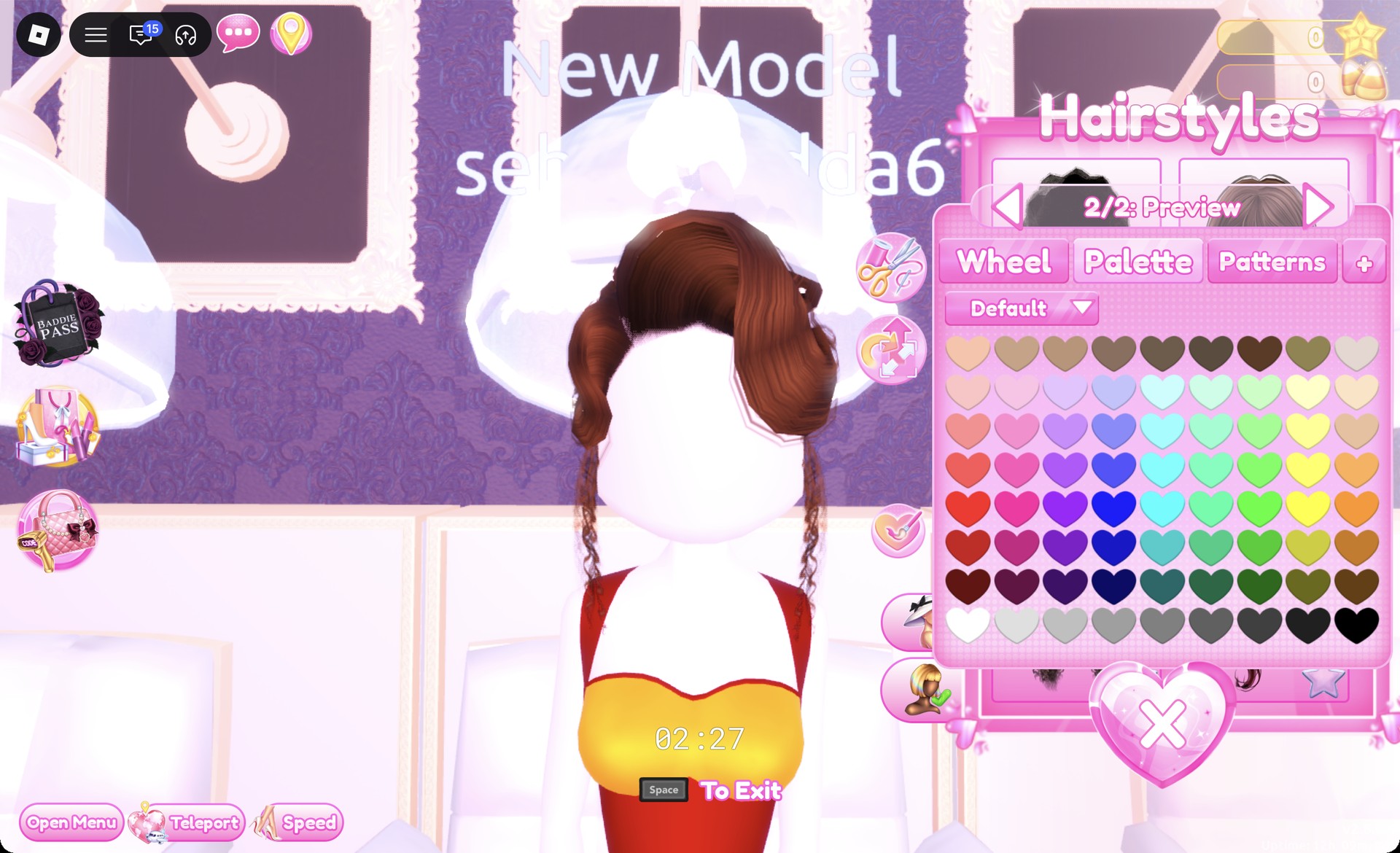
At a hair chair, open the Updo tab and pick the second row, left card. It has pinned curls piled at the back and curled strands at the sides. Set “1/2: Preview” and “2/2: Preview” to Palette column 7, row 1 for a warm brown that reads auburn, then Put On.
Pinned curl updo recolored auburn in Dress To Impress
The Updo tab card with both parts set to column 7, row 1.
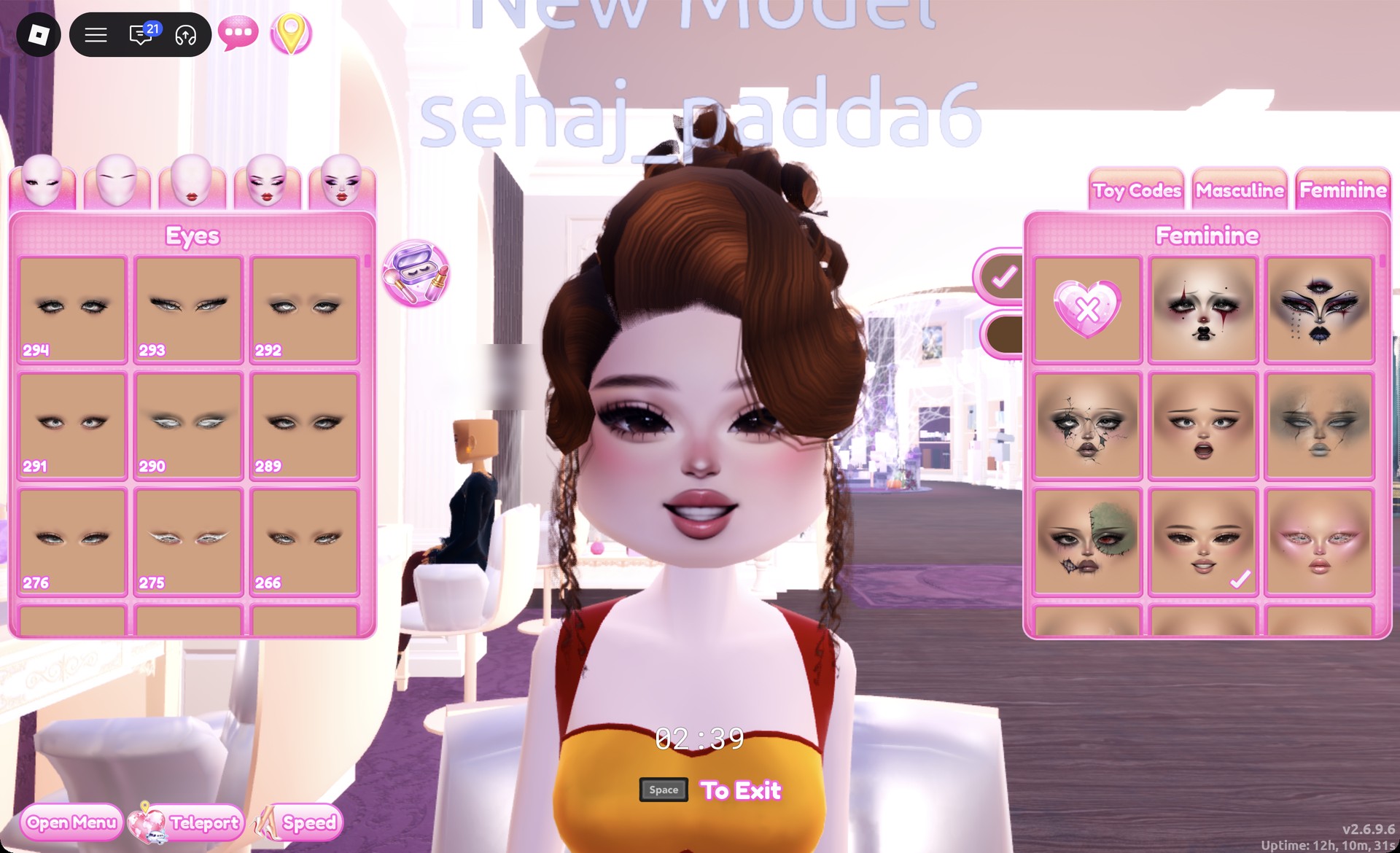
At a vanity, open the Feminine tab and pick the third row, middle card. It is a soft natural face with dark lashes, pink blush and pink lips. Confirm with the tick.
Soft natural face card on the vanity in Dress To Impress
The Feminine tab, third row middle card: soft natural face.
In the Dressing Room, click the pale pink ball dress. Set part 1 to deep red (Palette column 1, row 7) with Silk, which turns the bodice and skirt red.
Pale pink ball dress part 1 set to deep red in Dress To Impress
Part 1 of the ball dress set to deep red (column 1, row 7).
Step to part 2 and set it to gold with Metallic. This adds a gold band at the neckline and a gold ruffle hem. Put On.
Ball dress part 2 gold Metallic in Dress To Impress
Part 2 in gold with Metallic: the gold neckline band and ruffle hem.
Find the shoe shelf, the shoe wall near the Skin Tones booths, and take the heels at the far right of the middle row. Set “1/1: Preview” to gold with Metallic for gold platform heels, then select Put On.
Heels recolored gold Metallic in Dress To Impress
The heels from the right end of the middle row, set to gold Metallic.
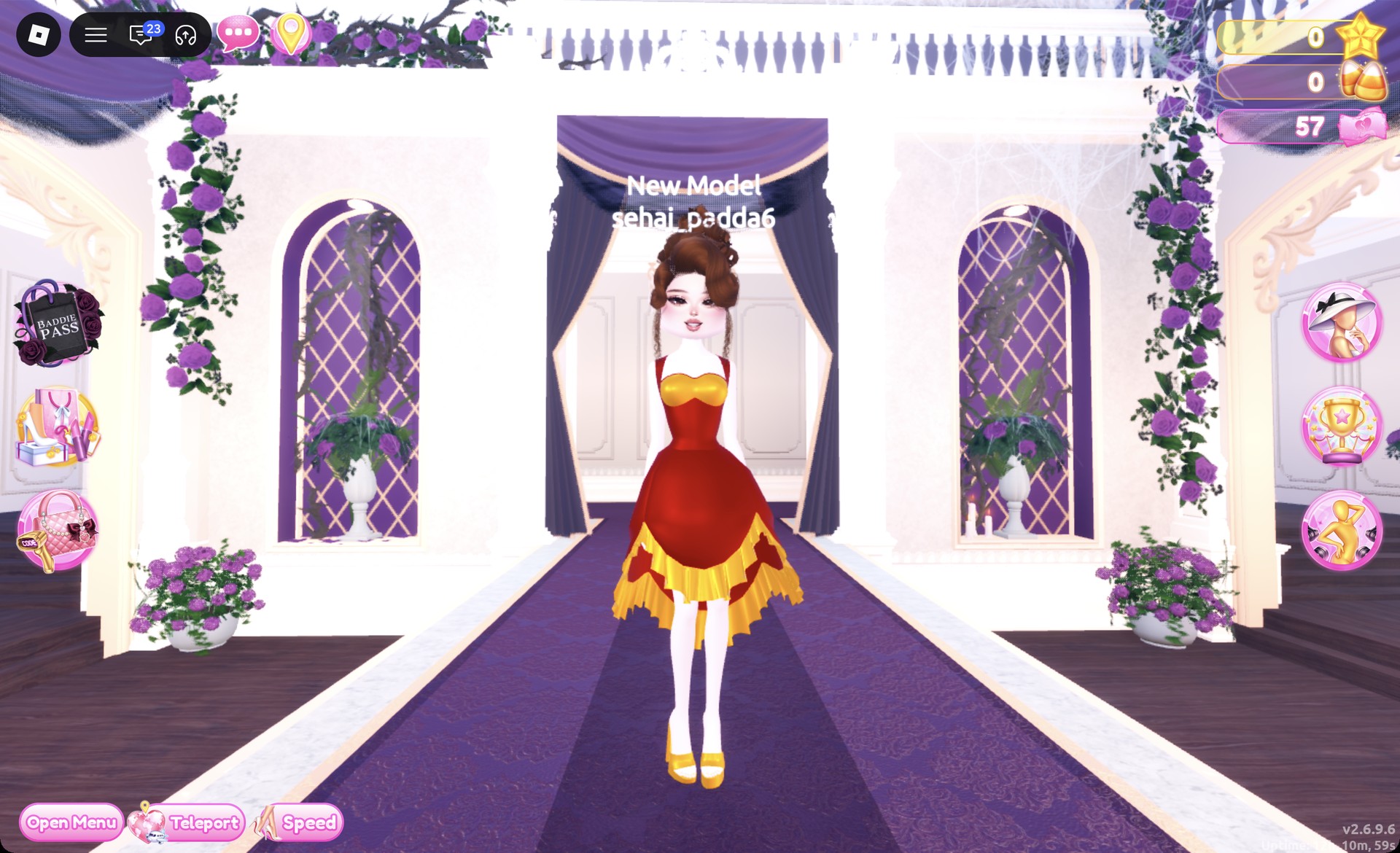
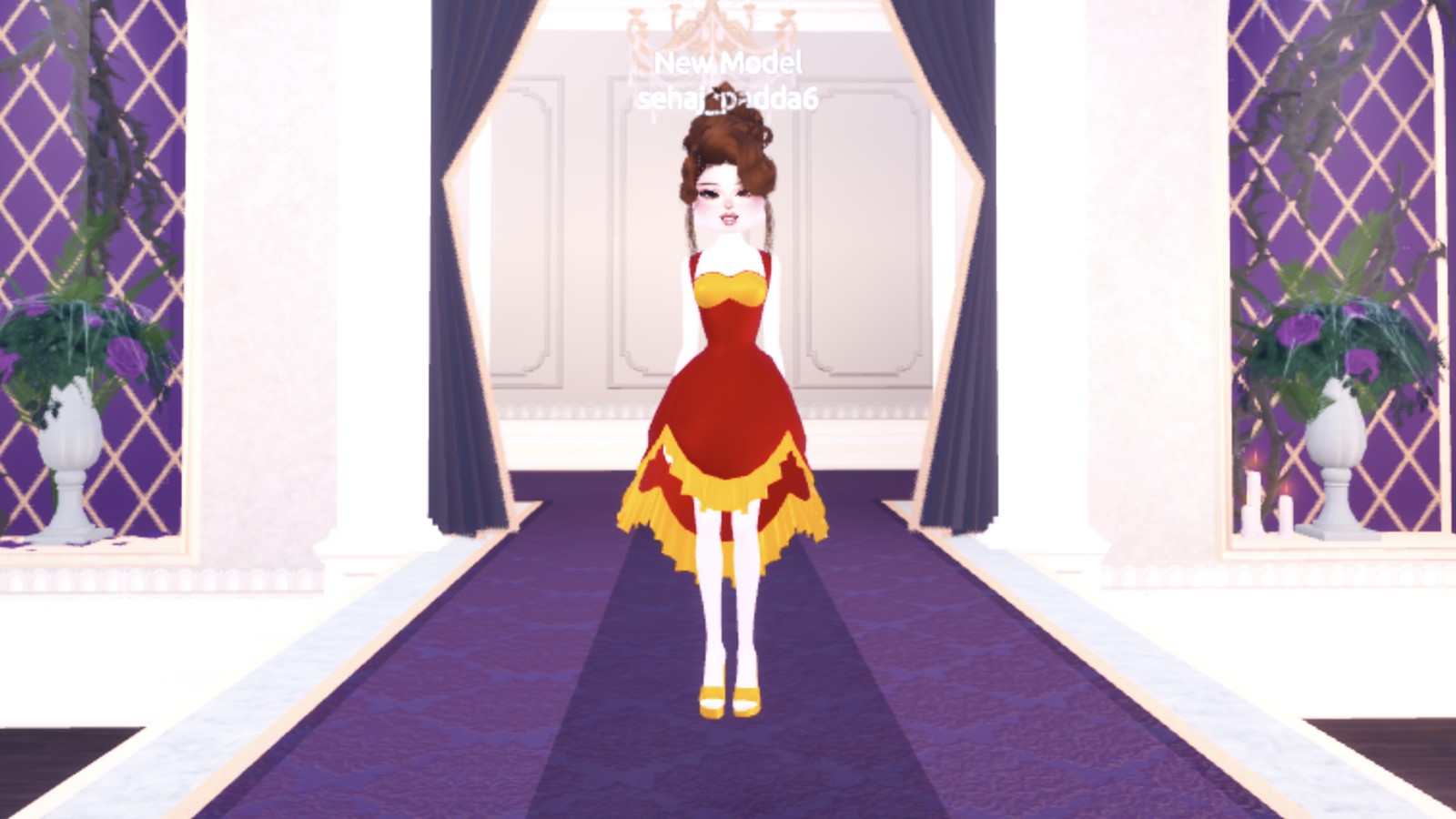
Teleport to “Freeplay Runway”. From the front you see the red gown with its gold neckline and hem and gold heels.
Red and gold Tudor court gown front view in Dress To Impress
Look 1 on the Freeplay Runway: red gown, gold neckline and hem, gold heels.

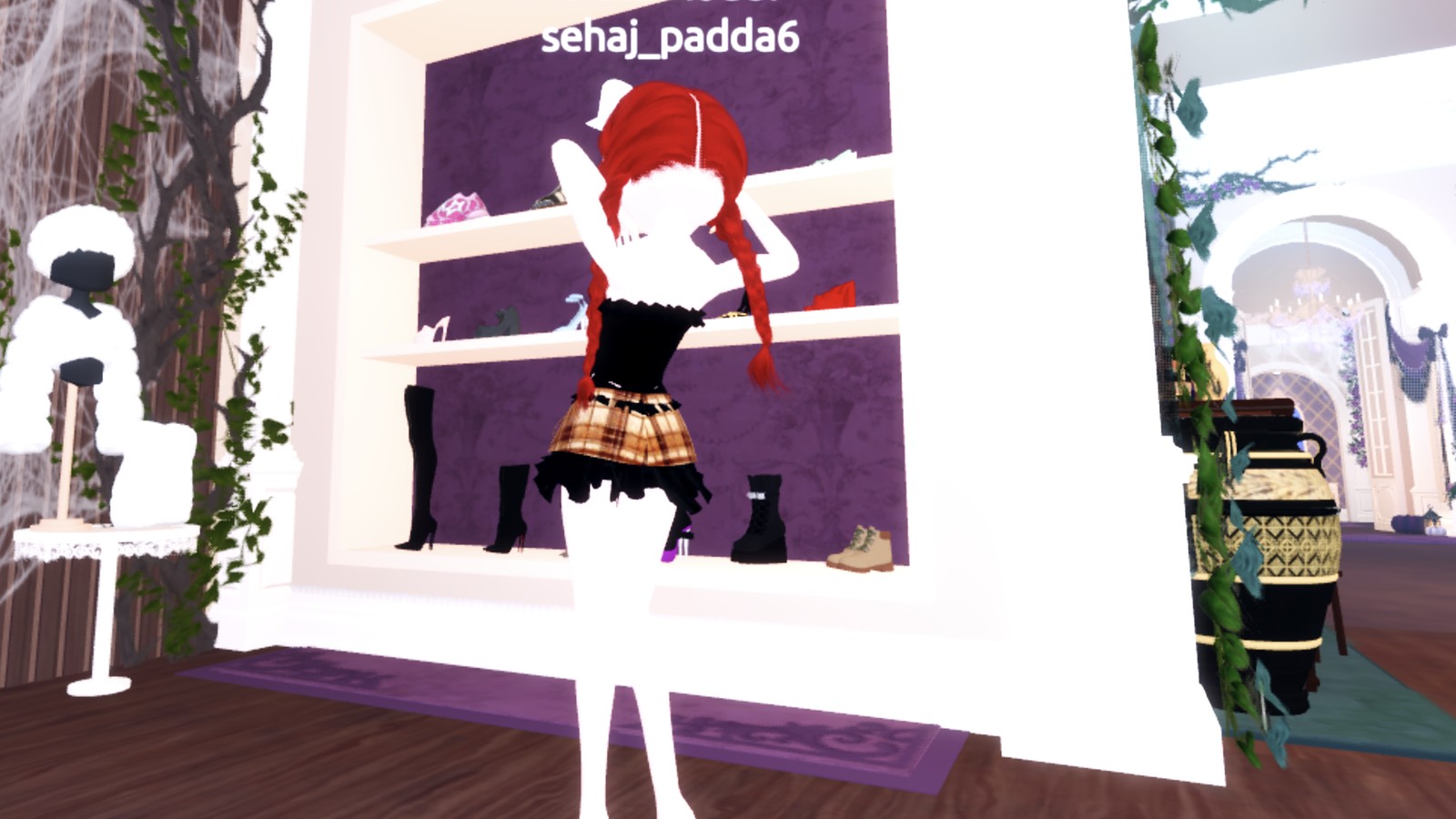
From behind you see the auburn updo over the gold hem.
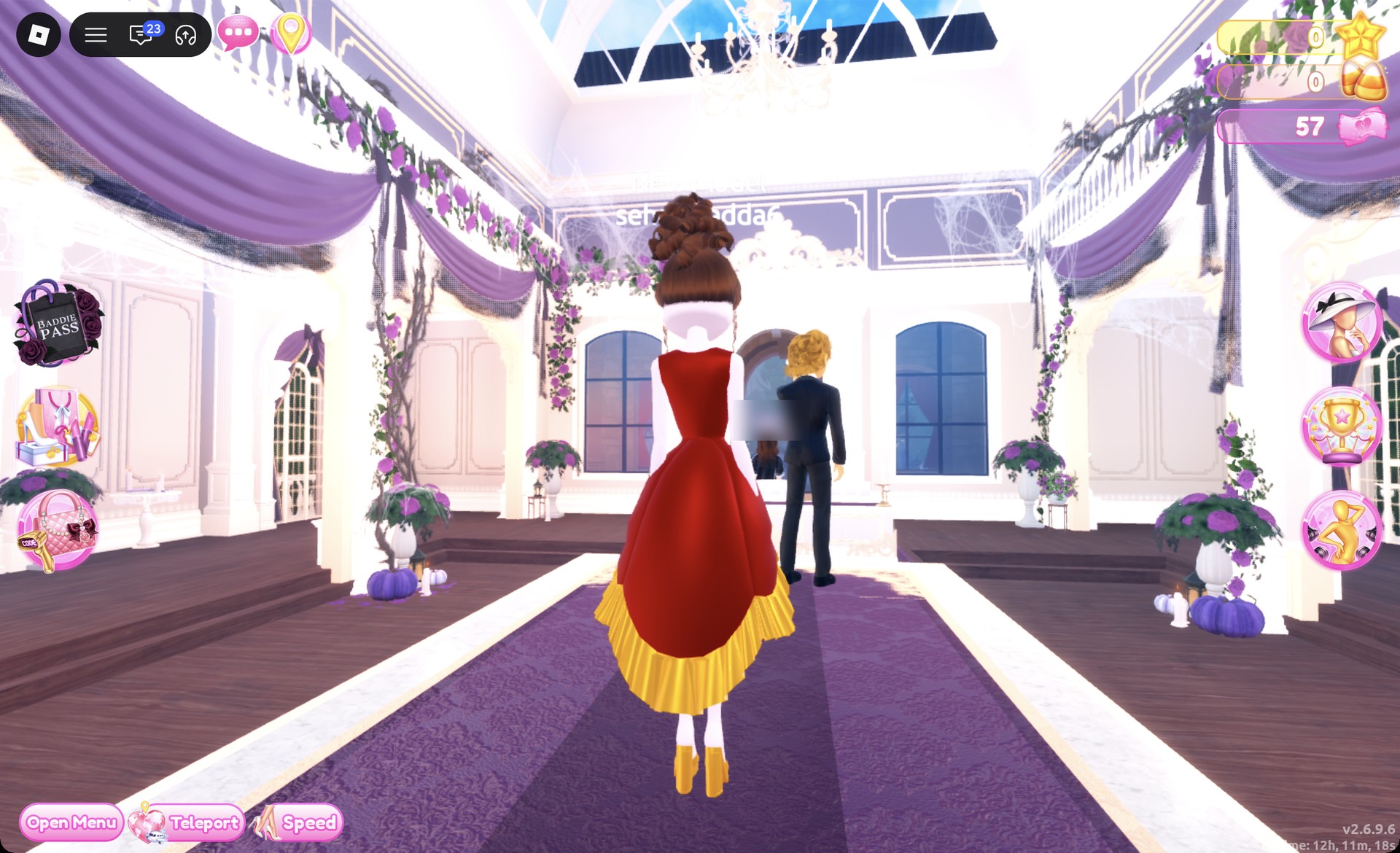
Red and gold Tudor gown back view in Dress To Impress
From behind: the auburn updo and the gold ruffle hem.

The Satin pose works for the finish.
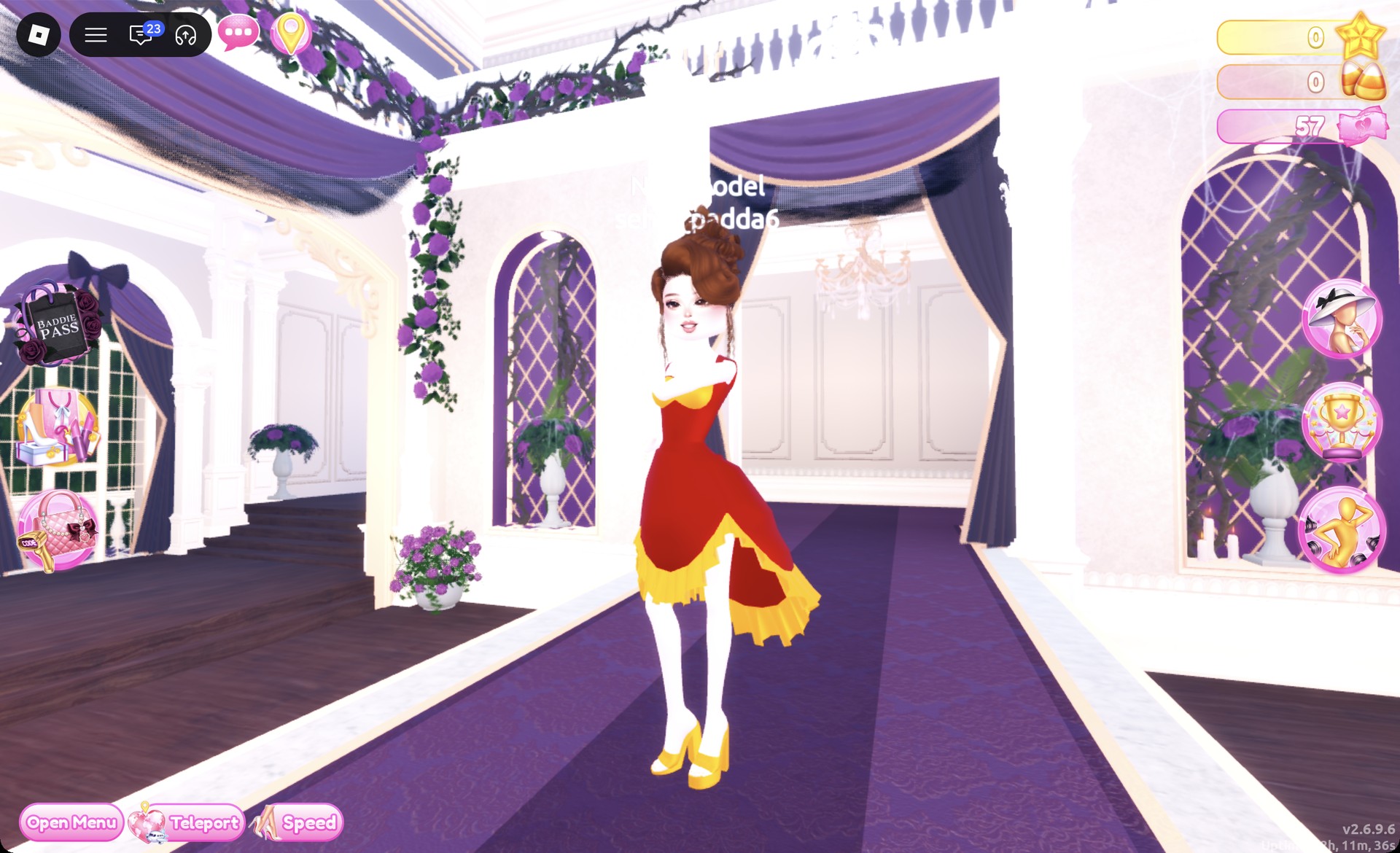
Red and gold Tudor gown with the Satin pose in Dress To Impress
The Satin pose.

Tudor Period look 2: Dark green gown with a black hood

Start with the long tiered ruffle gown displayed on the mannequin next to the shoe shelf. Its skirt and bandeau top are separate pieces, so recolor them individually.
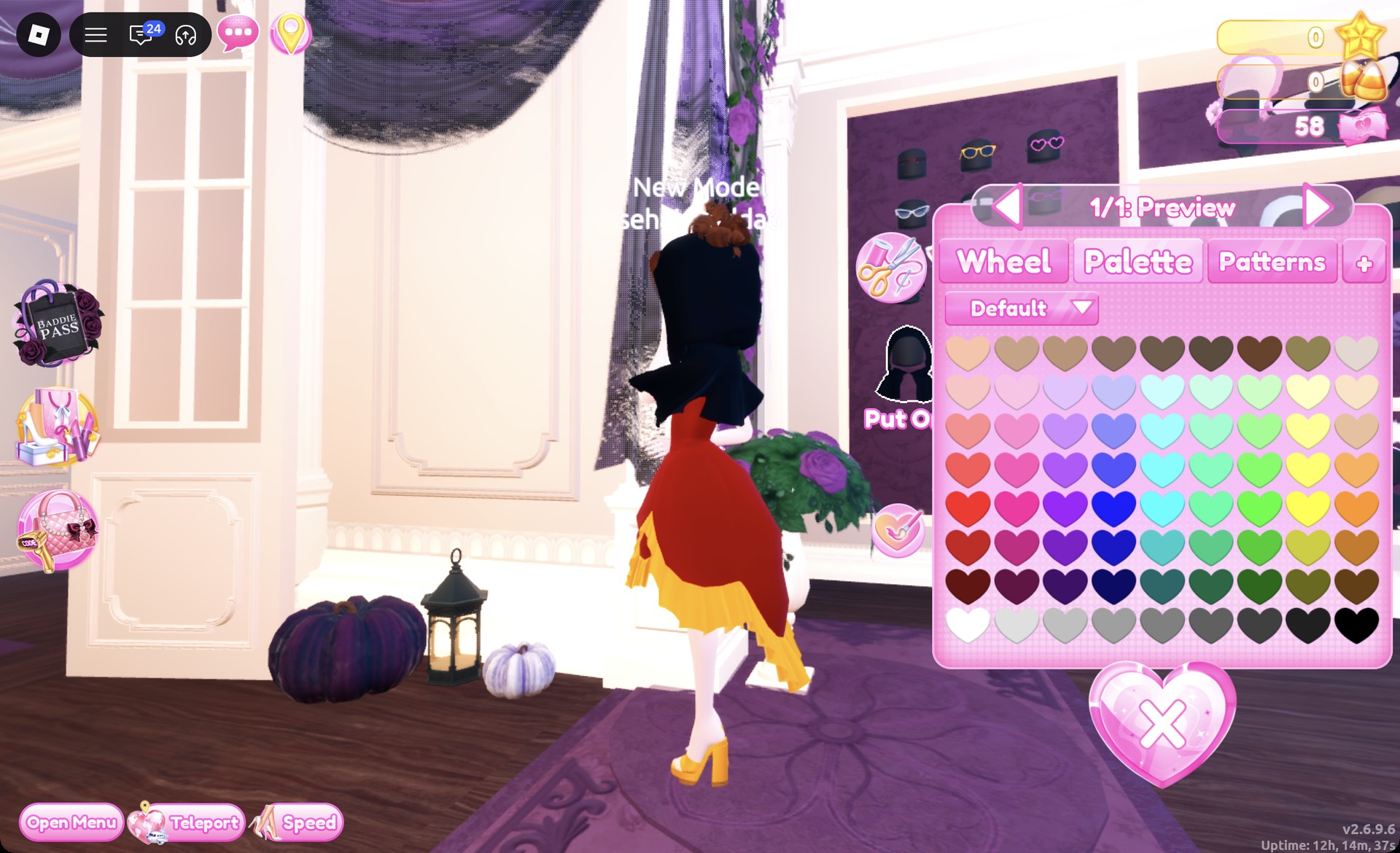
If you still wear the ball dress from look 1, open the Wearing panel and press the heart X under its picture to take it off.
Go to the accessory wall beside the hat wall, the purple wall with glasses, cat and bunny ears, bows and wings. In the fourth row, left, pick the black hood that covers the head and falls over the shoulders. Keep the default black on “1/1: Preview” and Put On.
Black hood from the accessory wall in Dress To Impress
The black hood from the accessory wall, "1/1: Preview", default black.
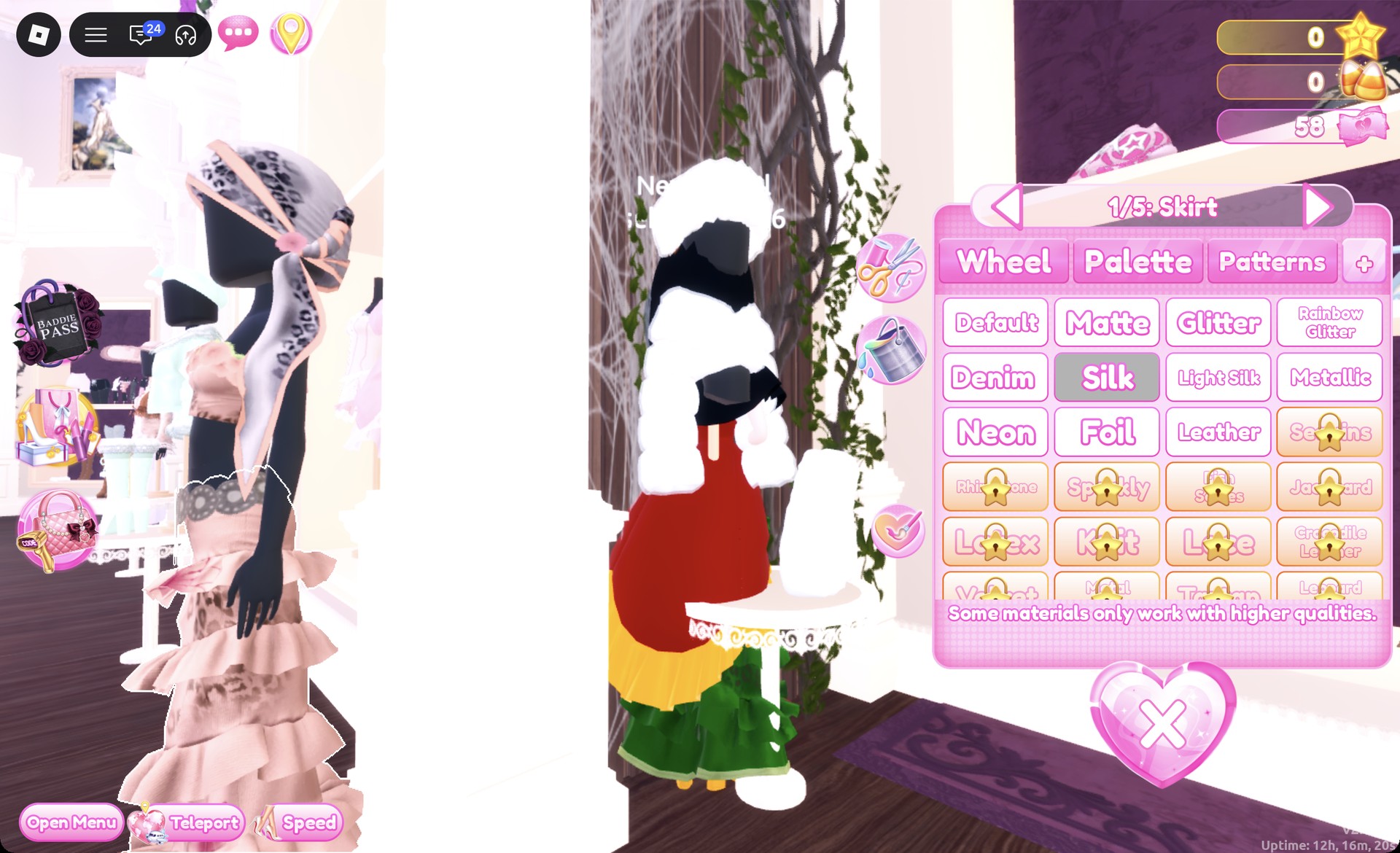
Click the skirt on the tiered gown mannequin. Set “1/5: Skirt” and “2/5: Leopard Print” to dark green (Palette column 7, row 7) with Silk.
Tiered gown skirt set to dark green Silk in Dress To Impress
"1/5: Skirt" in dark green (column 7, row 7) with Silk.
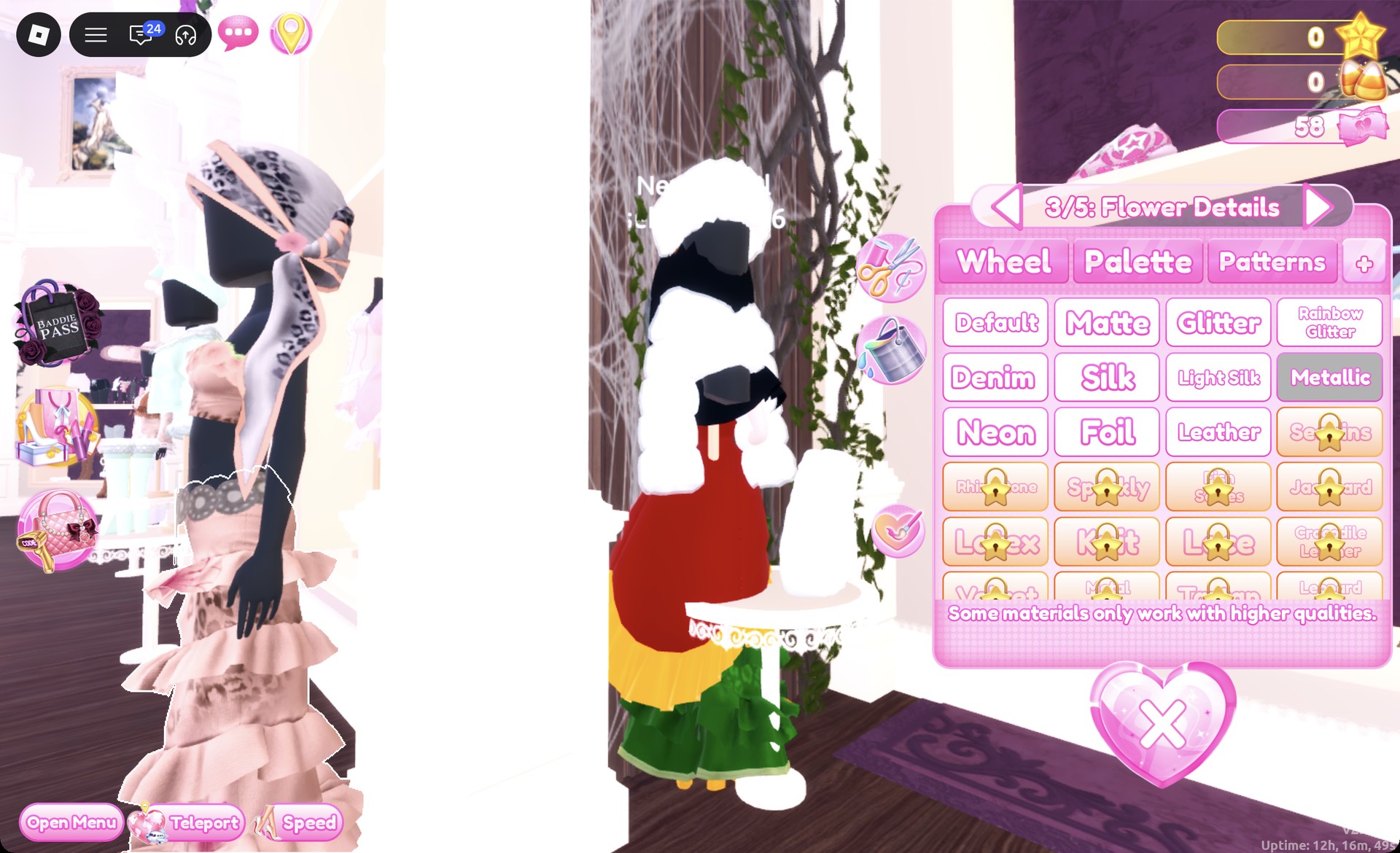
Set “3/5: Flower Details”, “4/5: Hemline” and “5/5: Belt” to gold with Metallic. The skirt now shows a dark green tiered body, a gold medallion belt, gold flowers and a gold hem line. Put On.
Tiered skirt Flower Details set to gold Metallic in Dress To Impress
"3/5: Flower Details" in gold Metallic.
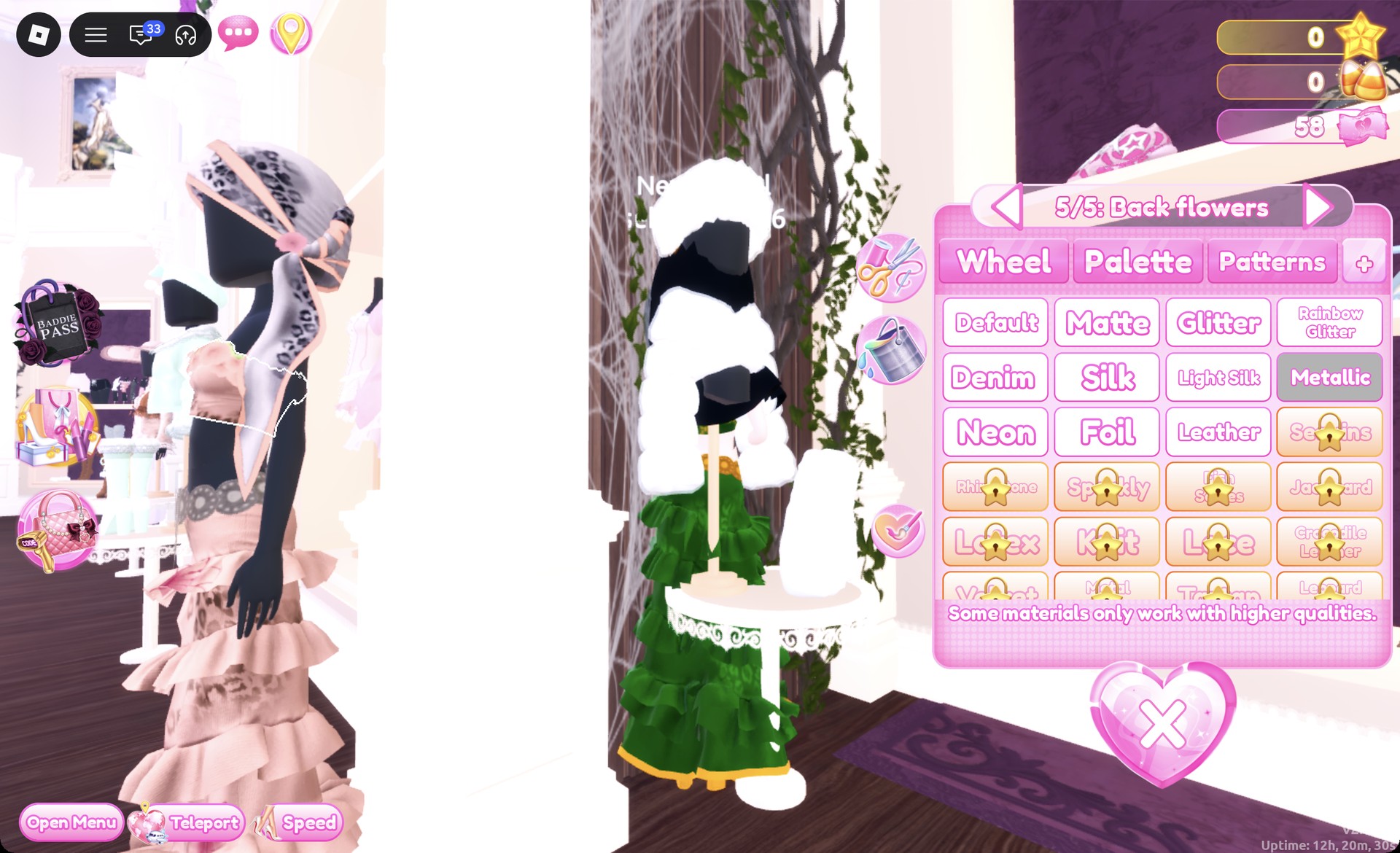
Click the bandeau on the same mannequin. Set “1/5: Preview” to dark green with Silk and the remaining parts through “5/5: Back flowers” to gold with Metallic, then Put On.
Bandeau part 5/5: Back flowers in gold Metallic in Dress To Impress
The bandeau on "5/5: Back flowers", gold Metallic.
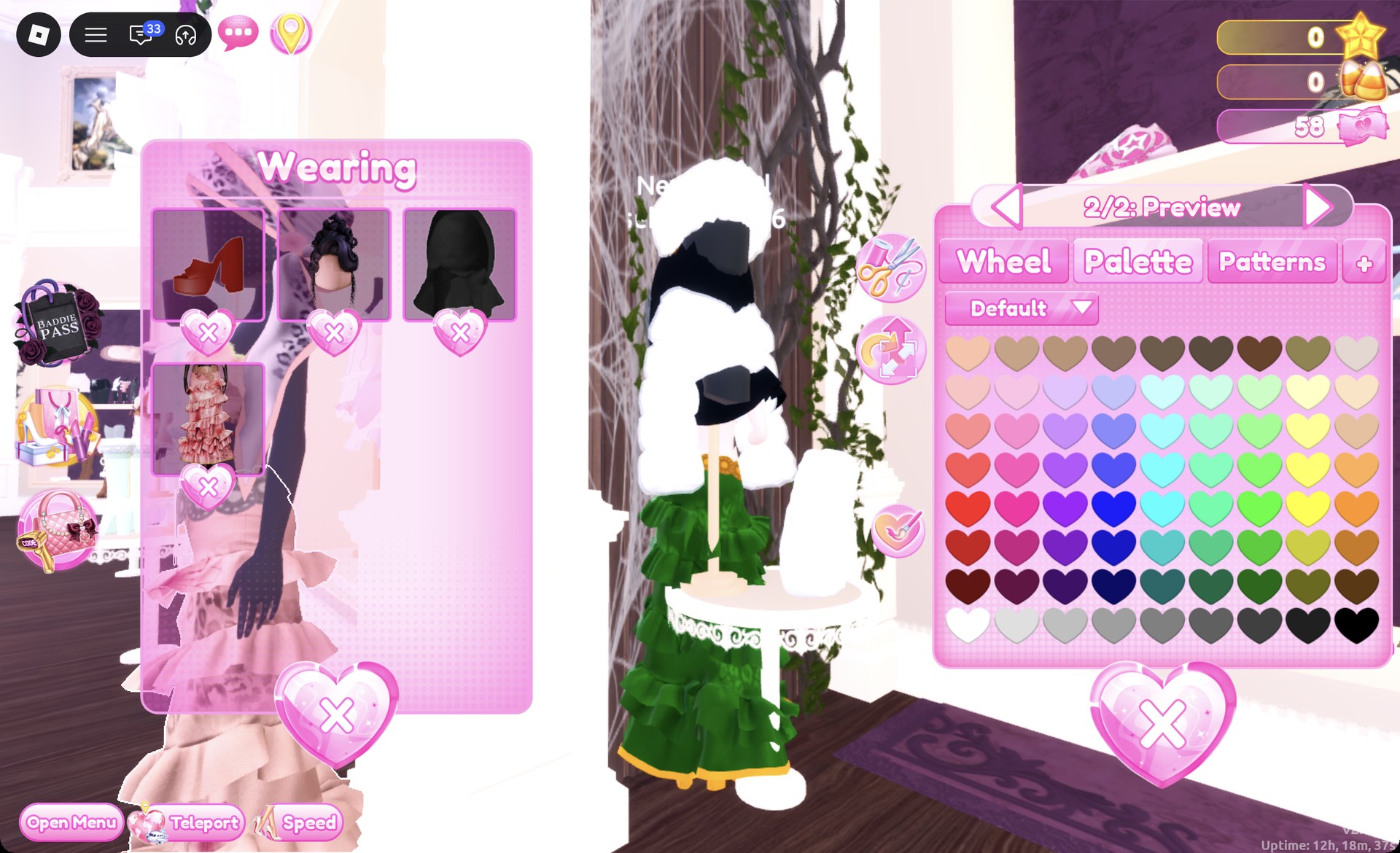
Keep the updo and recolor it from the Wearing panel by clicking its picture. Set both parts to dark brown, Palette column 9, row 7.
Updo recolored dark brown from the Wearing panel in Dress To Impress
Recoloring the updo from the Wearing panel: both parts dark brown.
On the shoe shelf, choose the ankle-strap heels in the middle row; they are grey and black by default. Set “1/2” to dark green and “2/2” to gold Metallic, then select Put On. They remain hidden under the long gown during the runway walk.
Ankle-strap heels in green and gold Metallic in Dress To Impress
The ankle-strap heels: "1/2" dark green, "2/2" gold Metallic.
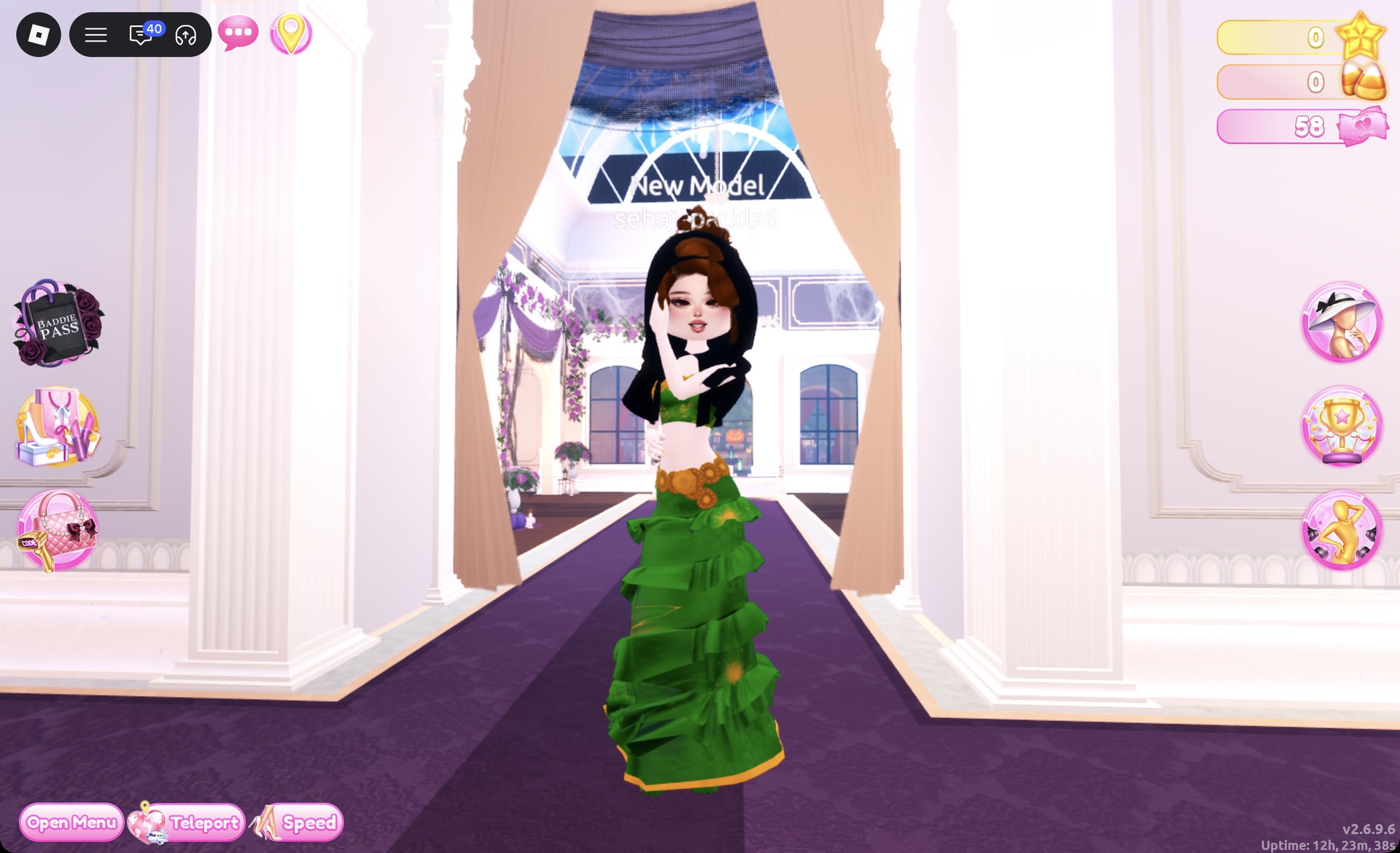
Keep the soft natural face from look 1, then teleport to “Freeplay Runway”. The front view shows a black hood, green bandeau, gold belt, and long green tiered skirt.
Dark green Tudor gown with a black hood front view in Dress To Impress
Look 2 on the runway: black hood, green bandeau, gold belt, green tiered skirt.

At the back, the hood extends to the waist, sitting above the gold belt and tiers.
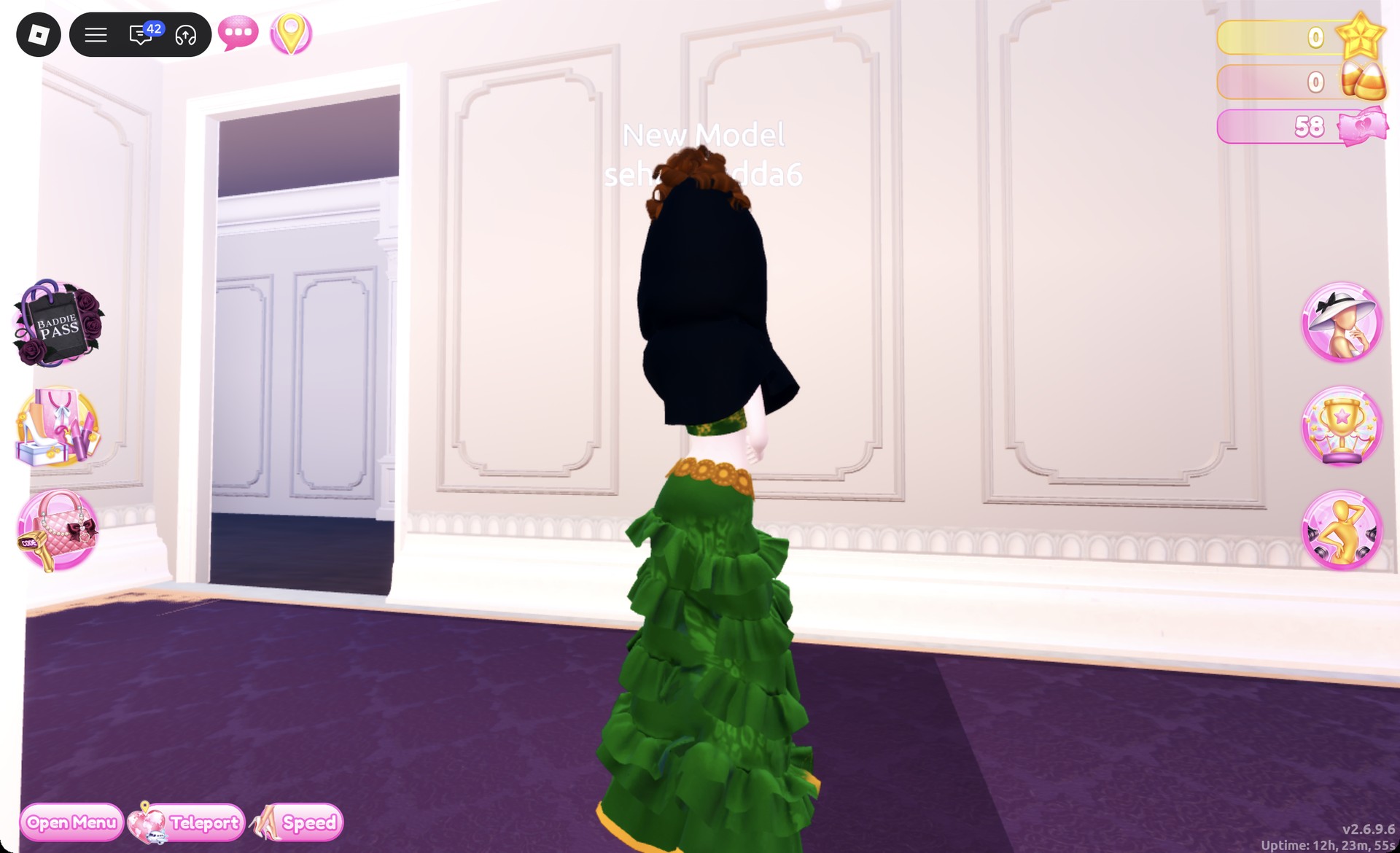
Dark green Tudor gown with a black hood back view in Dress To Impress
From behind: the hood falls to the waist above the gold belt.

Use the Crystal pose, placing both hands by the chin.
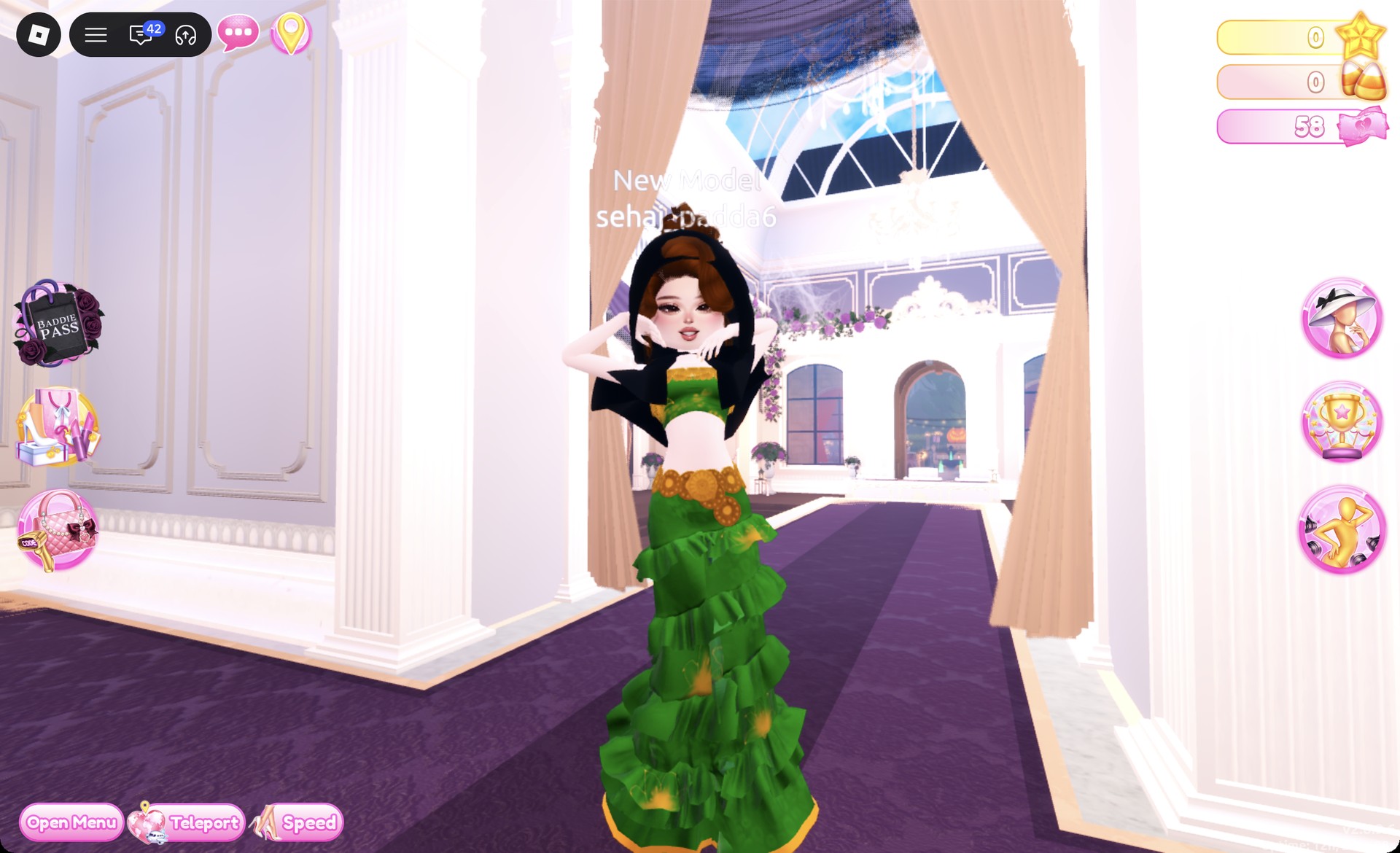
Dark green Tudor gown with the Crystal pose in Dress To Impress
The Crystal pose.

Tudor Period DTI questions

How do I do Tudor Period in Dress To Impress without VIP?

Use the two looks above. Every piece comes from the free Dressing Room and Lana’s Salon, and the only materials are the free Silk and Metallic. Neither look uses a VIP item or Robux.

Is there a hood or headpiece for Tudor Period?

Yes. The black hood on the accessory wall beside the hat wall (fourth row, left card) covers the head and hangs over the shoulders for a court lady look. It can be worn over either gown.

What hair works for Tudor Period in DTI?

A pinned-up updo: the Updo tab, second row, left card, in auburn (Palette column 7, row 1) or dark brown (column 9, row 7). Remove your old hairstyle first with the X on its card, or the new one goes on top of it.

How do I make clothes gold in Dress To Impress?

Open the Wheel tab, click the color square near its top right, drag the brightness slider left until the code reads HEX #bb8013, then pick Metallic on the “+” tab. The Dripping in Gold guide has the full gold method.

What colors fit the Tudor Period theme?

Deep red, dark green, black and gold. Keep the gown long and add gold on the trim rather than on the whole dress.


More royal and historical theme ideas

These guides reuse some of the same gowns and the gold recipe:

Every theme built so far is listed in the Dress To Impress themes guide, and every pose name is in the Dress To Impress poses list.