Gaming Guide

Y3K Dress To Impress: 2 Outfit Ideas (Chrome Gray Mini, Aqua Neon Corset Dress)

Two Y3K outfit ideas for Dress To Impress built from free pieces: a chrome gray Metallic mini with silver boots and silver hair, and an aqua Neon corset dress with silver and aqua platform boots, with every color and material step.

Two Y3K outfit ideas for Dress To Impress built from free pieces: a chrome gray Metallic mini with silver boots and silver hair, and an aqua Neon corset dress with silver and aqua platform boots, with…

Y3K in Dress To Impress, the Roblox fashion game, is a far-future version of Y2K. It means chrome, silver, metallic shine and neon accents. A strong y3k dti look needs no special items. It comes from recoloring free pieces and giving them the right finish. The two outfits below use only free clothes, free colors and the two free materials that sell the theme. More themes are in the Dress To Impress themes guide.

Quick answer: Recolor a fitted mini gray with Metallic and add silver Metallic thigh-high boots and long silver hair. You can also pair an aqua Neon corset with a silver Metallic skirt, aqua-accented platform boots and an aqua ponytail.


Where to find faces, hair and clothes in Dress To Impress

Join Dress To Impress on Roblox and work in Freeplay Mode, where there is no timer. Everything you need sits in a few spots on the map.

  • Faces: Lana’s Salon, right arch. Sit at a vanity seat and press E, then open the Feminine tab.
  • Hair: Lana’s Salon, left arch. Sit in a hair chair under the hood dryers and press E to open the Hairstyles panel.
  • Clothes and shoes: the Teleport pin at the top left, then “Dressing Room”.
  • Runway check: the Teleport pin, then “Freeplay Runway”.
  • Skin: At the Skin Tones booth, open the Skin tab and choose the very pale second swatch in the first row. Use it for both looks.

Both looks share one face. At the vanity, open the Feminine tab and pick the third card in the third row. It has pink shimmer eyes, sparkly lids and glossy pink lips, which suits the shiny theme.
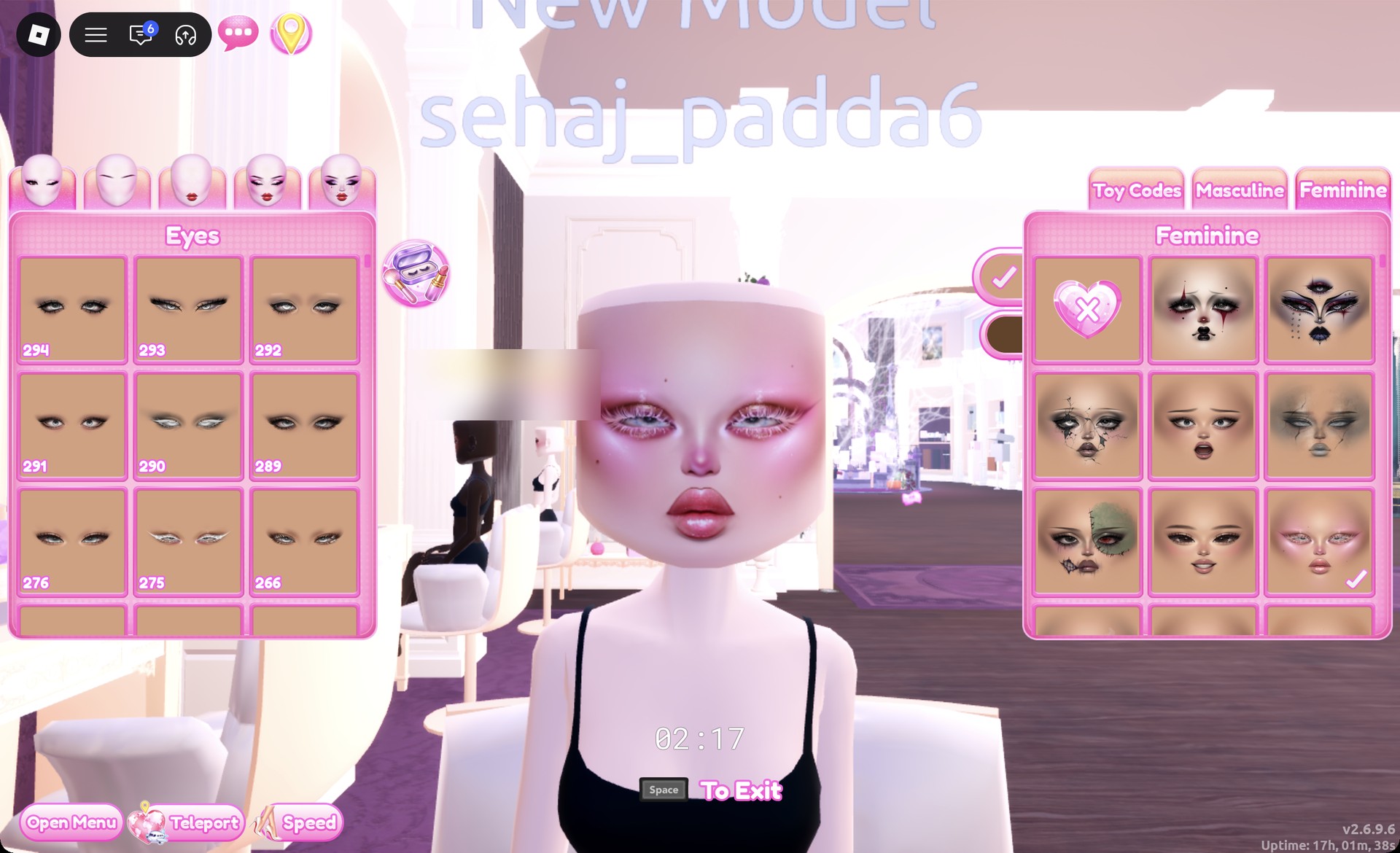
Pink shimmer face card on the Feminine tab at the vanity in Dress To Impress
Feminine tab, third row, third card: pink shimmer eyes and glossy pink lips.

How to make clothes metallic or neon in Dress To Impress

Dress To Impress doesn’t display item names, so identify each piece by its shelf, appearance, and color. Many pieces have several parts, and each part has its own color and material settings.

Click a piece to open its preview. The panel shows which part you are editing, such as “1/4: Preview”.
Pick a color on the Palette tab for that part. Always choose the color first.
Open the “+” tab and choose the material, either Metallic for a shiny chrome finish or Neon for a bright glow.
Use the arrows to move to the next part, for example “2/4: Preview”. Repeat the color and the material for each part.
Press Put On, the heart-and-tick button to the left of the panel. The piece now appears on your avatar in its new finish.

Metallic and Neon cost nothing. Neither look needs Sequins or any tile beneath it marked with a gold-star lock. The panel also notes, “Some materials only work with higher qualities.” To recolor something you are wearing, open the Wearing panel using the hanger button on the right, then click the piece’s picture.

Both looks use the Default palette. Count columns from the left and rows from the top. Row 8 runs from white to black.

ColorPalette positionUsed for
Silver-whiteRow 8, column 2Silver hair, silver trims
Light grayRow 8, column 3Silver thigh-high boots
Mid grayRow 8, column 5Chrome gray mini
AquaRow 6, column 5Neon glow accents

Y3K look 1: Chrome gray mini

In the Dressing Room, take the white puff-sleeved fitted mini from the right mannequin on the lower shelf for party dresses.
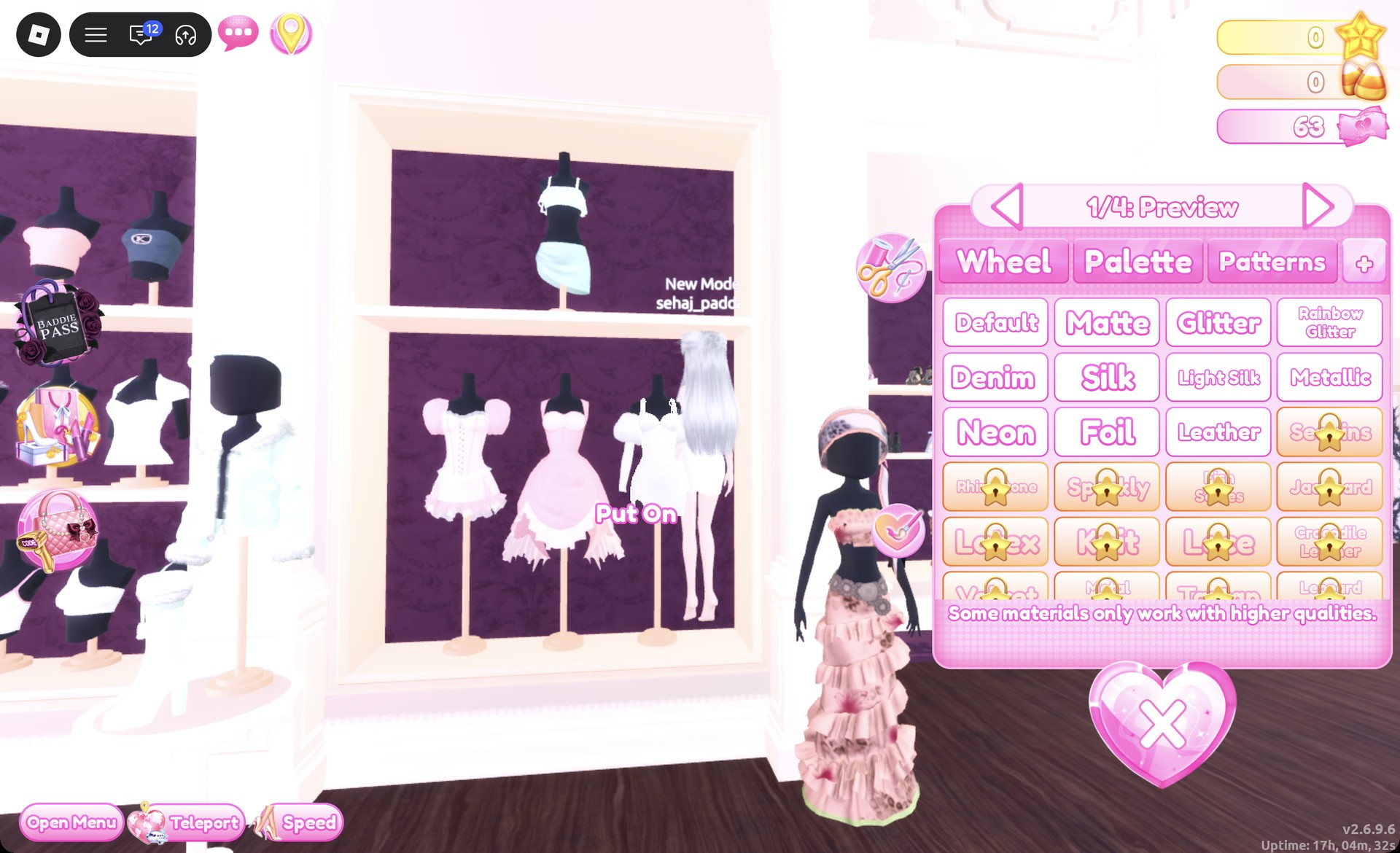
White fitted mini with puff sleeves on the party-dress shelf in Dress To Impress
The white fitted mini (right mannequin) with its "1/4: Preview" panel open.
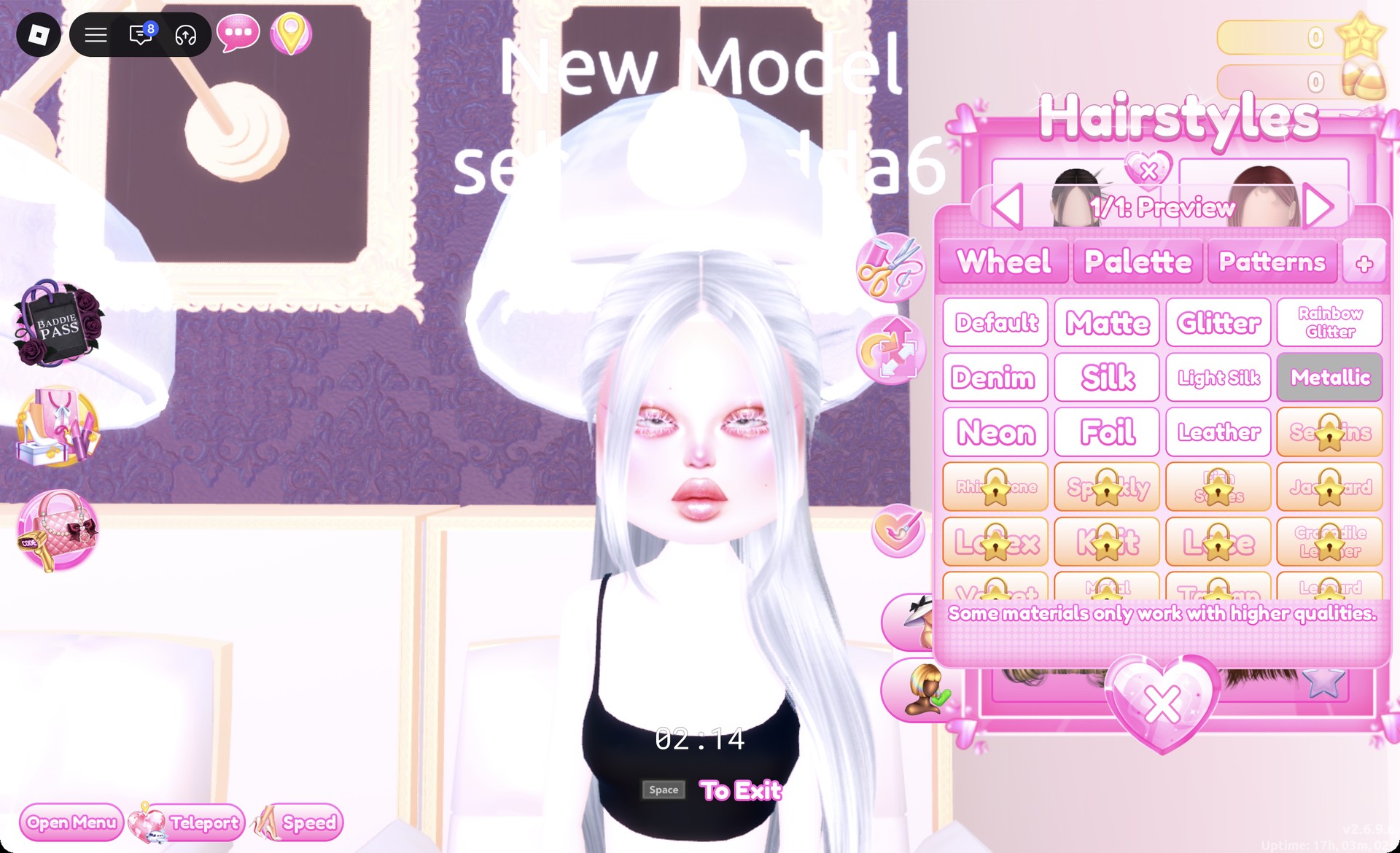
In a hair chair, open the Straight tab and pick the left card in the first row. It is long, sleek straight hair, and the panel reads “1/1: Preview”. Set it to silver-white with Metallic, then press Put On.
Long straight hair recolored silver-white with Metallic in Dress To Impress
Straight tab hair in silver-white with Metallic selected.
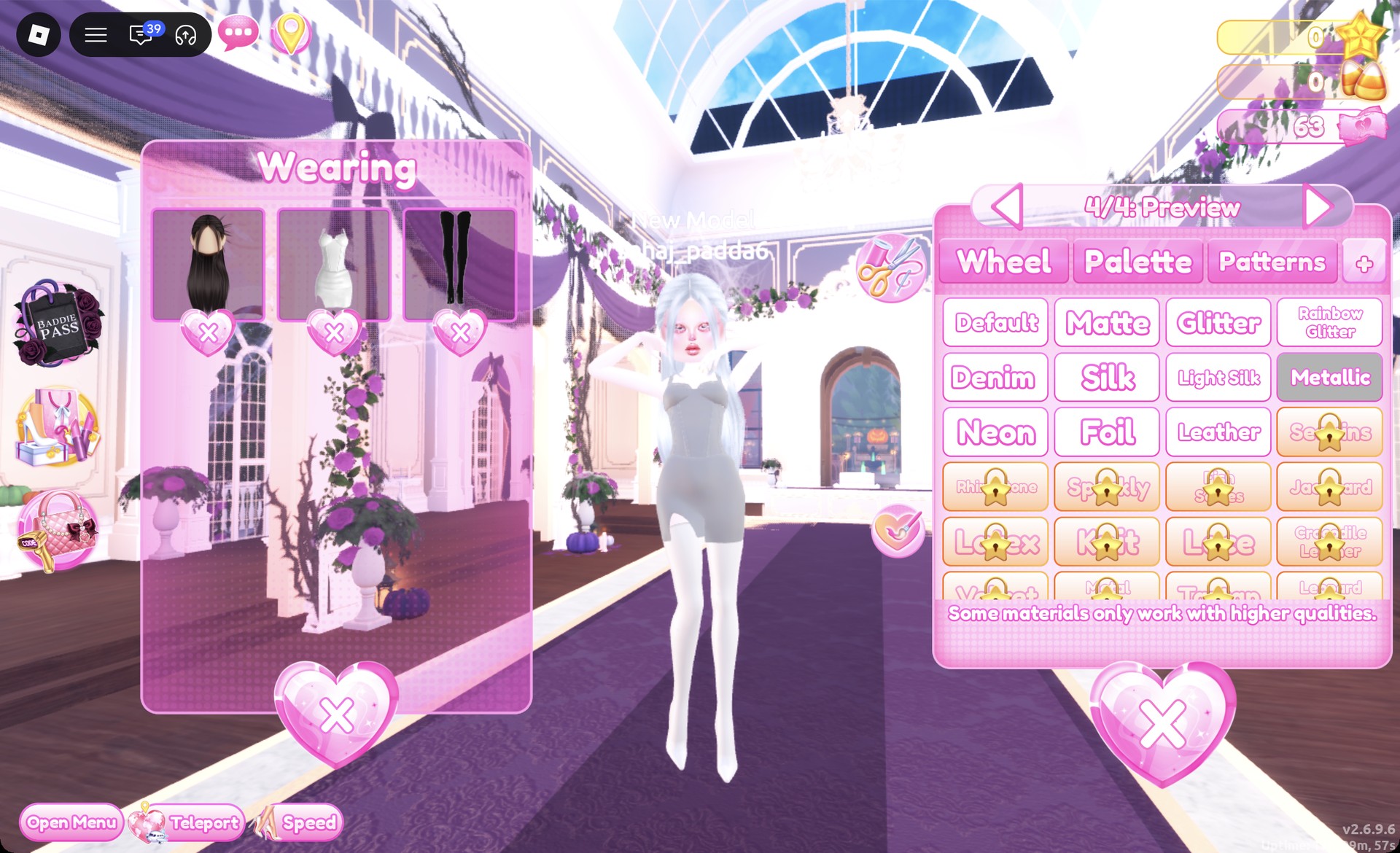
In the Dressing Room, click the white fitted mini to open “1/4: Preview”. Give all four parts mid gray with Metallic, then press Put On for a gray chrome dress.
Fitted mini recolored mid gray with Metallic in Dress To Impress
All four parts in mid gray with Metallic: a gray chrome dress.

Light gray and silver-white wash out to almost white under the bright runway lights. Mid gray keeps the chrome look.
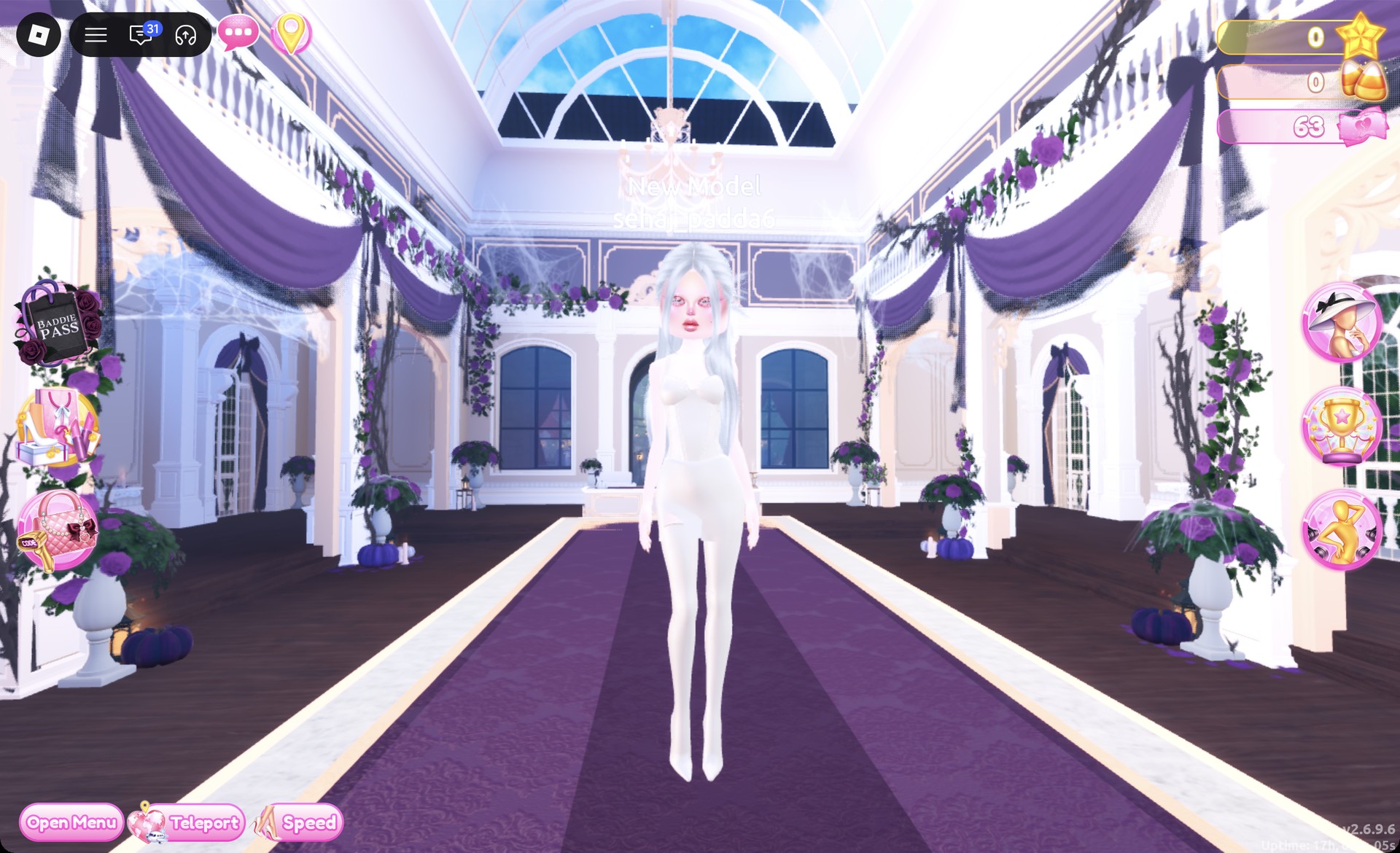
Light gray metallic mini that reads almost white on the runway in Dress To Impress
The first try in light gray: under the runway lights it reads almost white.
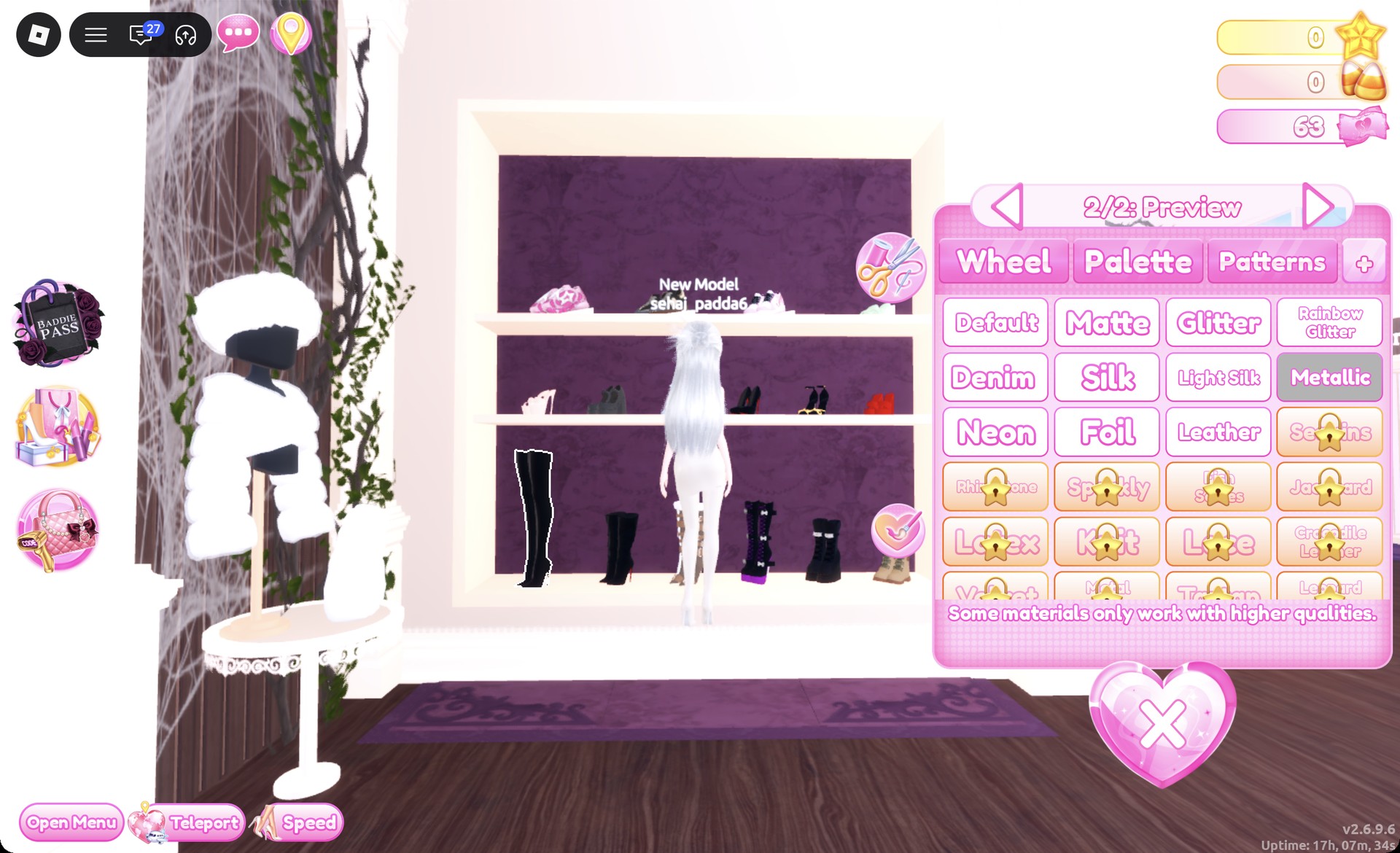
On the shoe shelf, pick the black thigh-high stiletto boots at the far left of the bottom row. In “1/2: Preview”, set both parts to light gray with Metallic for silver boots, then press Put On.
Thigh-high boots recolored silver with Metallic in Dress To Impress
"2/2: Preview" with Metallic: the thigh-high boots turn silver.
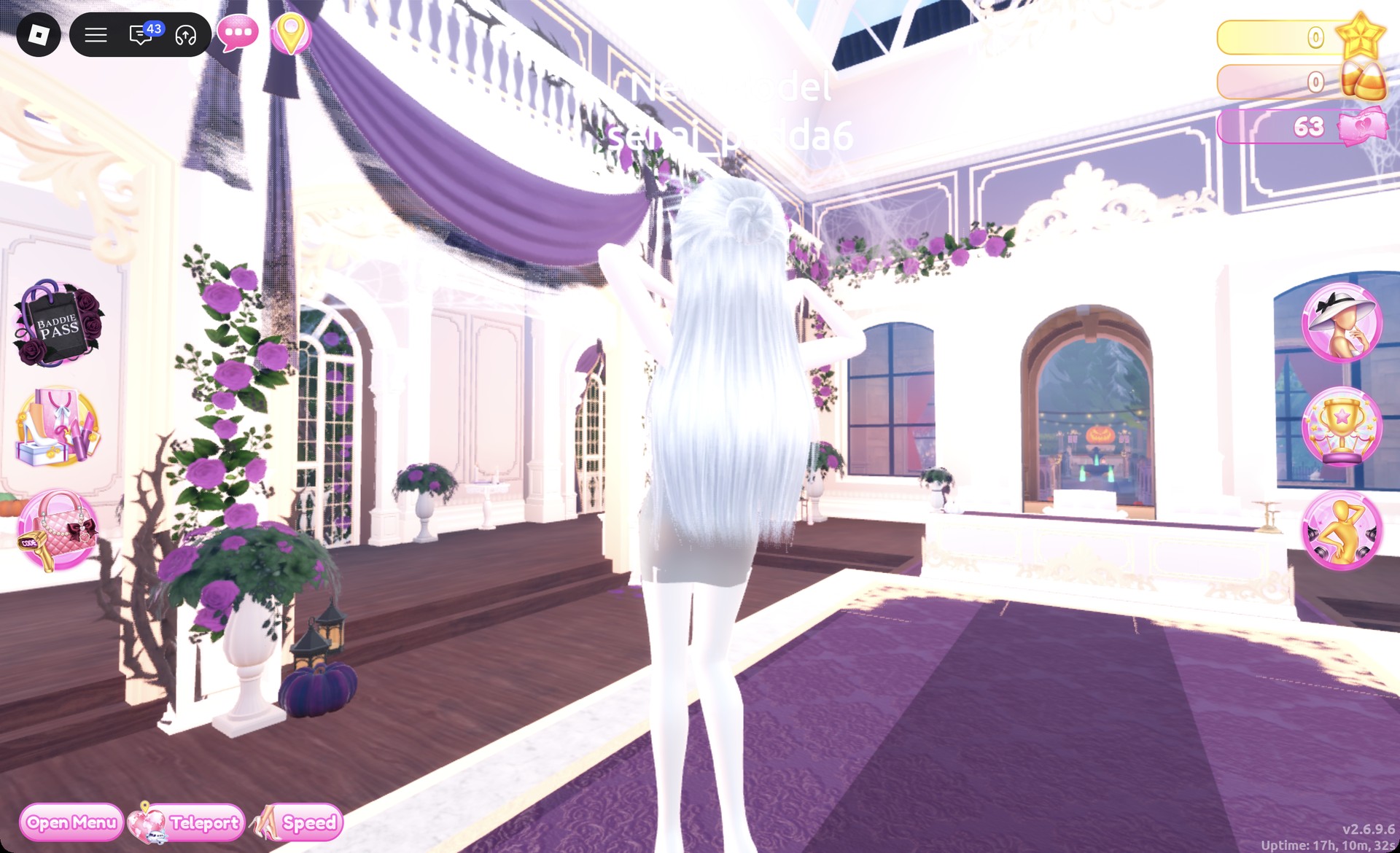
Teleport to the Freeplay Runway to check the result. From behind, the long silver hair falls over the gray dress.
Back view of the chrome gray Y3K look on the Freeplay Runway in Dress To Impress
From behind: long silver hair over the gray chrome dress.

The Sparkle pose, with one hand over an eye, shows the gray chrome dress, silver boots and long silver hair.
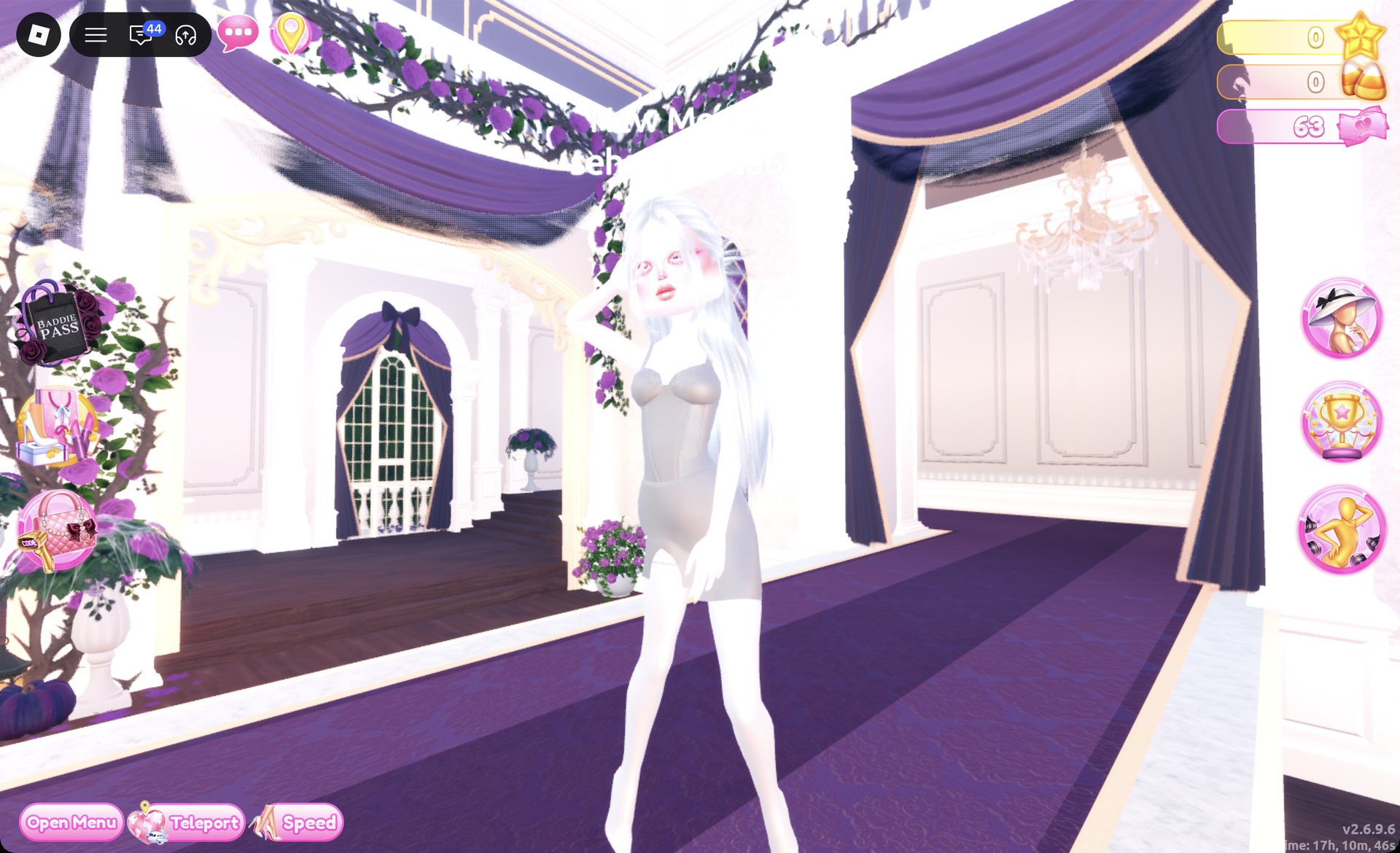
Chrome gray mini with silver boots in the Sparkle pose in Dress To Impress
Look 1 on the Freeplay Runway in the Sparkle pose.

Y3K look 2: Aqua neon corset dress

For look two, pick the pink puff-sleeved corset dress displayed on the left mannequin of that same lower party-dress shelf. It consists of a corset top and a short ruffled skirt. If look 1 is still equipped, open Wearing first and press the heart X below the mini and boots.
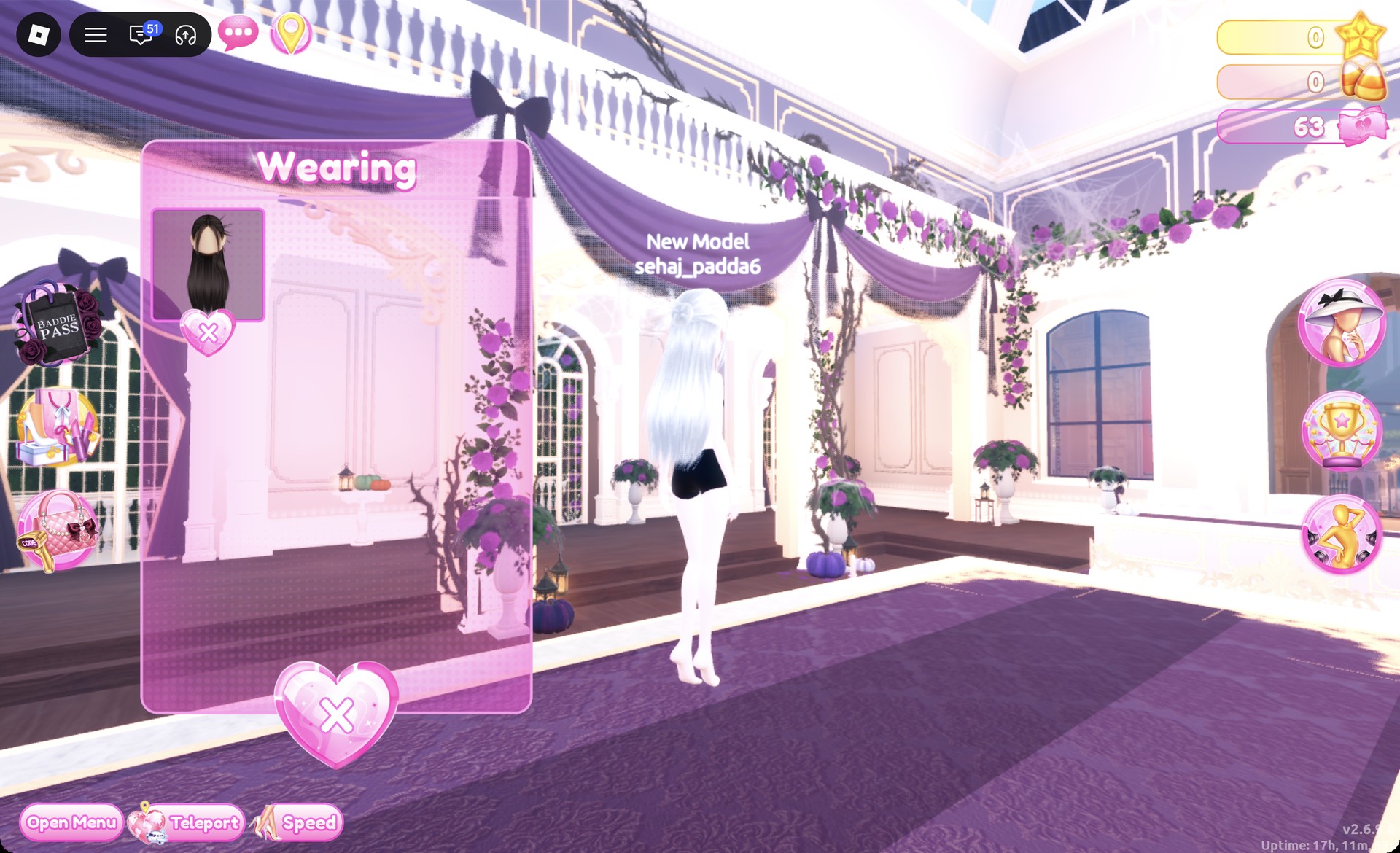
Wearing panel with only the hair left on in Dress To Impress
The Wearing panel after taking off the mini and boots.
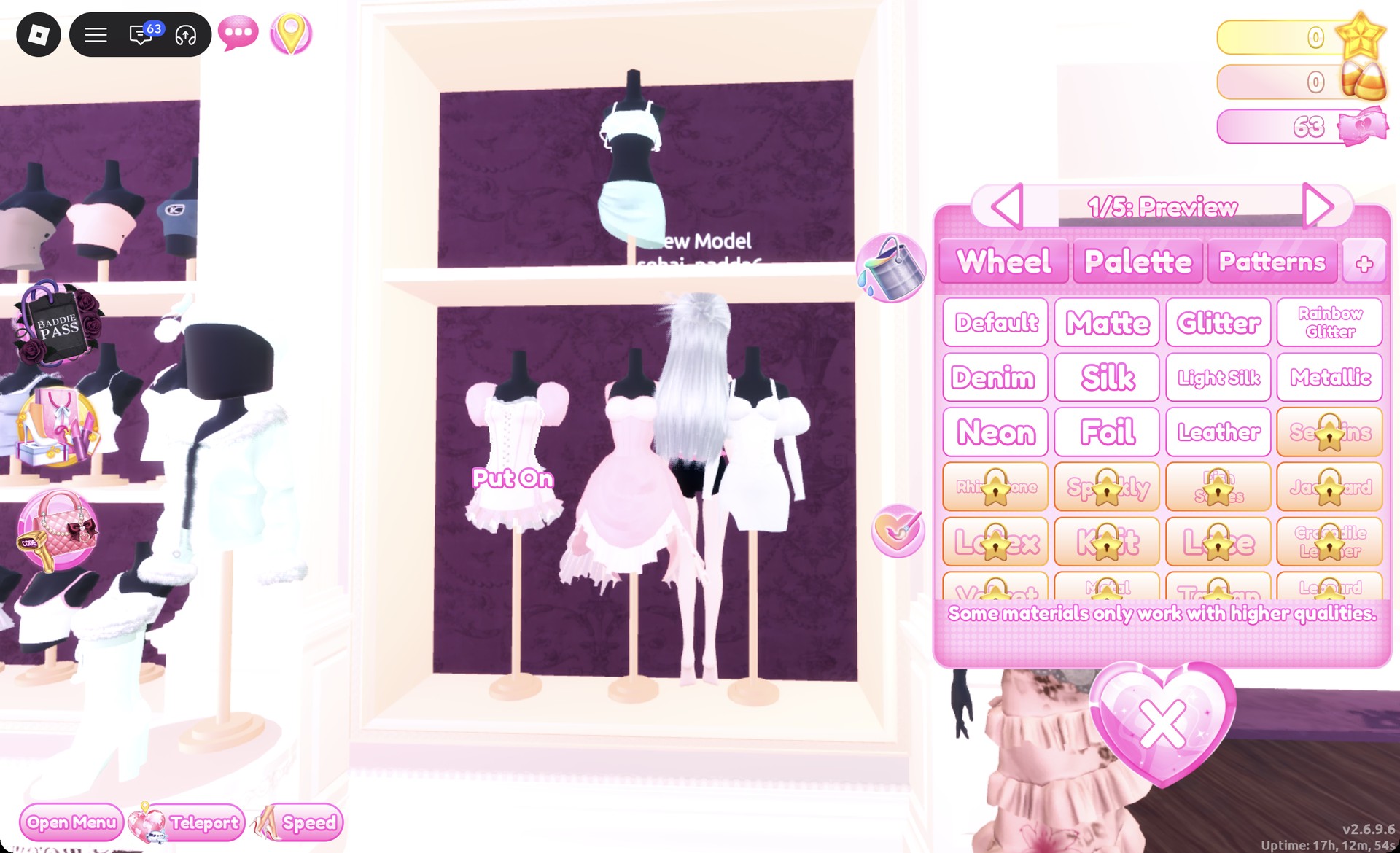
Click the corset to open “1/5: Preview”. Set parts 1 and 2 to aqua with Neon, and parts 3, 4 and 5 to silver-white with Metallic. Press Put On.
Corset dress panel 1/5 on the party-dress shelf in Dress To Impress
The corset's "1/5: Preview" panel on the left mannequin.
Click the skirt on the same mannequin to open “1/3: Preview”. Set parts 1 and 3 to silver-white with Metallic and part 2, the ruffle hem, to aqua with Neon. Press Put On.
Aqua neon corset and silver metallic skirt worn in Dress To Impress
Worn: the glowing aqua corset, silver skirt and aqua ruffle.
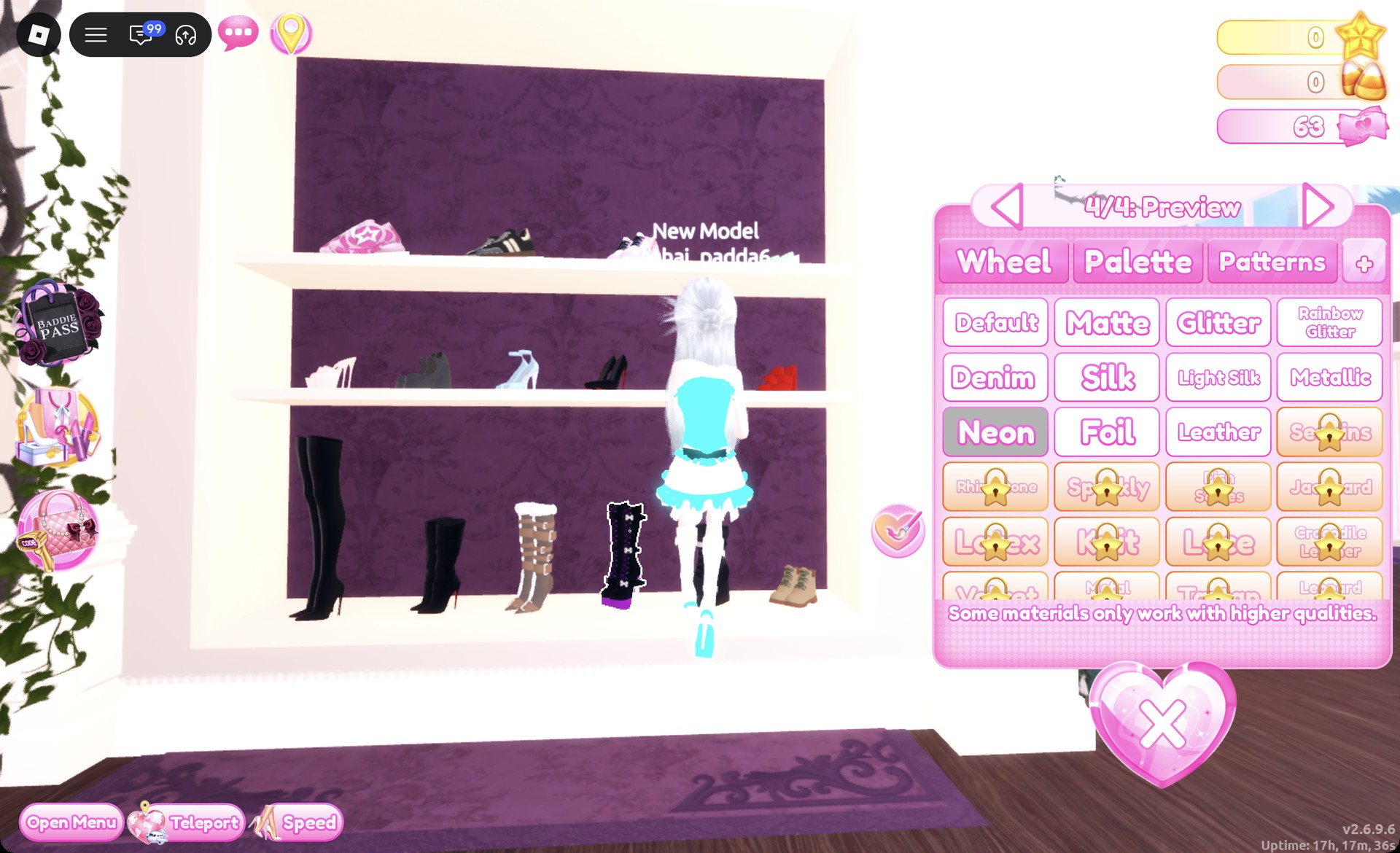
On the shoe shelf, pick the black lace-up platform boots with white bows in the bottom row, which open “1/4: Preview”. Set parts 1 and 3 to silver-white with Metallic, and parts 2 and 4 to aqua with Neon. Press Put On for silver boots with glowing aqua soles and trim.
Platform boots recolored silver and aqua neon in Dress To Impress
"4/4: Preview" with Neon: silver boots with aqua soles and trim.
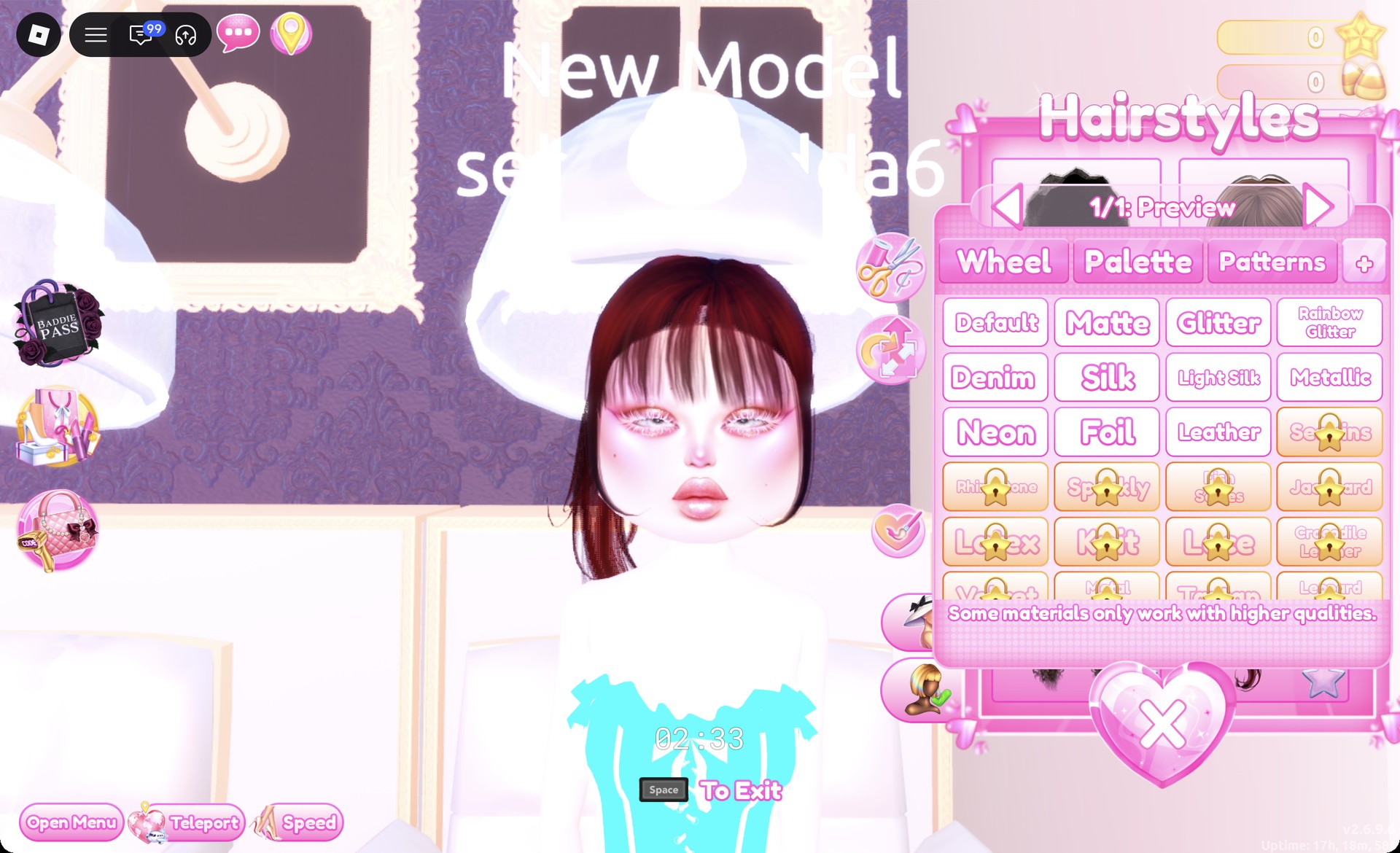
In the Hairstyles panel, remove the silver hair with the X heart on its card. Then open the Updo tab and pick the right card in the third row, a ponytail with full bangs that is red by default.
Red ponytail with bangs from the Updo tab in Dress To Impress
Updo tab, third row right card: the ponytail in its default red.
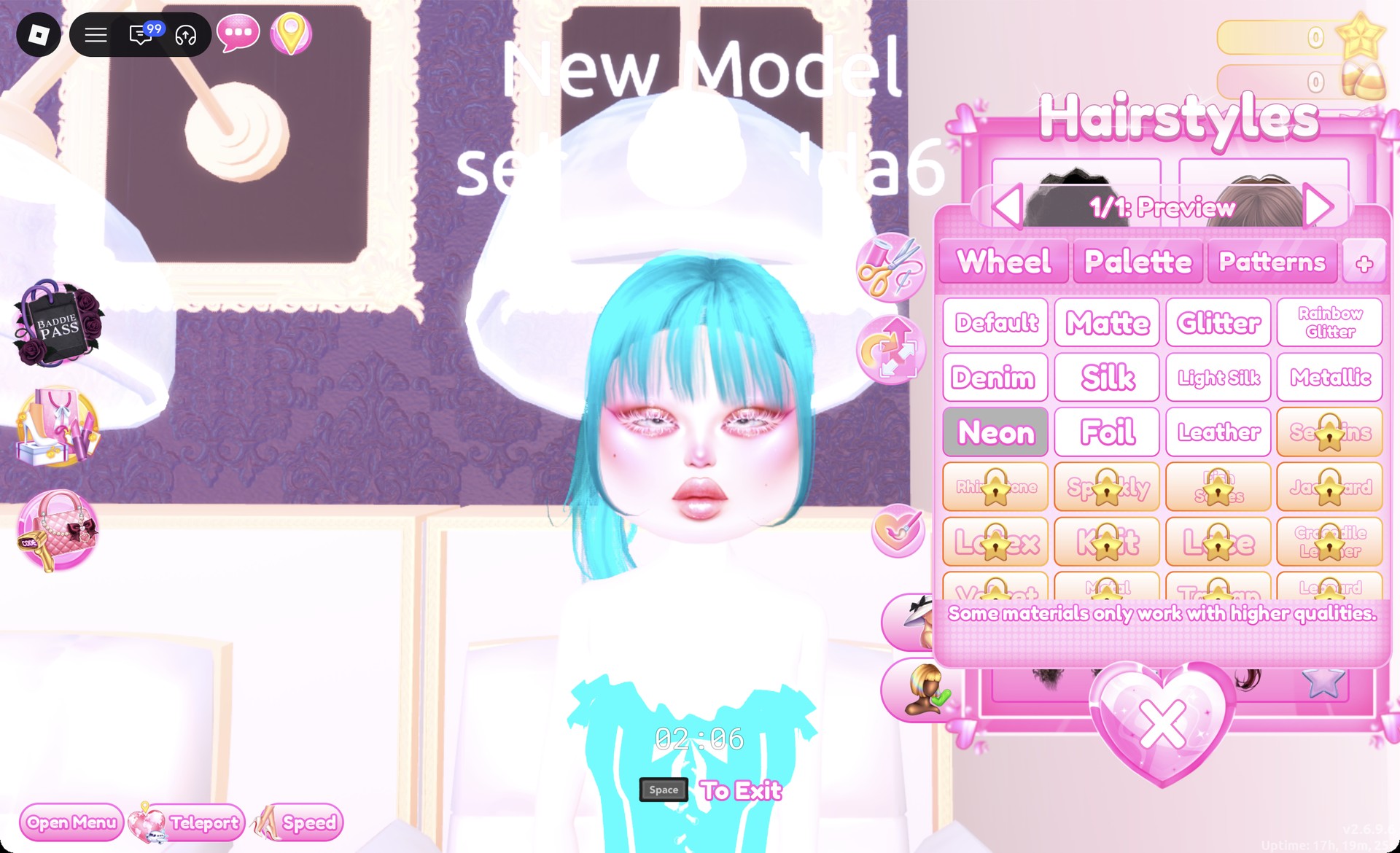
In “1/1: Preview”, set the ponytail to aqua with Neon and press Put On. Keep the pink shimmer face from look 1.
Ponytail recolored aqua with Neon in Dress To Impress
The ponytail in aqua with Neon selected.

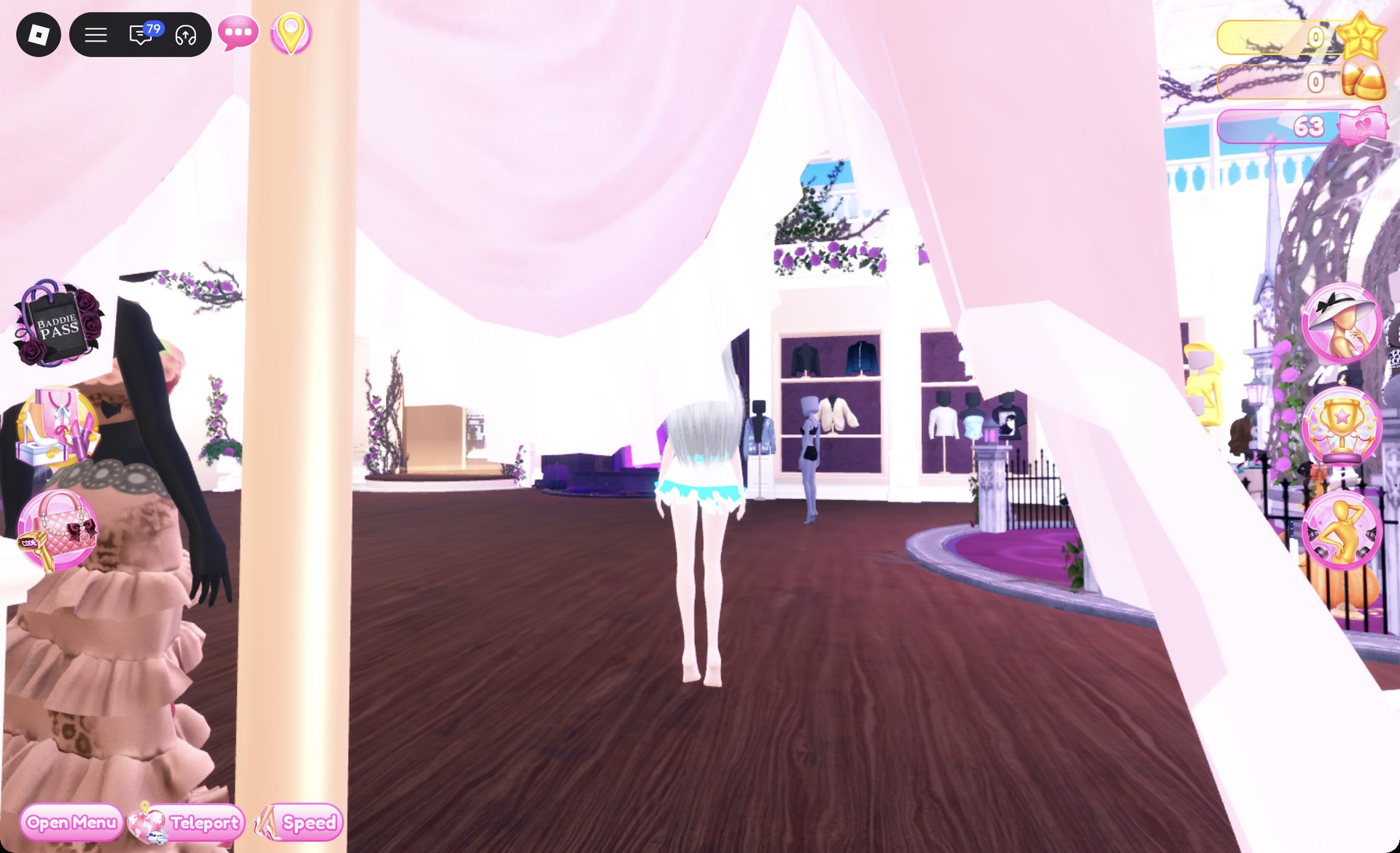
On the Freeplay Runway, the corset glows aqua above a silver skirt with an aqua ruffle.
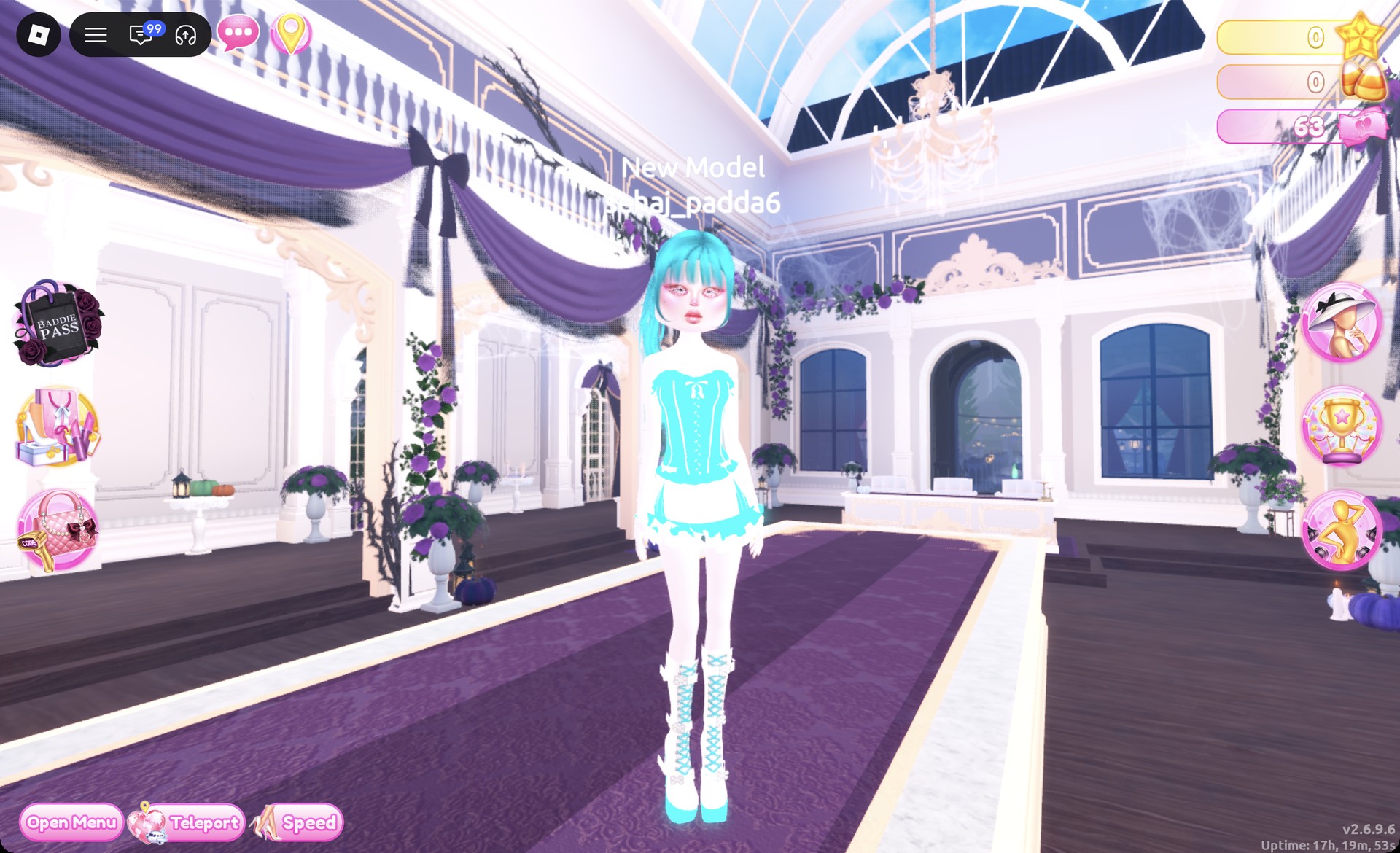
Aqua neon corset dress on the Freeplay Runway in Dress To Impress
Look 2 on the Freeplay Runway: aqua corset, silver skirt, aqua platform boots.

The Dazzle pose shows the full outfit.
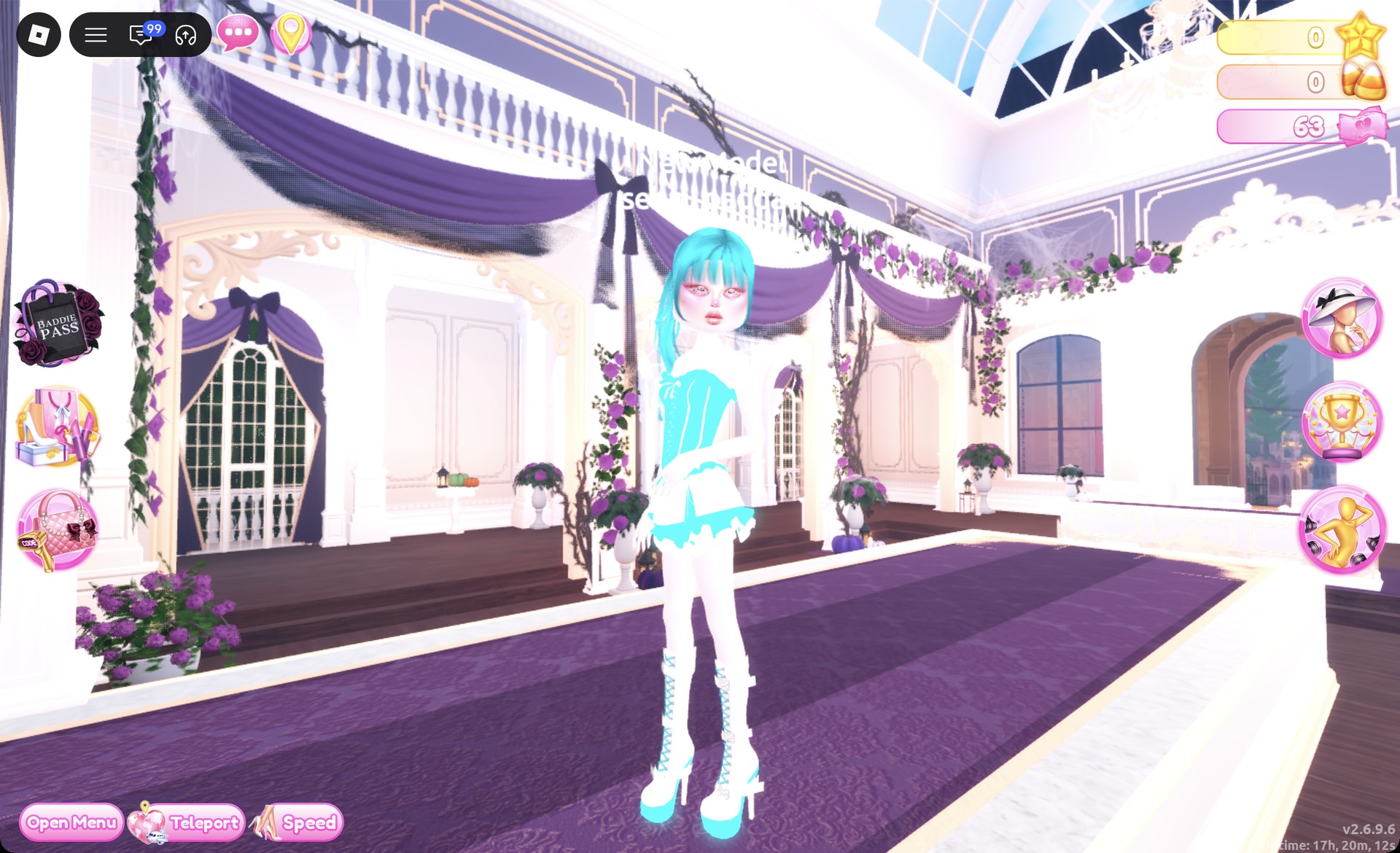
Aqua neon Y3K look in the Dazzle pose in Dress To Impress
Look 2 in the Dazzle pose.

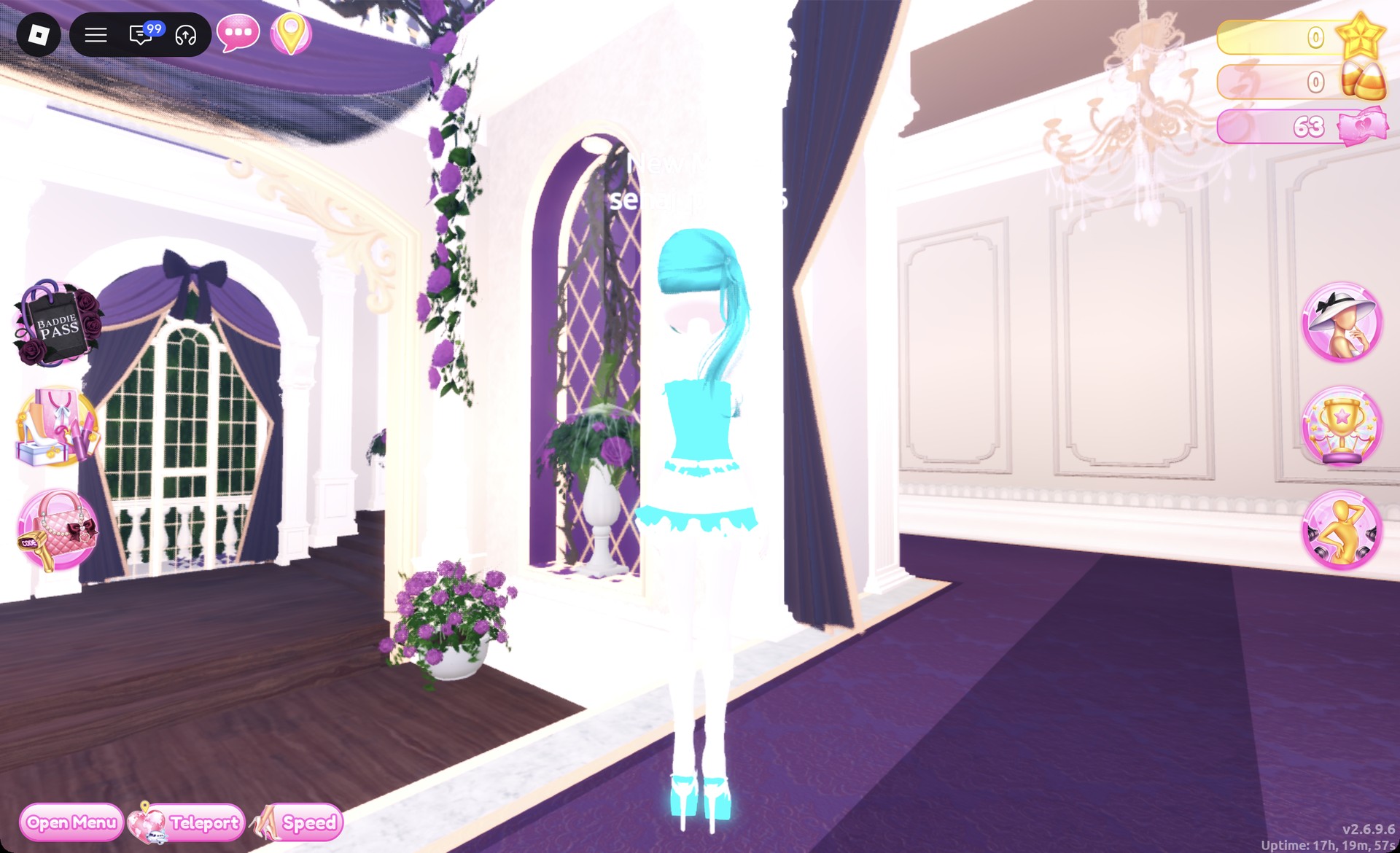
A back view shows off the ponytail.

Back view of the aqua ponytail and corset in Dress To Impress
From behind: the aqua ponytail and the corset back.

More futuristic theme ideas


Y3K DTI questions

Can you do Y3K in Dress To Impress without VIP?

Yes. Every piece, color and material in both looks is free, including Metallic and Neon. Neither outfit costs Robux or needs a purchase.

How do you make something glow in Dress To Impress?

Pick a bright color for the part, then choose Neon on the “+” tab. Aqua with Neon gives the icy, glowing accent that fits Y3K.

How do you make clothes look chrome in Dress To Impress?

Pick a gray on the Palette tab first, then Metallic on the “+” tab, part by part. A mid gray (row 8, column 5) keeps the chrome shine on the runway; light gray and silver-white read almost white under the lights.

What hair and makeup work for Y3K?

Long, smooth silver hair or a vivid neon ponytail gives a futuristic look. Match either style with a shimmery face card, such as the pink shimmer face in the vanity’s Feminine tab.