Gaming Guide

Underwater Couture Dress To Impress: 2 Outfit Ideas (Royal Blue Silk Ball Dress, Aqua Glitter Corset Mini)

Two free Underwater Couture outfit ideas for Dress To Impress: a royal blue silk ball dress with an aqua glitter hem and aqua braids, and an aqua glitter corset mini with metallic aqua thigh-high boots and pearl-white braids, with every step shown.

Two free Underwater Couture outfit ideas for Dress To Impress: a royal blue silk ball dress with an aqua glitter hem and aqua braids, and an aqua glitter corset mini with metallic aqua thigh-high boots and…

Underwater couture DTI looks are sea-inspired high fashion: ocean blues and aquas, shimmer that reads like water or scales, pearly whites and mermaid-style hair. In Dress To Impress, the Roblox fashion game, that means picking the right base pieces and then using the color panel and the “+” materials tab to make them shine. Both outfits below use free items only, with no Robux and no pink cash spent. More themes are in the Dress To Impress themes guide.

Quick answer: For one option, wear a royal-blue silk ball gown edged in aqua glitter with white heels; for the other, pair pearl-white braids and aqua metallic thigh-high boots with a mini corset in aqua glitter.


Where the Underwater Couture pieces are in the Dressing Room

PieceWhere to find it
Pale pink ball dressParty-dress unit, lower shelf, middle mannequin
Corset puff dressParty-dress unit, lower shelf, left mannequin
Heels and bootsShoe shelf, next to the party-dress unit
BraidsLana’s Salon, left arch
RunwayTeleport pin, then “Freeplay Runway”

The corset puff dress is really three separate pieces: sleeves, skirt and corset. Only the skirt and corset go into the second look. For hair, walk to the hair chairs under Lana’s Salon’s left arch and press E.


How recoloring and materials work

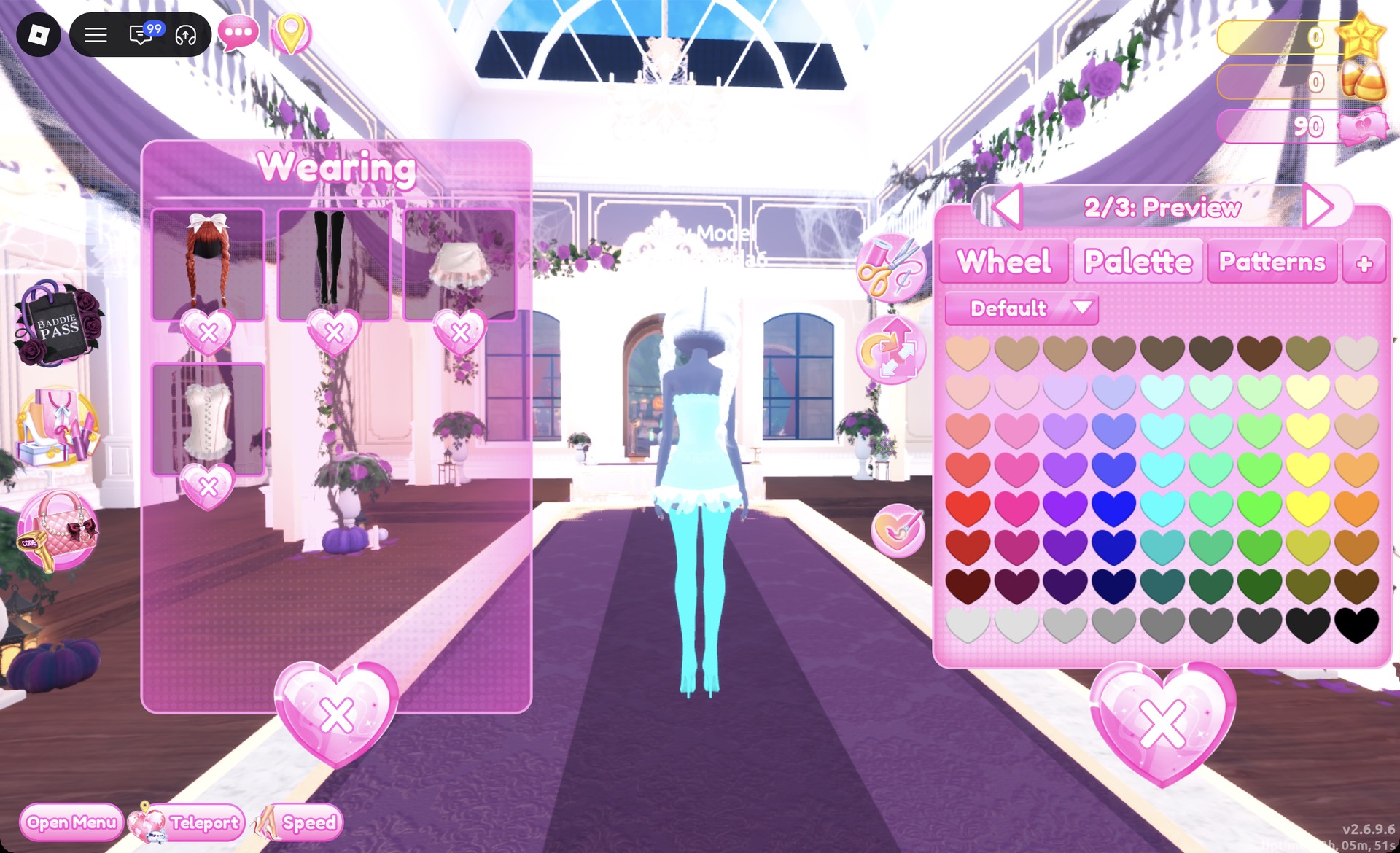
For a piece you haven’t put on yet, click it, set the color of each part while it previews, then press Put On (the heart-and-tick button). For a piece you’re already wearing, open the Wearing panel with the hanger button and click that piece’s picture. The same color panel opens, so you can recolor on the runway without going back to the shelf.

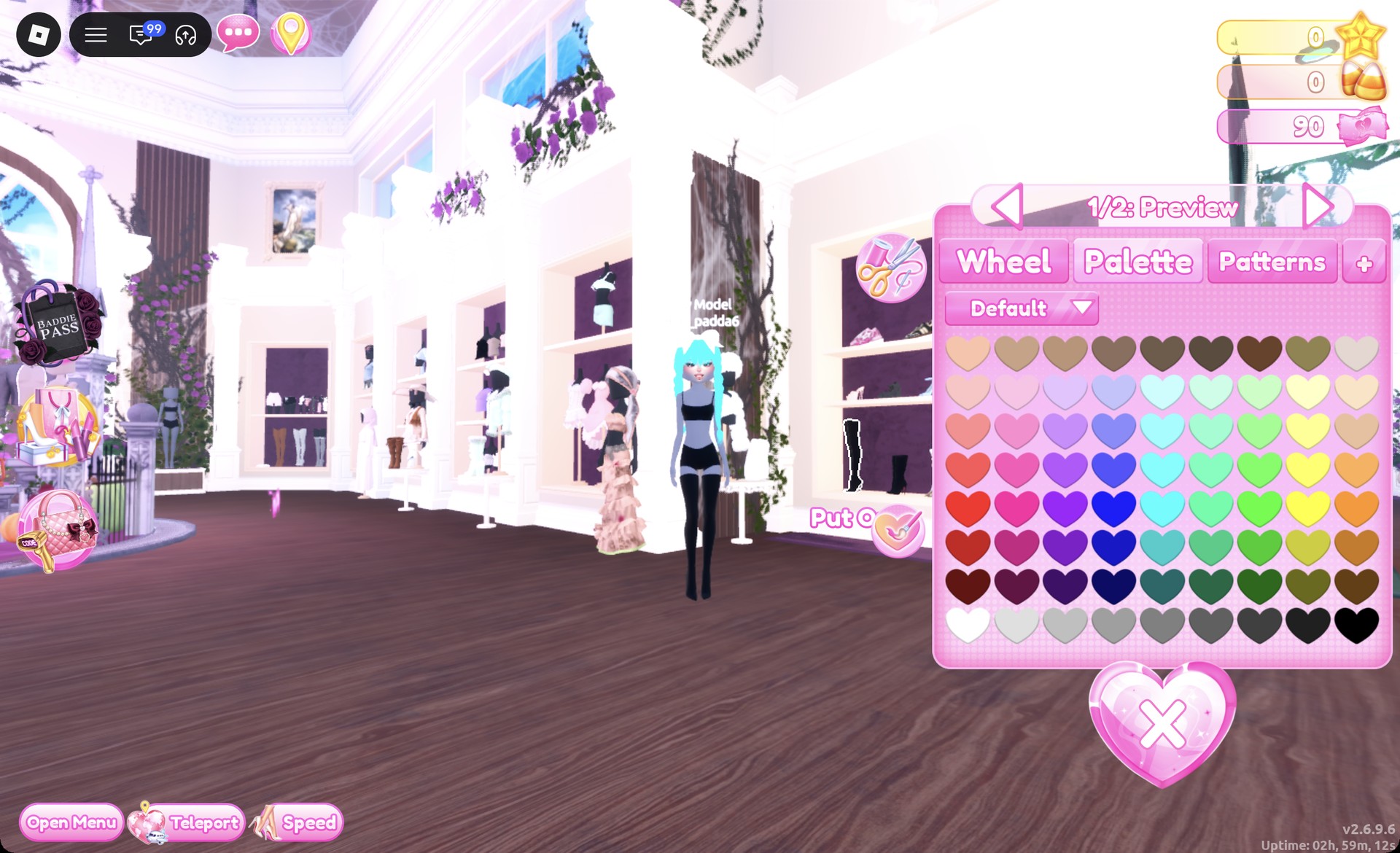
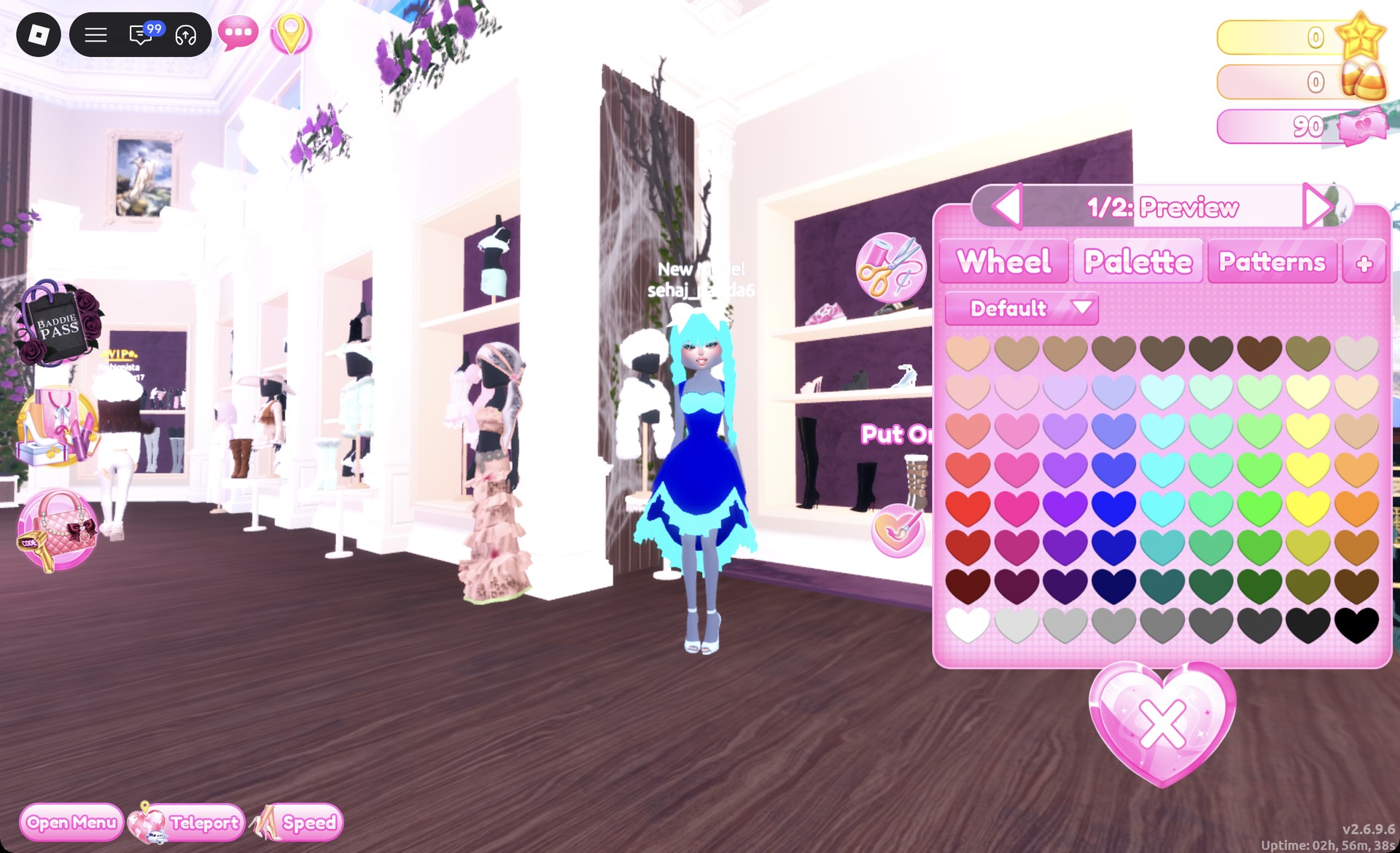
Colors come from the Default palette on the Palette tab, counted by column from the left and row from the top. Column 4 holds the blues, column 5 the cyans and aquas, and row 8, column 1 is white. Glitter, Silk and Metallic live on the “+” tab.

ColorPalette positionUsed on
Royal blueColumn 4, row 6Ball dress
Light aquaColumn 5, row 3Skirt, corset
AquaColumn 5, row 4Ball dress trim
Aqua (hair)Column 5, row 5Braids, Look 1
Deep aquaColumn 5, row 6Thigh-high boots
WhiteColumn 1, row 8Braids, Look 2

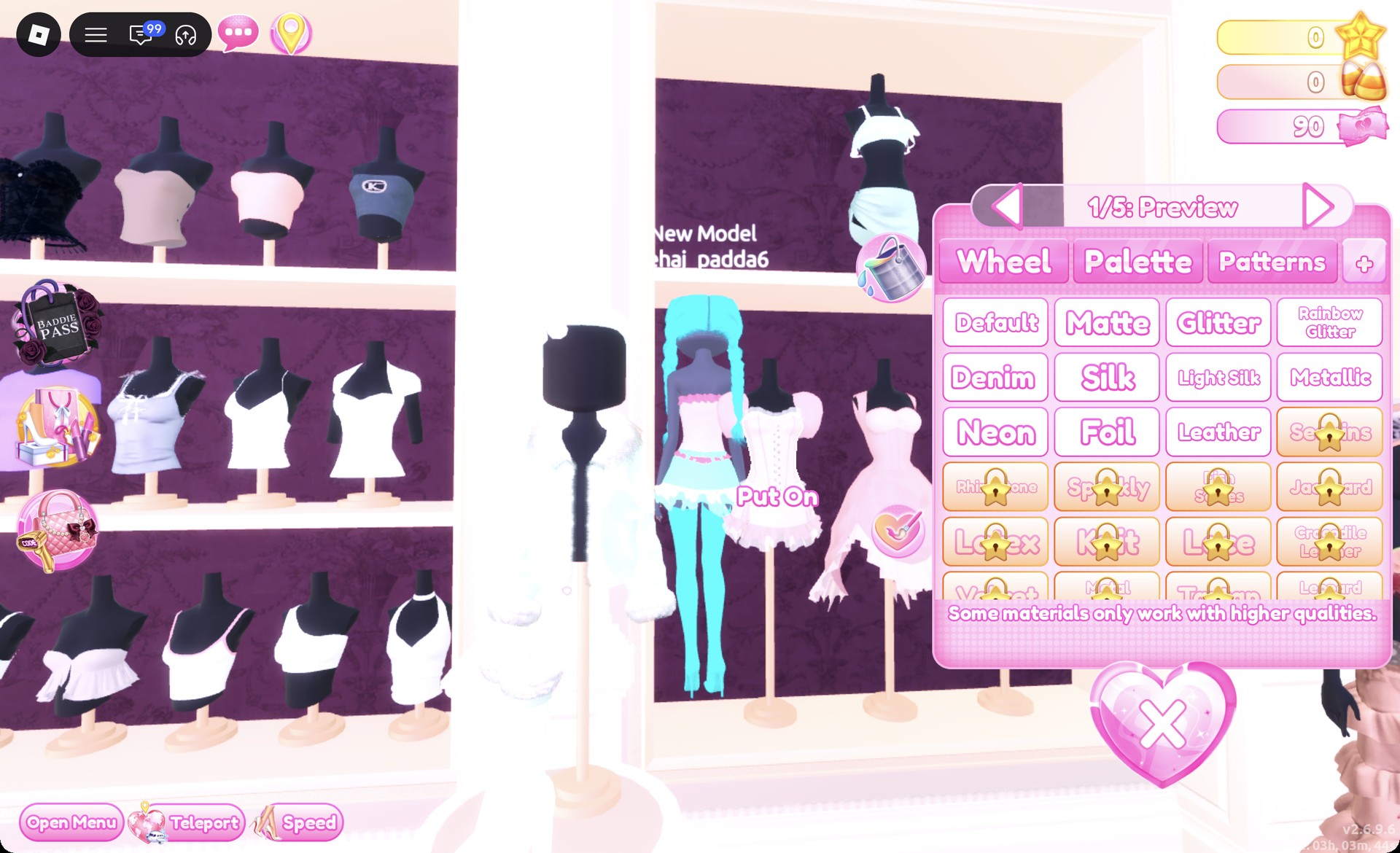
Materials with a gold lock are locked. Glitter, Silk and Metallic are all you need here.


Look 1: Royal blue silk ball dress
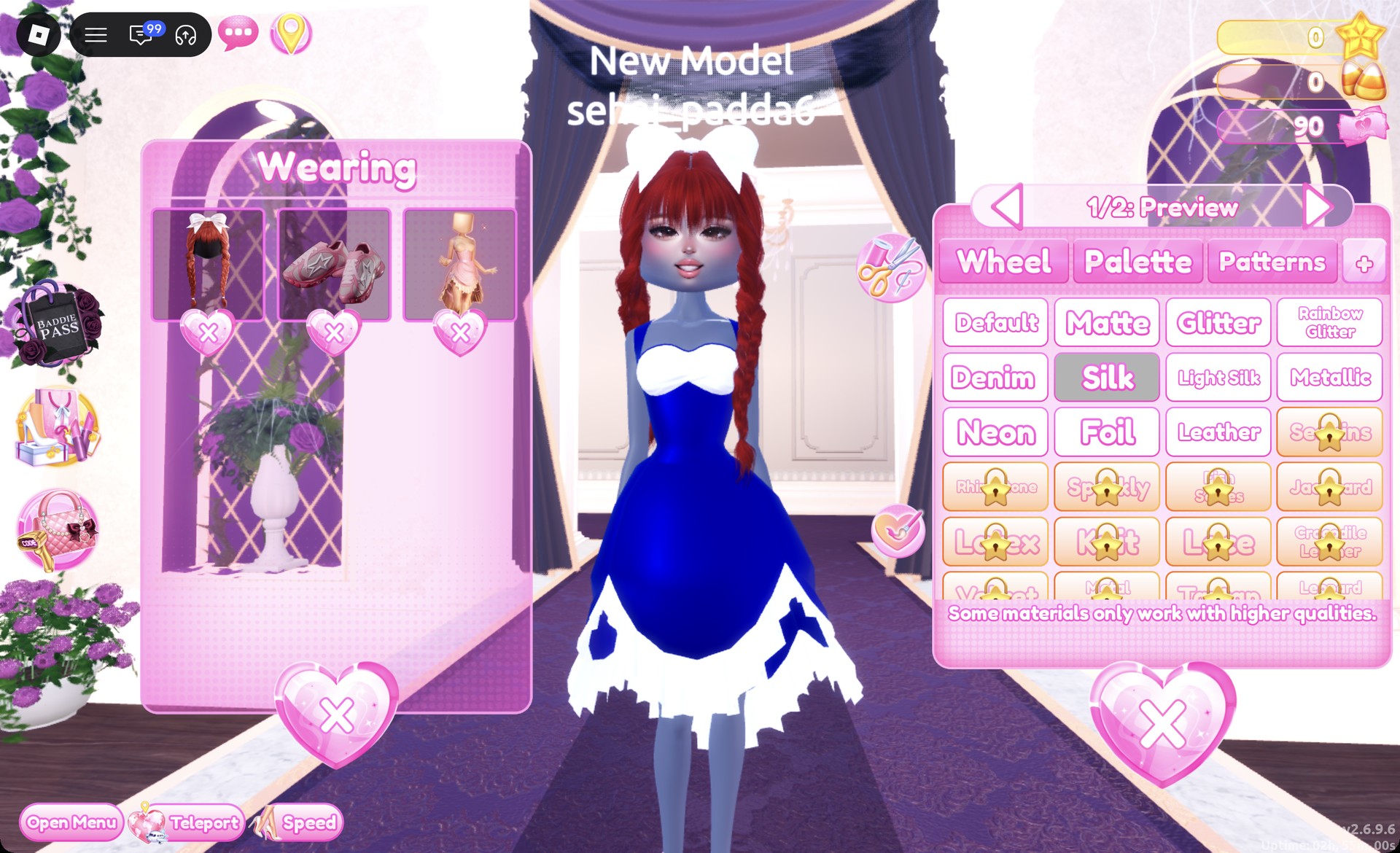
Go to the lower shelf of the party-dress unit and put on the pale pink ball dress from the middle mannequin. The pink doesn’t matter, because it gets fully recolored.
Open the Wearing panel and click the dress picture. On “1/2: Preview”, pick column 4, row 6 for royal blue, then open the “+” tab and select Silk.
Ball dress part 1 in royal blue with Silk selected in Dress To Impress
Part "1/2": column 4, row 6 with Silk on the "+" tab.
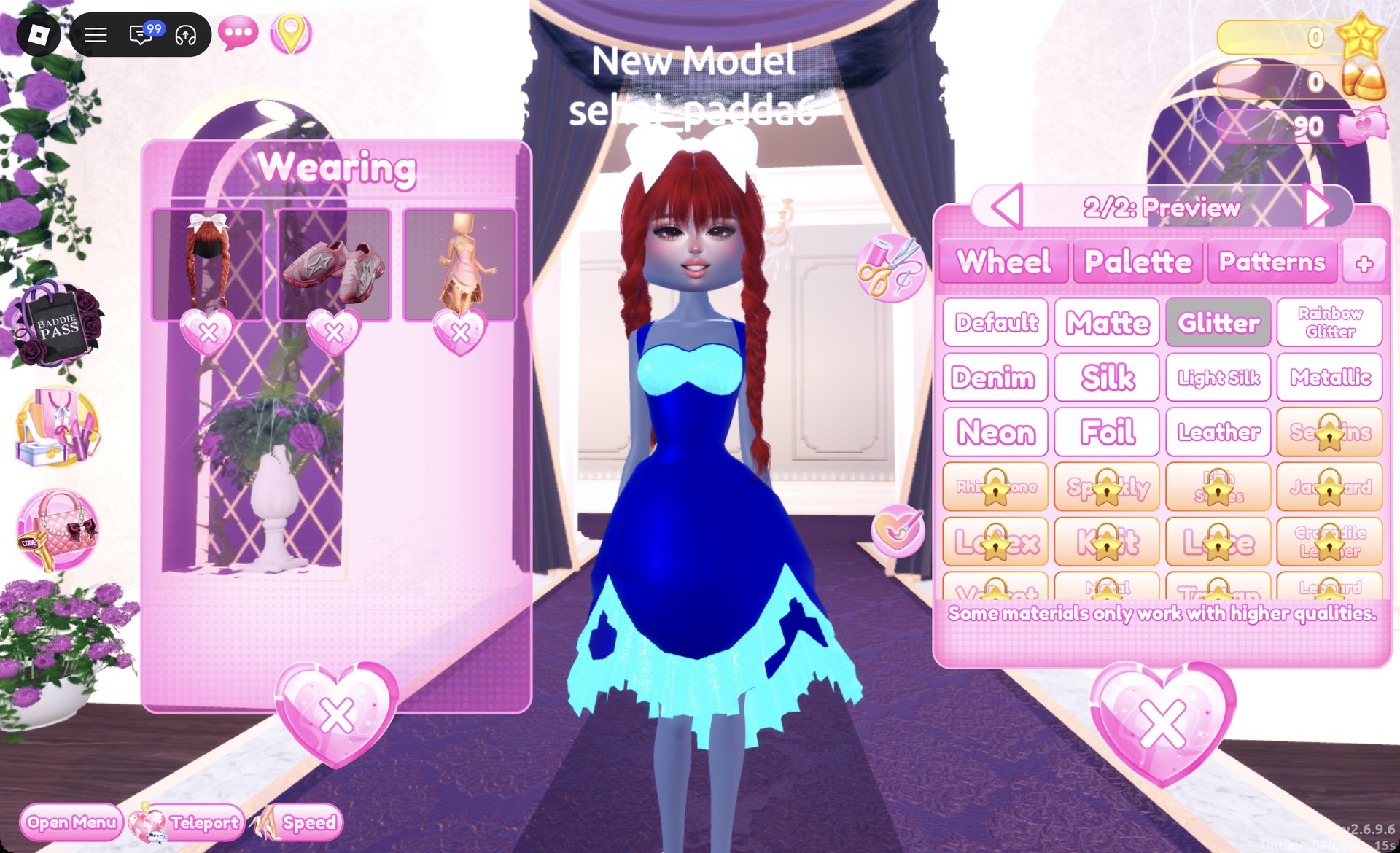
Move to “2/2” and pick column 5, row 4 for aqua, then select Glitter. This part covers the hem, the bodice trim and the small cut-out shapes, so they sparkle against the silk.
Ball dress part 2/2 aqua with Glitter in Dress To Impress
Part "2/2": aqua with Glitter.
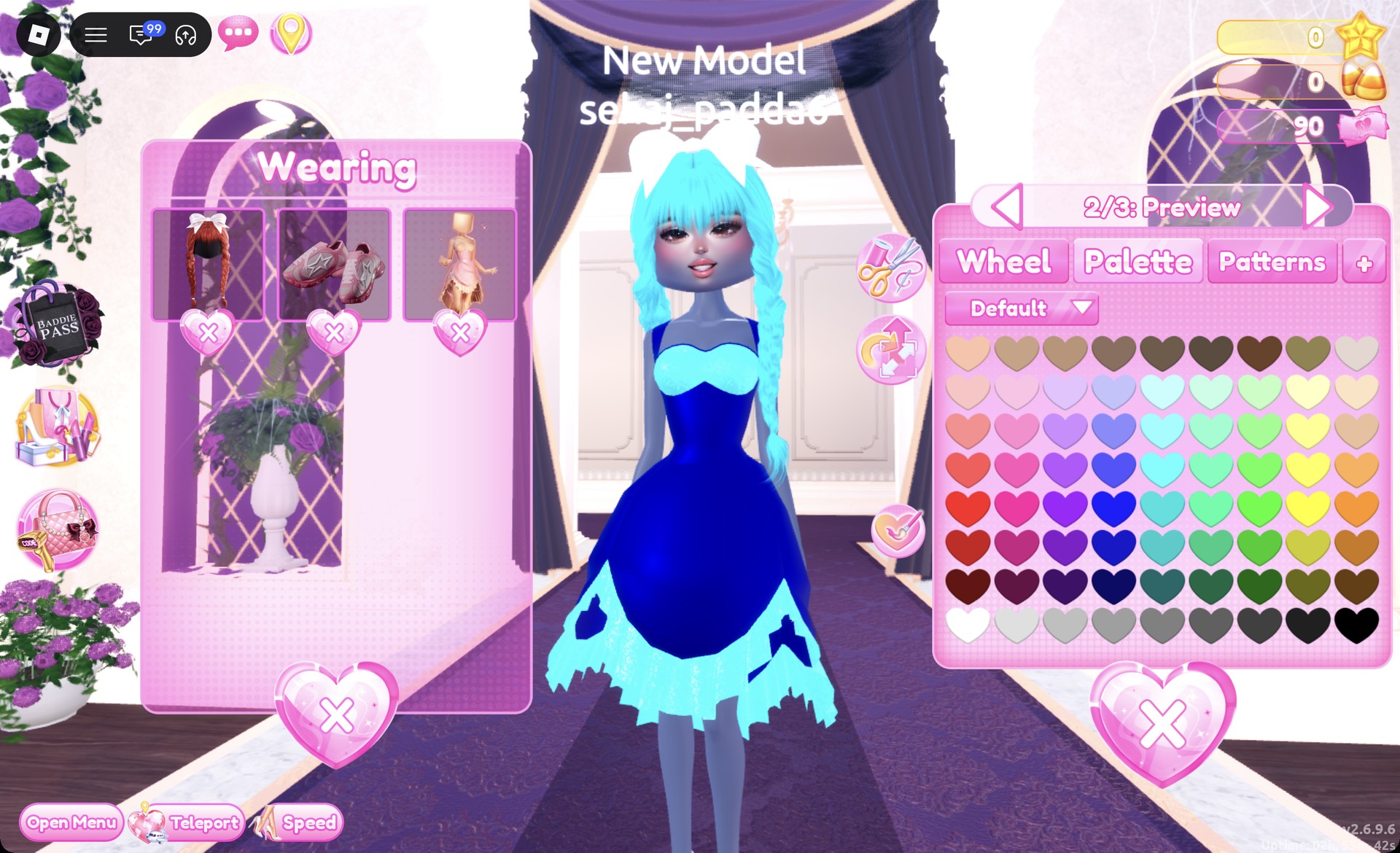
At Lana’s Salon, choose the Braids tab card with two long braids, full bangs and a big white bow. In the Wearing panel, click the hair picture and set parts 1 and 2 to column 5, row 5 for aqua, leaving the bow white.
Braids with a white bow recolored aqua in Dress To Impress
The braids recolored aqua from the Wearing panel.
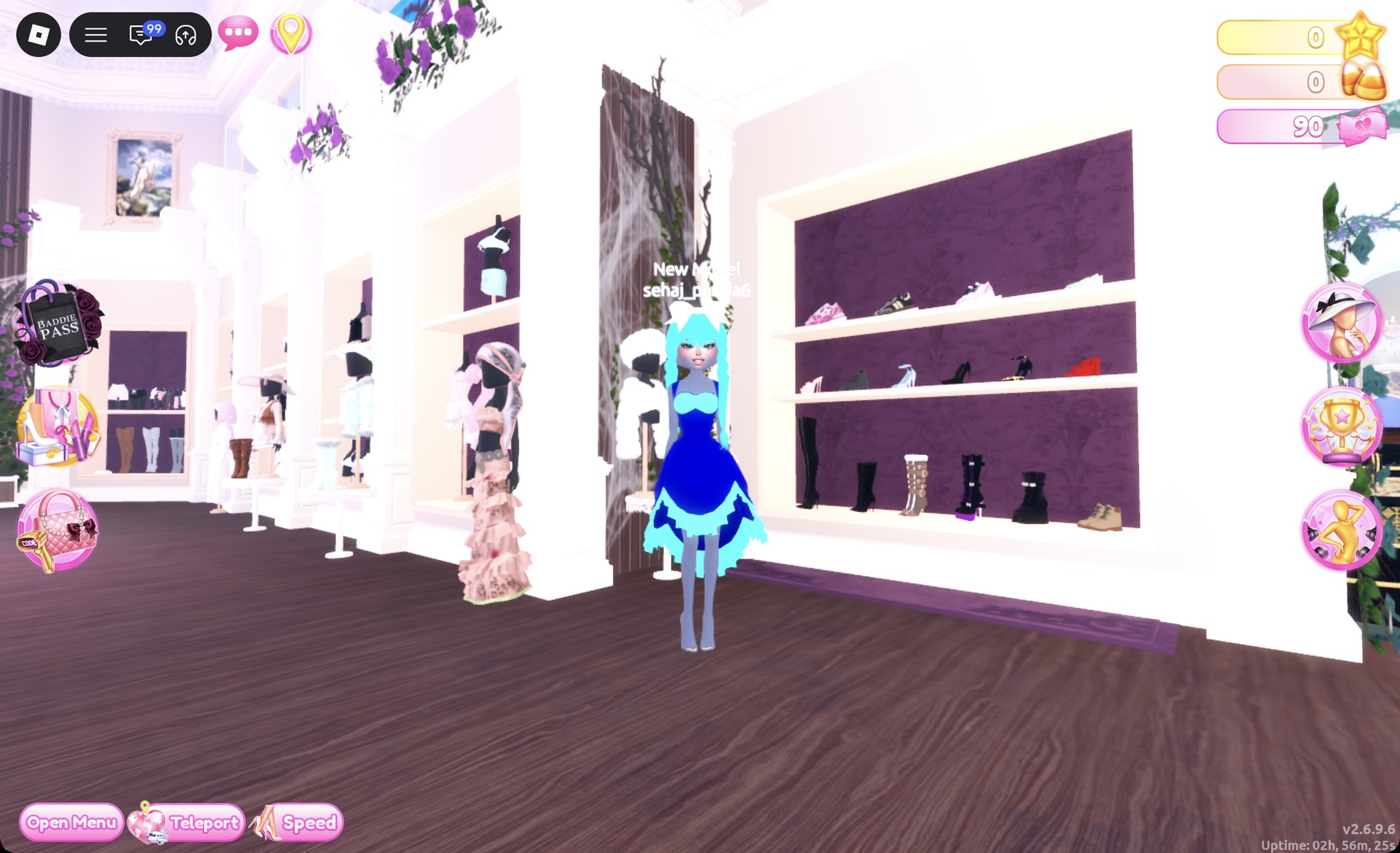
On the middle row of the shoe shelf, click the white ankle-strap heels.
Shoe shelf in the Dressing Room in Dress To Impress
The shoe shelf: the white heels are on the middle row.

Leave them at their default color on “1/2: Preview” and press Put On.
White ankle-strap heels preview panel 1/2 in Dress To Impress
The white heels, "1/2: Preview".
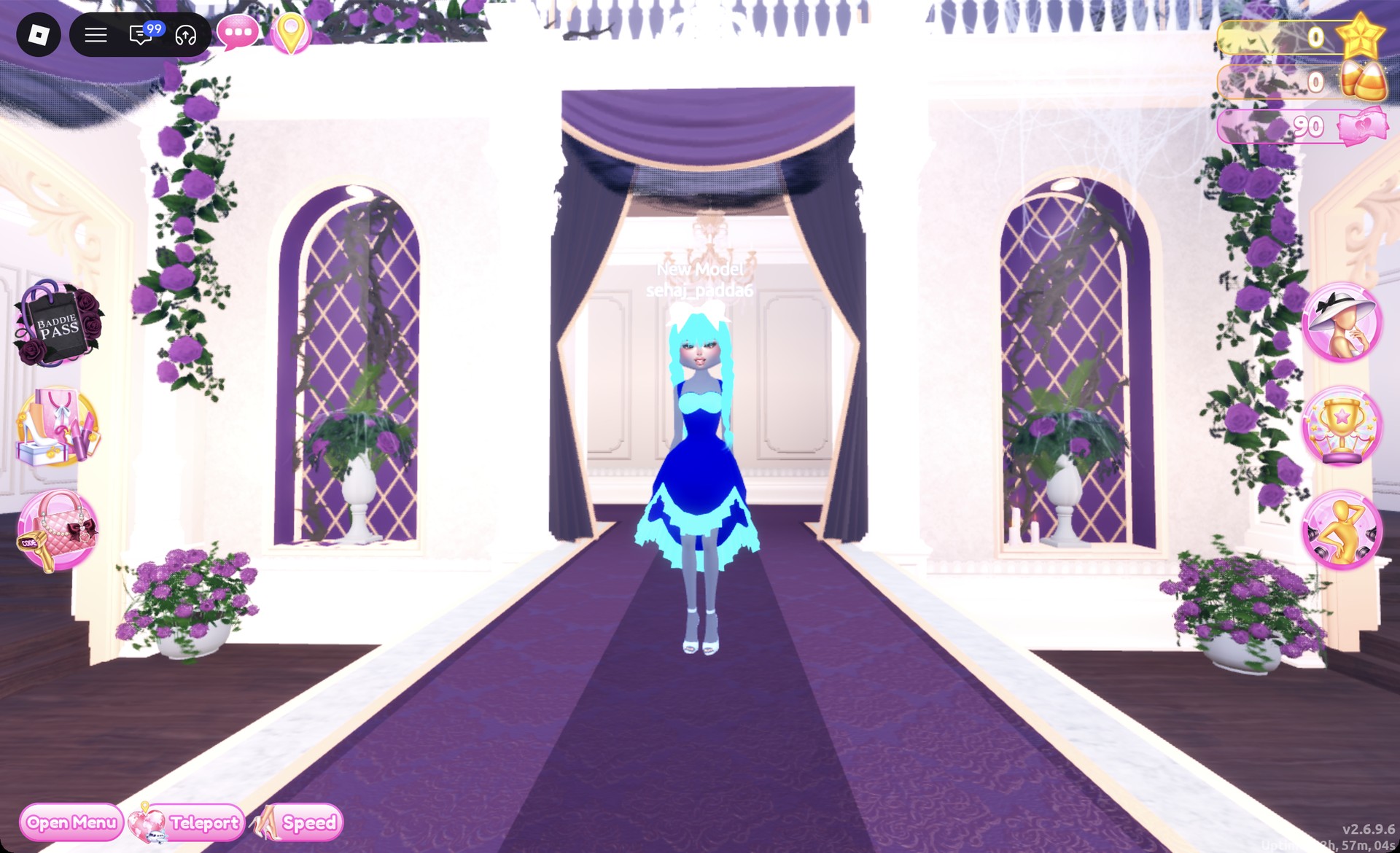
Use the Teleport pin and choose “Freeplay Runway” to walk the look and check it from the front.
Royal blue silk ball dress Underwater Couture look on the Freeplay Runway in Dress To Impress
Look 1 from the front on the Freeplay Runway.

From behind, the aqua braids fall over the royal blue skirt and its aqua glitter hem.
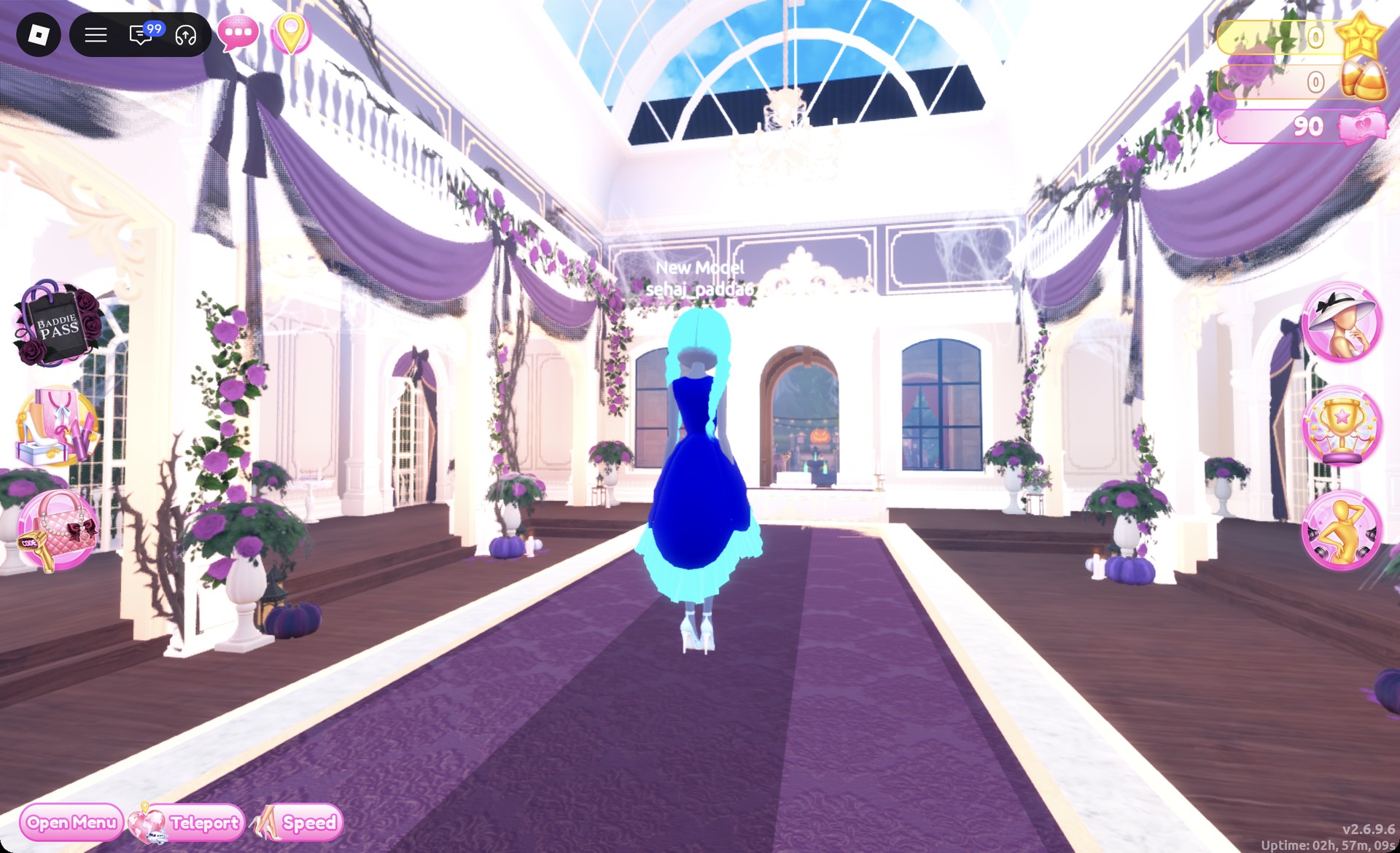
Back view of the royal blue ball dress with aqua braids in Dress To Impress
From behind: aqua braids and the aqua glitter hem.

The Lilac pose suits the full skirt.
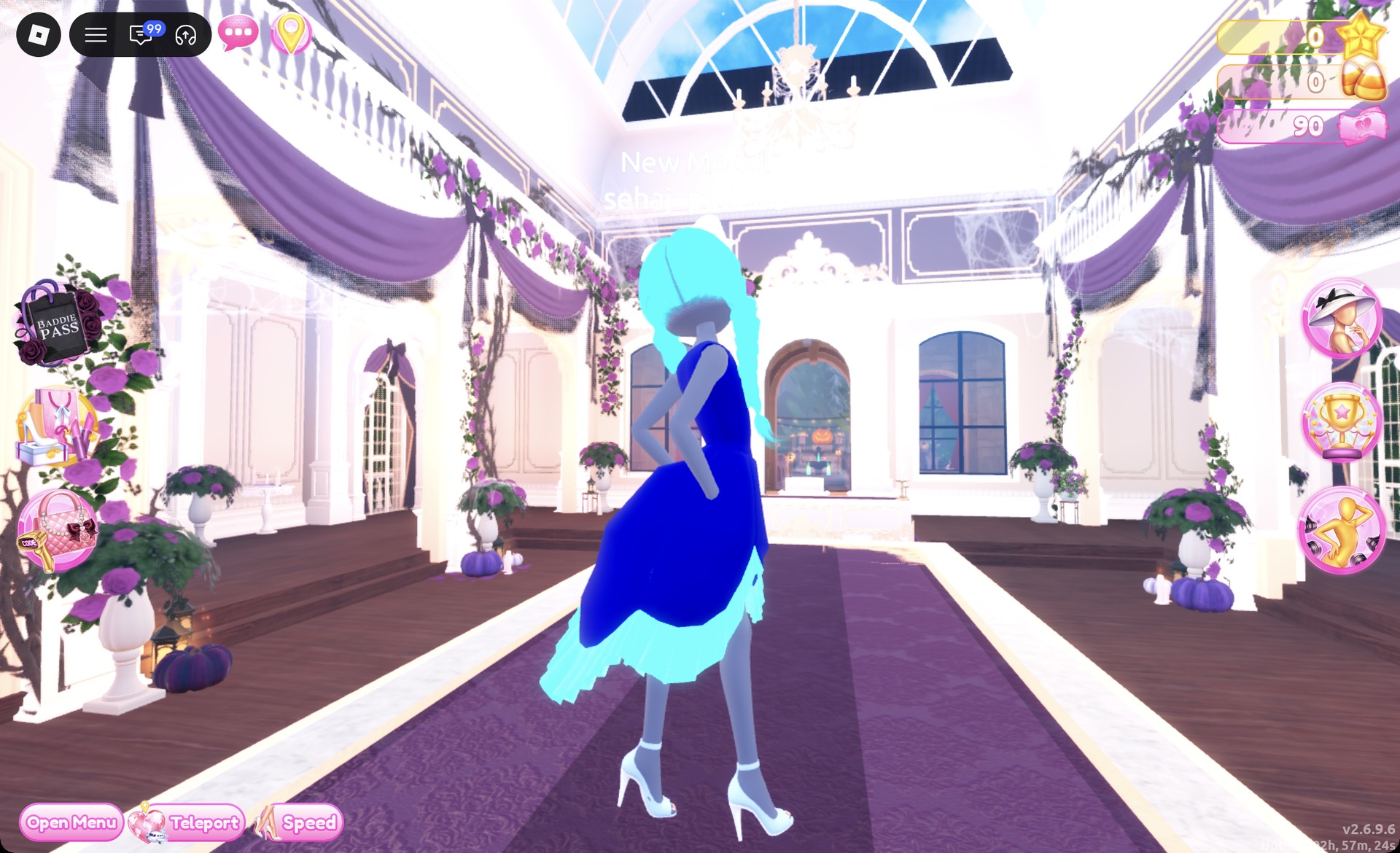
Underwater Couture look 1 in the Lilac pose in Dress To Impress
Look 1 in the Lilac pose.

When it’s done, the Wearing panel lists three pieces: hair, heels and dress.
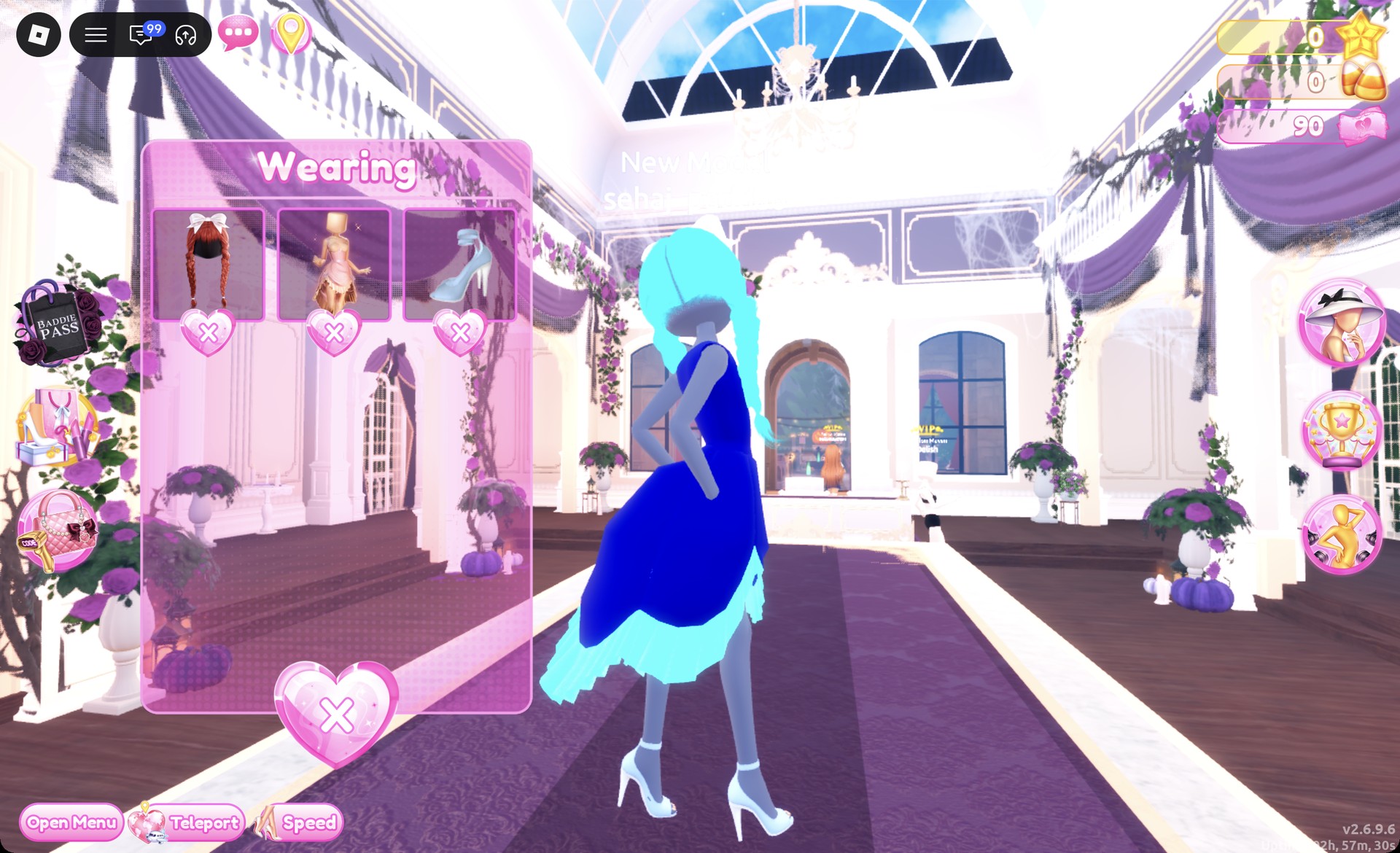
Wearing panel for the royal blue ball dress look in Dress To Impress
The Wearing panel for look 1.

Look 2: Aqua glitter corset mini

Open the Wearing panel with the hanger button and take off the ball dress and the heels with the X under each picture. Keep the braids on, since they get recolored later.
On the bottom row of the shoe shelf, click the black thigh-high stiletto boots on the left.
Black thigh-high stiletto boots preview panel 1/2 in Dress To Impress
The thigh-high boots, "1/2: Preview".

On “1/2”, set both parts to column 5, row 6 for deep aqua and select Metallic, which turns them into shiny aqua thigh-highs.
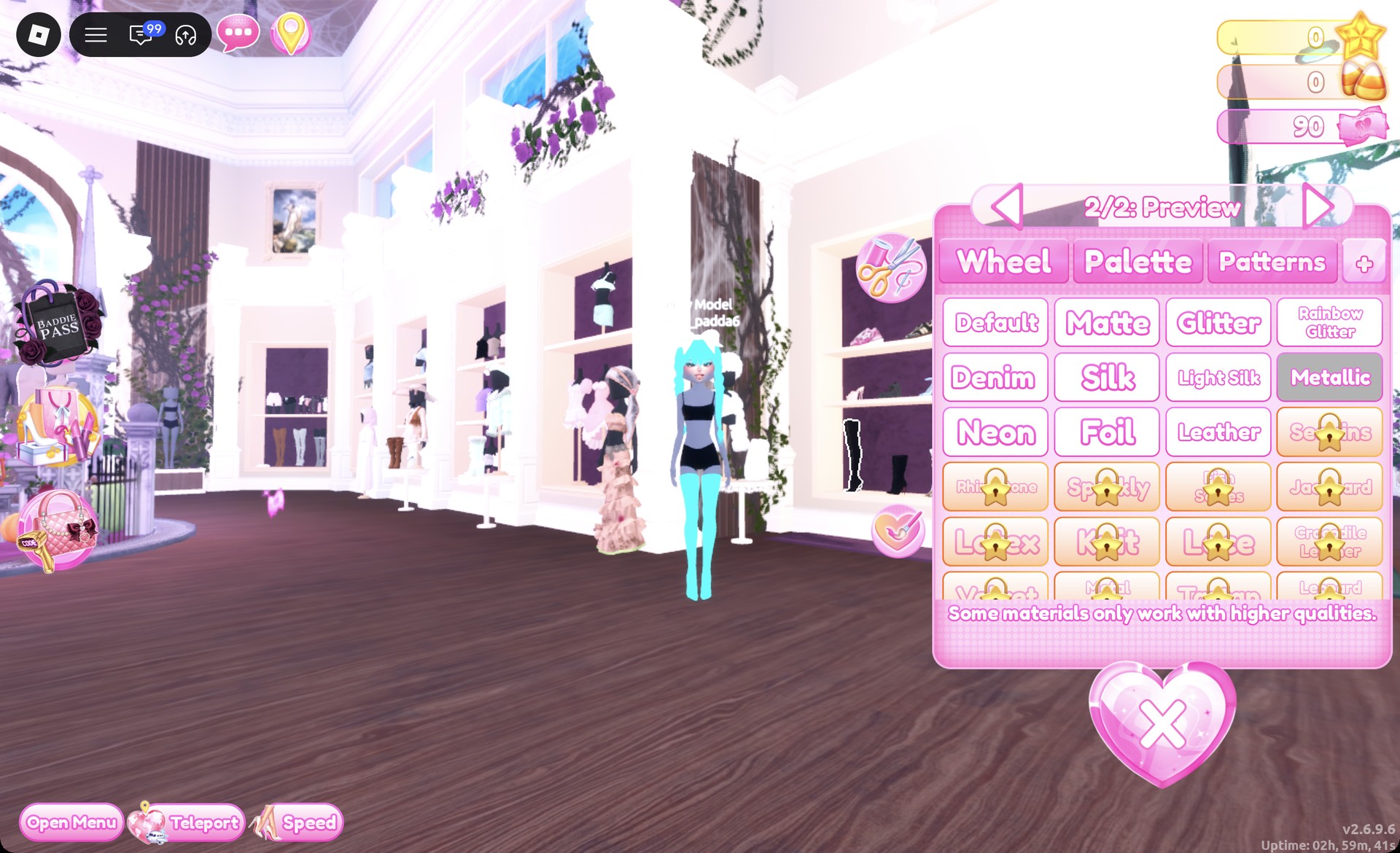
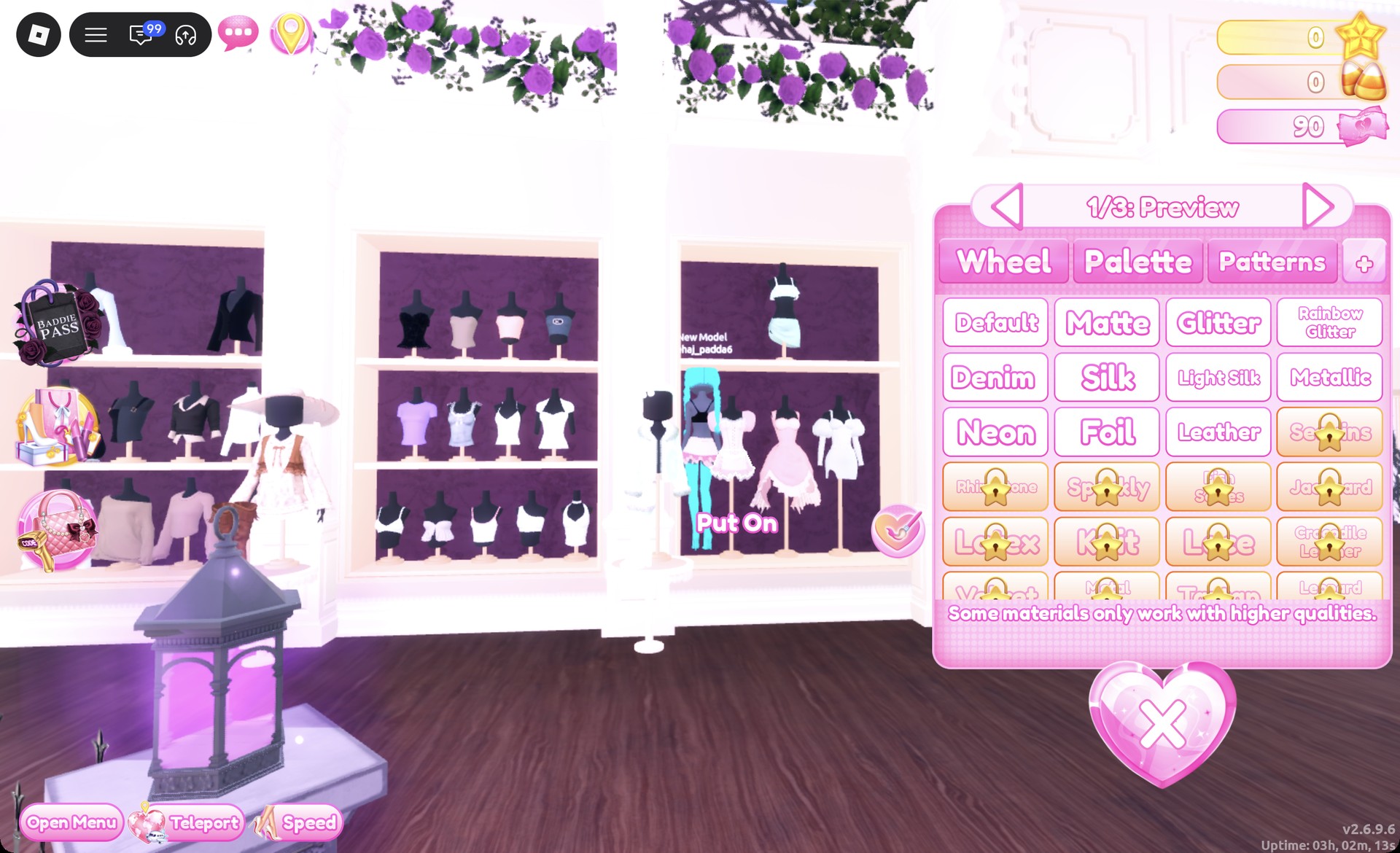
Thigh-high boots in deep aqua with Metallic in Dress To Impress
Part "2/2" with Metallic selected.
Select the skirt shown on the corset puff dress mannequin. In “1/3: Preview”, choose column 5, row 3 for parts 1 and 3 to give them light aqua with Glitter.
Corset puff dress skirt preview panel 1/3 in Dress To Impress
The skirt at "1/3: Preview".

Set part 2 to white with Glitter, then click Put On.
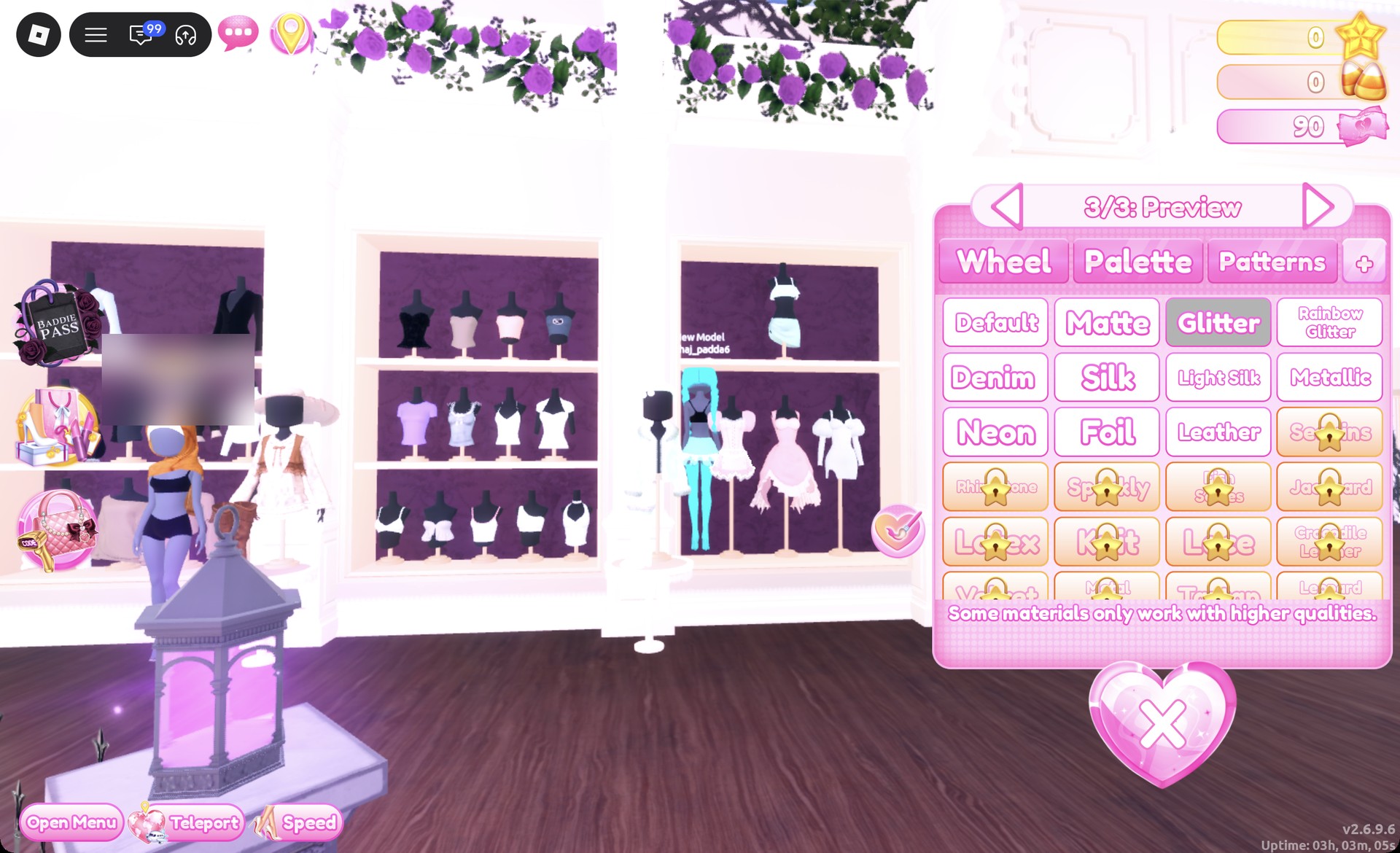
Skirt part 3/3 light aqua with Glitter in Dress To Impress
Part "3/3" with Glitter selected.
Click the corset on the same mannequin. On “1/5: Preview”, set parts 1 and 2 to light aqua with Glitter.
Corset preview panel 1/5 in light aqua in Dress To Impress
The corset at "1/5: Preview".

Set parts 3 through 5 to white with Metallic, then press Put On.
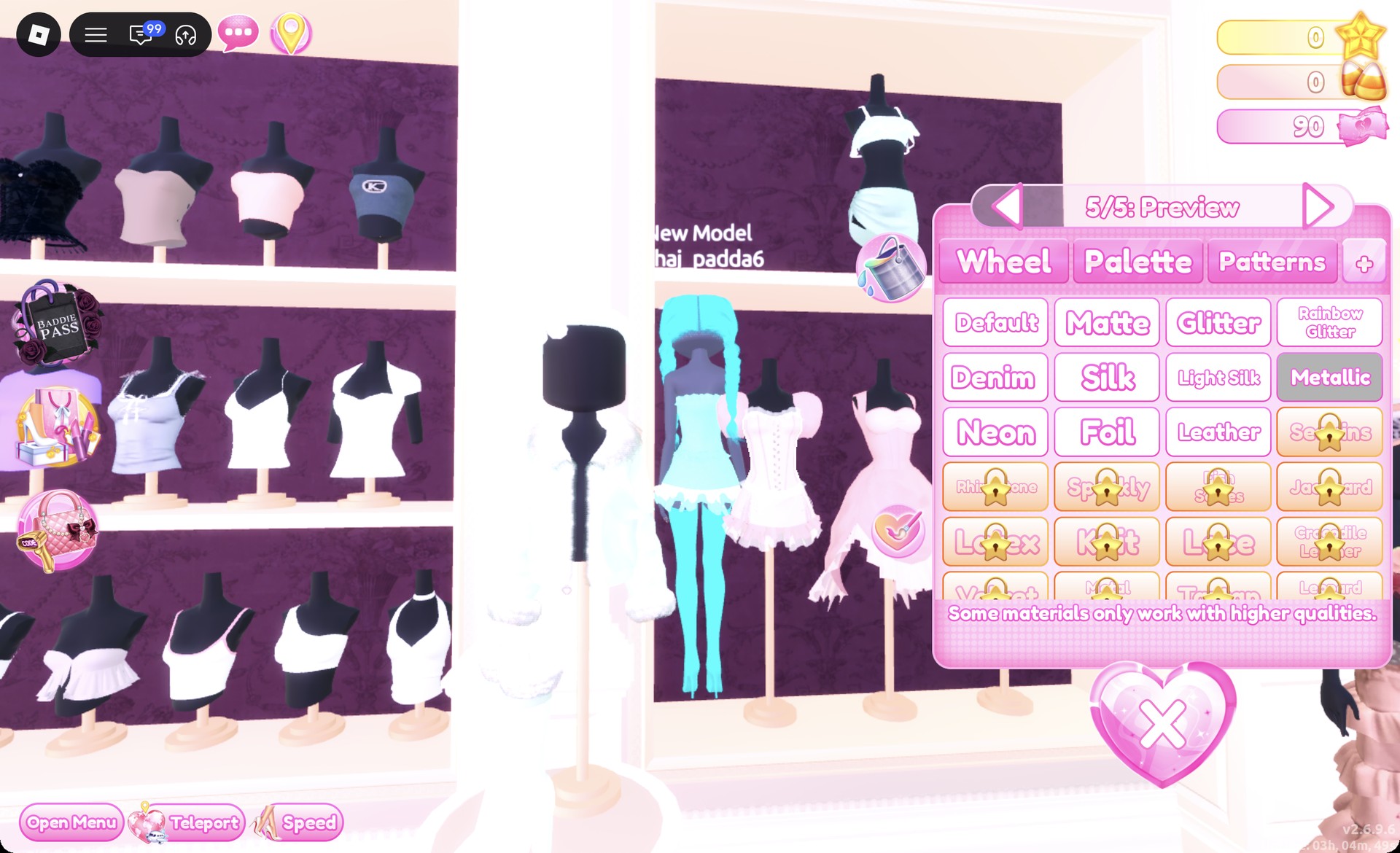
Corset part 5/5 white with Metallic in Dress To Impress
Part "5/5" with Metallic selected.
Open the Wearing panel, click the hair picture and set parts 1 and 2 to white at row 8, column 1. The braids come out pearl-white.
Braids recolored white in the Wearing panel in Dress To Impress
The braids set to white from the Wearing panel.
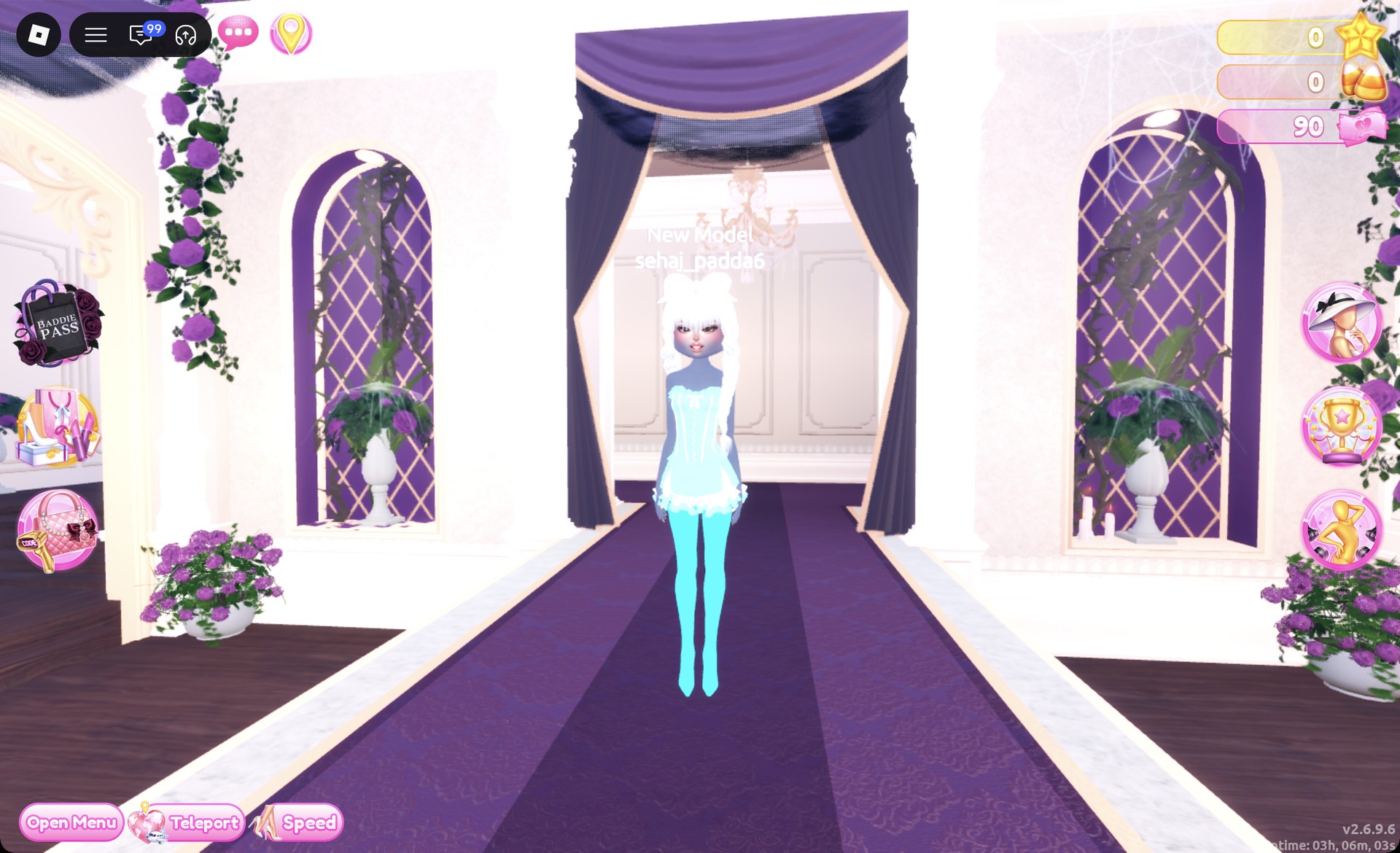
Teleport to “Freeplay Runway” again and check the front.
Aqua glitter corset mini Underwater Couture look on the Freeplay Runway in Dress To Impress
Look 2 on the Freeplay Runway.

From behind, the pearl-white braids hang over the aqua glitter skirt.
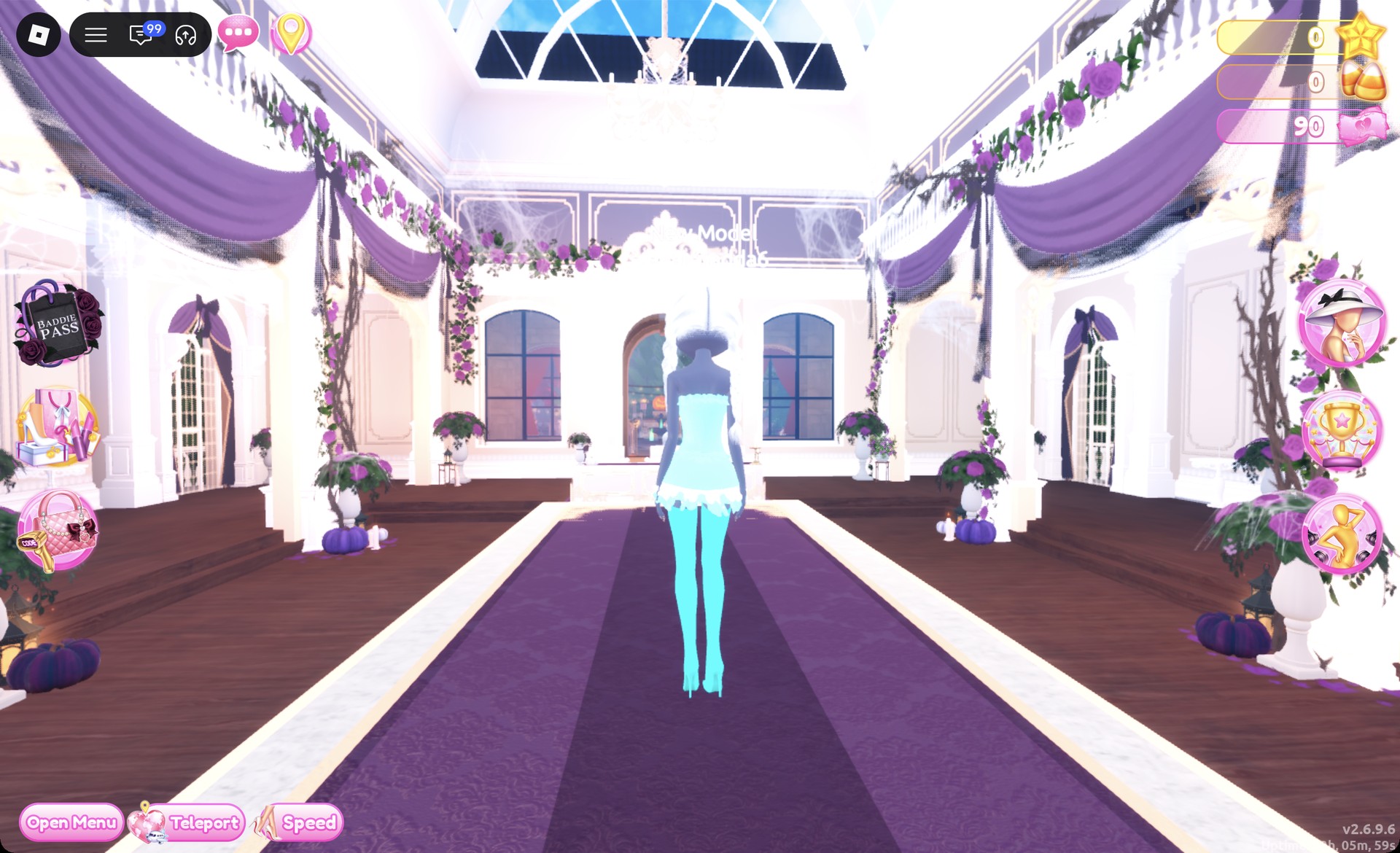
Back view of the aqua glitter corset mini in Dress To Impress
From behind, in the darker evening runway light.

The Dazzle pose shows off the glitter and the metallic boots.
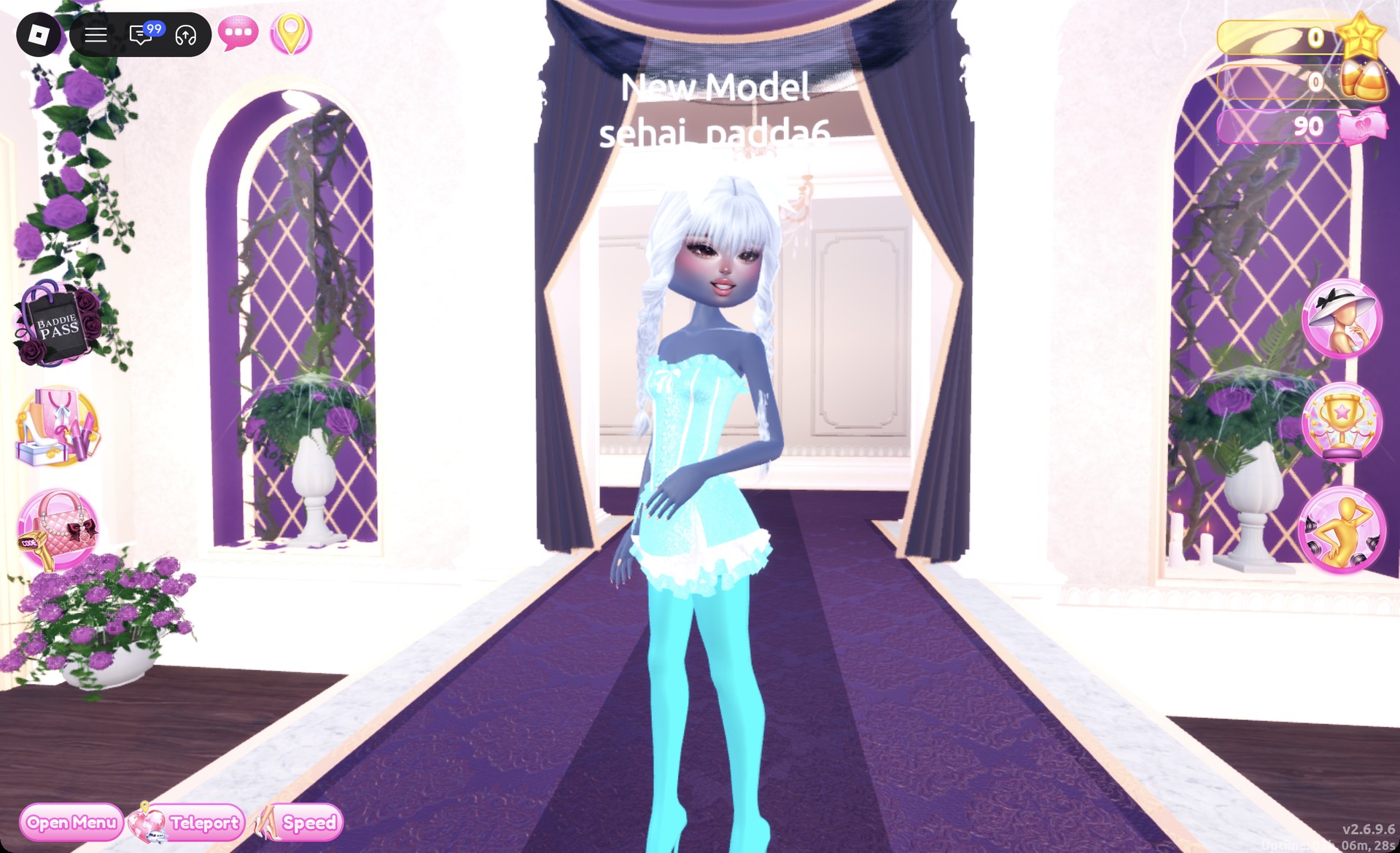
Underwater Couture look 2 in the Dazzle pose in Dress To Impress
Look 2 in the Dazzle pose.

The finished Wearing panel shows four pieces: hair, boots, skirt and corset.
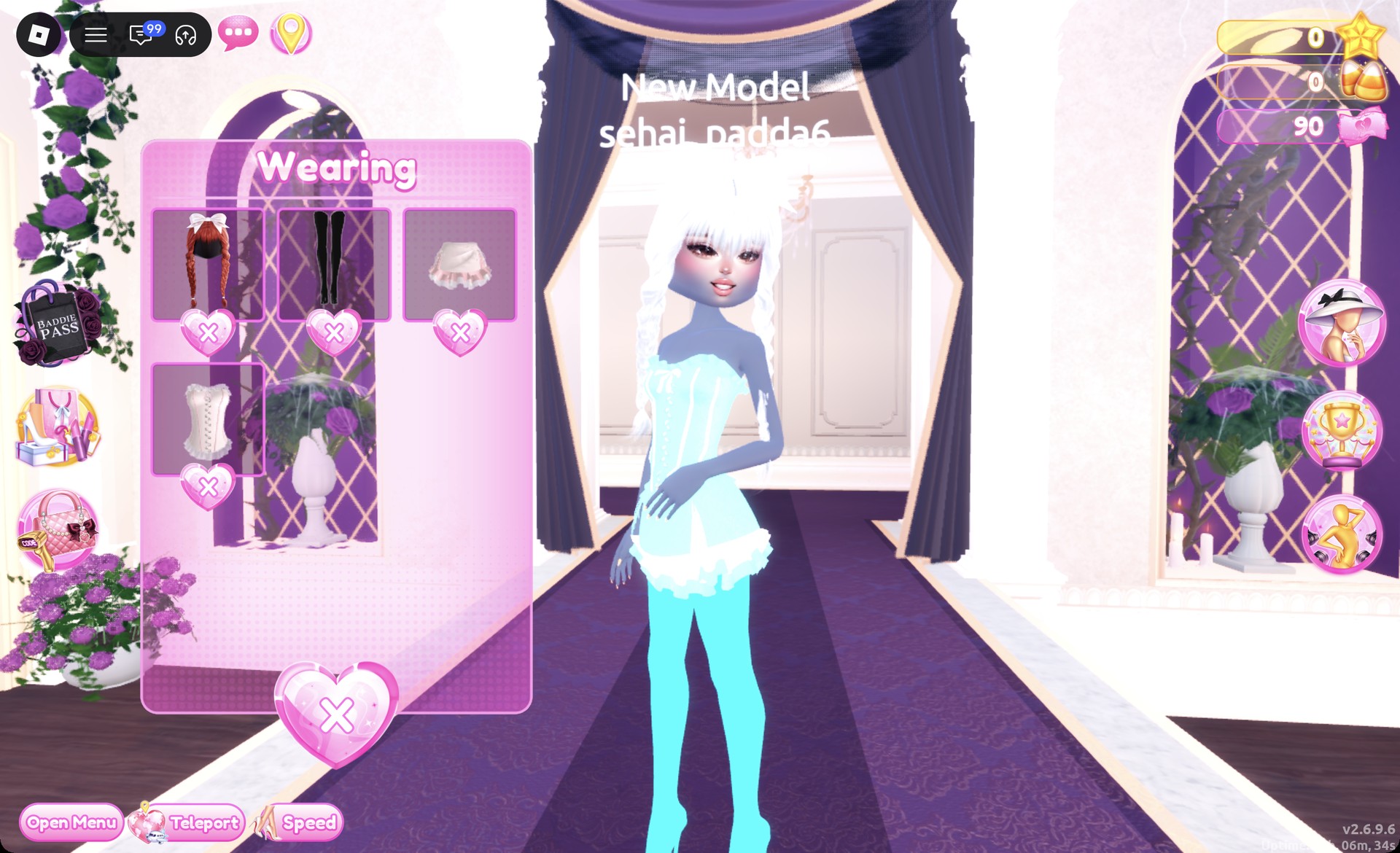
Wearing panel for the aqua glitter corset mini look in Dress To Impress
The Wearing panel for look 2.

More sea and water theme ideas


Underwater Couture DTI FAQ

What is Underwater Couture in Dress To Impress?

It’s a theme for sea-inspired high fashion. Think ocean blues, aqua shimmer, pearly white and mermaid hair.

How do I do Underwater Couture without VIP?

Both looks above work without VIP. Every piece, every palette color and the Glitter, Silk and Metallic materials they use are free.

How do I make a dress shimmer?

Open the “+” tab in the color panel and pick Glitter, Silk or Metallic for each part. Glitter gives the aqua sparkle, Silk gives the royal blue its sheen, and Metallic makes the boots and corset details shine.