Enshrouded 1.0: How to Unlock Double Jump and Airborne Architect
Both are neutral skills in the center of the tree, costing 5 skill points together and bound to Space and Z + Space.
Both are neutral skills in the center of the tree, costing 5 skill points together and bound to Space and Z + Space.
by AllThingsHow Staff
In Enshrouded 1.0, you have to unlock Double Jump as a skill. Airborne Architect, the build-mode flight skill, sits right next to it on the same part of the skill tree. You can unlock both from the Skills screen as soon as you have the skill points.
Quick answer: Press H, unlock Double Jump in the tree’s center ring (2 points), then press Space again in the air. Unlock Airborne Architect beside it (3 points) and hold Z + Space inside your base.
Double Jump and Airborne Architect skill costs
Both are neutral skills at the center of the skill tree, so they don’t belong to any class. Together they cost 5 skill points. The card text below matches what the game shows.
Skill
Skill points
Card text
Double Jump
2
“Allows jumping a second time while airborne.” Cost: 10 Stamina
Airborne Architect
3
“Turn into a spark inside the base to move freely through the air in first person while building. To toggle this mode, hold [Z] + [Space].”
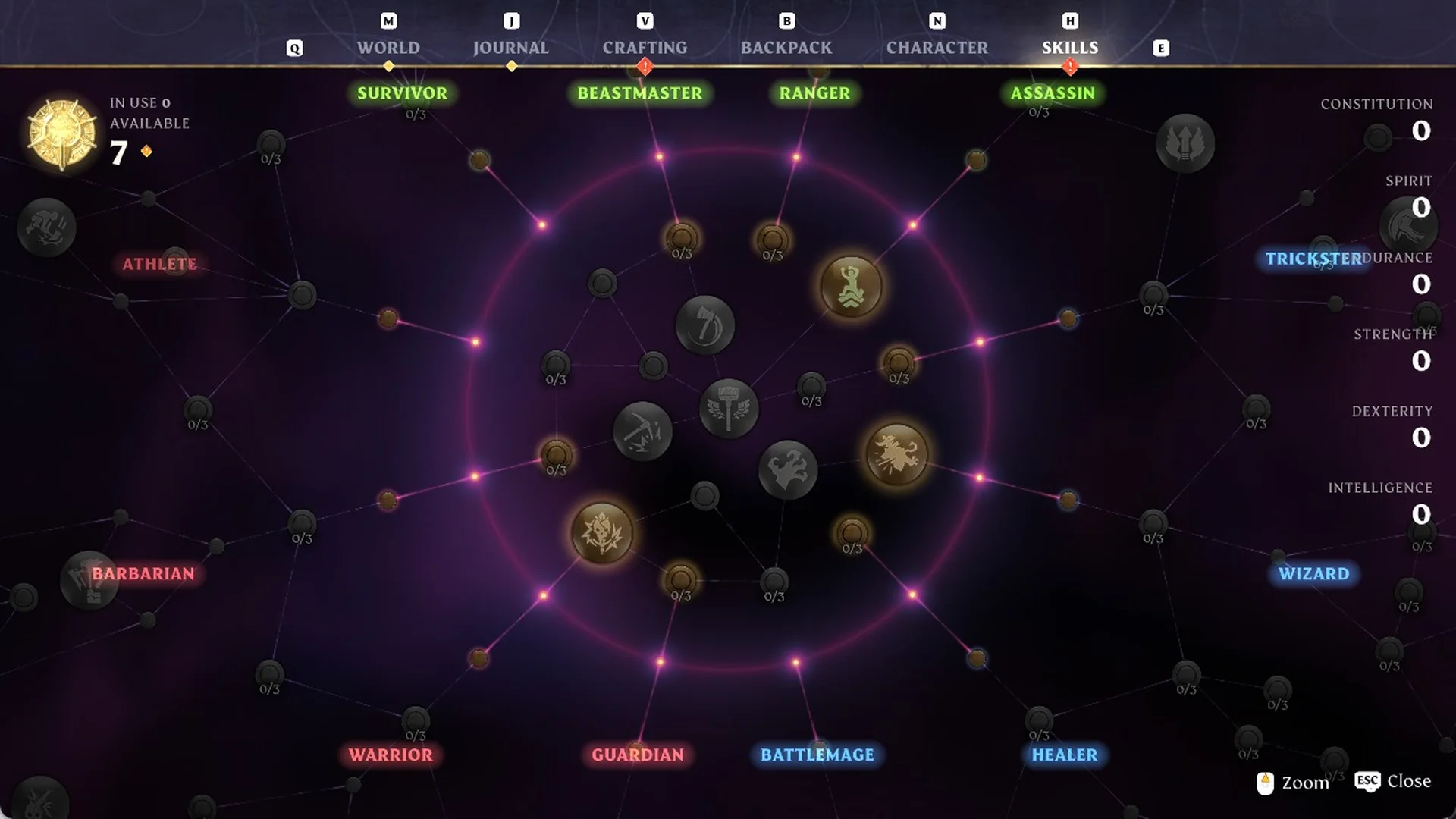
A free Spark node on the inner ring connects directly to Double Jump, so you can make it your first purchase. Airborne Architect connects to five skills, and you can reach it from any of them:
Double Jump
Felling Axe Specialization
Pickaxe Specialization
Miner
Inner Fires
How to unlock Double Jump and Airborne Architect on the Skills screen
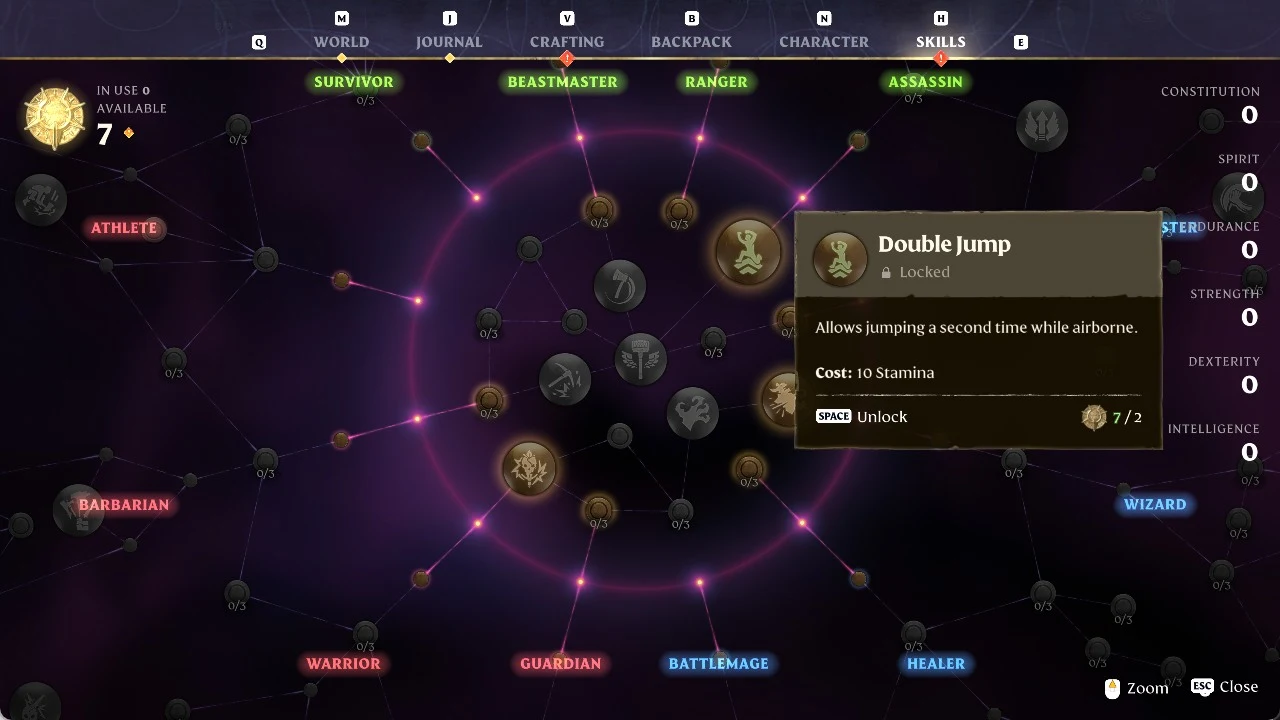
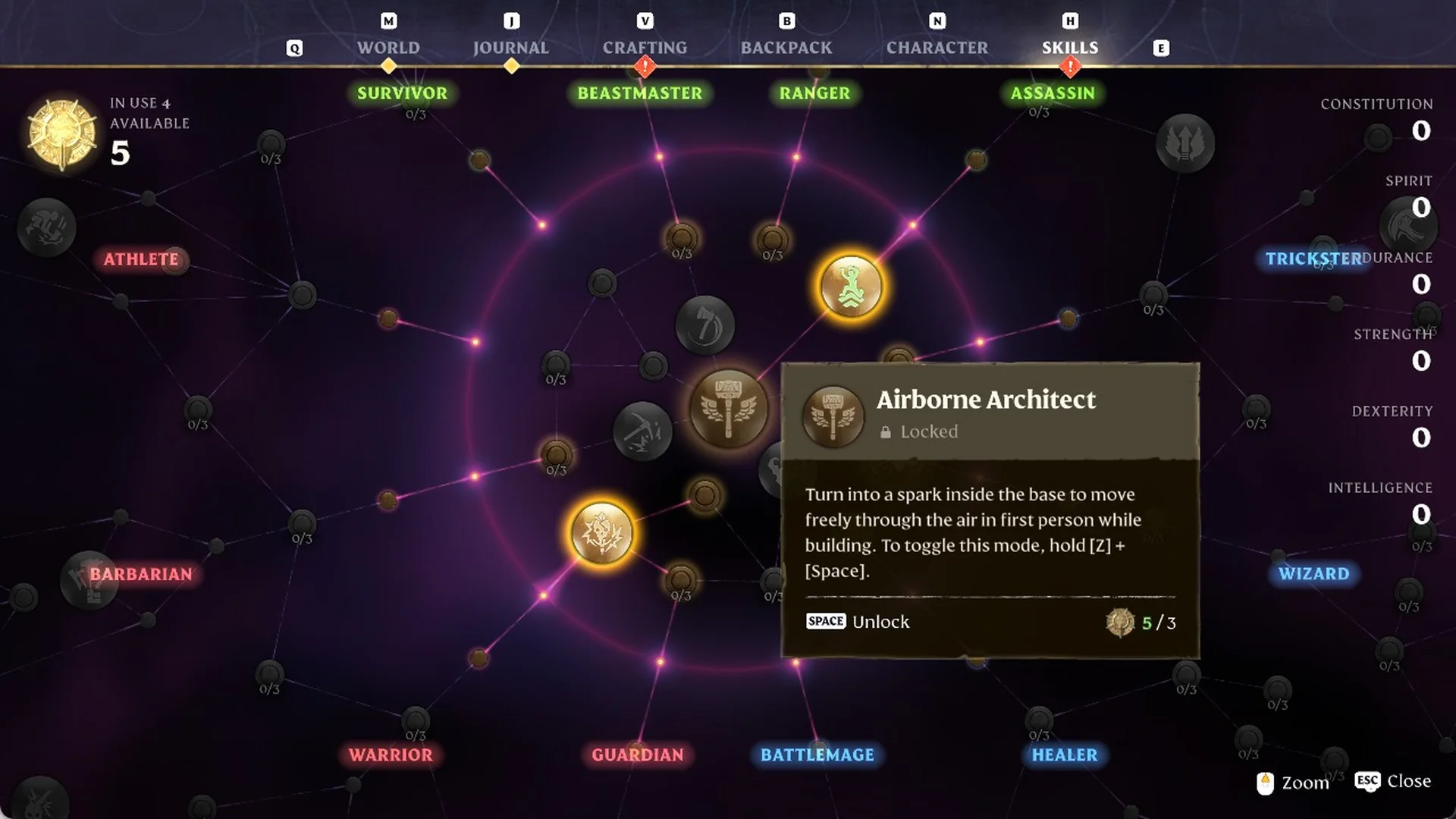
Select Double Jump on the inner ring. Its card reads “Locked” and shows the card text, Cost: 10 Stamina, and a “SPACE Unlock” prompt with the 2-point price.
The Double Jump card before unlocking: Locked, Cost: 10 Stamina, and SPACE Unlock for 2 skill points.
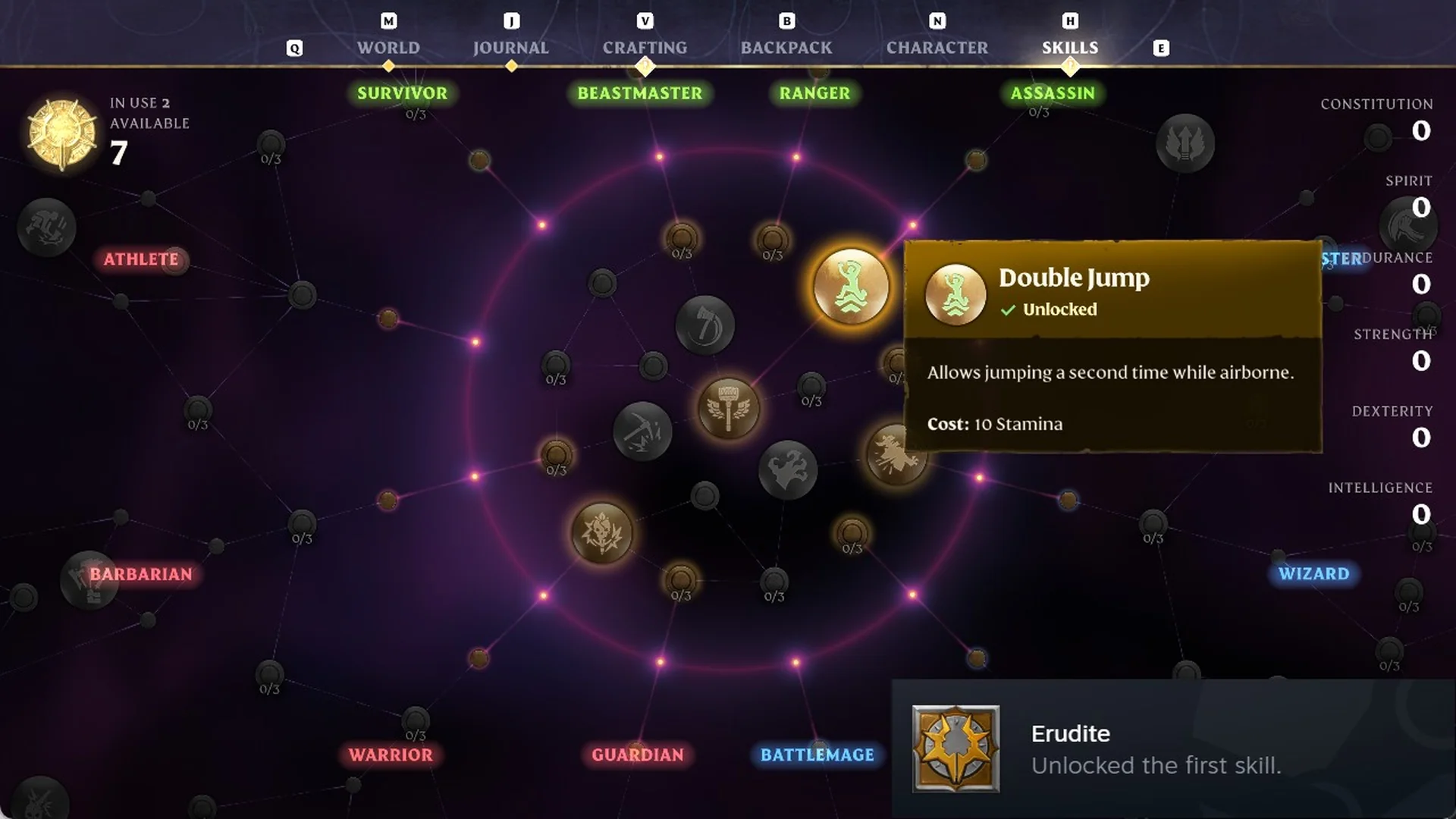
Press Space to buy it. The card switches to “Unlocked”. If it’s your first skill, the Steam achievement “Erudite – Unlocked the first skill” also pops up.
Double Jump unlocked; as our first skill it also triggered the Erudite achievement.
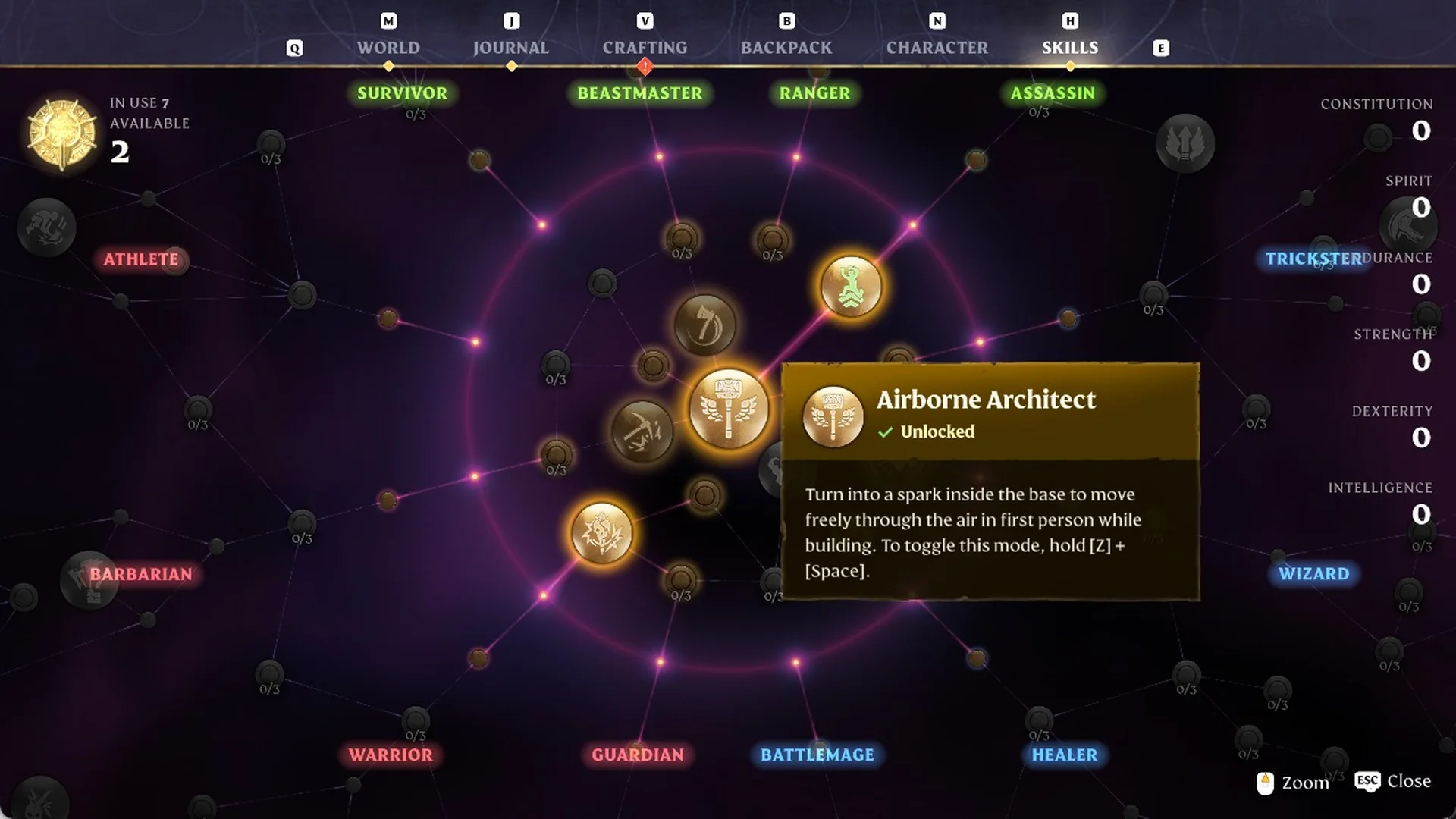
Unlock the skill; its card will read “Unlocked”, and its icon will light up in the tree. Spent skill points are not locked in, and you can take them back when you Reskill at a Flame Altar.
Airborne Architect unlocked and lit up on the tree.
Using Double Jump
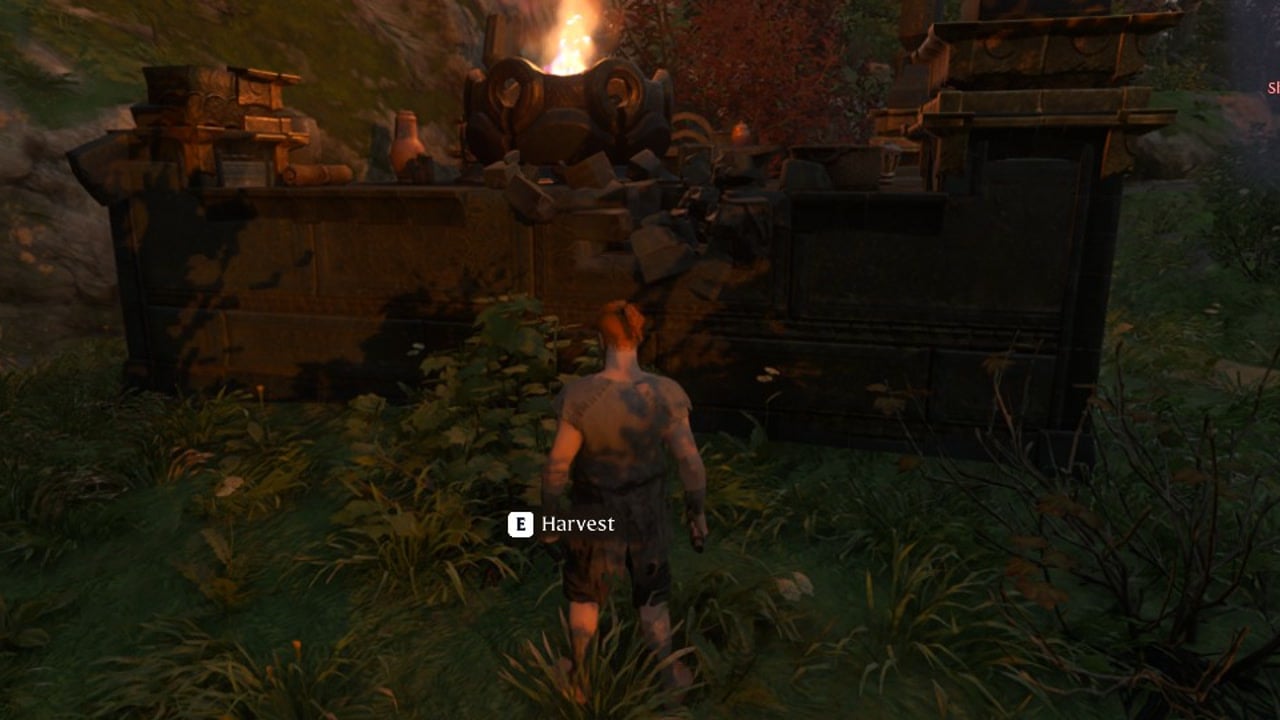
Press Space to jump, then press it again while airborne. Every extra jump uses 10 Stamina. It gets you onto ledges a single jump cannot reach. We used it to climb onto the raised stone platform of a Flame Shrine from its north side.
With a glider equipped, Space also opens the glider. Jump, double jump, then press Space once more while falling. The “SPACE Start gliding” prompt appears when the glider is ready to open.
Using Airborne Architect in your base
Airborne Architect functions only within your base, the building area around a Flame Altar. Hold Z + Space there to become a spark and build while flying. The same hold switches it off again. This is how it went for us at our second Flame Altar:
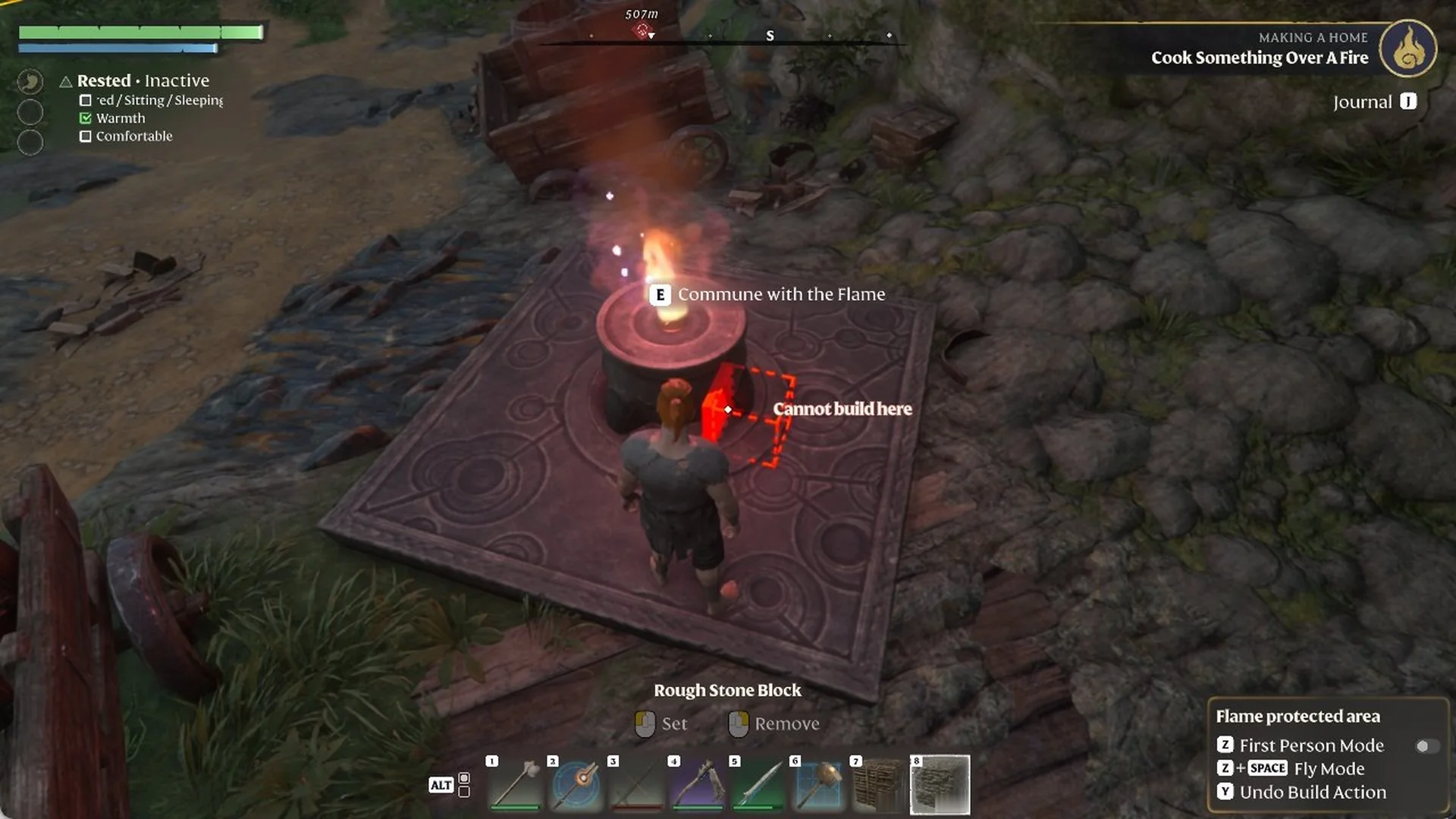
Stand in the area around a Flame Altar and select a building block (we used a Rough Stone Block). The panel at the bottom right reads “Flame protected area” and lists Z First Person Mode, Z+SPACE Fly Mode and Y Undo Build Action. Pointing the block at the altar’s own stone slab turns it red with “Cannot build here”.
Next to a Flame Altar with a block selected, the Flame protected area panel lists Z+SPACE Fly Mode.
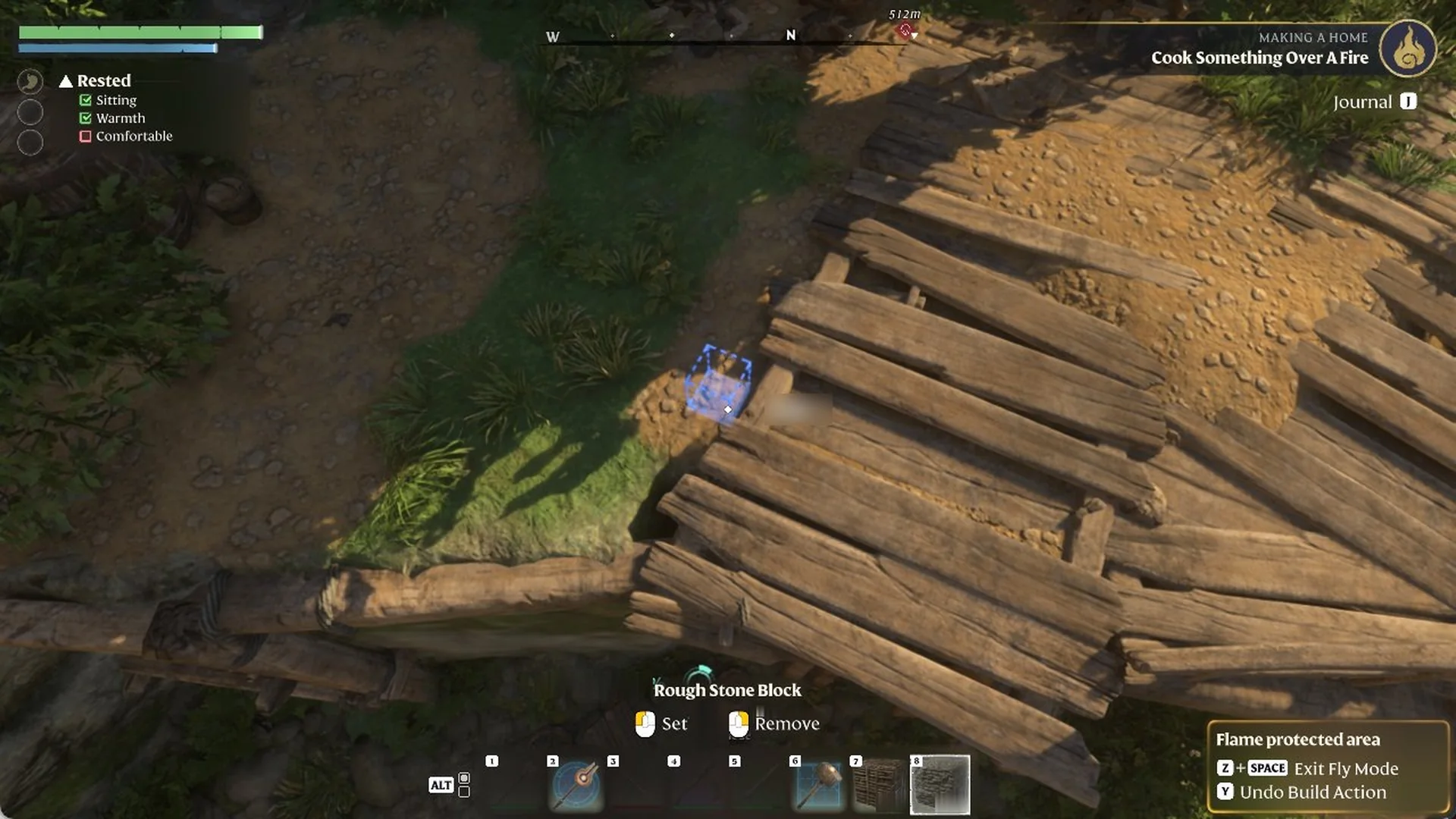
Hold Z and Space together. The view lifts off the ground as a free building camera, and the panel changes to “Z+SPACE Exit Fly Mode” and “Y Undo Build Action”. Space takes the camera up and W moves it forward. The block preview and its Set and Remove prompts stay on screen, so you can aim at spots you cannot reach on foot, such as the top of a scaffold.
In Fly Mode the view rises above the base; the block preview stays usable and the panel reads Z+SPACE Exit Fly Mode.
Hold Z + Space again to leave Fly Mode. Your character does not travel with the camera: it stays where you were standing, and the view drops back to it when you exit.