
Topic
Windows 11
Windows 11 is Microsoft’s modern PC operating system, built to deliver a refreshed interface, stronger productivity tools, gaming features, enhanced security, and deep integration with services like Copilot. It launched as the successor to Windows 10 and supports a wide range of desktops, laptops, and compatible hardware configurations for work, play, and everyday computing. | Release Date: October 5, 2021 | Developer: Microsoft | Platforms: x86-64 PCs, Arm64 PCs | Genre: Operating System
-
How to Prevent Users From Deleting Printers in Windows 11
Block unauthorized printer removal in Windows 11 using Group Policy or Registry Editor to keep your device configurations stable and secure.
-
How to Fix “We Couldn’t Install Some Updates Because the PC Was Off” Error on Windows 11
Resolve the Windows 11 update error that prevents system updates from installing due to incomplete or interrupted update processes.
-

How to Check Bluetooth Battery Level on Windows 11
See the battery percentage of your Bluetooth devices in Windows 11 using built-in settings, third-party utilities, or PowerShell scripts.
-
How to Fix Error 0x80070005 When Using Media Creation Tool in Windows 11
Resolve the 0x80070005 error during Windows 11 installation or upgrade with the Media Creation Tool by following these solutions.
-
How to Fix Error 0x8e5e03fa in Windows 11
Resolve Windows Update error 0x8e5e03fa with effective instructions to restore normal update functionality in Windows 11.
-
How to Turn Auto HDR On in Windows 11
Learn how to activate Auto HDR in Windows 11 to automatically upgrade the color and brightness of supported games on HDR-capable displays.
-

How to Remove Black Bar or Border on Screen in Windows 11
Effective solutions to fix black bars or borders around your display in Windows 11, covering display settings, graphics drivers, monitor adjustments, and more.
-
How to Stop Windows from Adding Shared Folders to Search Index in Windows 11
Prevent Windows 11 from automatically including shared network folders in its local search index using Group Policy, Registry Editor, and built-in indexing options.
-

How to Configure Global Proxy Settings in Windows 11
Set up, modify, or disable system-wide proxy connections in Windows 11 for improved privacy, security, and network control.
-
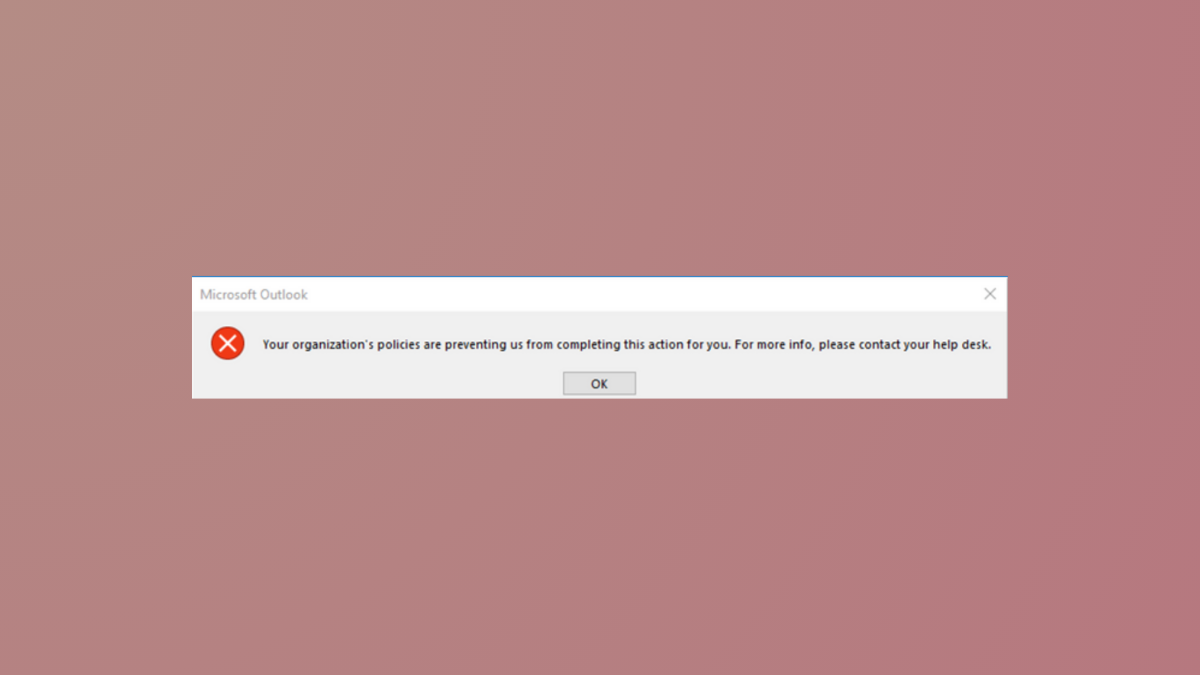
How to Fix “Your Organization’s Policies Are Preventing Us from Completing This Action for You” Message in Windows 11
Resolve the Outlook and Windows 11 error that blocks hyperlinks and other actions by correcting browser defaults, file associations, and registry settings.