Gaming Guide

Nautical Dress To Impress: 3 Outfit Ideas (Sailor, Mermaid and Navy Stripes)

Three free Nautical DTI looks built step by step: a white and navy sailor with a white sailor cap, an aqua and teal glitter mermaid gown with long red curls, and a navy-striped corset with a white ruffle skirt and navy sneakers.

Three free Nautical DTI looks built step by step: a white and navy sailor with a white sailor cap, an aqua and teal glitter mermaid gown with long red curls, and a navy-striped corset with a…

The Nautical theme in Dress To Impress, the Roblox fashion game, comes down to color more than props. Navy and white do most of the work, and aqua and teal take over when you want the sea instead of the ship. Below are three complete nautical DTI looks: a sailor, a mermaid, and a striped yacht outfit. Each one includes hair, a face, and shoes. Every piece comes from the free Dressing Room, the hat wall, and Lana’s Salon.

Quick answer: Use navy and white. For a sailor, wear a white crop top with navy straps, a navy sarong, and the white sailor cap. For a mermaid, use an aqua and teal glitter gown with long red curls. For a yacht look, wear a navy-striped corset, a ruffle skirt, and navy sneakers.


Where to find clothes, hair, faces and hats in Dress To Impress

Dress To Impress doesn’t show item names. Every piece below is described by where it sits, what it looks like, and its color. Here’s where each part of an outfit lives.

  • Clothes and shoes: the Dressing Room. Use the Teleport pin in the top left and pick “Dressing Room”.
  • Hair: Lana’s Salon, left-hand arch. Sit in a hair chair under the framed pictures and press E to open the Hairstyles panel.
  • Faces: Lana’s Salon, right-hand arch. Sit at a vanity, press E, and open the Feminine tab.
  • Hats: Find the hat display of mannequin heads beside the Skin Tones booths.
  • Skin: Use the curtained booths beneath the “Skin Tones” sign, next to the shoe shelf.
  • Runway: Select the Teleport pin and choose “Freeplay Runway”.

There are ten tabs in the Hairstyles panel: Feminine and Masculine; Bangs, Curly, Straight and Wavy; Updo, Locs, Braids and Afro. The three looks below share one skin selection, made at the beginning. Choose the Skin tab, then row 3, column 3, for a natural mid tan.


How recoloring works in Dress To Impress

Click a piece to preview it. While it previews, use the arrows to move through its parts. The panel shows labels such as “1/2: Top”, “2/2: Straps”, or “1/5: Preview”. For each part, choose a color on the Palette tab, a material on the “+” tab, or a tile on the Patterns tab, then press Put On. Metallic and Glitter are both free materials.

You can still change a piece after you put it on. Open the Wearing panel with the hanger button on the right and click the piece’s picture to bring its color panel back.

Colors below are given as positions on the Default palette. Columns are counted from the left and rows from the top. Row 8 is the white-to-black row.

ColorPalette columnPalette row
White18
Navy47
Aqua56
Dark teal57
Bright red (hair)16
Auburn brown (hair)71
Honey blonde (hair)31

On the runway, the navy at column 4, row 7 shows up as a deep, bright navy blue. It’s the navy used in all three outfits.

A pattern tile and a palette color overwrite each other on the same part. If you pick a palette color after a stripe tile, that part turns plain. Always pick the stripe tile last.


Nautical look 1: Sailor in white and navy

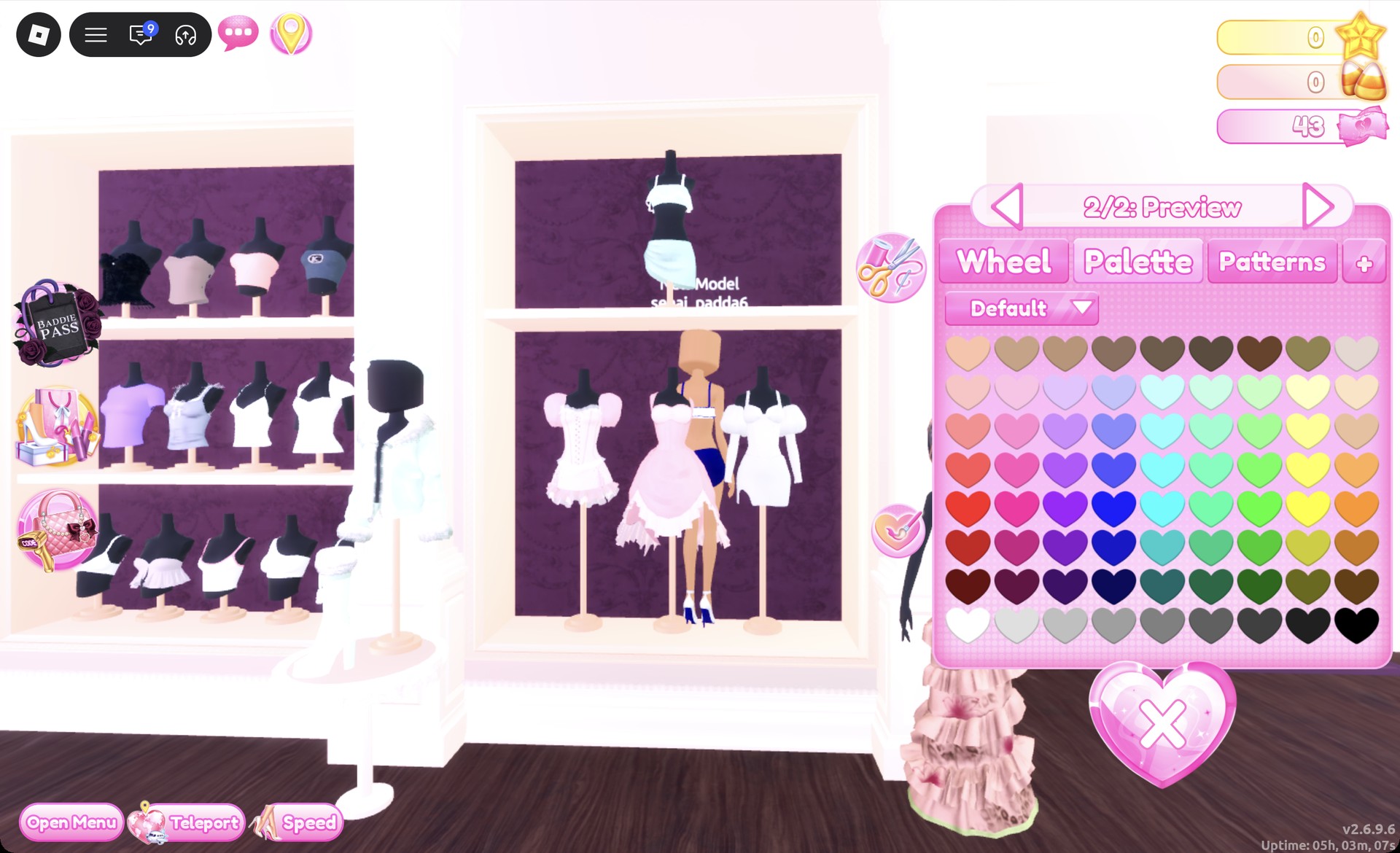
This look starts with the two-piece on the top shelf of the party-dress unit, beside the shoe shelf. It’s a ruffled crop top with straps and a wrap sarong skirt.
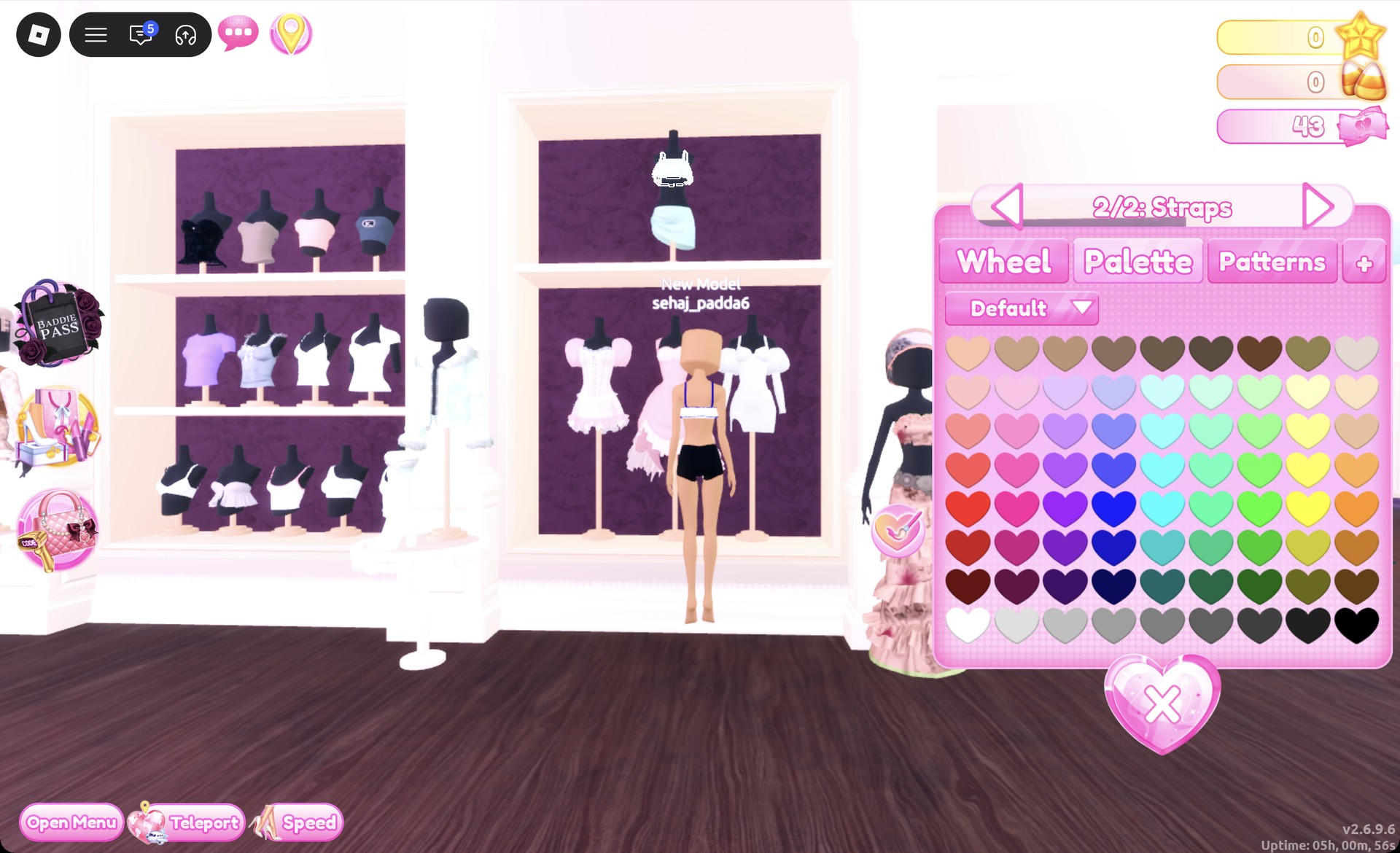
Click the crop top. On “1/2: Top”, pick white. Use the arrow to go to “2/2: Straps”, pick navy, and press Put On. The top now reads white with navy straps.
Crop top recolor panel on 2/2: Straps with navy picked in Dress To Impress
The two-piece crop top on "2/2: Straps": white top with navy straps on the character.
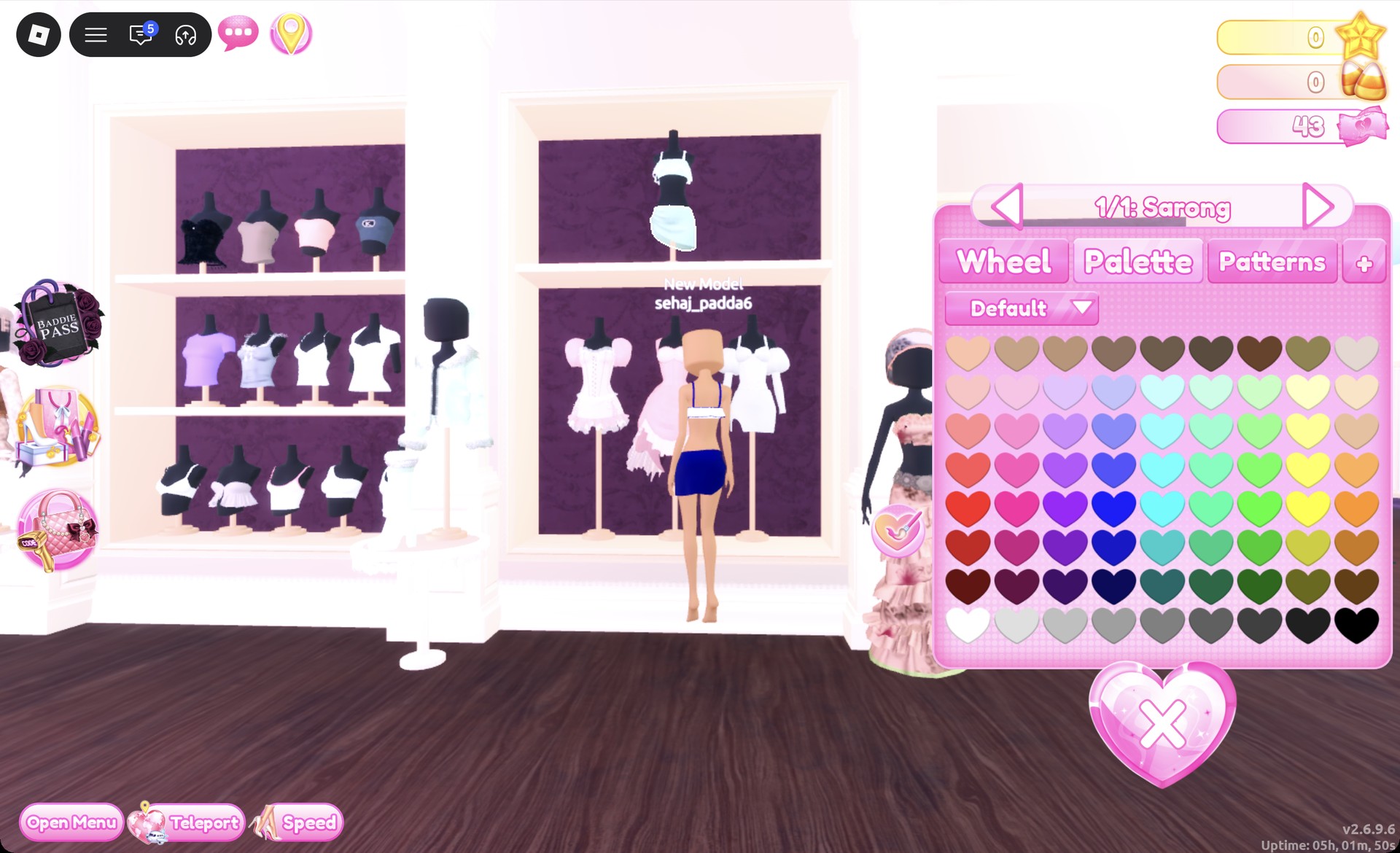
Click the sarong under the top. On “1/1: Sarong”, pick navy and press Put On.
Sarong recolor panel 1/1: Sarong in Dress To Impress
The sarong panel ("1/1: Sarong") with the navy sarong on the character.
Select the pale strappy high heels on the shoe shelf’s middle row. In “1/2: Preview”, choose white; in “2/2: Preview”, choose navy. The result is white heels with a navy sole and heel. Equip them using the heart-and-tick button beside the panel.
Strappy heels panel 2/2: Preview with navy in Dress To Impress
The strappy heels on "2/2: Preview": white heels with a navy sole and heel.
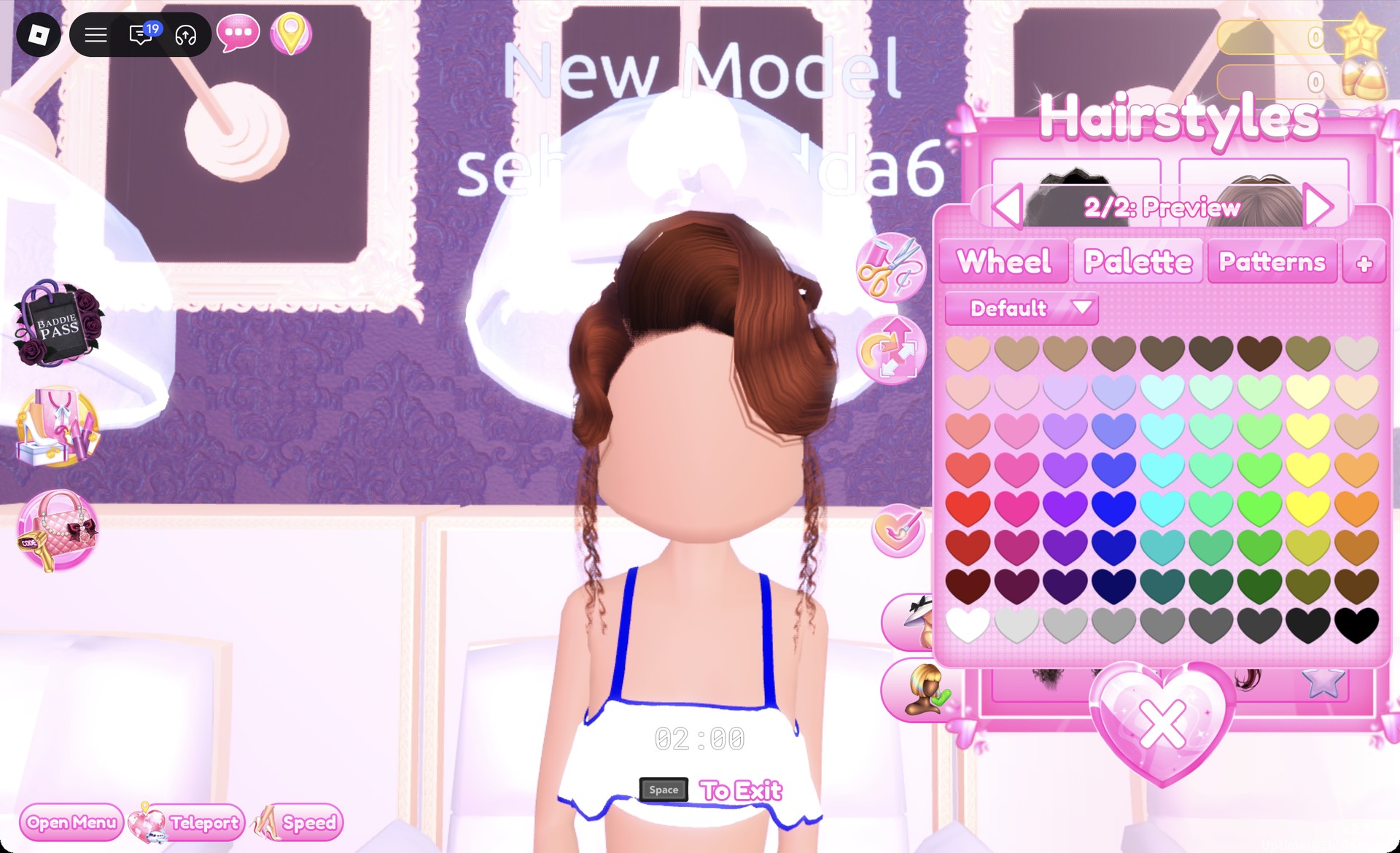
Open Updo at a hair chair and choose the second-row card on the left. This pin-curl style has curled strands along the sides. For both parts, choose column 7, row 1, the auburn brown option.
Pin-curl updo recolored auburn brown in the Dress To Impress hair chair
The pin-curl updo from the Updo tab in auburn brown (both parts).
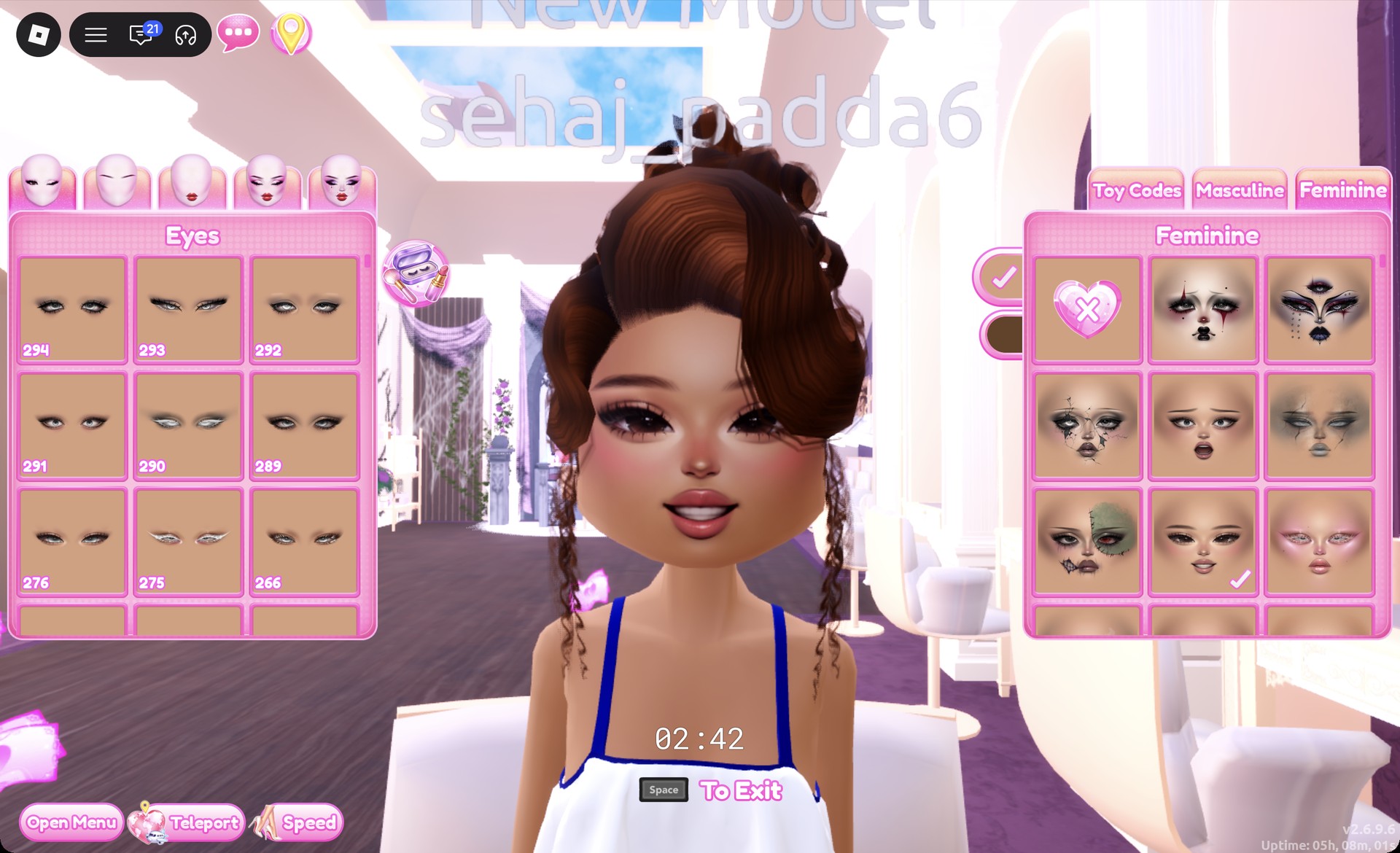
At a vanity, open the Feminine tab and pick the middle card in the third row. It’s a smiling, soft-glam face.
Soft glam face card selected at a Dress To Impress vanity
The soft glam face (Feminine tab, third row, middle) with the updo.
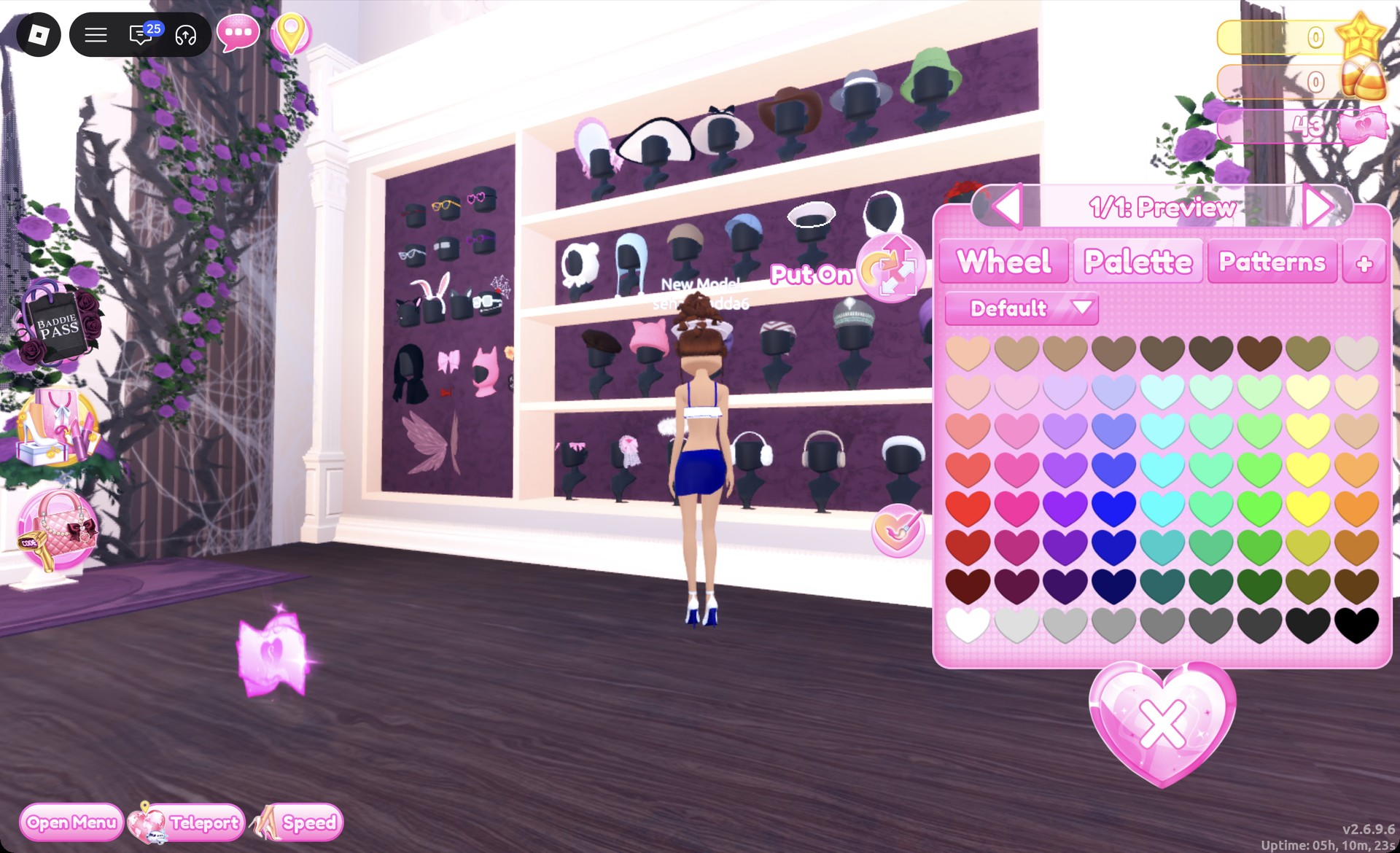
At the hat wall, find the white sailor cap with a dark band on the second shelf. Keep its default colors on “1/1: Preview” and press Put On.
White sailor cap preview at the Dress To Impress hat wall
The white sailor cap from the second shelf of the hat wall, previewing on "1/1: Preview".

Open the Wearing panel to check that the top, sarong, heels, updo and sailor cap are all listed.
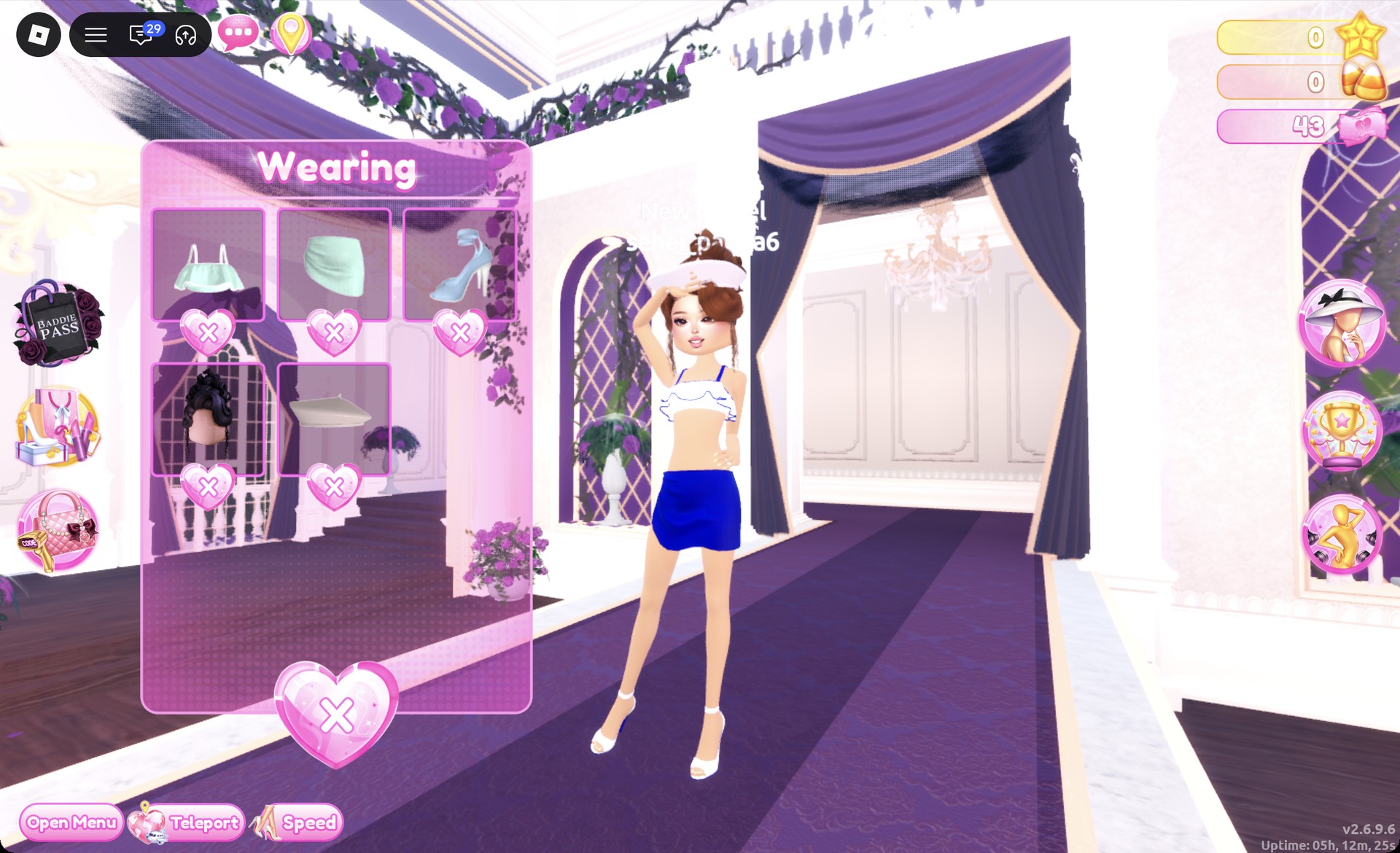
Wearing panel with the sailor pieces in Dress To Impress
The Wearing panel with the top, sarong, heels, updo and sailor cap.

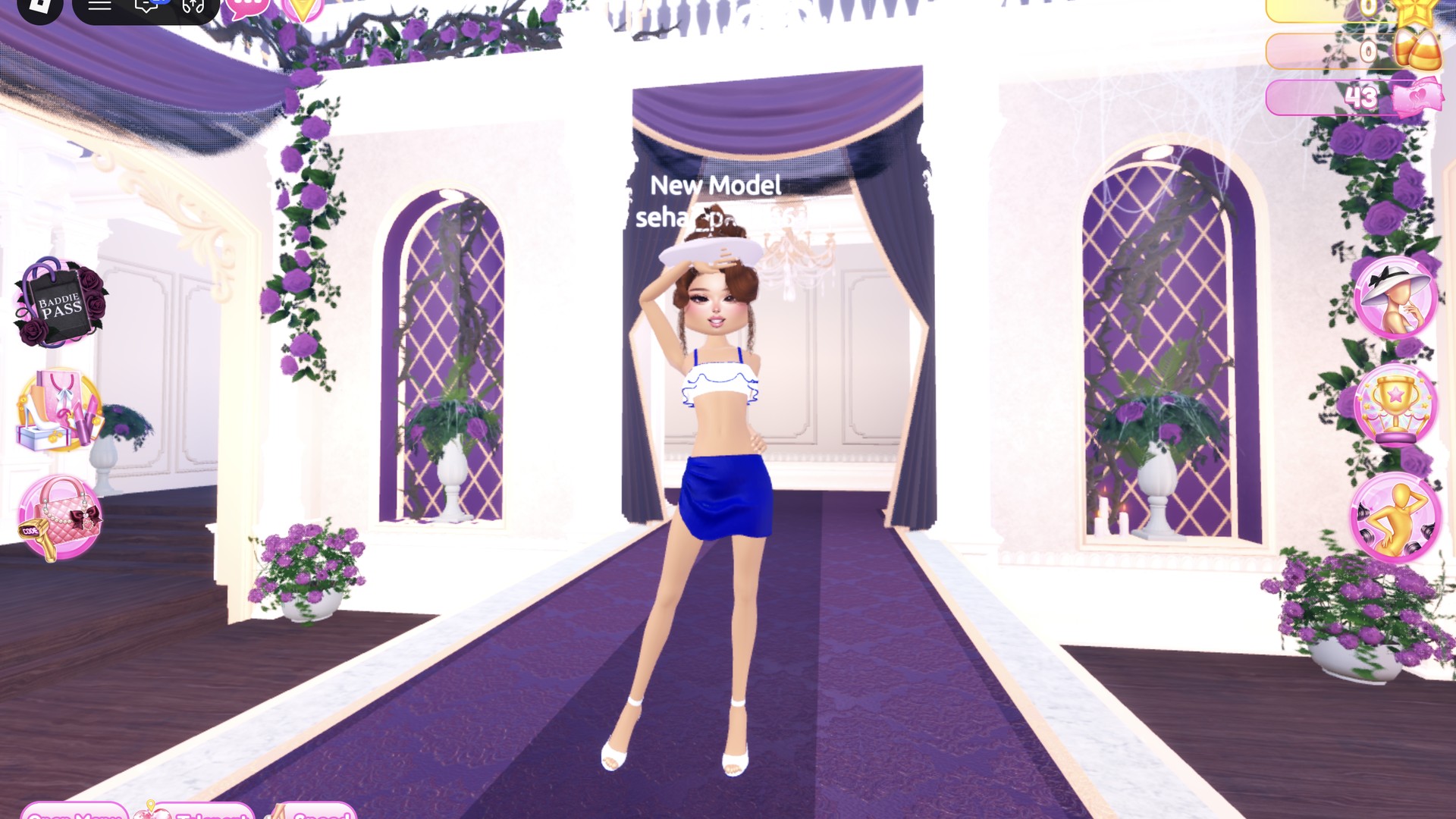
On the runway, the white sailor cap with the white and navy pieces reads as a sailor from the front.
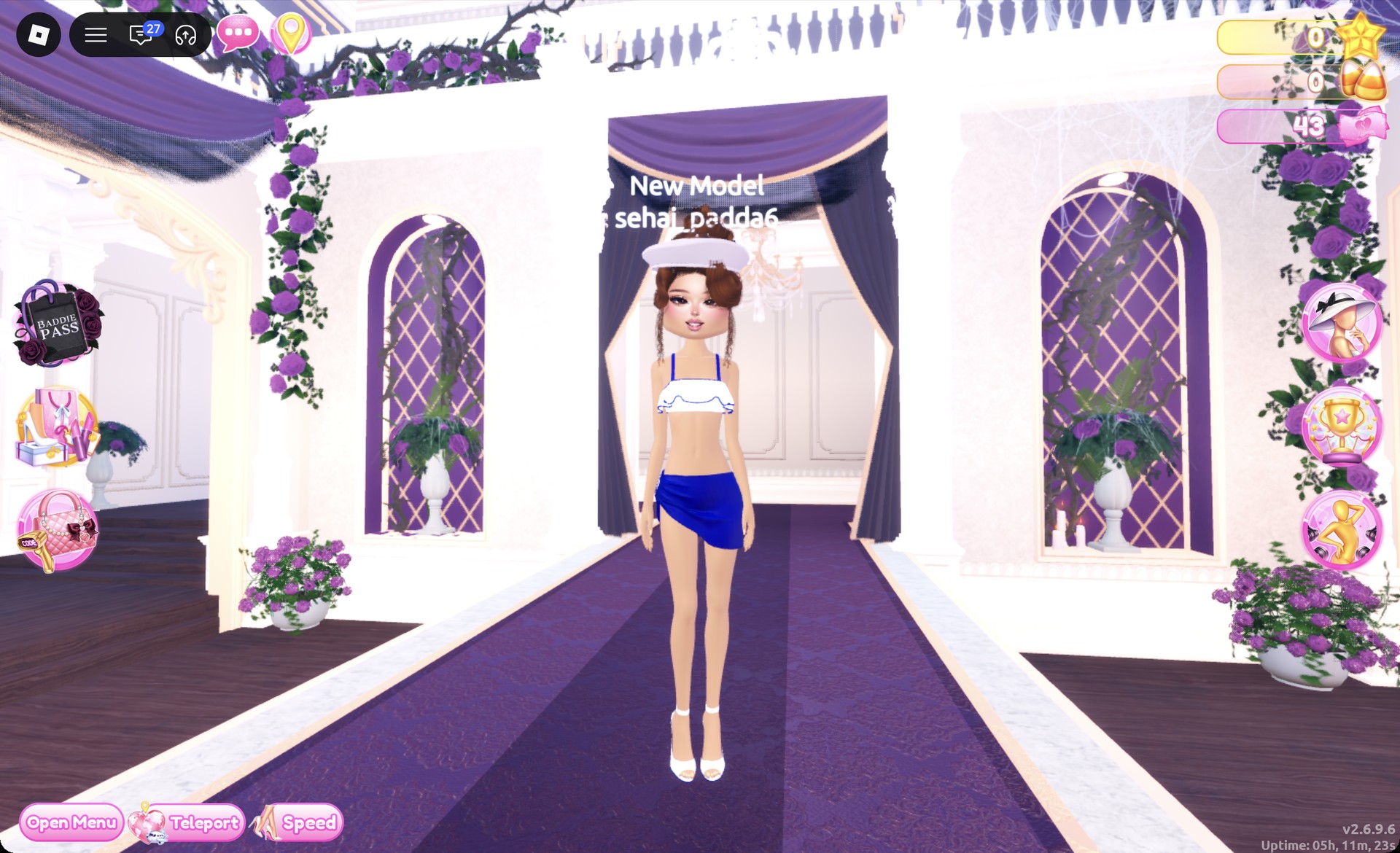
Nautical sailor outfit on the Dress To Impress runway
The sailor look on the runway: white sailor cap, white crop top with navy straps, navy sarong and white heels.

For a pose, Pearly suits the theme: one hand rests at the forehead like a salute, while the other sits on the hip.
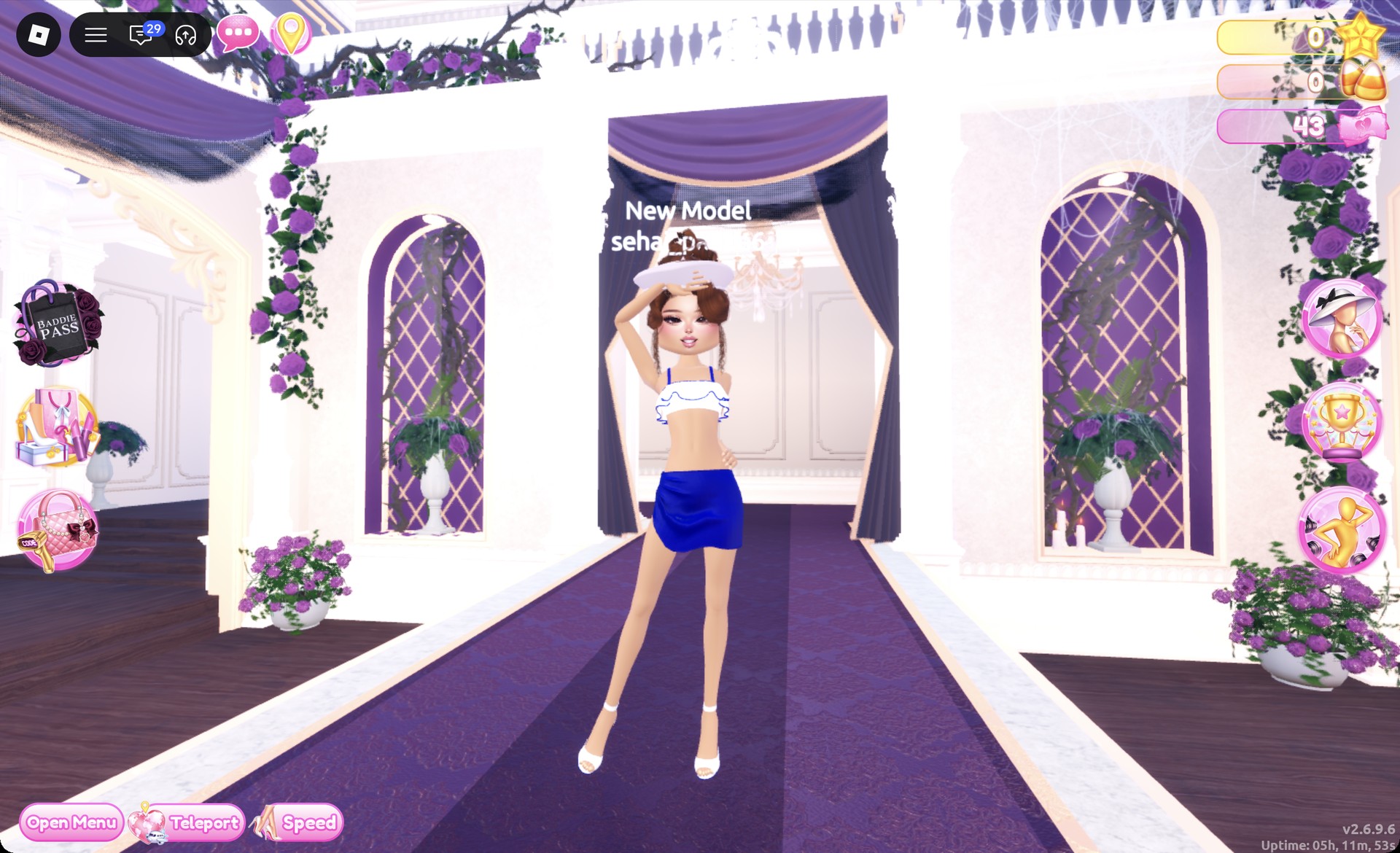
Sailor look in the Pearly pose in Dress To Impress
The Pearly pose: a hand at the forehead like a salute.

From behind, the navy straps and the navy sarong show clearly under the pin-curl updo.
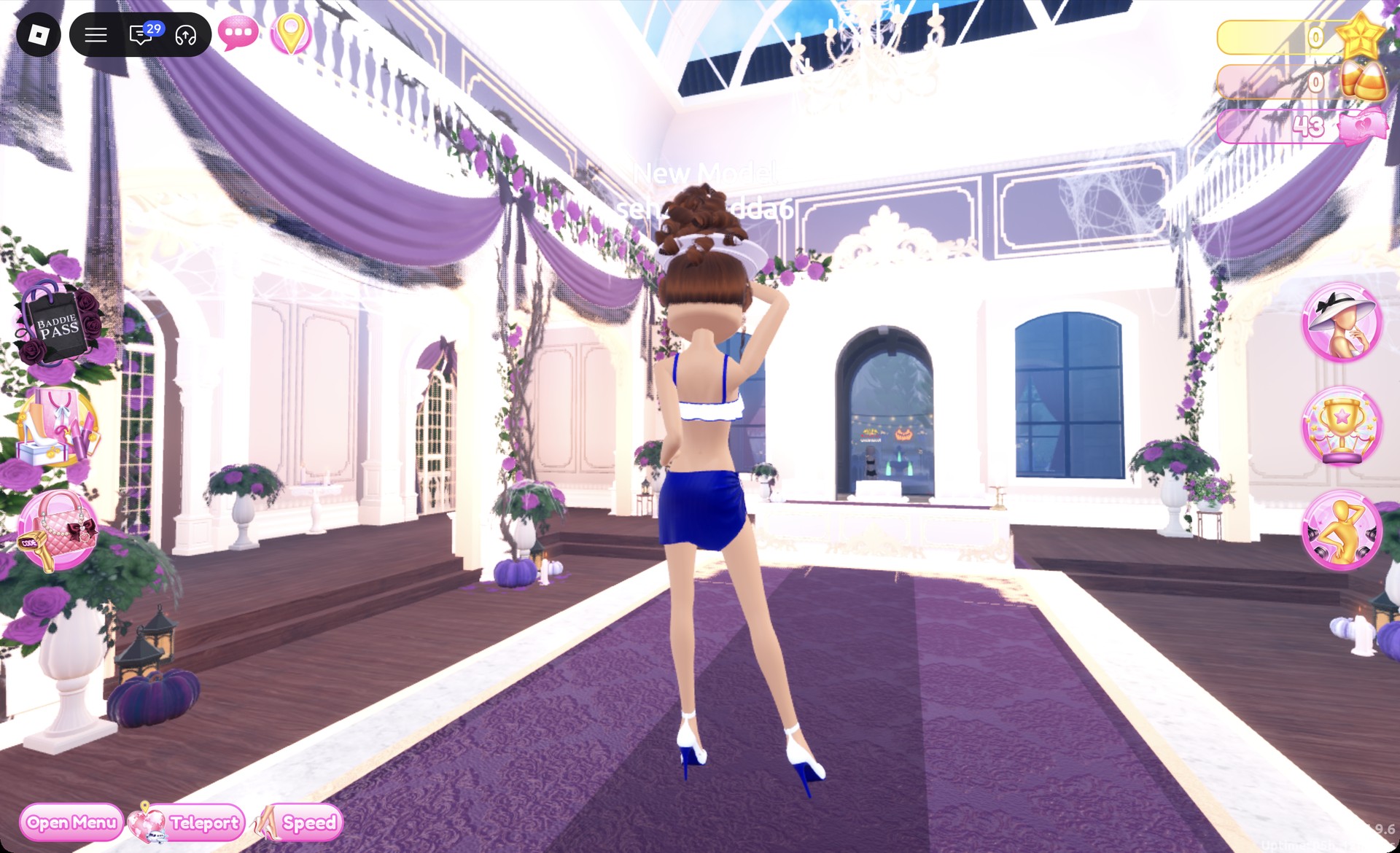
Back view of the sailor look in Dress To Impress
From behind: navy straps, navy sarong and the pin-curl updo.

Nautical look 2: Mermaid sea siren in aqua and teal

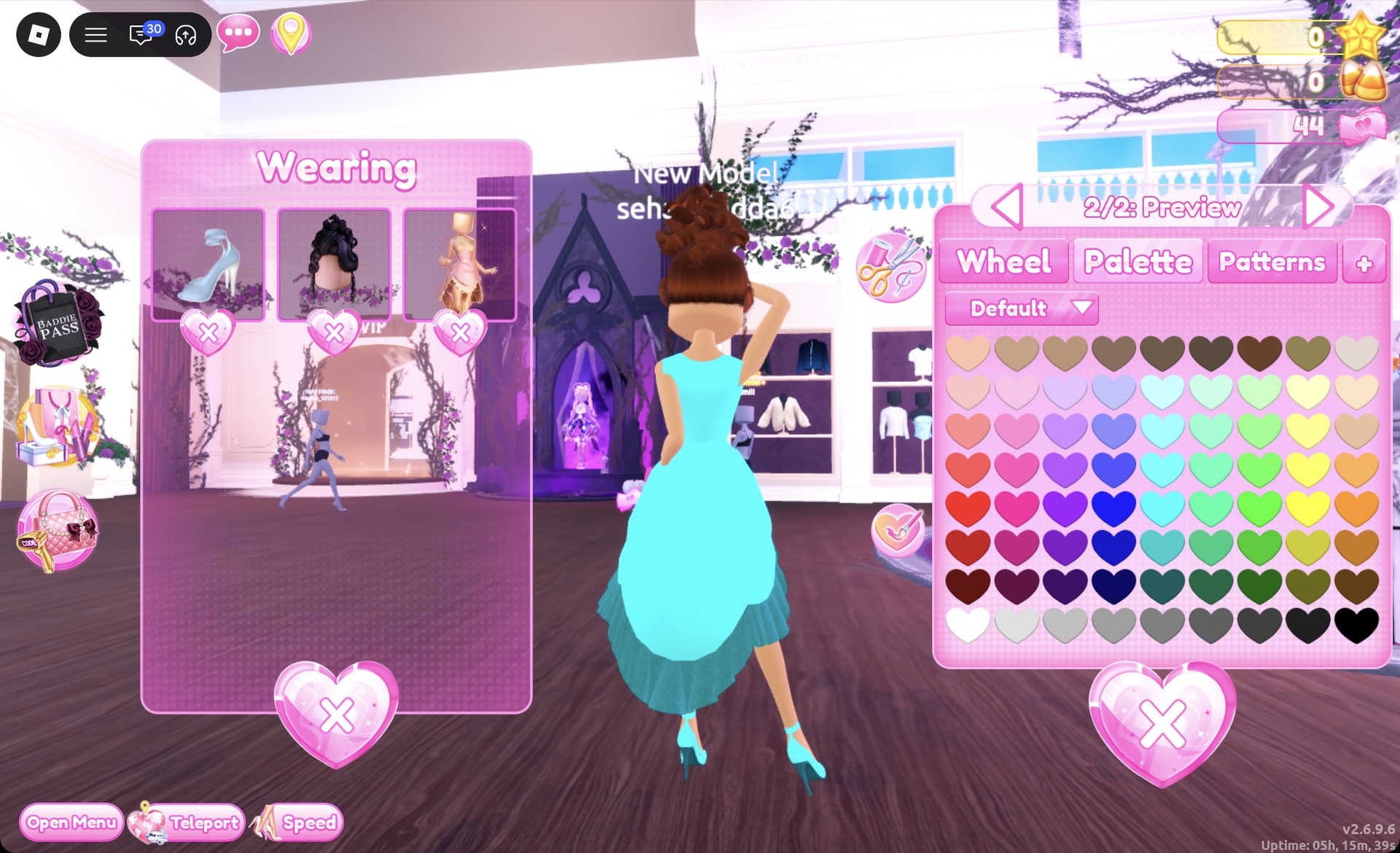
Start with the ball dress in pale pink, positioned at the center of the party-dress shelf’s lower level. Materials create the mermaid effect: give the skirt a metallic finish and the bodice glitter, then complete the look with long red curls.
If you’re switching from the sailor look, open the Wearing panel. Remove the cap, top, sarong, and updo with the heart X under each picture.
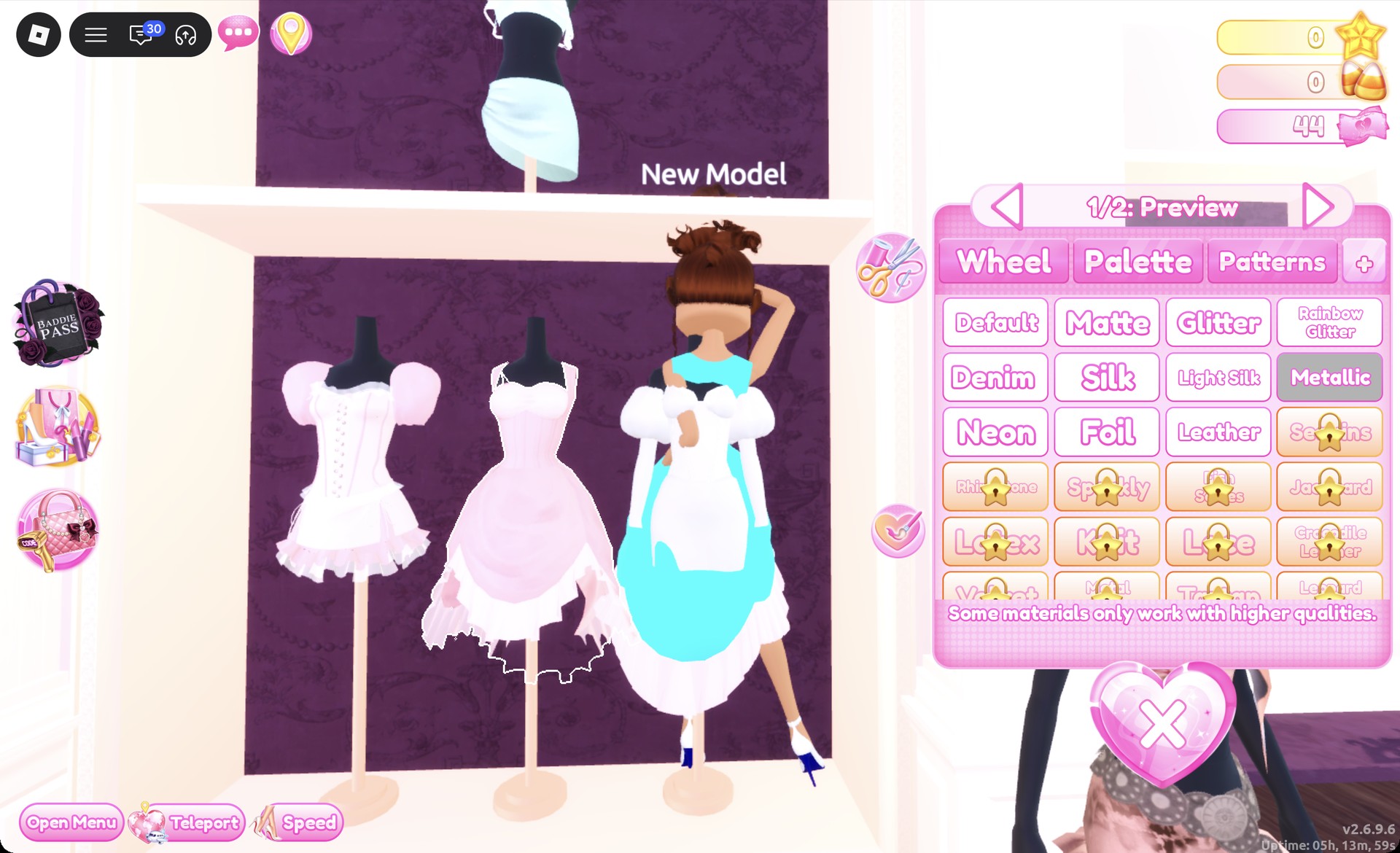
Click the pale pink ball dress. On “1/2: Preview”, pick aqua (column 5, row 6), then choose Metallic on the “+” tab.
Ball dress recolor panel with Metallic selected in Dress To Impress
The ball dress on "1/2: Preview" with Metallic picked; the aqua skirt shows on the character.
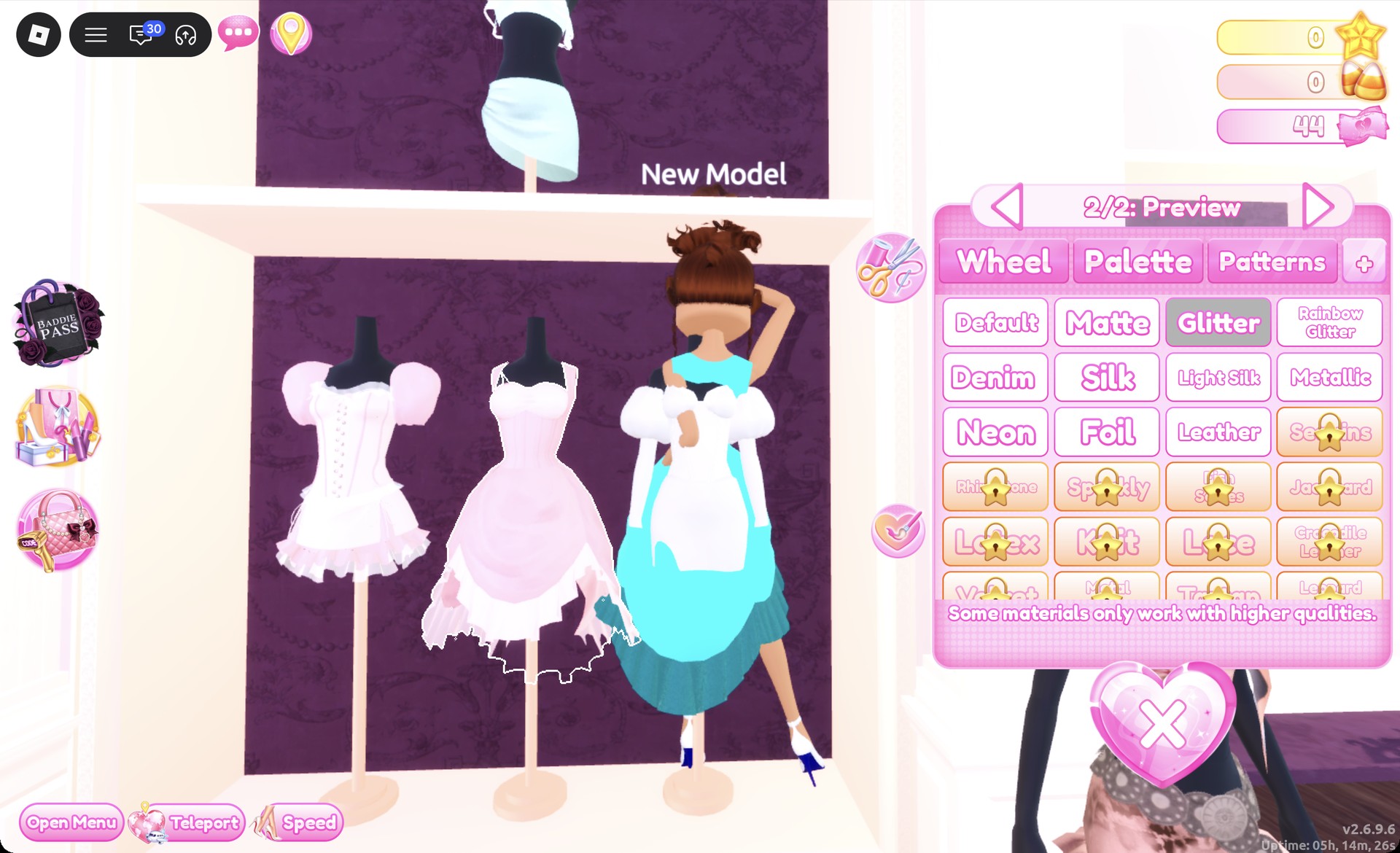
Advance to part 2 with the arrow. Choose dark teal at column 5, row 7, and apply Glitter. The skirt turns aqua, while the bodice takes on dark teal glitter; the ruffle at the hem is glittered teal.
Ball dress part 2 with Glitter selected in Dress To Impress
Part "2/2" with Glitter picked: the dark teal glitter ruffle hem.
Keep the strappy heels on and recolor them from the Wearing panel: click their picture, then set part 1 to aqua with Metallic and part 2 to dark teal so they match the gown.
Strappy heels recolored aqua and teal from the Wearing panel
The strappy heels recolored from the Wearing panel to aqua and dark teal.
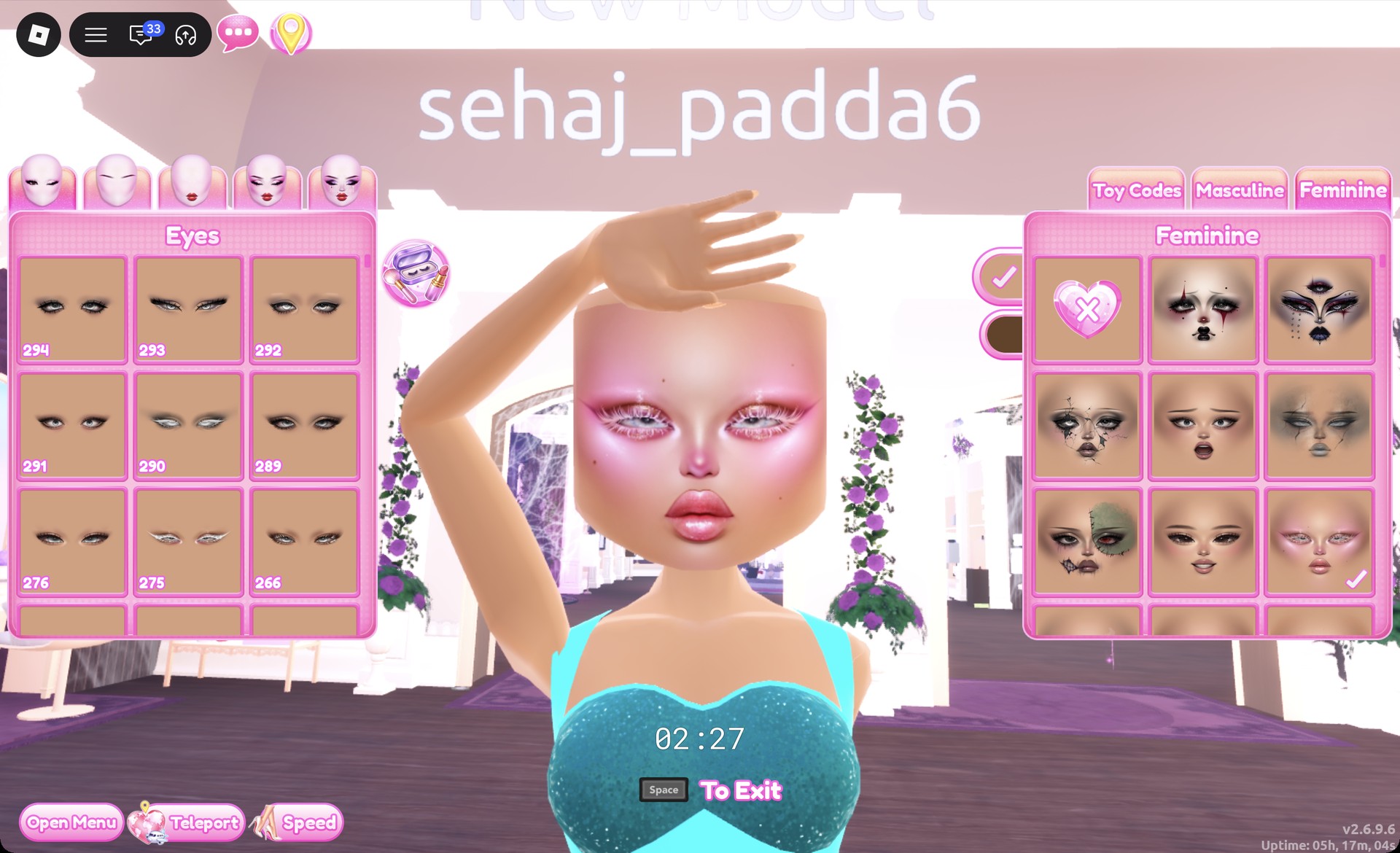
At a vanity, open the Feminine tab and pick the right card in the third row. It’s a pink glam face with pink eyeshadow and glossy lips.
Pink glam face card selected at a Dress To Impress vanity
The pink glam face (Feminine tab, third row, right) with the aqua gown.
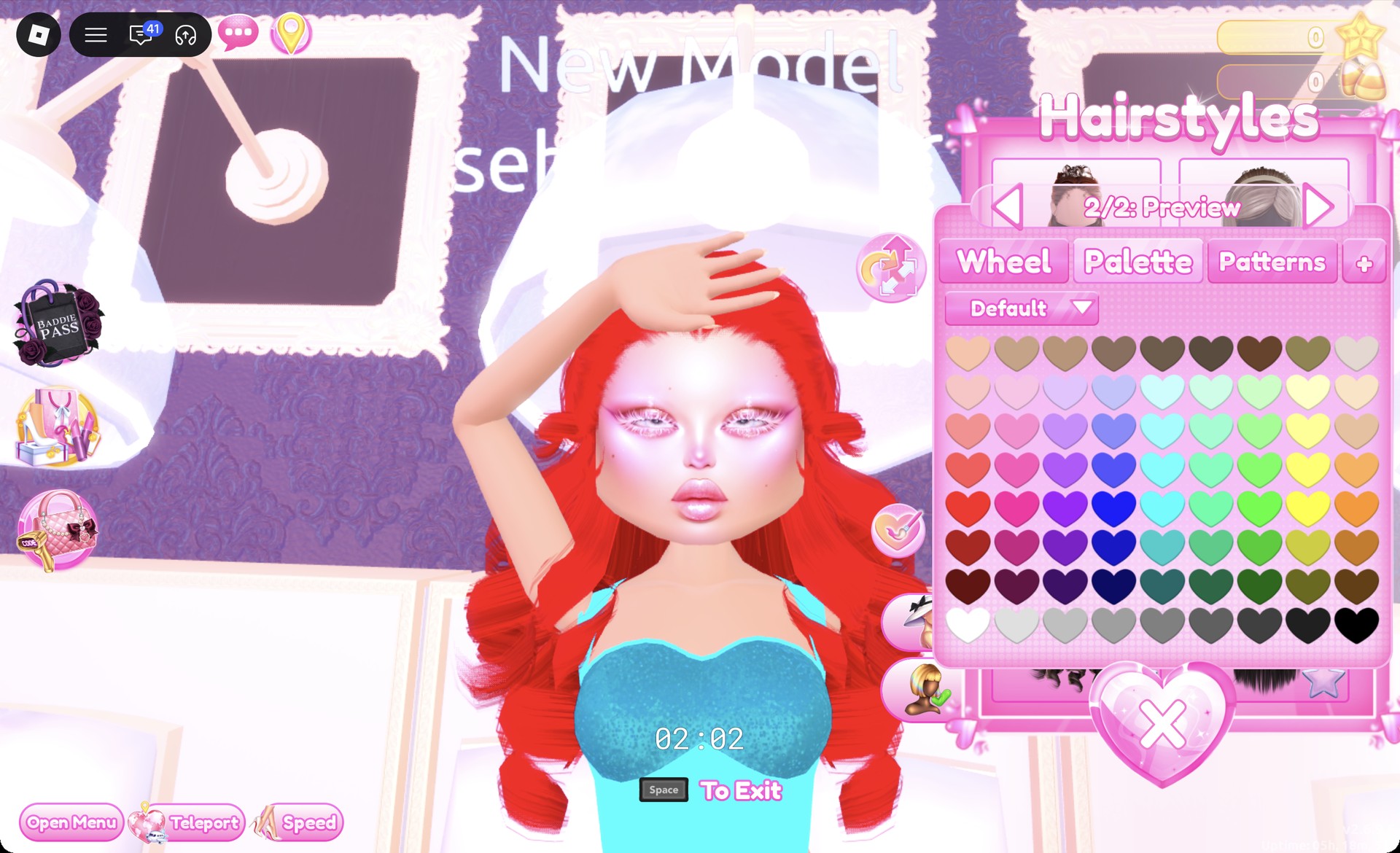
At a hair chair, open the Wavy tab and pick the left card in the third row. It’s very long, voluminous curls. Set both parts to column 1, row 6, which reads as bright red.
Long voluminous curls recolored red in the Dress To Impress hair chair
The long curls from the Wavy tab in bright red.

The Wearing panel should now list the heels, the ball dress, and the curls.
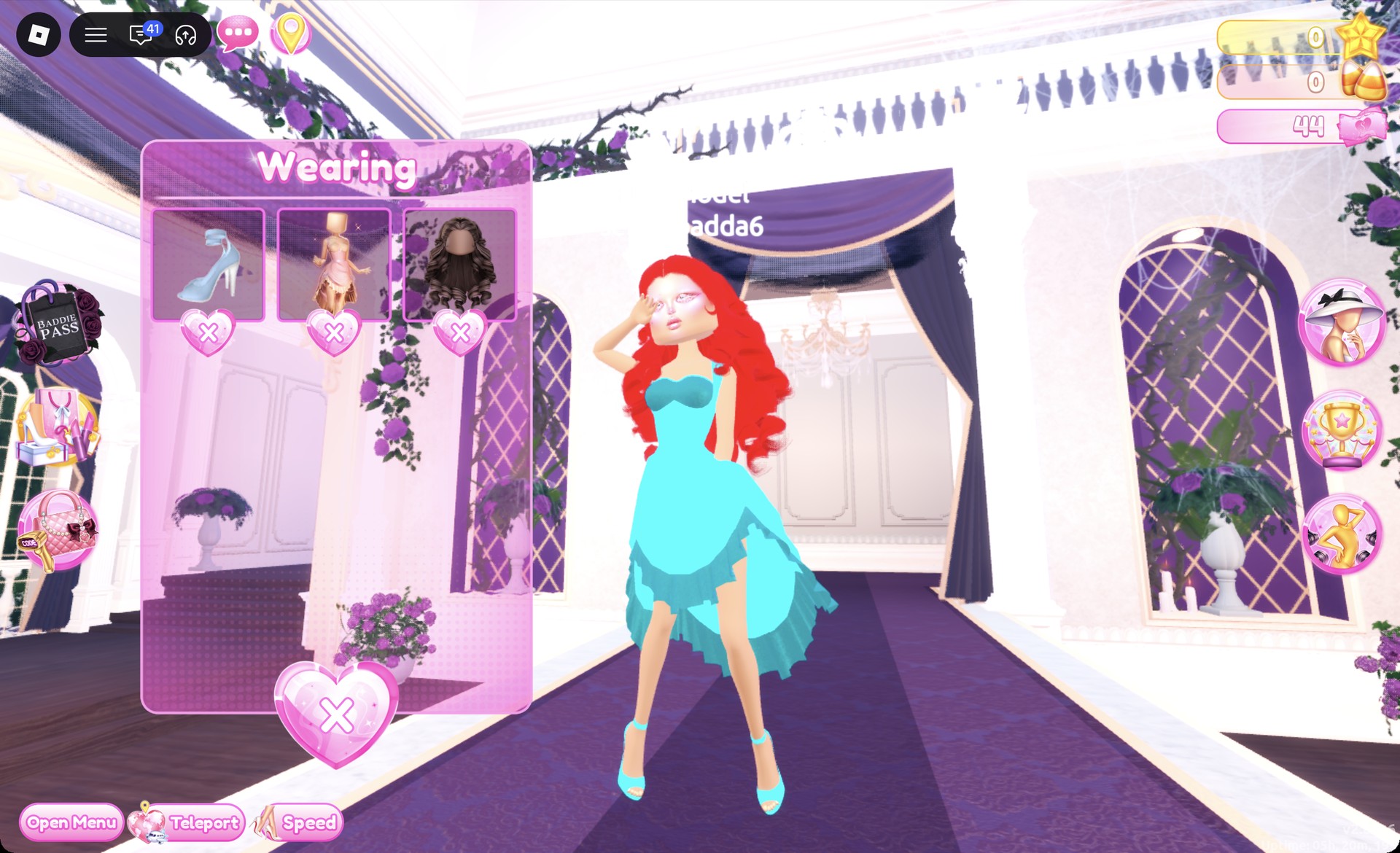
Wearing panel with the mermaid pieces in Dress To Impress
The Wearing panel with the heels, ball dress and curls.

On the runway, the aqua gown with its teal glitter bodice and hem reads as a mermaid, with the long red curls around the face.
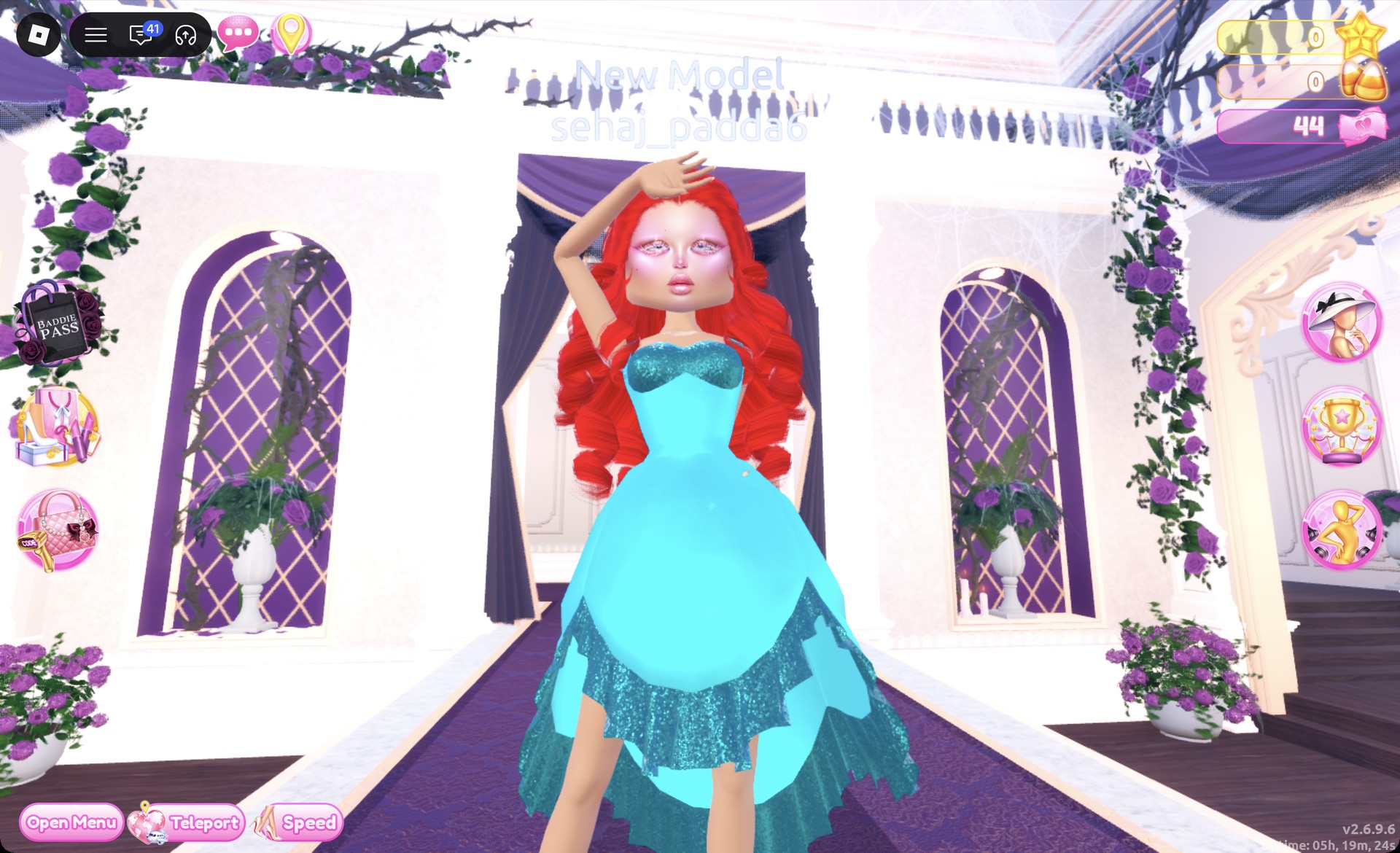
Mermaid outfit on the Dress To Impress runway
The mermaid look on the runway: aqua gown with a teal glitter bodice and hem, long red curls.

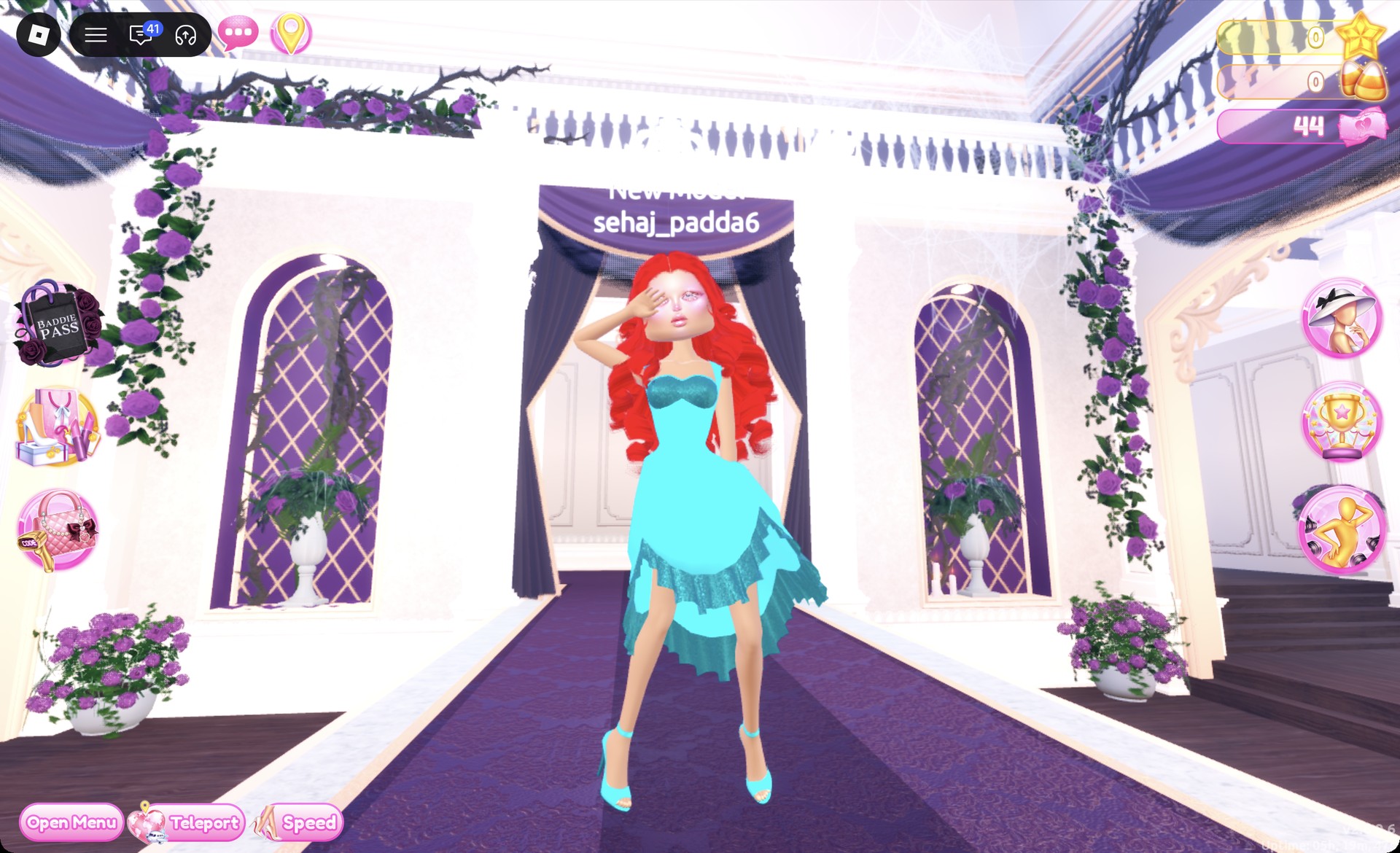
The Sparkle pose puts a hand over one eye.
Mermaid look in the Sparkle pose in Dress To Impress
The Sparkle pose with the aqua and teal heels in view.

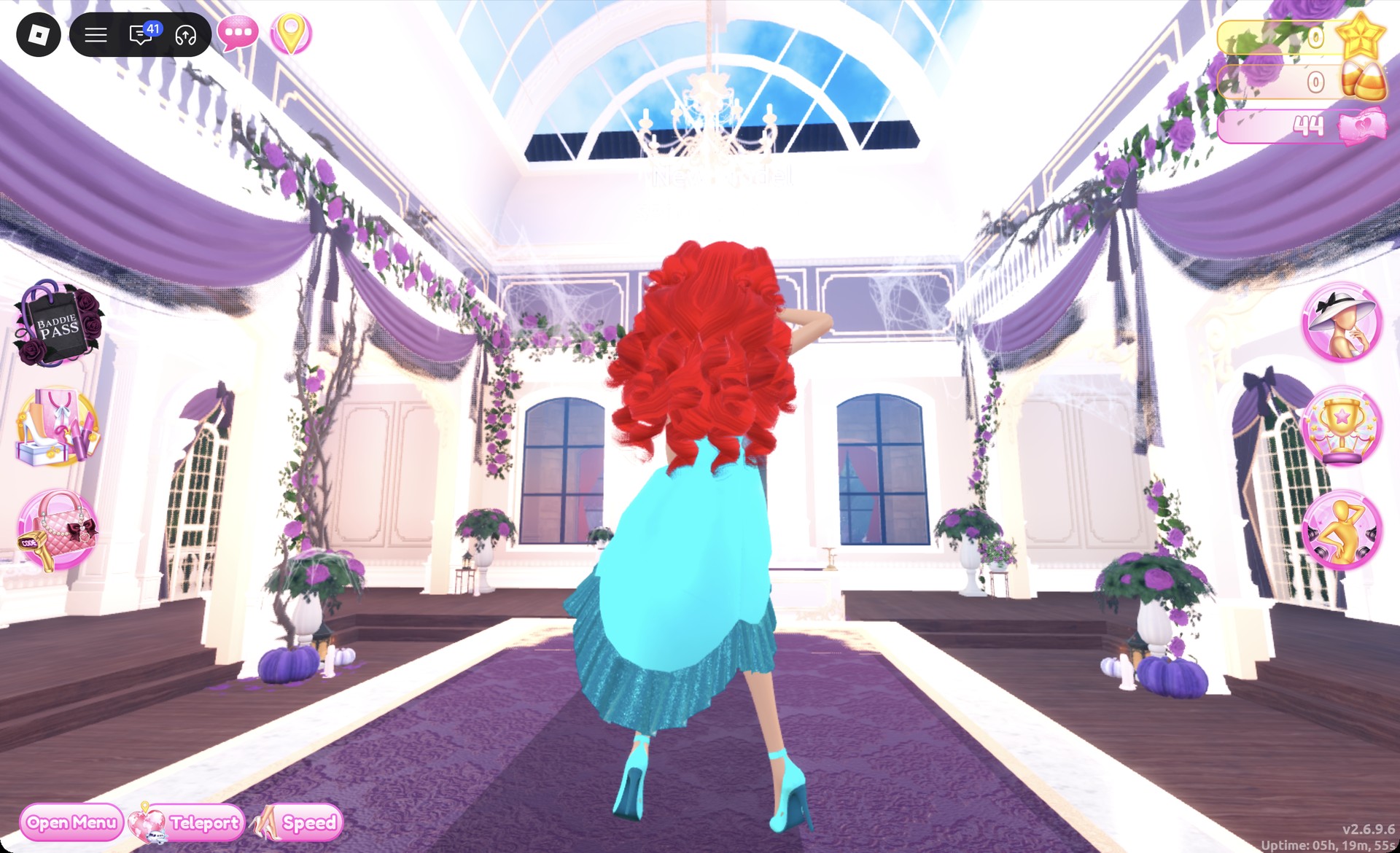
From behind, the red curls fall over the aqua gown.
Back view of the mermaid look in Dress To Impress
From behind: the red curls over the aqua gown and its teal glitter hem.

Nautical look 3: Yacht stripes in navy and white

This look starts with the corset puff dress on the left of the lower party-dress shelf. You wear it as two separate pieces, its corset and its skirt. The stripes come from the Patterns tab.
If you’re switching from the mermaid look, open the Wearing panel. Remove the ball dress, heels, and curls.
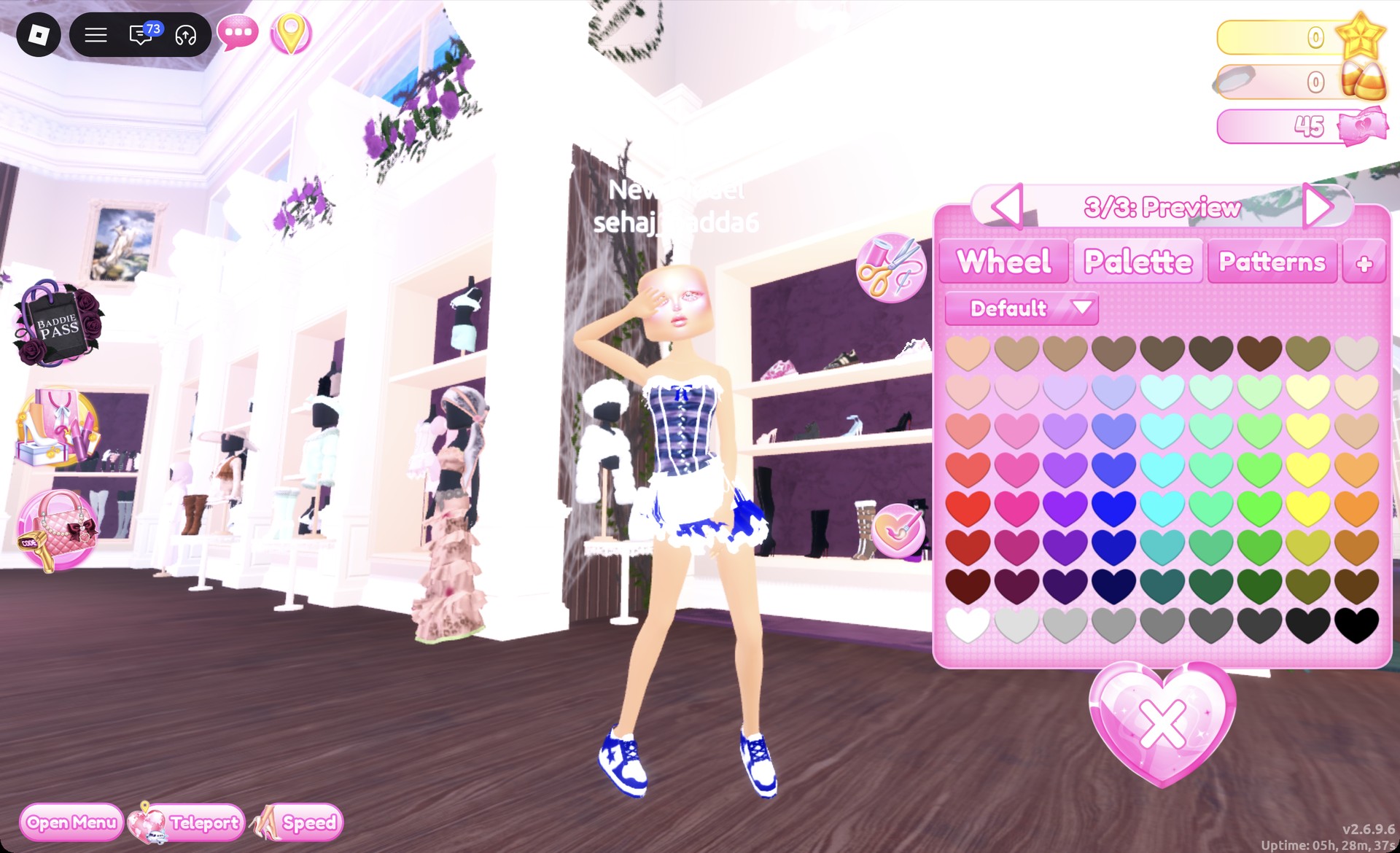
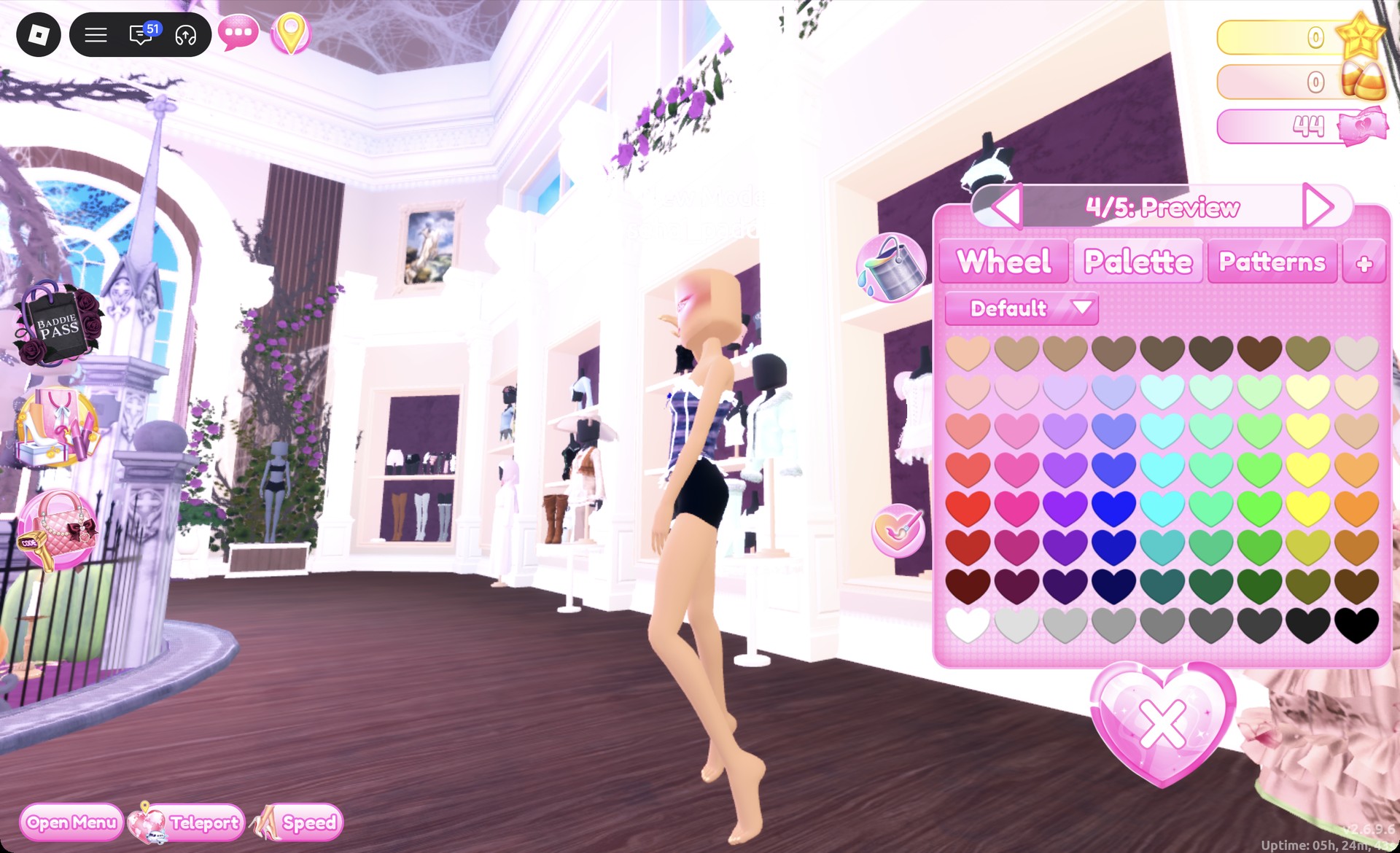
Select the corset on the corset puff dress to bring up “1/5: Preview”. Choose white for parts 2, 3 and 5, and navy for part 4.
Corset recolor panel on 4/5 with navy in Dress To Impress
The corset panel on "4/5: Preview" with navy picked.
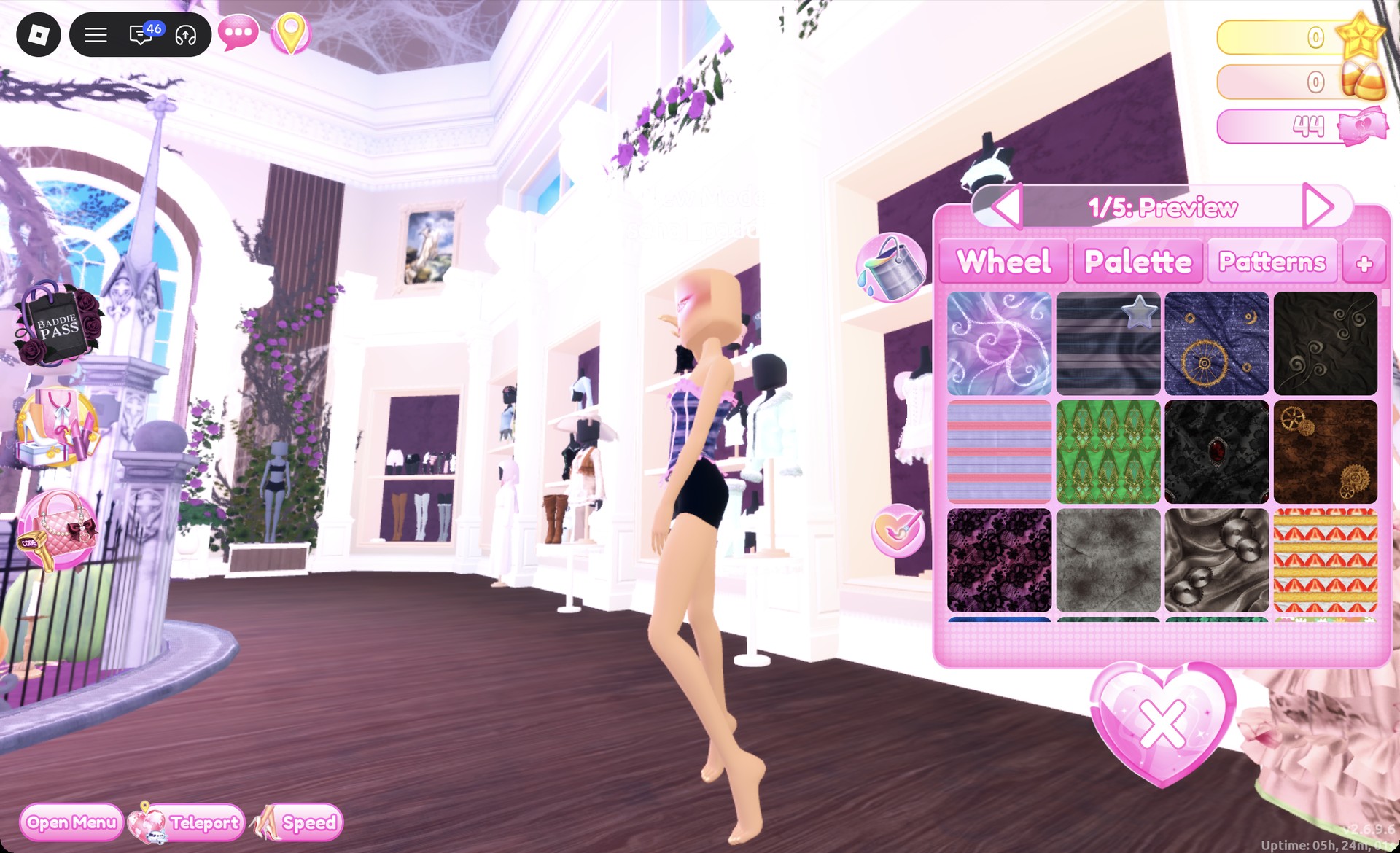
Go back to part 1 and open the Patterns tab. Pick the second tile in the first row, the dark navy and grey stripes. Make this your last change on that part, then put the corset on. It shows as a navy and grey striped corset with white ruffle trim at the top and bottom and a small navy bow.
Patterns tab with the stripe tile on the corset in Dress To Impress
The Patterns tab on part 1: the navy and grey stripe tile on the corset.
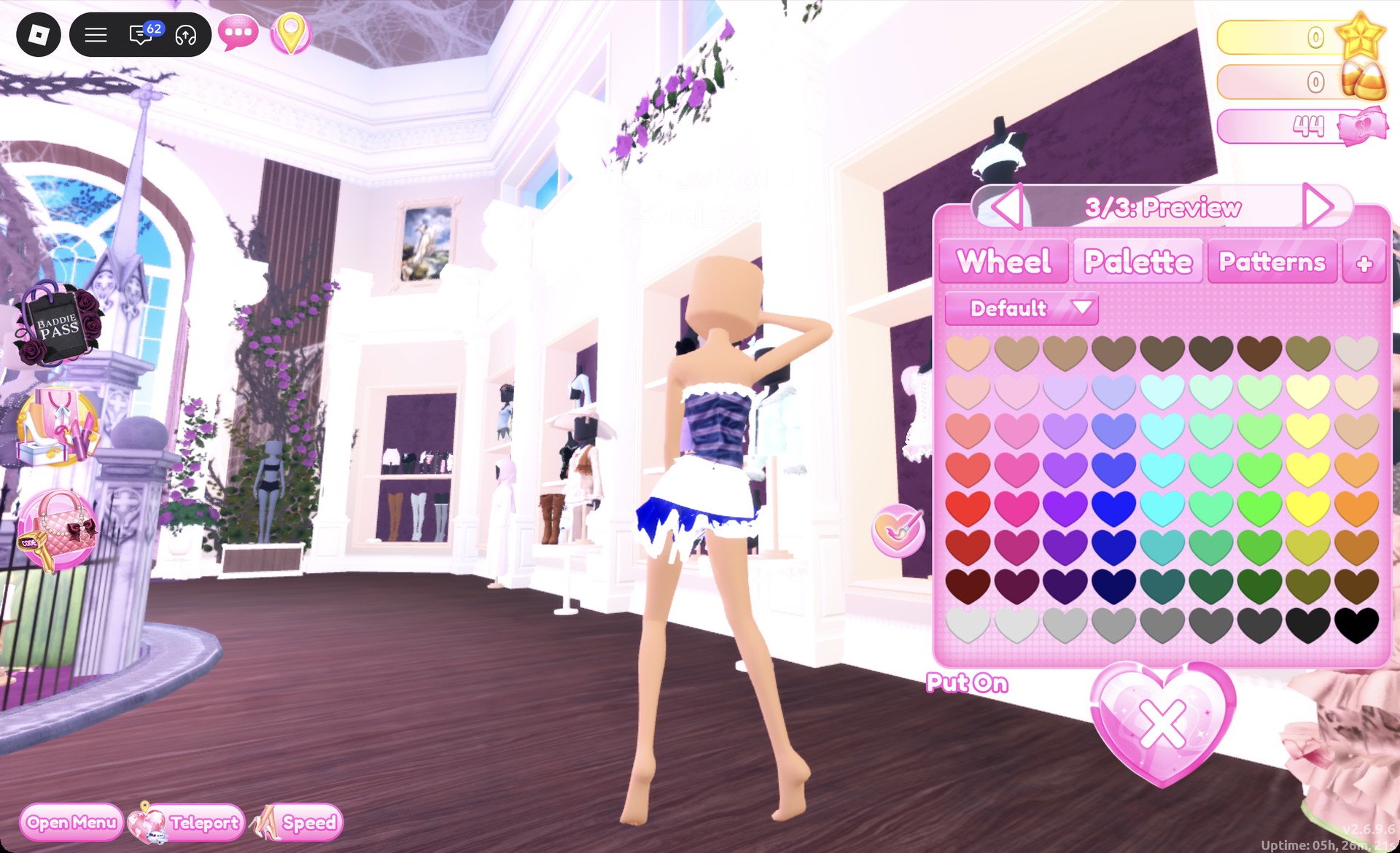
Click the mannequin’s lower half to open “1/3: Preview”. Set part 1 to white, part 2 to navy, and part 3 to white. The result is a short skirt with white ruffles and a navy layer visible beneath.
Ruffle skirt recolored white and navy in Dress To Impress
The skirt on "3/3: Preview": white ruffles with a navy layer.
Select the white sneakers with pink trim, found on the shoe shelf’s top row. In “1/3: Preview”, leave part 1 white and change parts 2 and 3 to navy. Equip the sneakers using the heart-and-tick button.
White sneakers recolored navy in Dress To Impress
The sneakers on "3/3: Preview": white with navy trim.
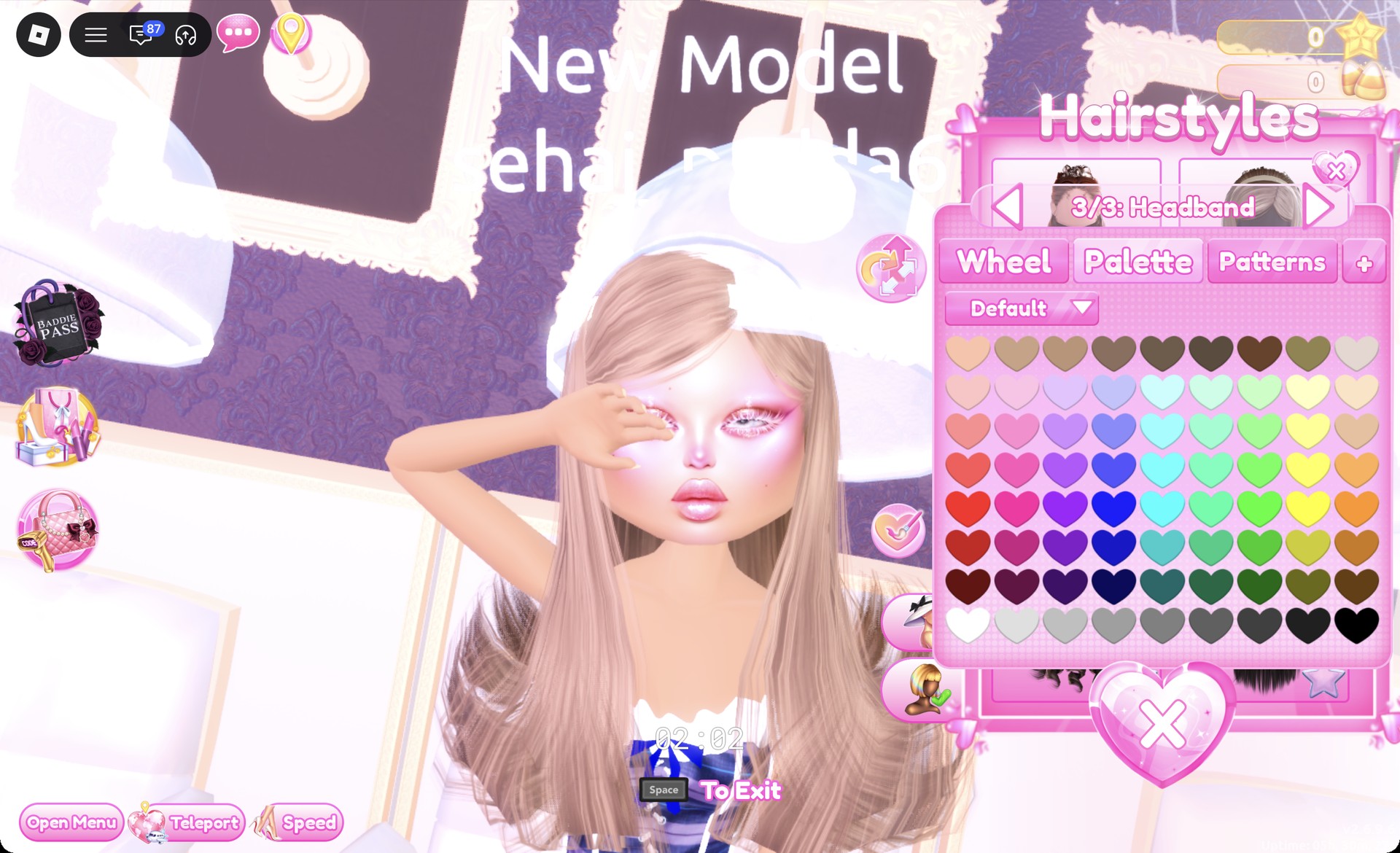
At a hair chair, open the Wavy tab and pick the right card in the first row. It’s long hair with a headband. Set parts 1 and 2 to column 3, row 1 (honey blonde), and set “3/3: Headband” to navy.
Long hair with a navy headband in the Dress To Impress hair chair
The long hair in honey blonde with "3/3: Headband" set to navy.

Keep the pink glam face from the mermaid look. The Wearing panel should list the corset, skirt, sneakers, and hair.
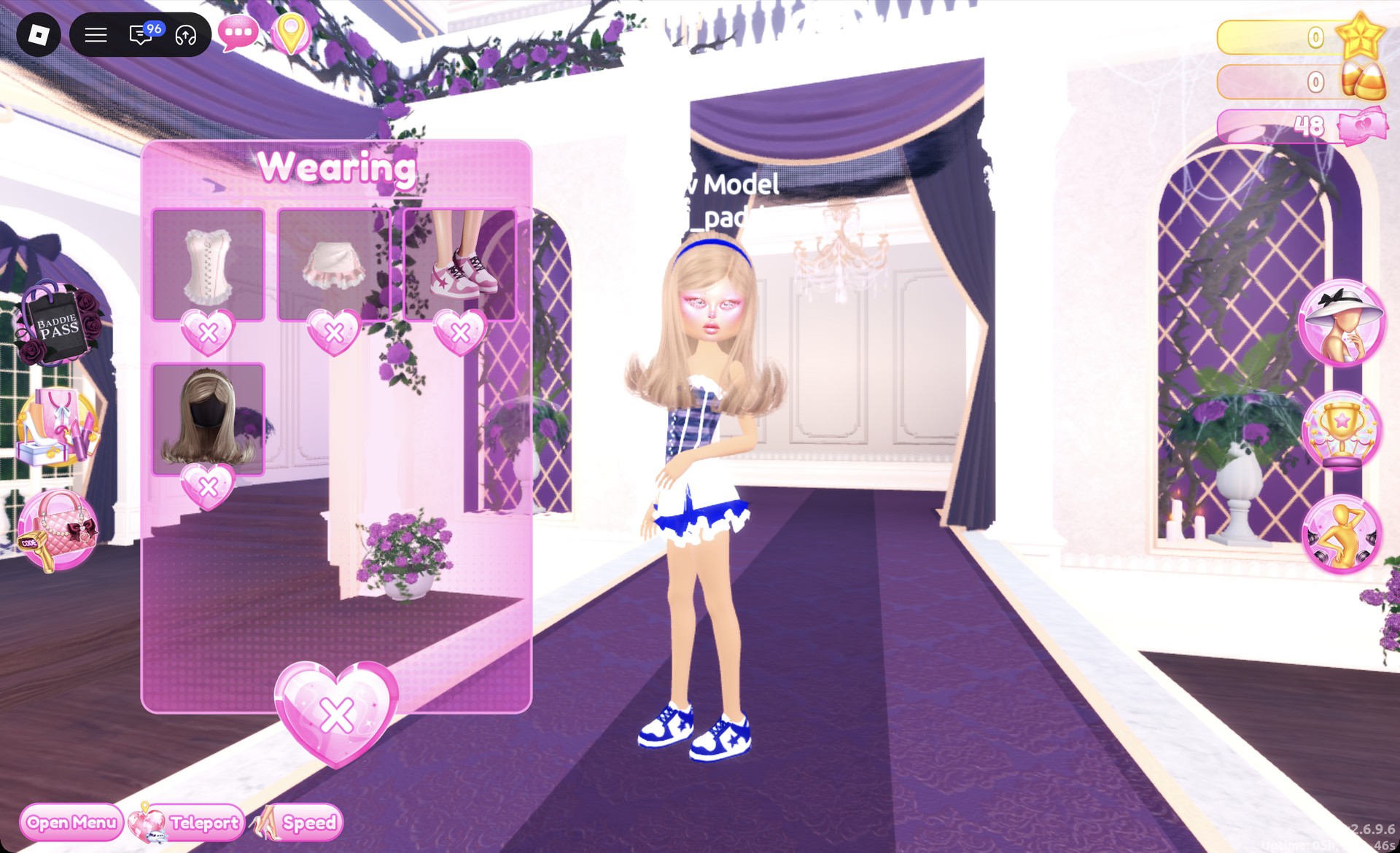
Wearing panel with the yacht look pieces in Dress To Impress
The Wearing panel with the corset, skirt, sneakers and hair.

On the runway, the navy headband is easy to see from the front, and the navy sneakers match the corset stripes.
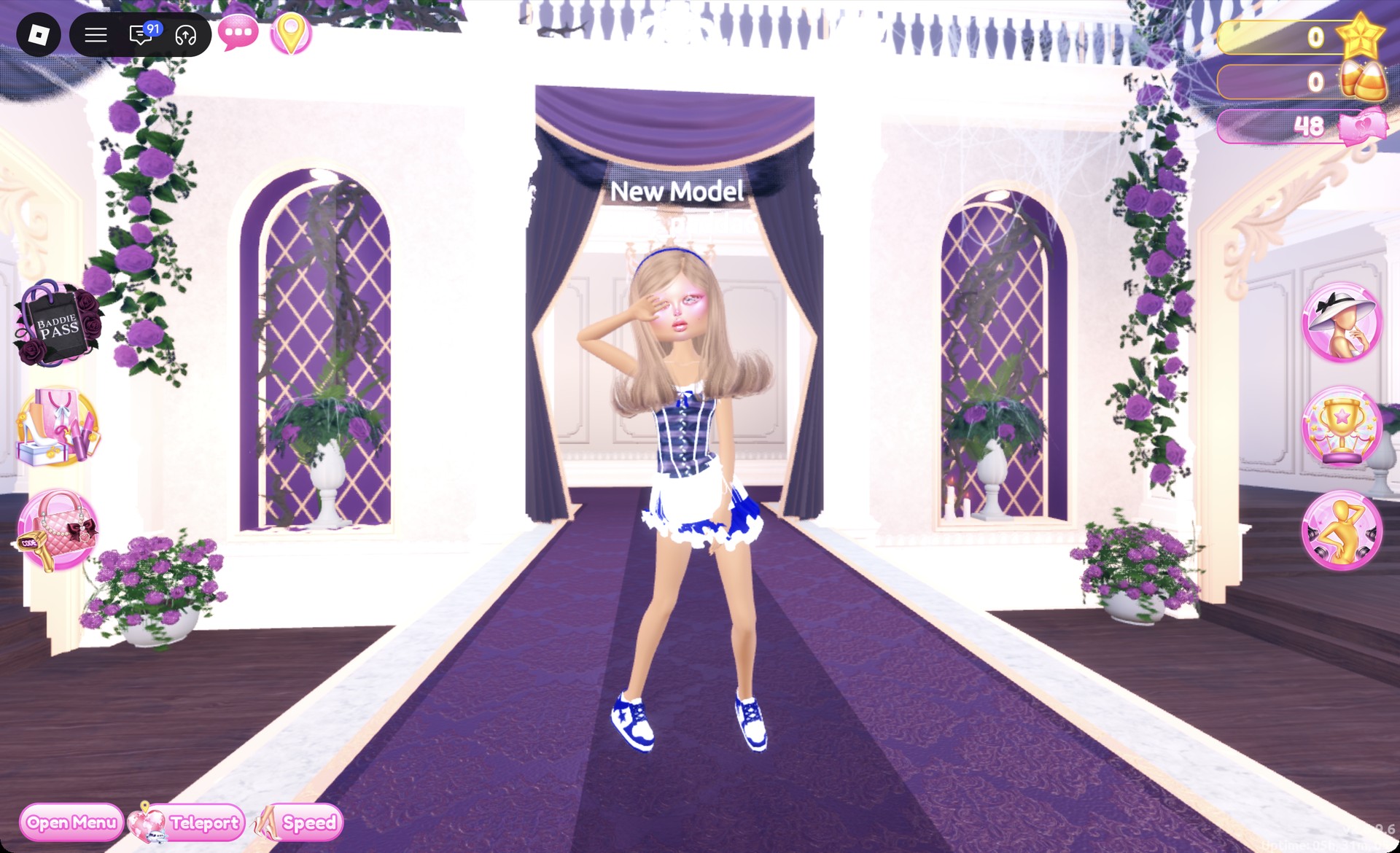
Navy striped yacht outfit on the Dress To Impress runway
The yacht look on the runway: navy striped corset, white and navy ruffle skirt, navy sneakers and a navy headband.

The Dazzle pose works well for this look.
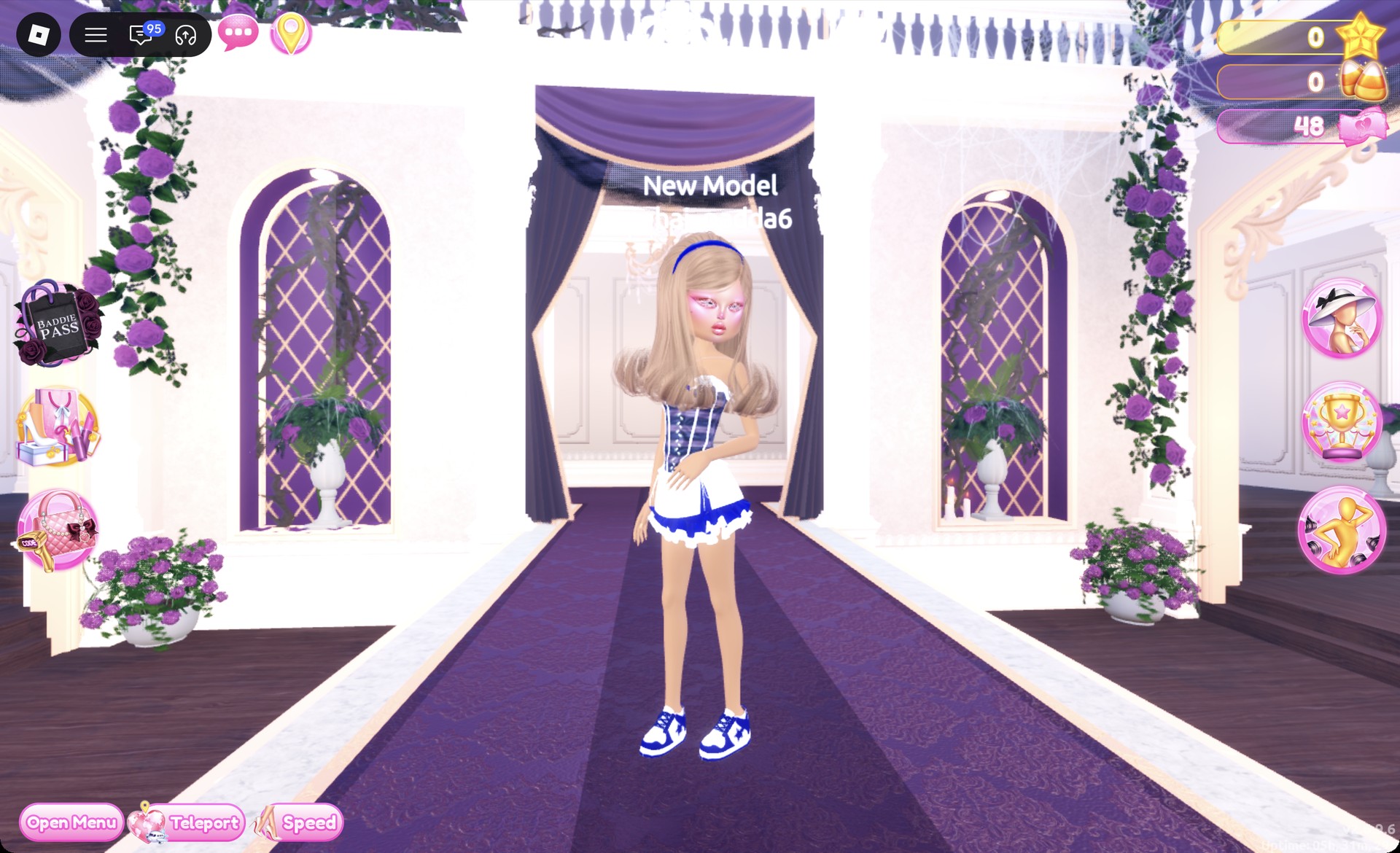
Yacht look in the Dazzle pose in Dress To Impress
The Dazzle pose.

From behind, the striped corset and the navy layer under the white skirt both show.
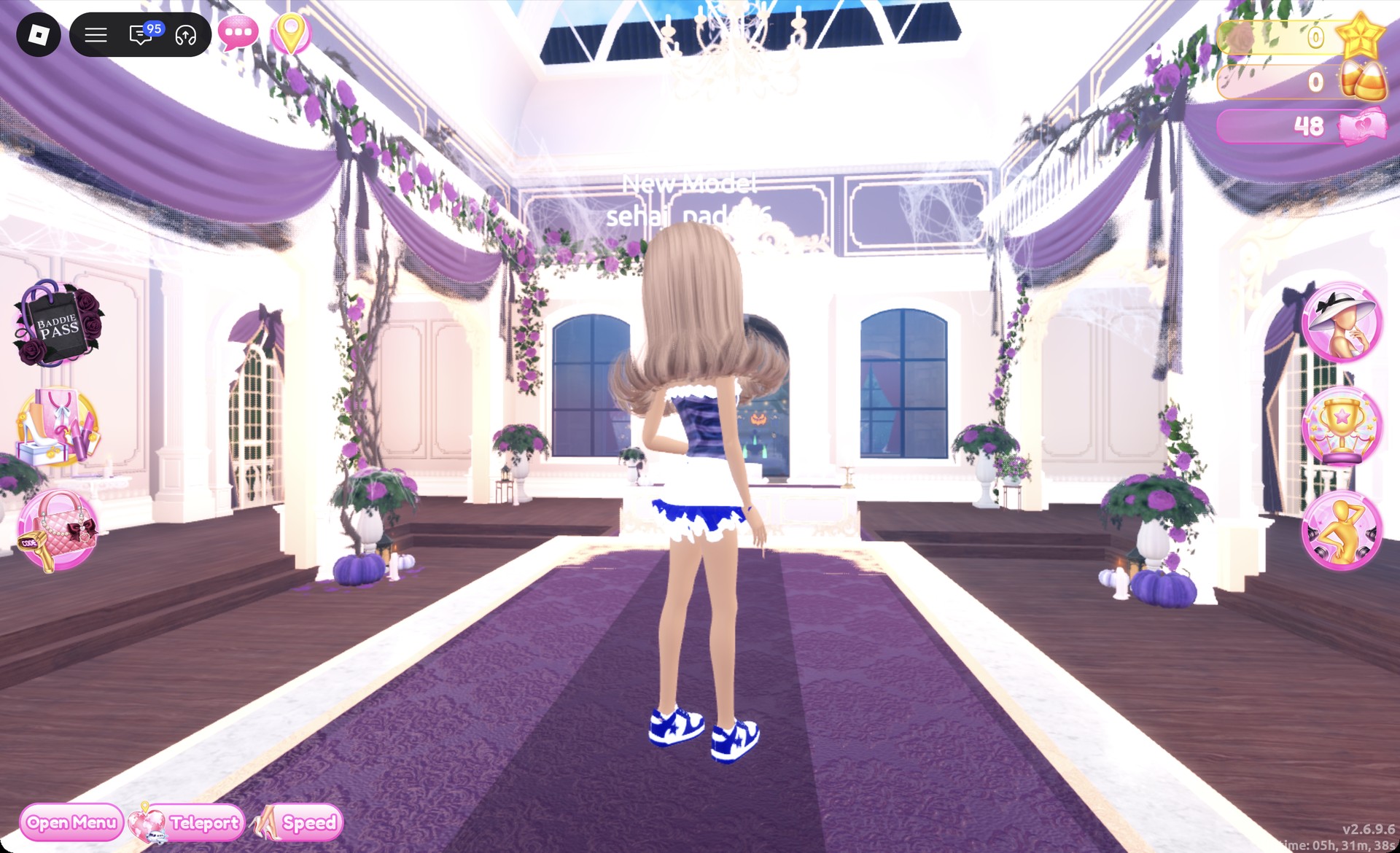
Back view of the yacht look in Dress To Impress
From behind: the striped corset and the navy layer under the white skirt.

More nautical and sea theme ideas

Summer Cruise is a separate theme with its own guide: see Summer Cruise outfit ideas in Dress To Impress. For other sea and beach themes, try Bioluminescent Depths, Cursed Lagoon, Jellyfish, Deserted Island, Malibu Dream and Boardwalk Babe. Every theme built so far is in the Dress To Impress themes list, and the free poses named above are in the Dress To Impress poses guide.

Nautical Dress To Impress FAQ

How do I do Nautical in Dress To Impress without VIP?

All three outfits above use only free pieces from the Dressing Room, the hat wall, and Lana’s Salon. None of them needs a VIP item, and none of them costs Robux.

Where is the sailor hat?

Look for a white cap with a dark band on the second shelf of the hat display beside the Skin Tones booths.

How do I get stripes?

Open the Patterns tab on a piece’s color panel and pick the second tile in the first row. It fills the selected part with navy and grey stripes. If you pick a palette color on that part afterward, the stripes disappear.

How do I make a mermaid look?

Recolor the pale pink ball dress with aqua Metallic on part 1 and dark teal Glitter on part 2. Then add the long red curls from the Wavy tab.

What colors are nautical?

Navy and white are the core nautical colors. For an underwater, sea-inspired outfit, use aqua and teal instead.