
Category
Windows 11
-

Fix File Explorer Crashes After 24H2 Update
Resolve persistent File Explorer crashes on Windows 11 after installing the 24H2 update with targeted registry fixes, system scans, and troubleshooting steps.
-

Improve Windows 11 System Performance and Privacy Using Crapfixer
Streamline your Windows 11 setup, remove bloatware, and regain privacy control with Crapfixer 1.0’s targeted system tweaks.
-
Fix Error 0x800700C1 on Windows 11
Resolve Windows Update failures and system file repair issues caused by error 0x800700C1 with targeted troubleshooting and repair steps.
-

Enable and Use Nearby Sharing in Windows 11
Streamline file and link transfers between Windows 11 devices by activating and configuring Nearby Sharing for fast, cable-free sharing over Bluetooth or Wi-Fi.
-
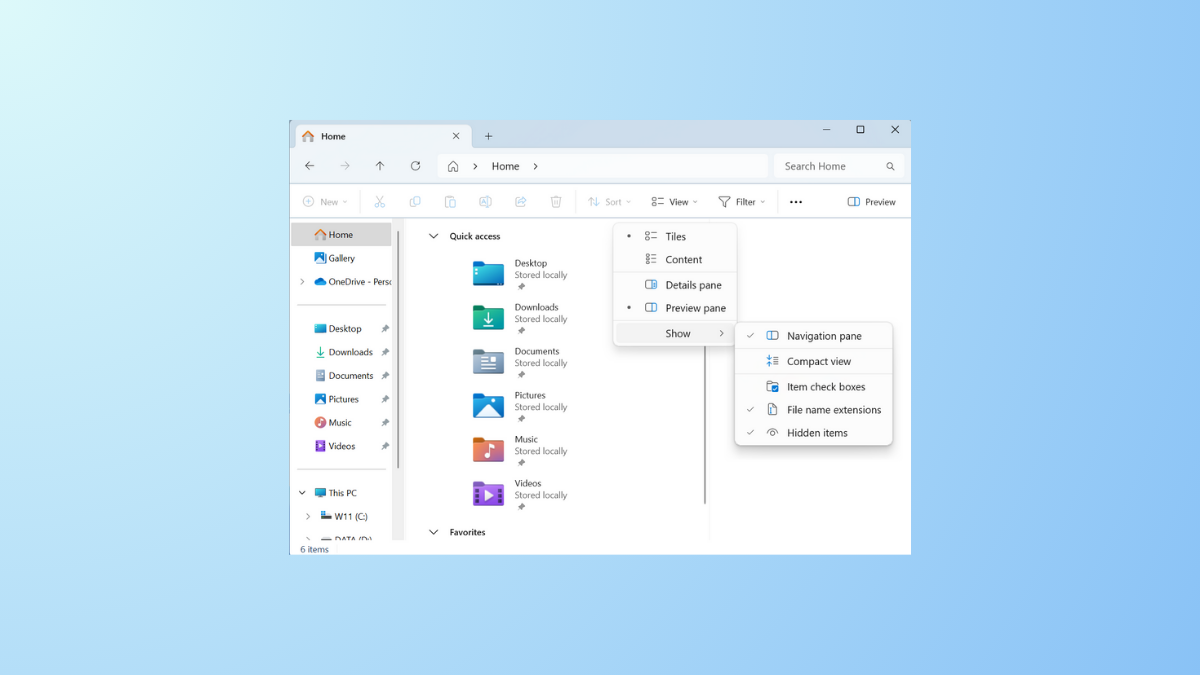
Enable Compact View and Details Pane in File Explorer on Windows 11
Reduce file and folder spacing and display detailed file information in Windows 11 File Explorer with these easy-to-follow methods.
-

Fix ERROR_PNP_REBOOT_REQUIRED (638) on Windows 11
Resolve the ERROR_PNP_REBOOT_REQUIRED (638) issue on Windows 11 by addressing driver, device, and system update conflicts that require a system reboot.
-
Fix ERROR_SYSTEM_IMAGE_BAD_SIGNATURE (637) on Windows 11
Resolve the ERROR_SYSTEM_IMAGE_BAD_SIGNATURE (637) in Windows 11 by repairing system files, updating drivers, and restoring system integrity to prevent shutdowns and data loss.
-
Fix DOOM: The Dark Ages Black Screen Issue on Windows 11
Resolve the persistent black screen problem in DOOM: The Dark Ages on Windows 11 by applying targeted solutions for graphics settings, hardware configuration, and…
-

Use Enhanced Phishing Protection in Windows Security
Strengthen password security by configuring Windows 11’s built-in phishing protection to detect unsafe password usage and block common attack methods.
-
Fix Error 0x80070001 on Windows 11
Resolve Windows 11 installation and update failures caused by error 0x80070001 with proven solutions for disk configuration, USB setup, and system file issues.