
Instructional, step-by-step articles.
Content Type: How-To
-
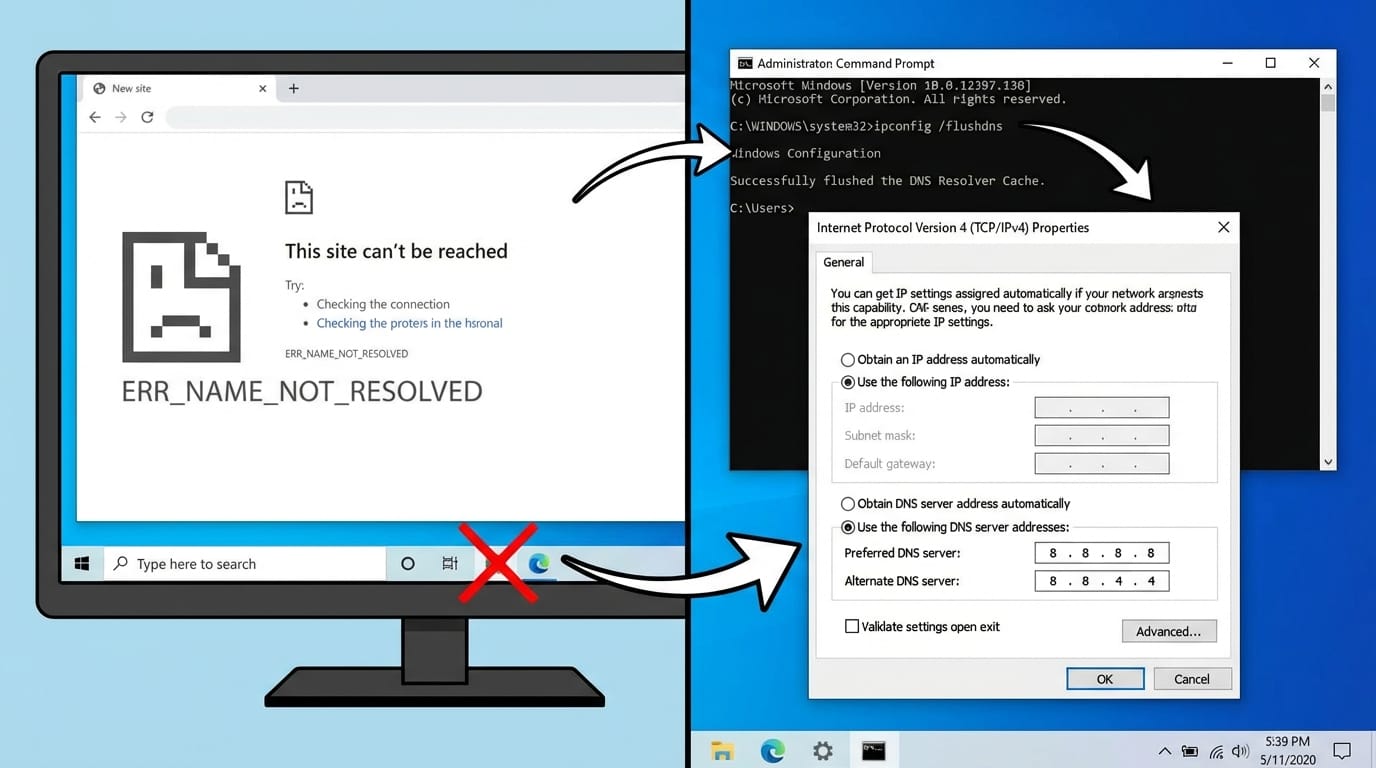
Fix ERR_NAME_NOT_RESOLVED on Windows by Replacing Broken DNS Settings
Swap out misconfigured DNS servers and flush stale cache to stop name-resolution failures in any browser.
-

Kirito in Anime Rangers X — How to Unlock and Evolve Virtual Swordsman
Everything you need to farm, evolve, and build Kirito (Virtual Swordsman) through dungeon chests in Anime Rangers X.
-

How to Register for Fortnite Save the World’s Free-to-Play Launch and Earn Rewards
Pre-register before April 16, 2026 to unlock free cosmetics through a community milestone event.
-

Monster Hunter Stories 3: How to Get Dual Element Monsties Through Habitat Restoration
Releasing monsties into elemental areas lets you hatch mutated eggs with a powerful secondary typing.
-

Marathon won’t launch on Steam? Start with a full Steam restart
A full Steam client restart is the main fix, with a few targeted checks if the game still hangs in the background.
-

How to Unlock and Complete Cat Fever in Where Winds Meet
Pet a kitten five times, contract a mysterious disease, and bargain with a feline overlord in Hexi’s Jade Gate Pass.
-

How to Fix Marvel Rivals Error Code 211 on Steam
A Steam login failure that blocks Marvel Rivals from launching can usually be resolved with a few network and client fixes.
-

How to Prestige in Bizarre Lineage — Requirements, Rewards, and the Fastest Way Back to 50
Everything that resets, everything that carries over, and how to spend your Prestige Shards wisely.
-

How to Befriend Bu Jiujie in Where Winds Meet
Navigate the AI Chat system to cure this NPC’s crippling indecision and earn travel rewards.
-

How to Befriend Bailan in Where Winds Meet’s AI Chat
Find this lazy Hexi NPC near the Camel Station and convince her through agreeable conversation.