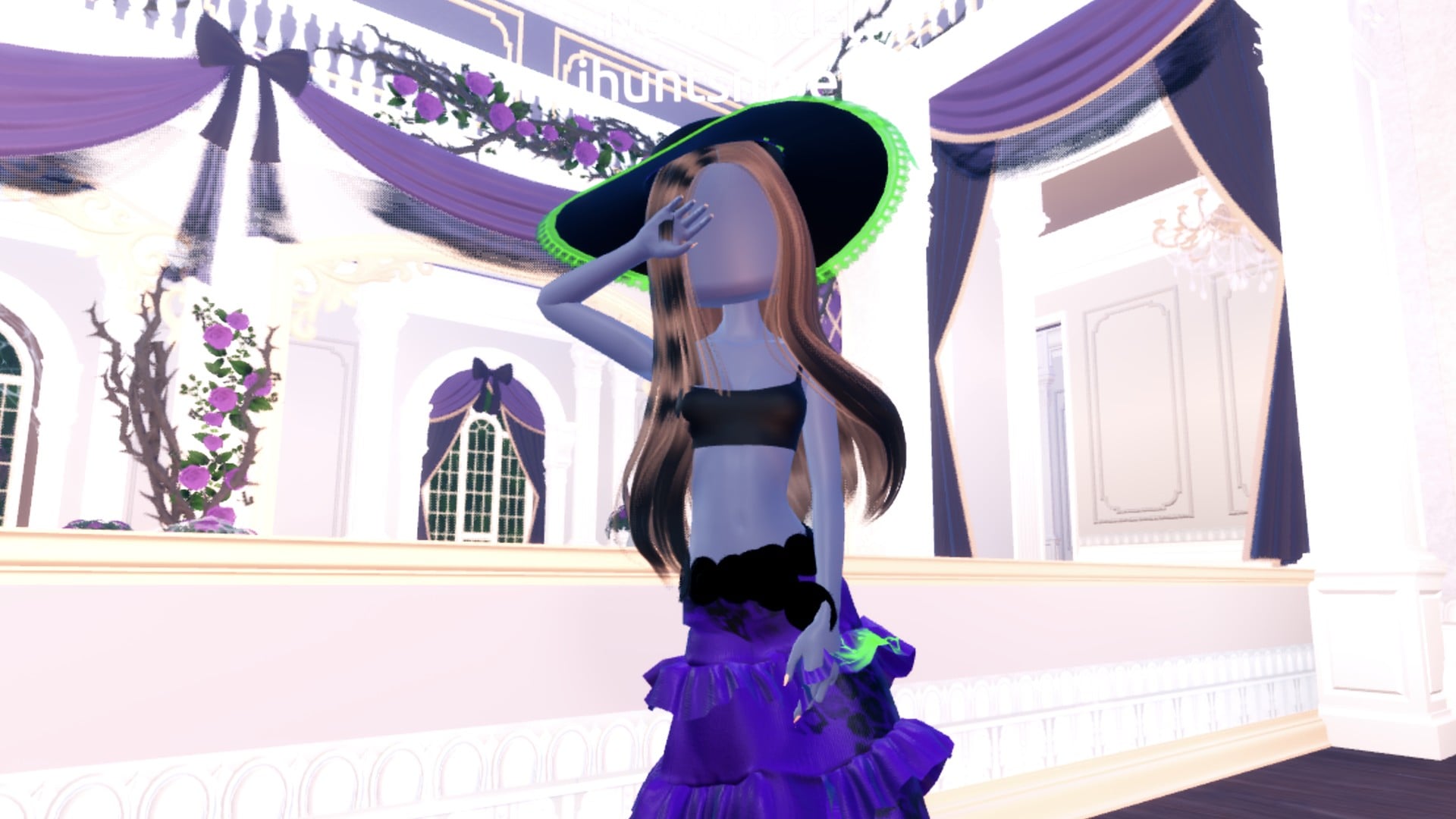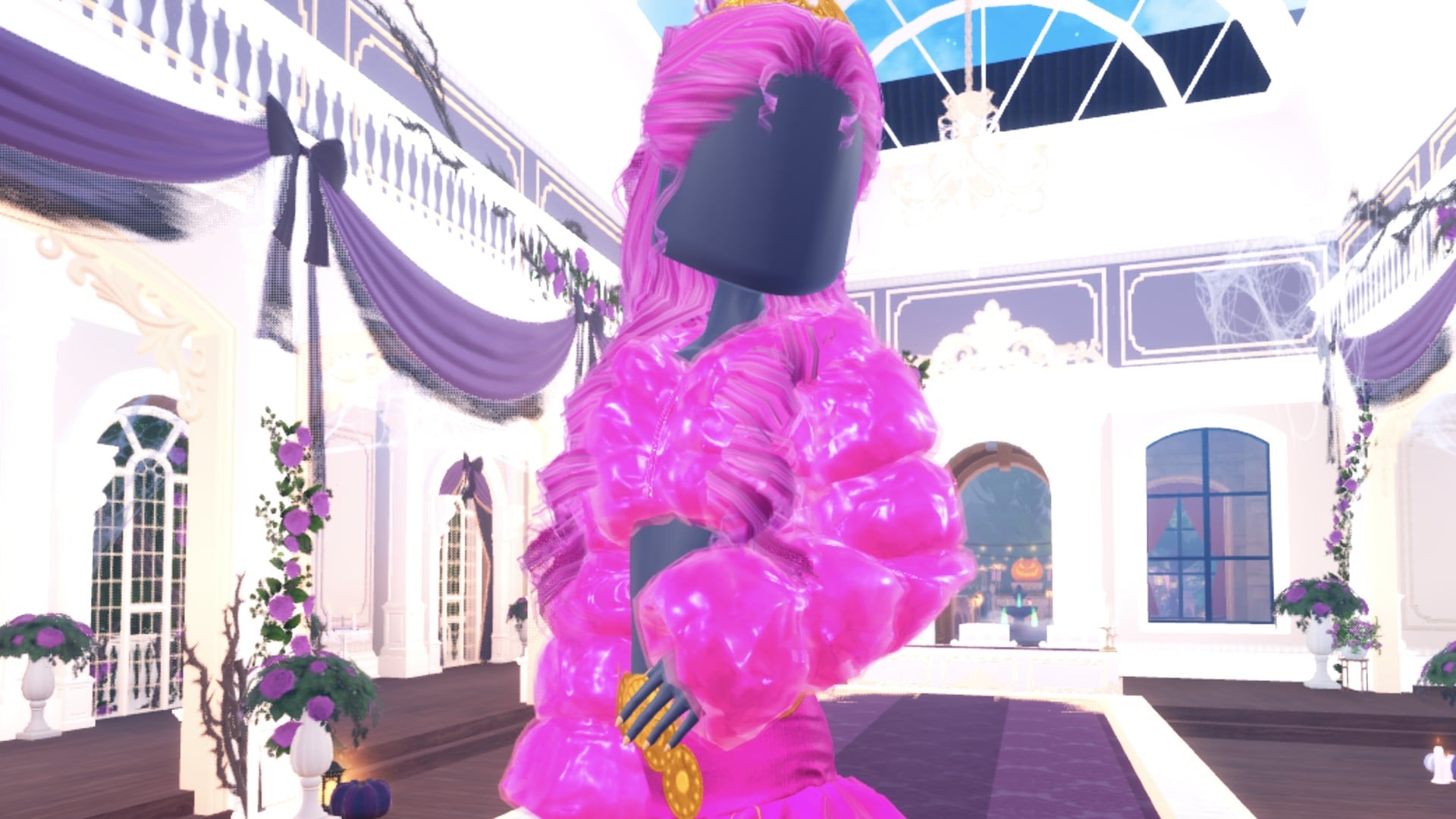
Drag in Dress To Impress calls for a drag queen look, which means big, loud, high-glam pageant styling. Both outfits below start from the same long ruffled gown. The first goes hot pink from head to toe. The second turns black with lots of gold. Shiny materials and big curls under a crown do most of the work. Every material we used is free, and both looks were built in Freeplay Mode on an account with no VIP and 0 stars, with nothing bought.
Quick answer: Go big and shiny: recolour the long ruffled tiered gown all hot pink or black and gold, give its parts Glitter, Foil, Metallic and a Neon hem, and add pink curls with a gold crown.
How to recolour pieces and make them shiny
Both looks were put together in Freeplay Mode in Dress To Impress on Roblox. You never have to walk back to a shelf to change a colour. Pieces you are already wearing can be recoloured from the Wearing panel.
The Palette tab shows a grid of hearts: one hue per column, light to dark down each column, and white to black along the bottom row.
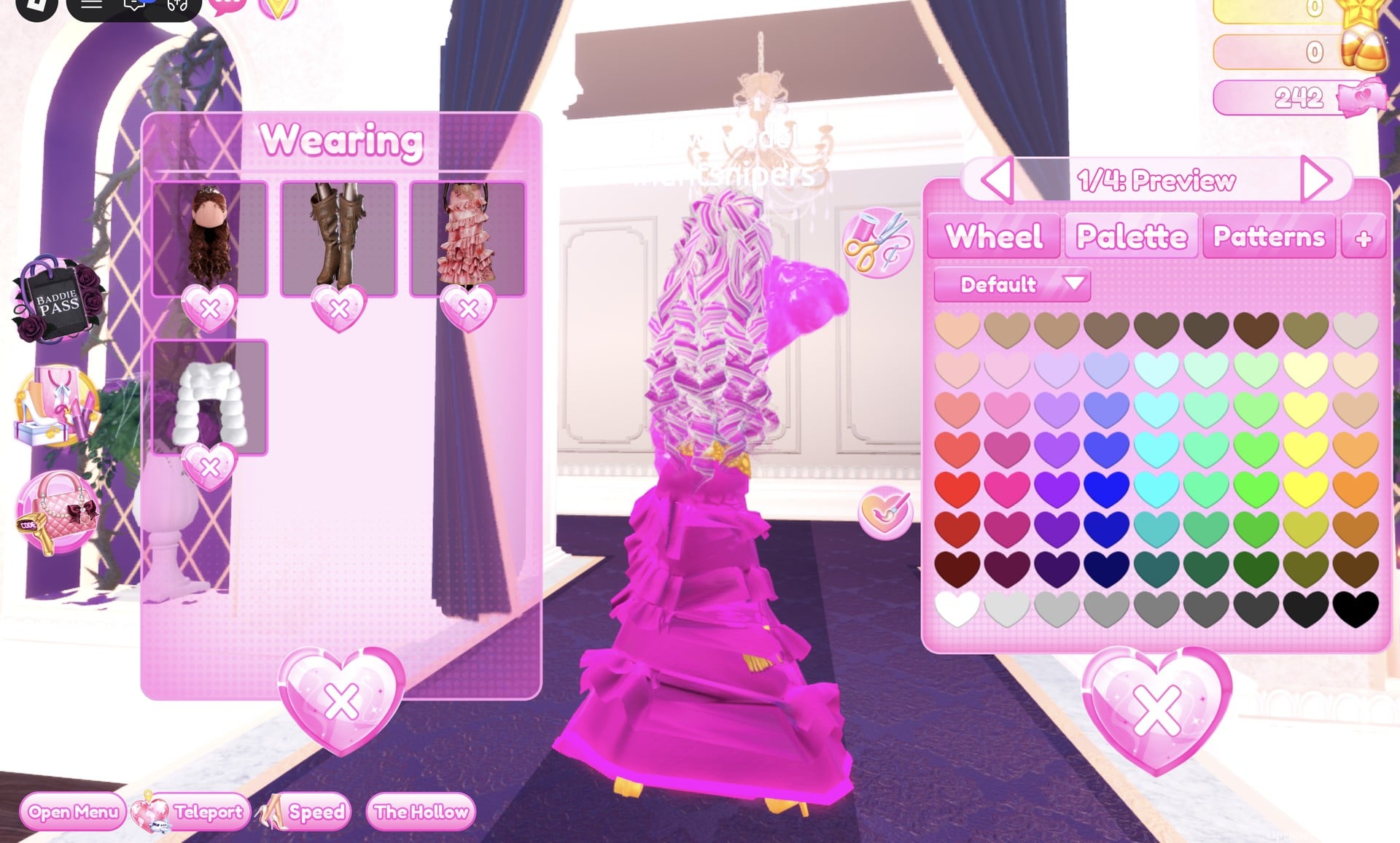
Palette spots are read as column and row. Columns run from 1 (red) to 9 (an orange/brown hue). Rows run from 1 at the top to 8, so the bottom of each column shades from white toward black. These are the spots both looks use:
| Colour | Column | Row |
|---|---|---|
| Light pink | 2 | 3 |
| Pink | 2 | 4 |
| Hot pink | 2 | 5 |
| Deeper pink | 2 | 6 |
| Gold | 9 | 4 |
| Black | 9 | 8 |
Each image in the Wearing panel keeps showing the item’s original colours, so the gown will appear pale pink there even after recolouring. Look at your character to confirm the new colour.
The gown and hair both looks share
The gown is the long pale pink ruffled tiered gown on the mannequin beside the shoe and boot shelf. Its colour panel splits it into five parts, labelled “1/5: Skirt”, “2/5: Leopard Print”, “3/5: Flower Details”, “4/5: Hemline” and “5/5: Belt”. It is long enough to hide whatever is on your feet: we had knee boots on from an earlier build, and they do not show in either look.
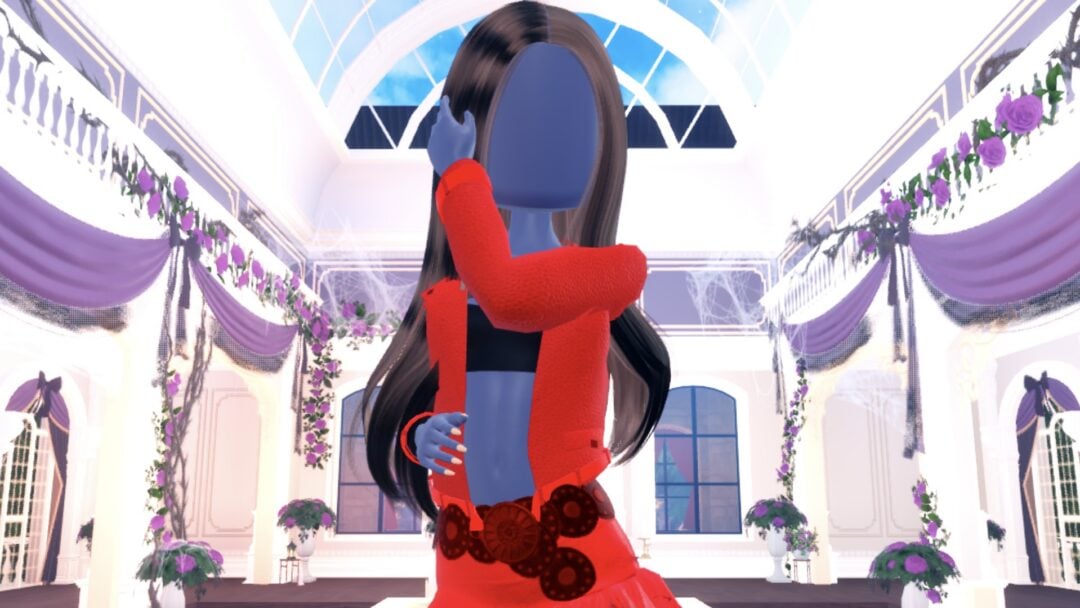
The character’s dark base top and shorts are part of the body, not a piece. The Wearing panel does not list them and they cannot be taken off, only covered, and in both looks a little of the top shows at the chest and waist under the open jacket.
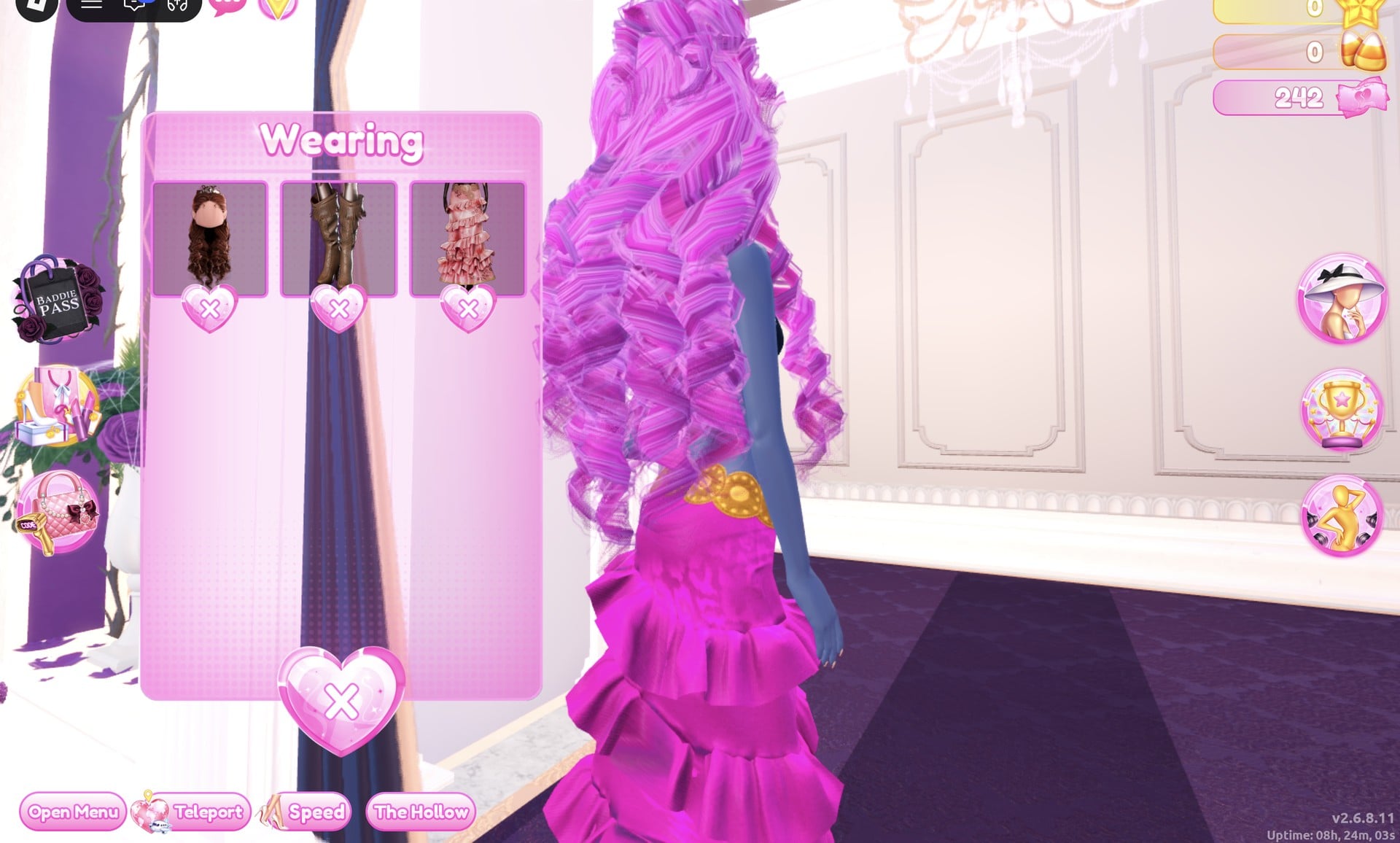
For hair, go to Lana’s Salon, open the Feminine tab and take the 3rd card. That is a set of long curls with a small crown. Its parts are “1/4: Preview”, “2/4: Preview”, “3/4: Crown” and “4/4: Gem”. The hair arrives pale blonde with a gold crown. Recolour it from the Wearing panel, where it is the 1st picture.
Look 1: Hot pink pageant
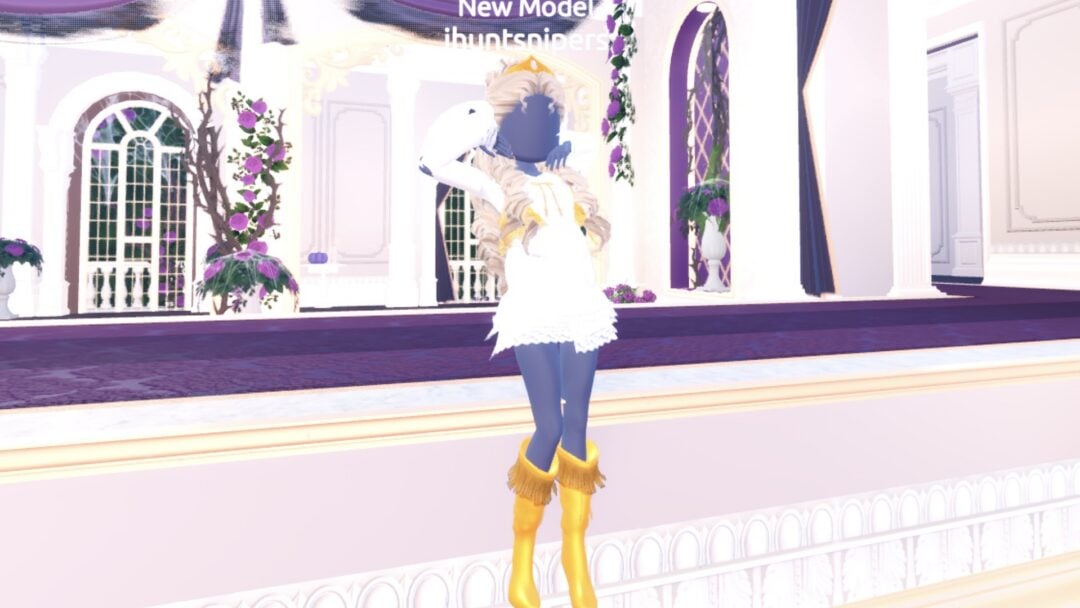
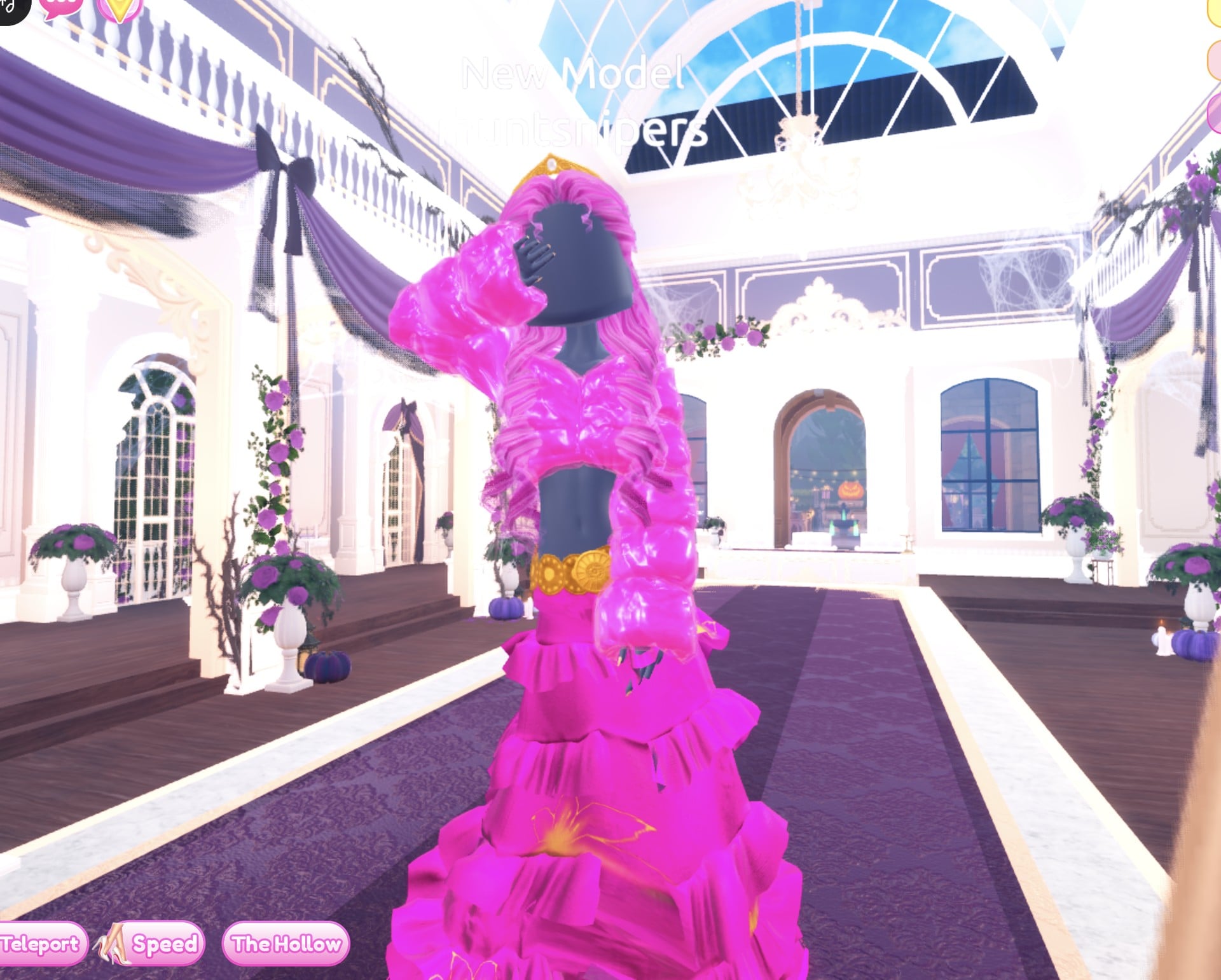
The idea is one loud colour everywhere, hair included, with gold accents to break it up. Put the gown on, then open the Wearing panel, click the gown’s picture and set the parts like this:
| Gown part | Colour (column, row) | Material |
|---|---|---|
| “1/5: Skirt” | Hot pink (2, 5) | Glitter |
| “2/5: Leopard Print” | Hot pink (2, 5) | Foil |
| “3/5: Flower Details” | Gold (9, 4) | Metallic |
| “4/5: Hemline” | Deeper pink (2, 6) | Neon |
| “5/5: Belt” | Gold (9, 4) | Metallic |
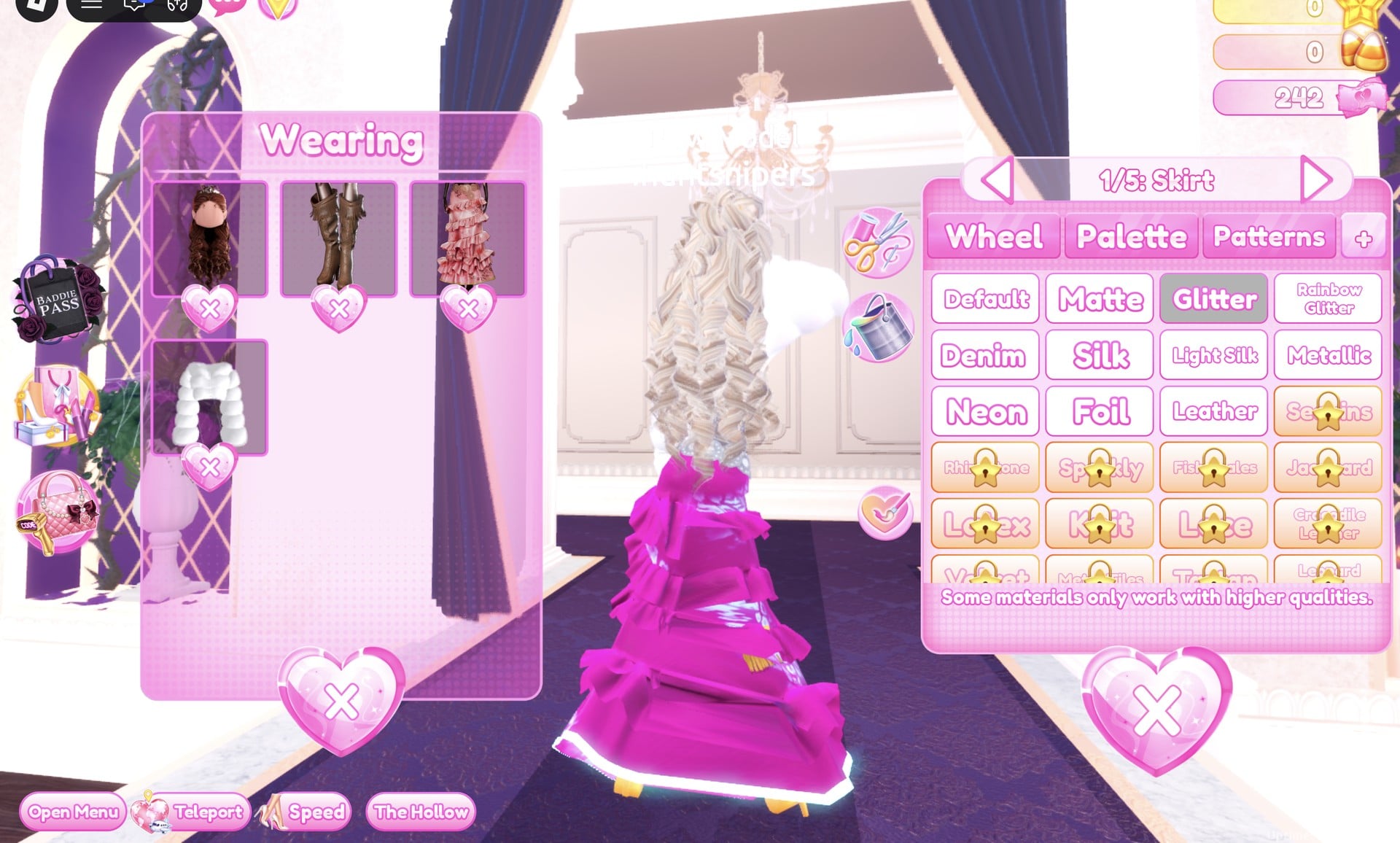
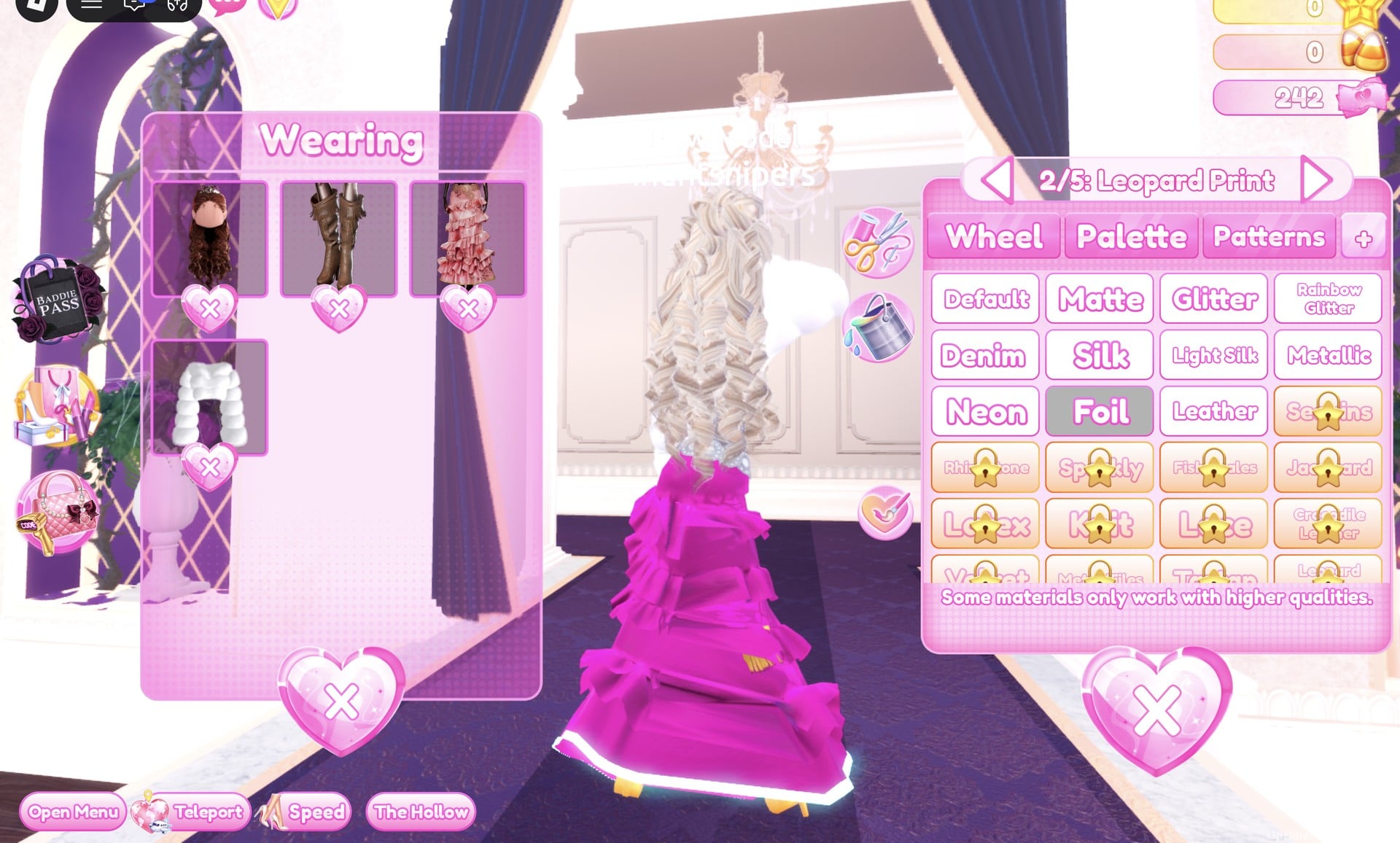
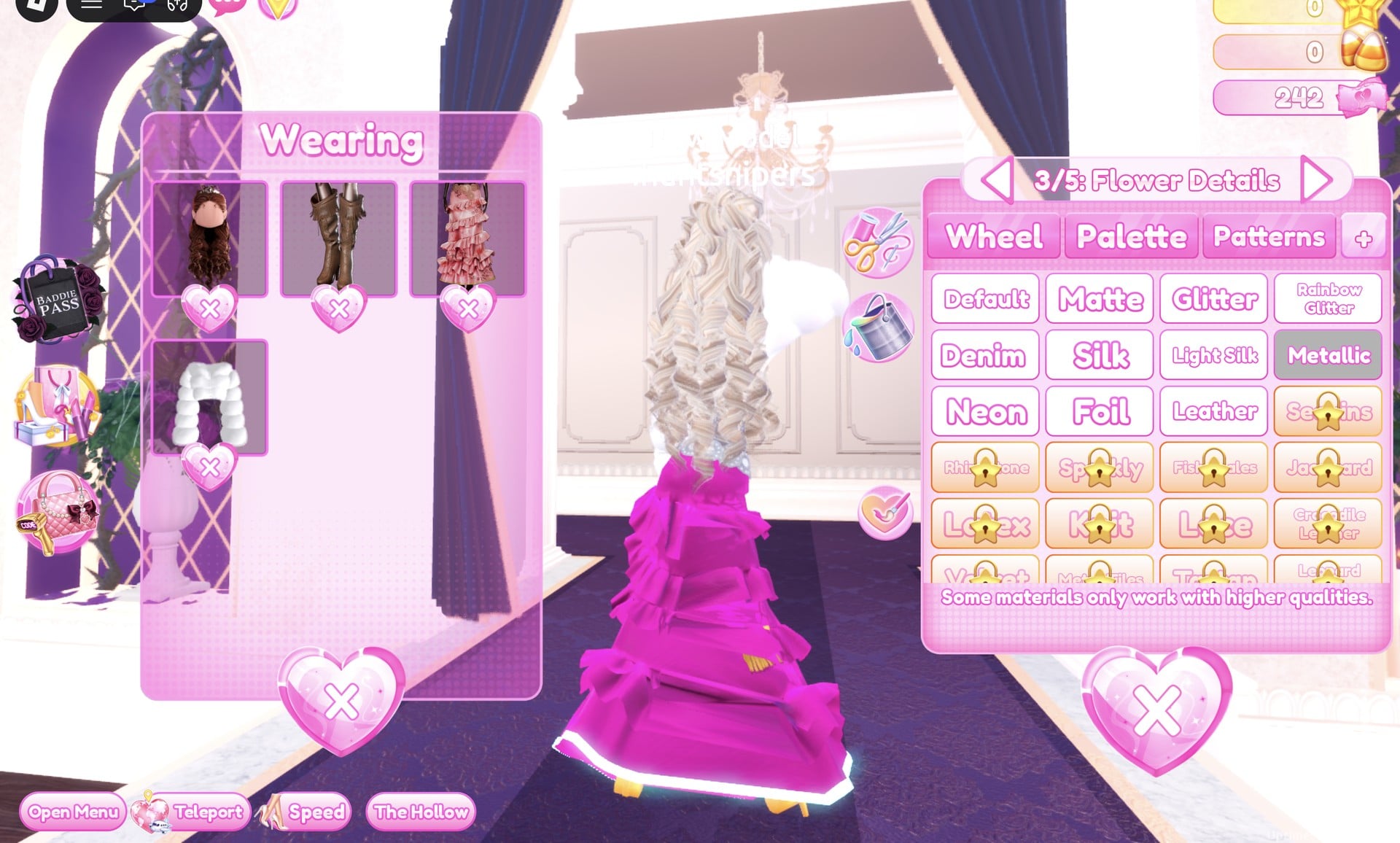
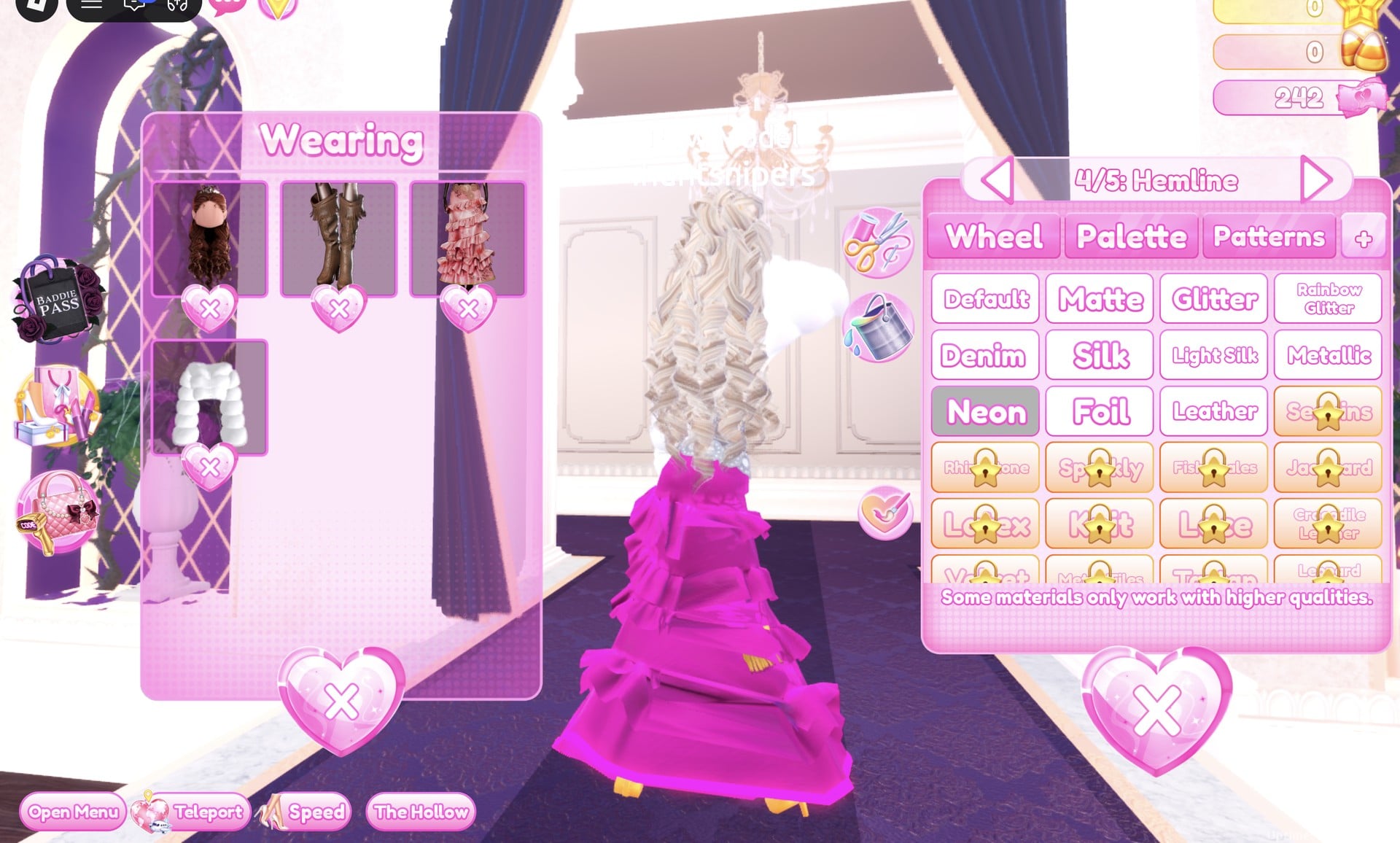
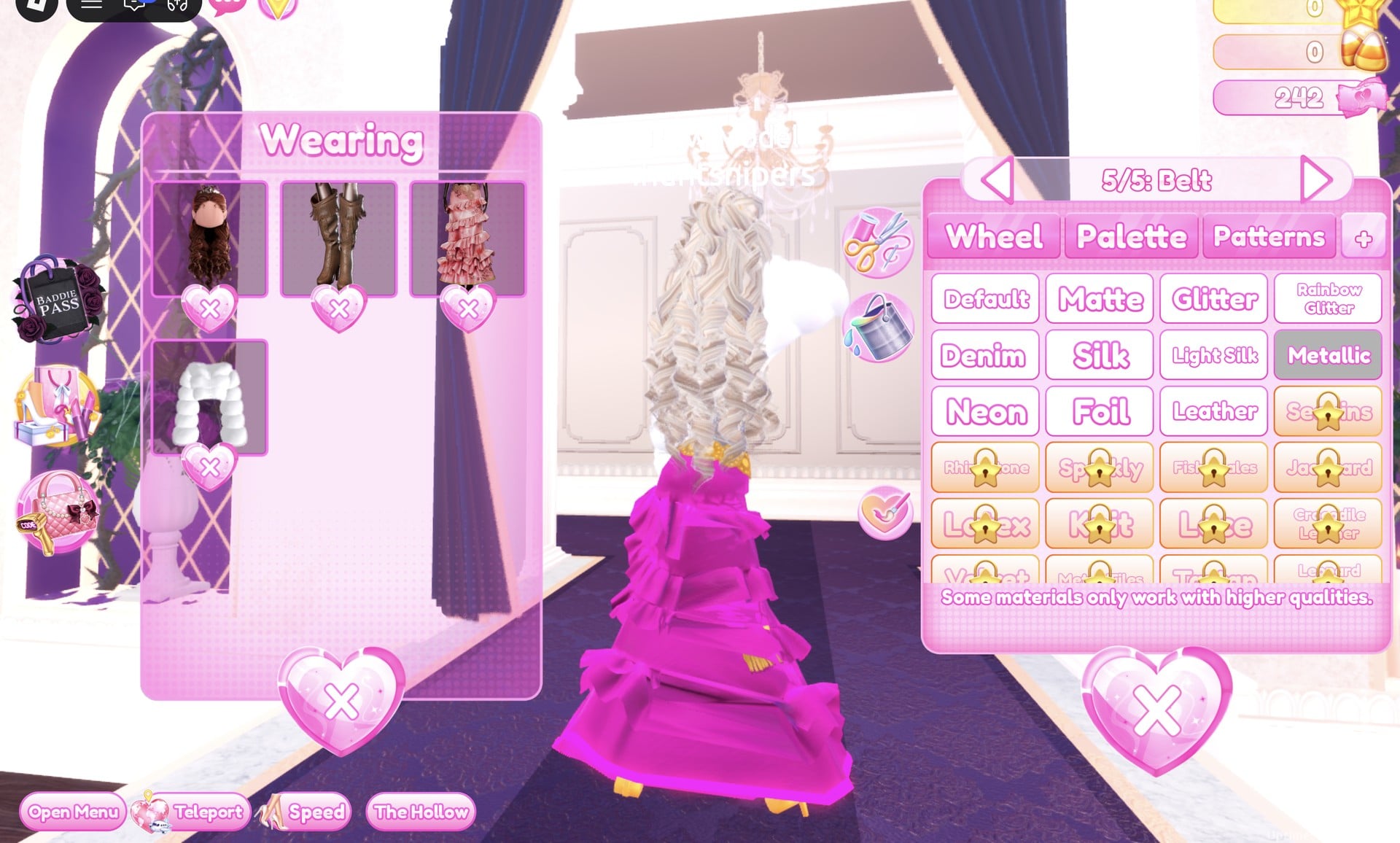
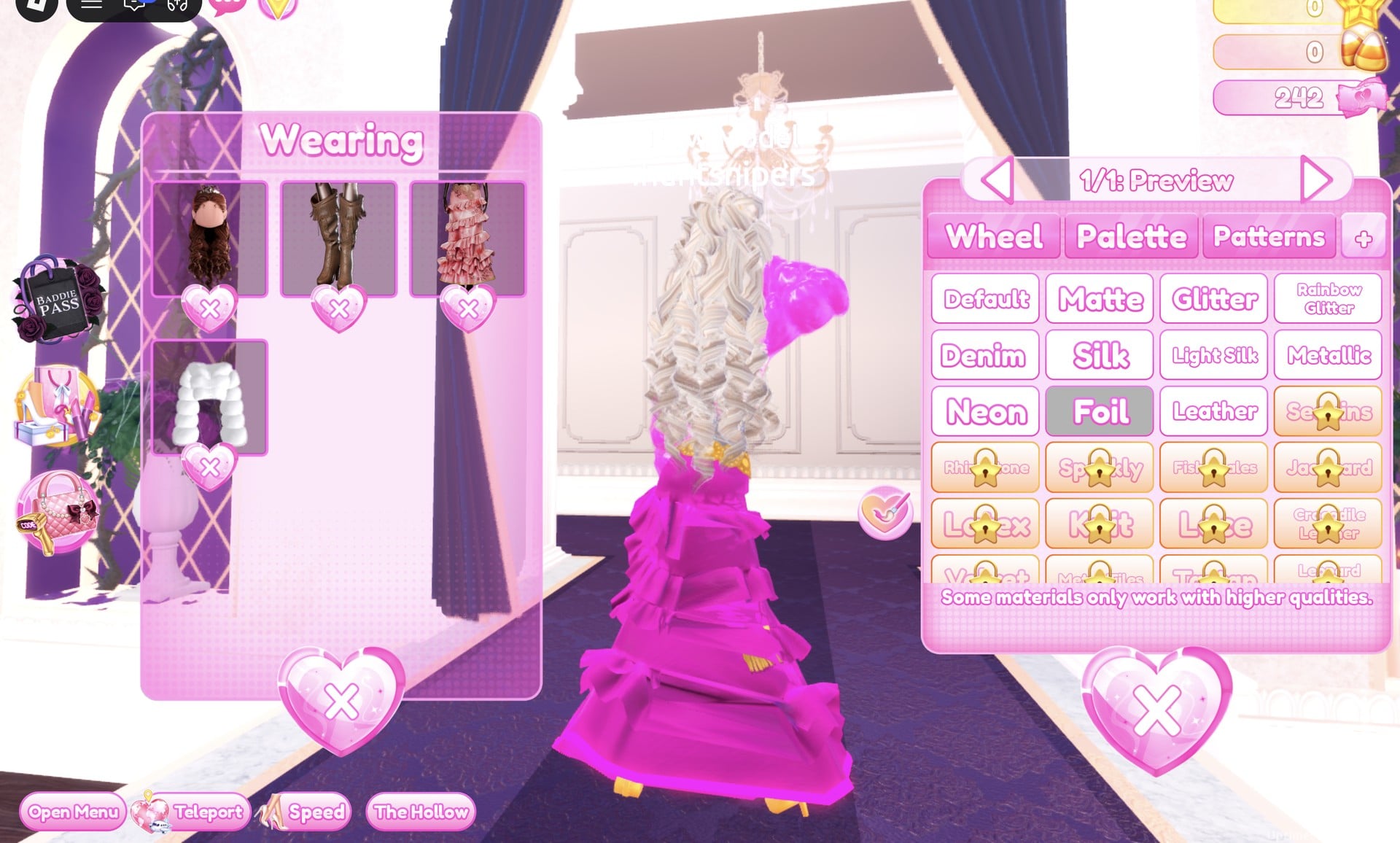
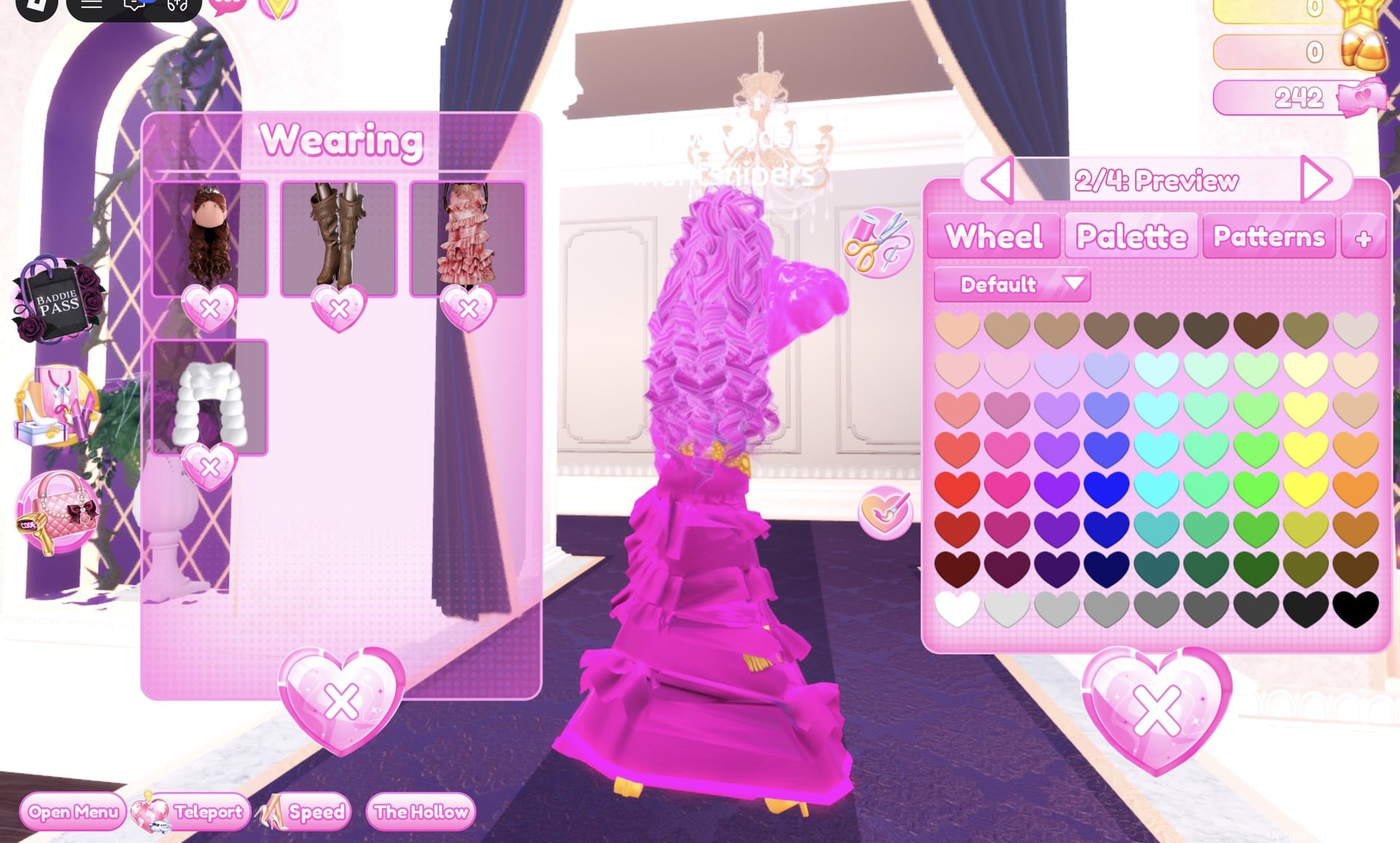
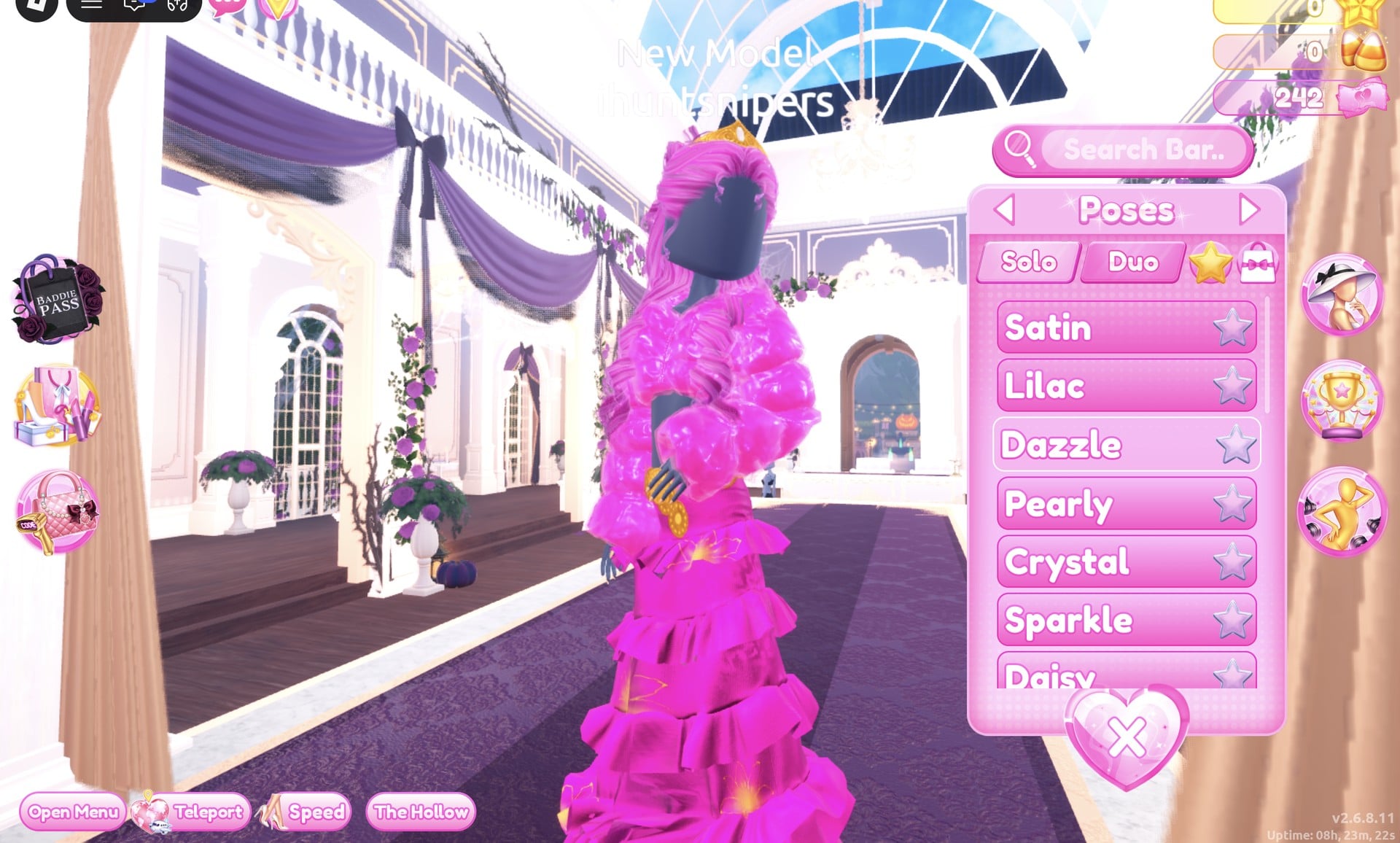
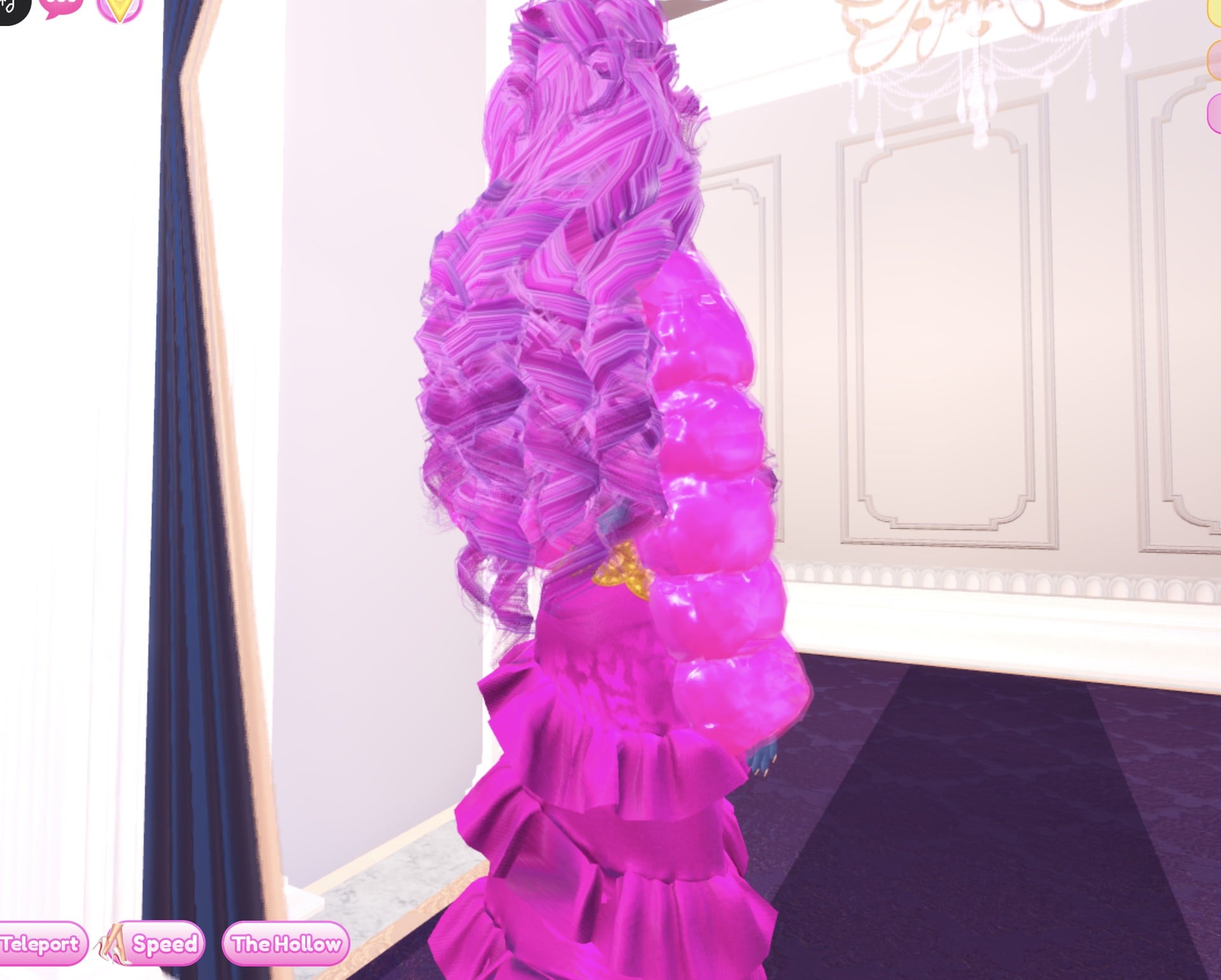
The finished look is head-to-toe hot pink: a glittery ruffled gown with a glowing hem, the shiny pink fur jacket, big pink curls, a gold crown and a gold belt. The dark base top shows between the jacket fronts.
From the side and back, the puffed Foil sleeves and the long pink curls carry the colour all the way down.
Look 2: Black and gold
This look keeps the same gown and the pink hair, so pink curls end up paired with black and gold. The fur jacket gets swapped out.
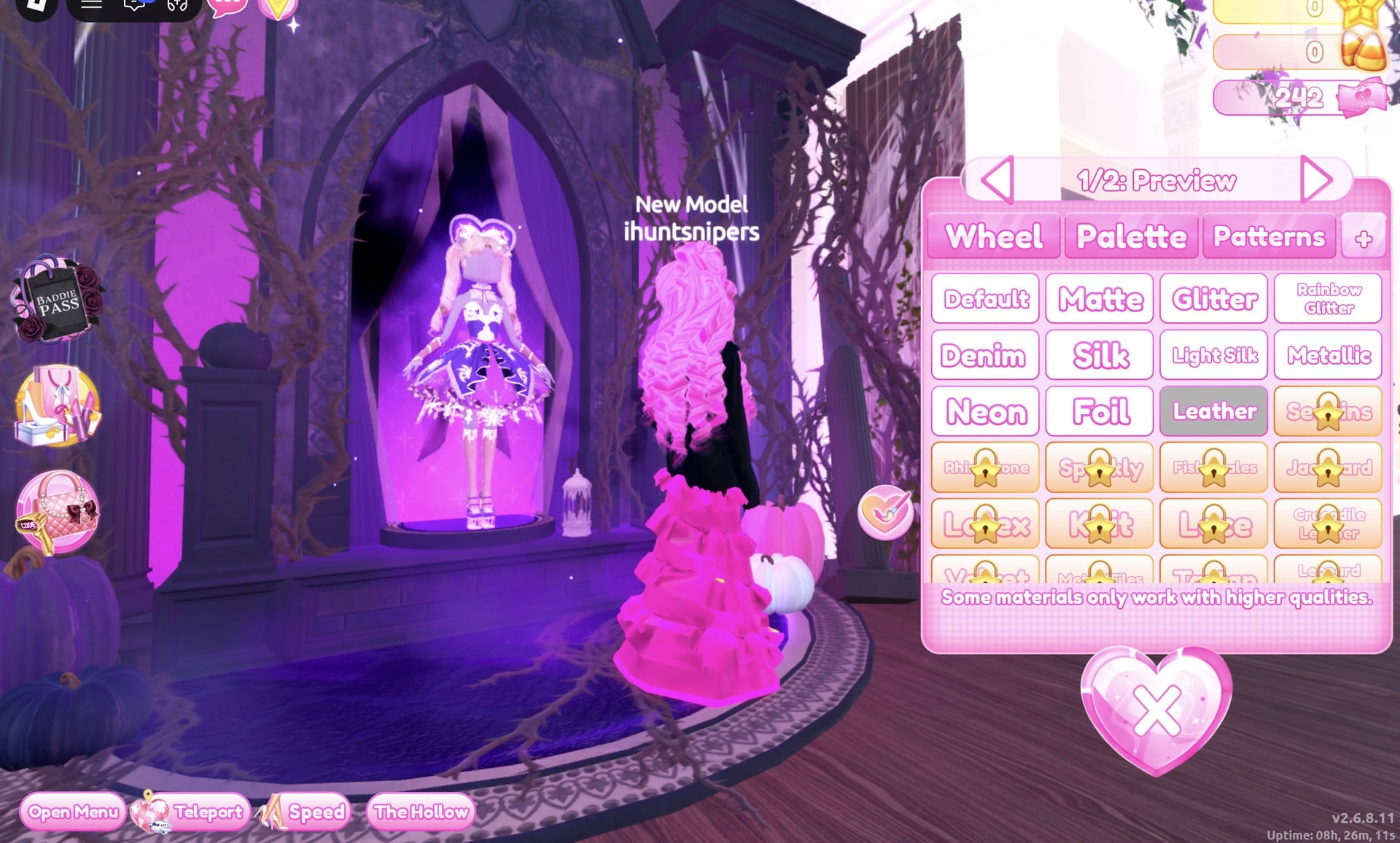
Then set “2/2: Preview”, which is the lettering, to gold (column 9, row 4) with Metallic, and press Put On. You now have a black jacket with gold lettering.
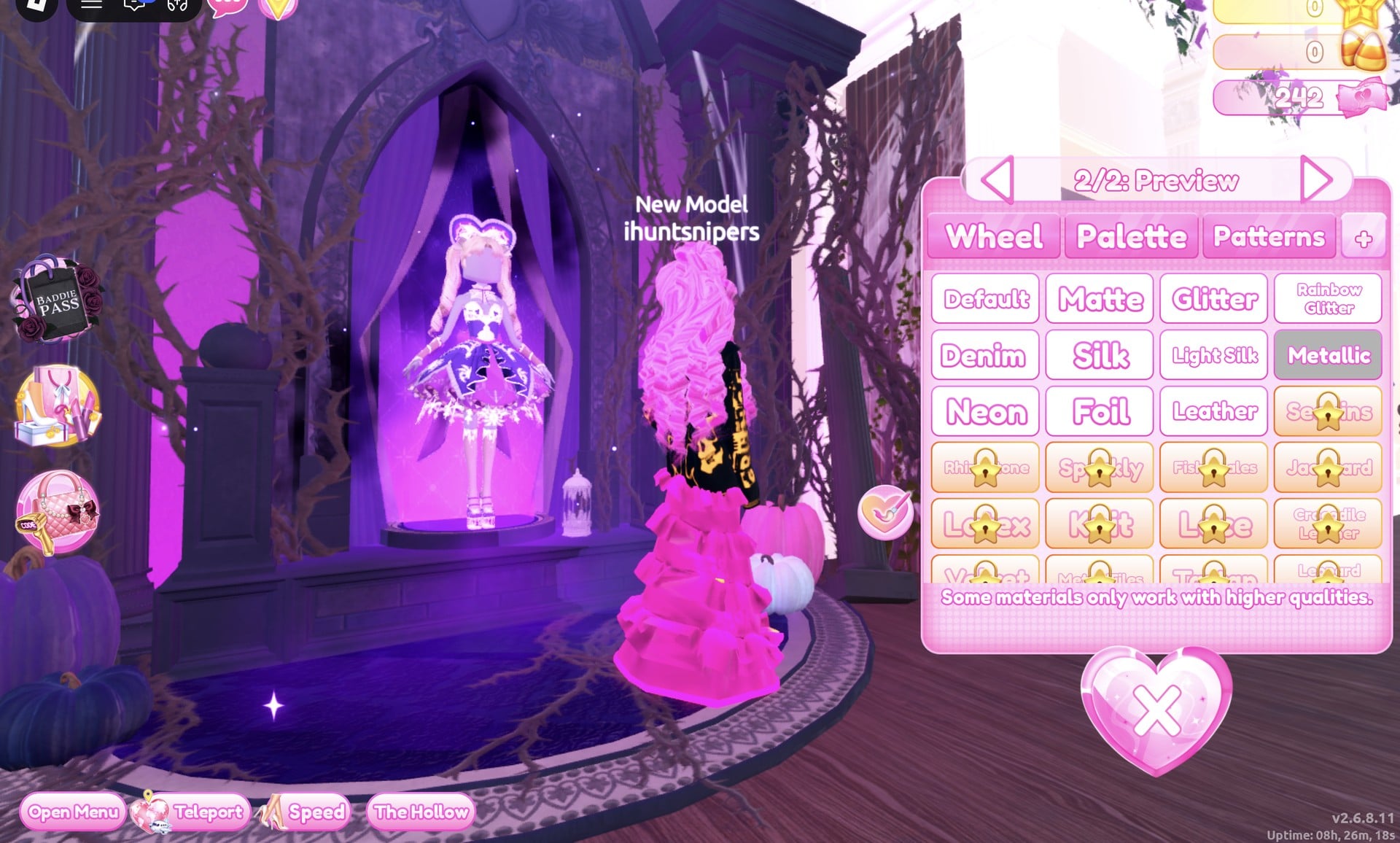
Its picture in the Wearing panel still shows the jacket in its original maroon; the character shows the real colours.
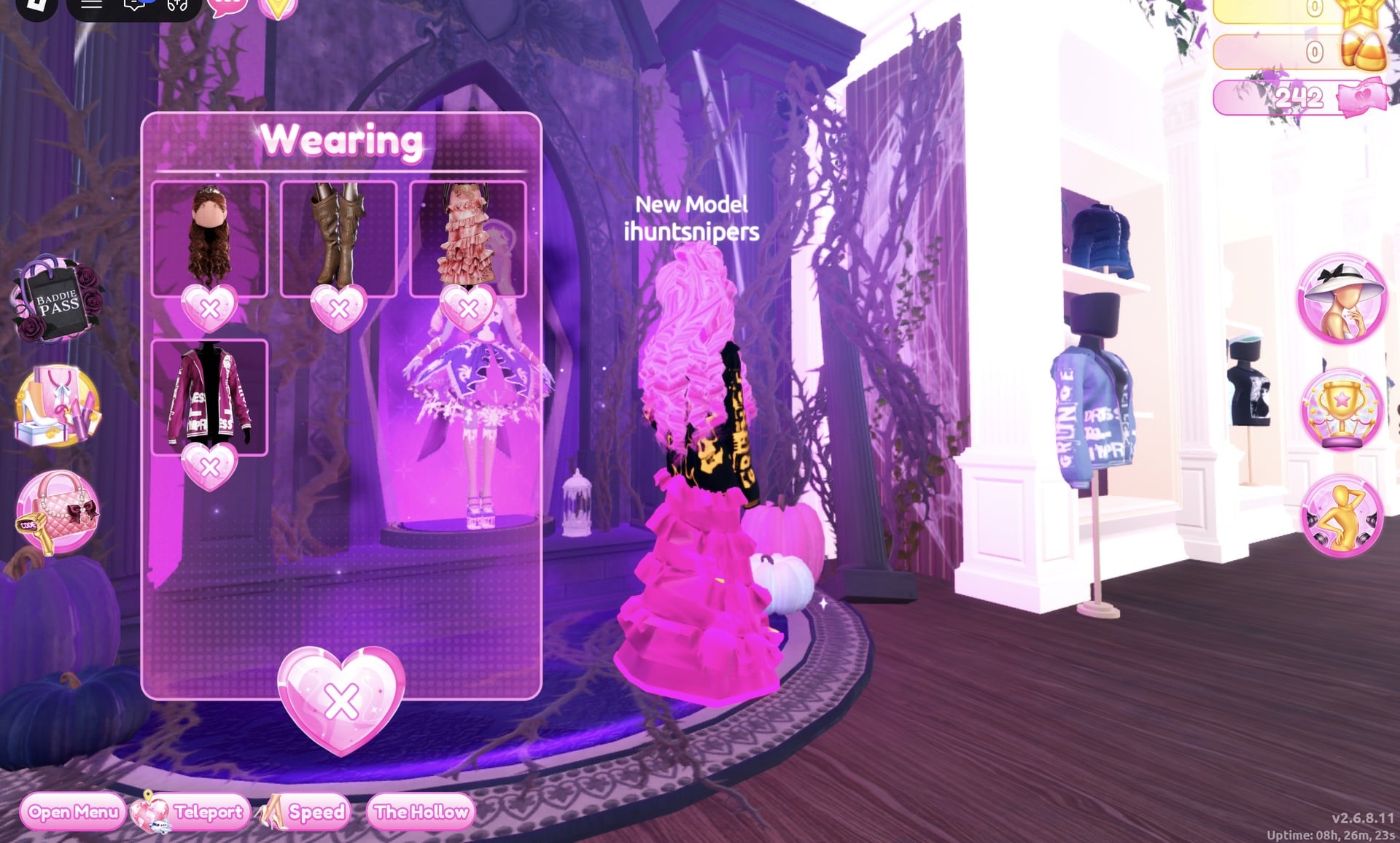
| Gown part | Colour | Material |
|---|---|---|
| “1/5: Skirt” | Black | Glitter |
| “2/5: Leopard Print” | Gold | Foil |
| “3/5: Flower Details” | Gold | Metallic |
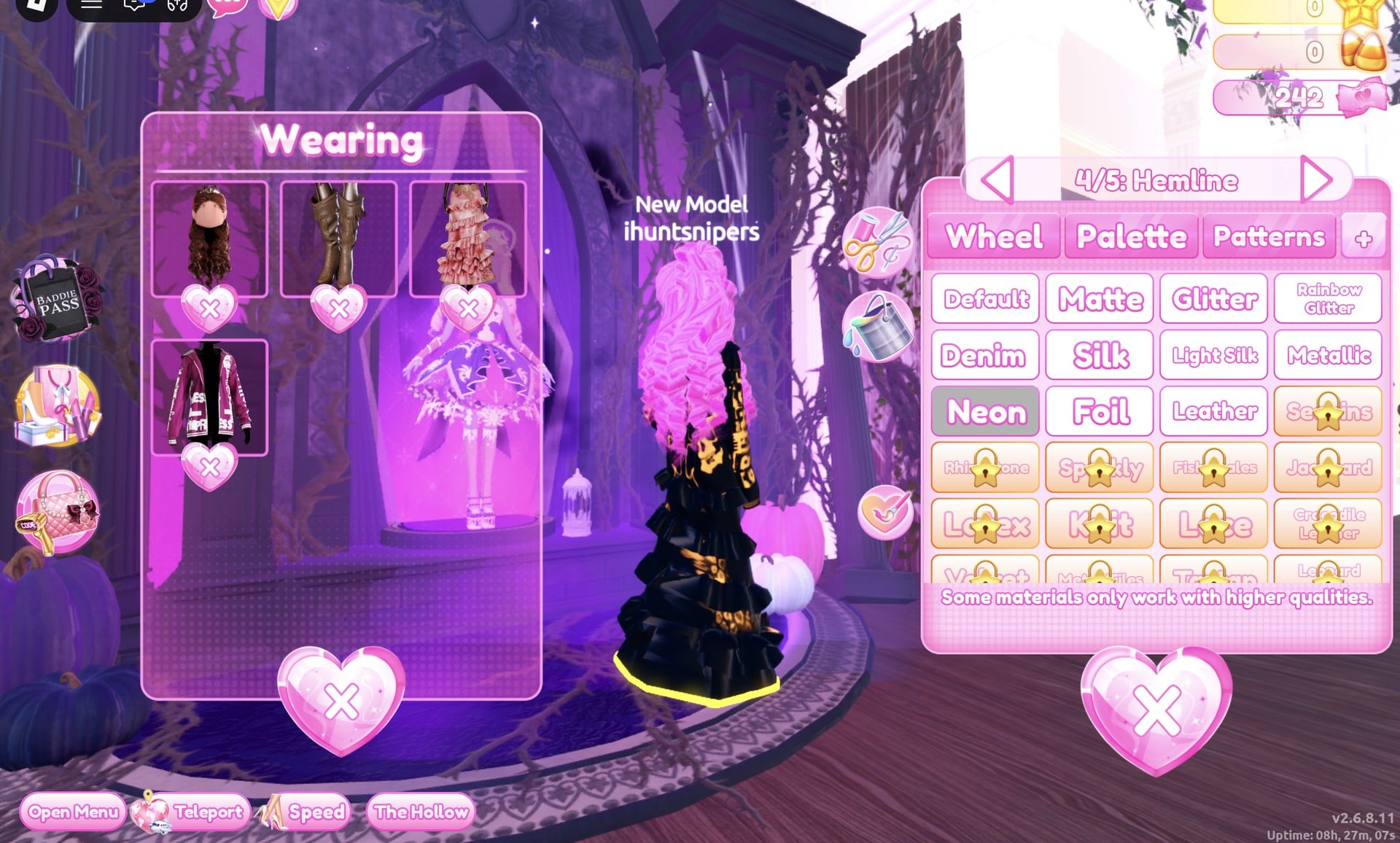
| “4/5: Hemline” | Gold | Neon |
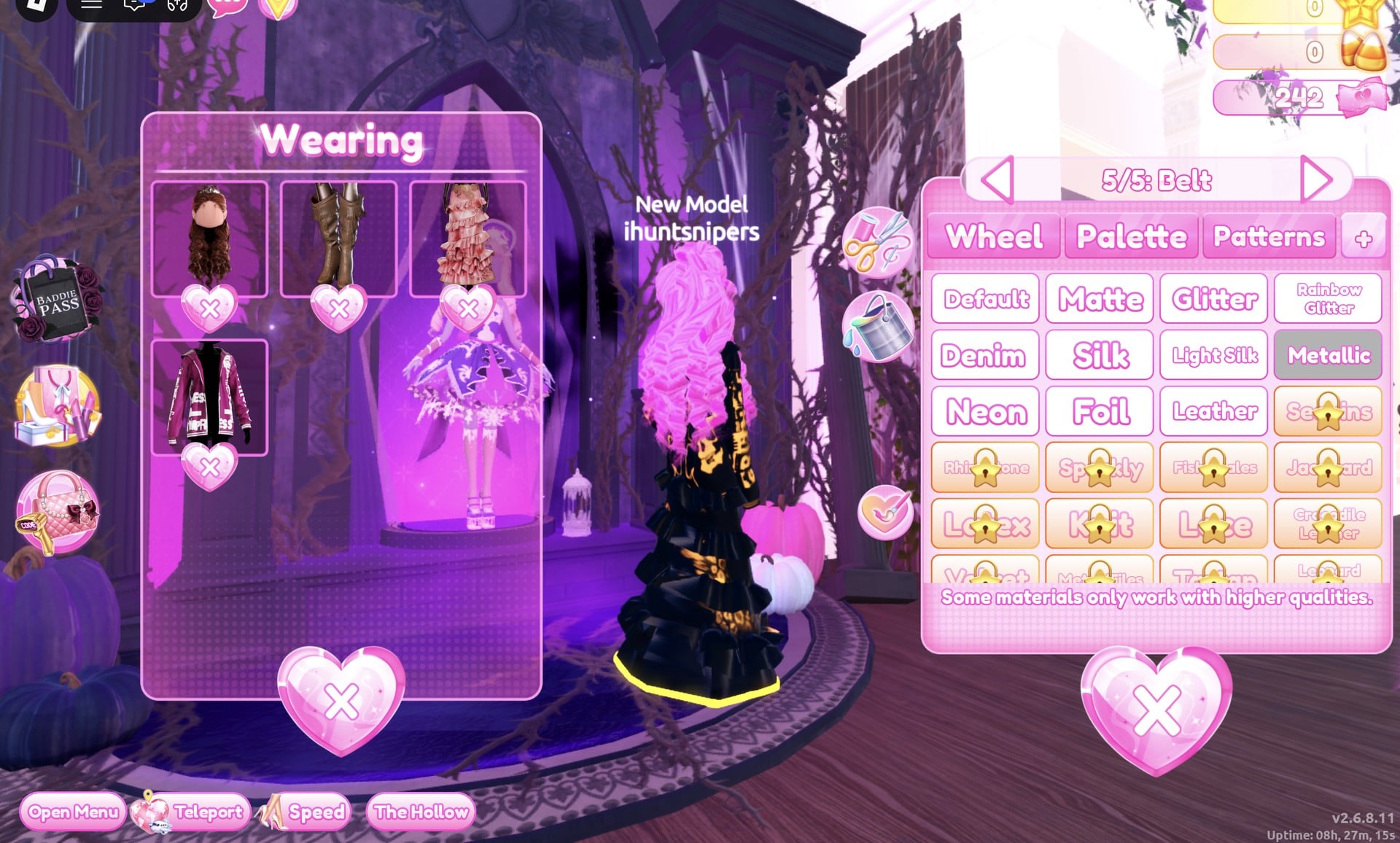
| “5/5: Belt” | Gold | Metallic |
“1/5: Skirt” turns black with Glitter.
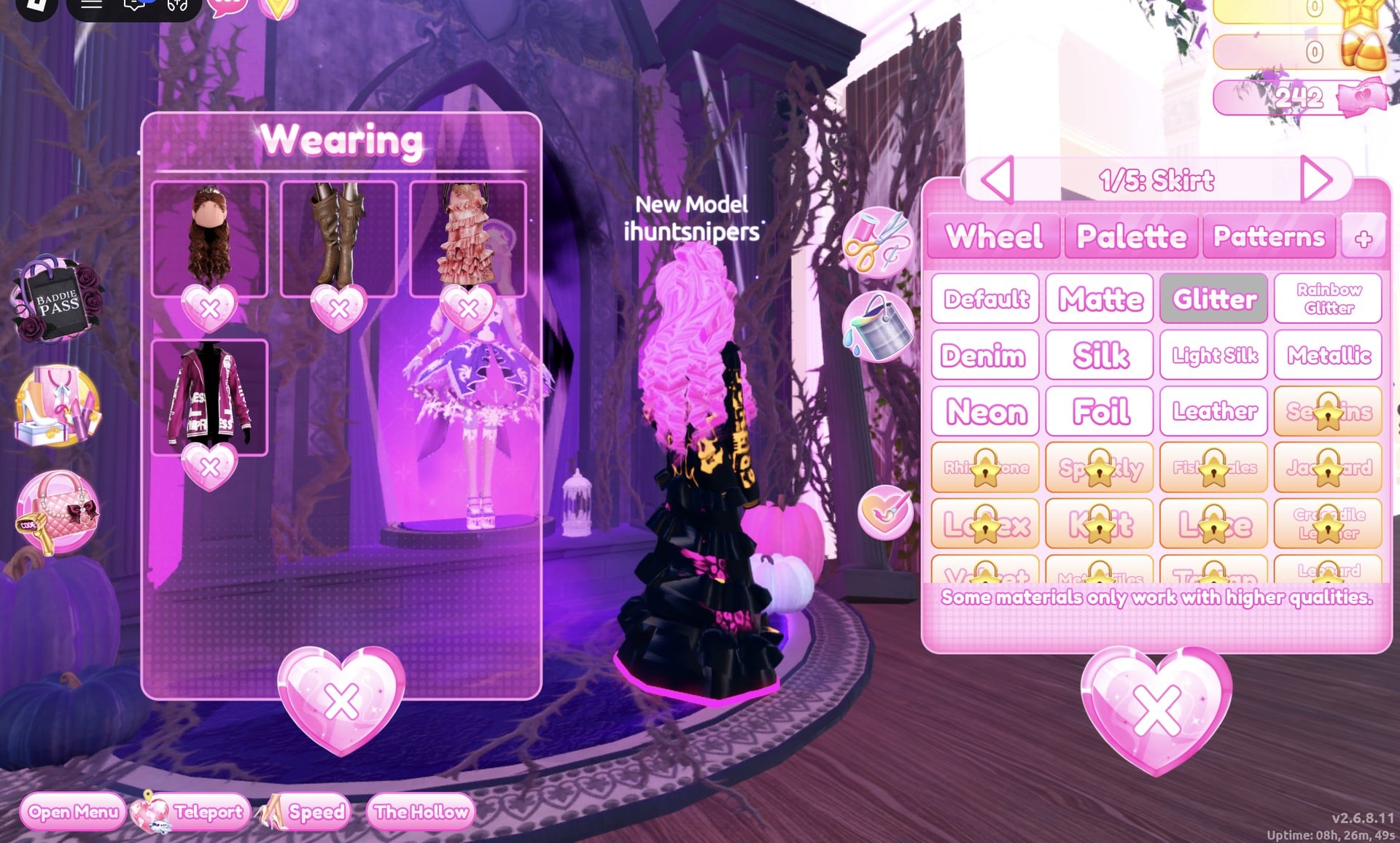
“2/5: Leopard Print” goes gold with Foil, so the print shows gold over the black.
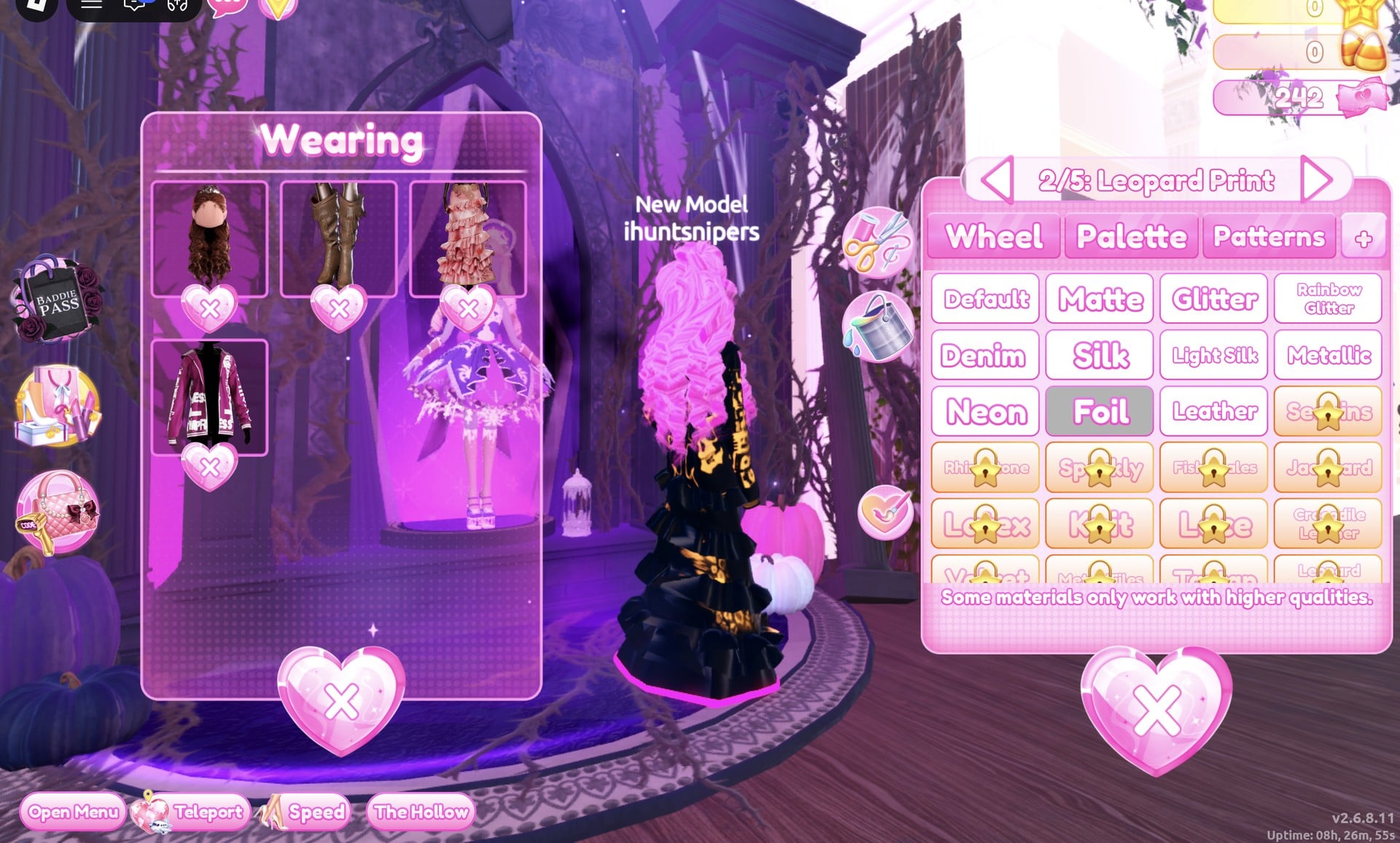
“4/5: Hemline” is gold with Neon, which gives the hem a gold glow.
“5/5: Belt” is gold with Metallic, the same as “3/5: Flower Details”.
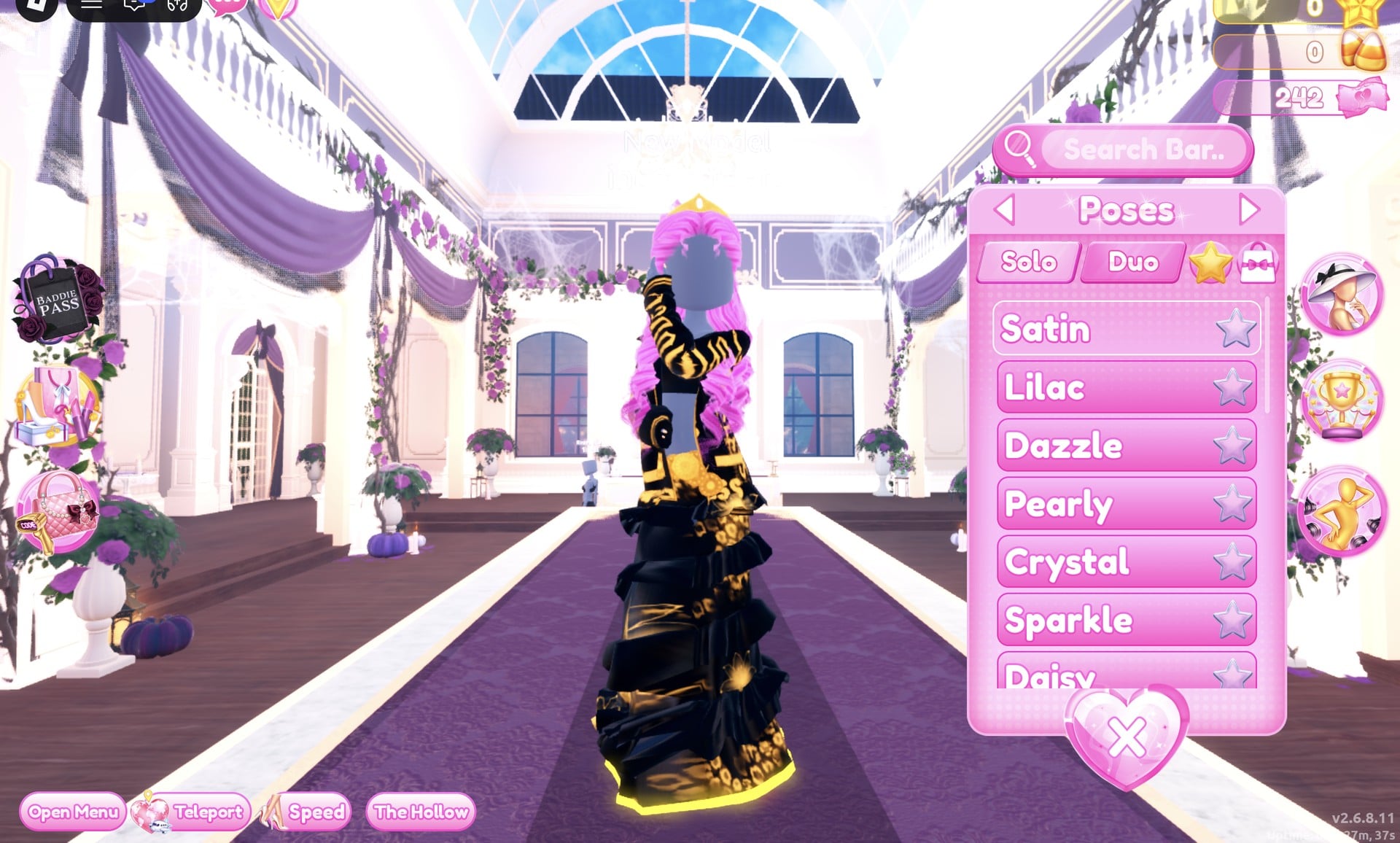
When it is done, you get a black ruffled gown with a gold print laid over it and a hem that glows gold. The black-and-gold jacket sits on top, with pink curls and the gold crown above it, and the dark base top shows at the chest between the jacket fronts.
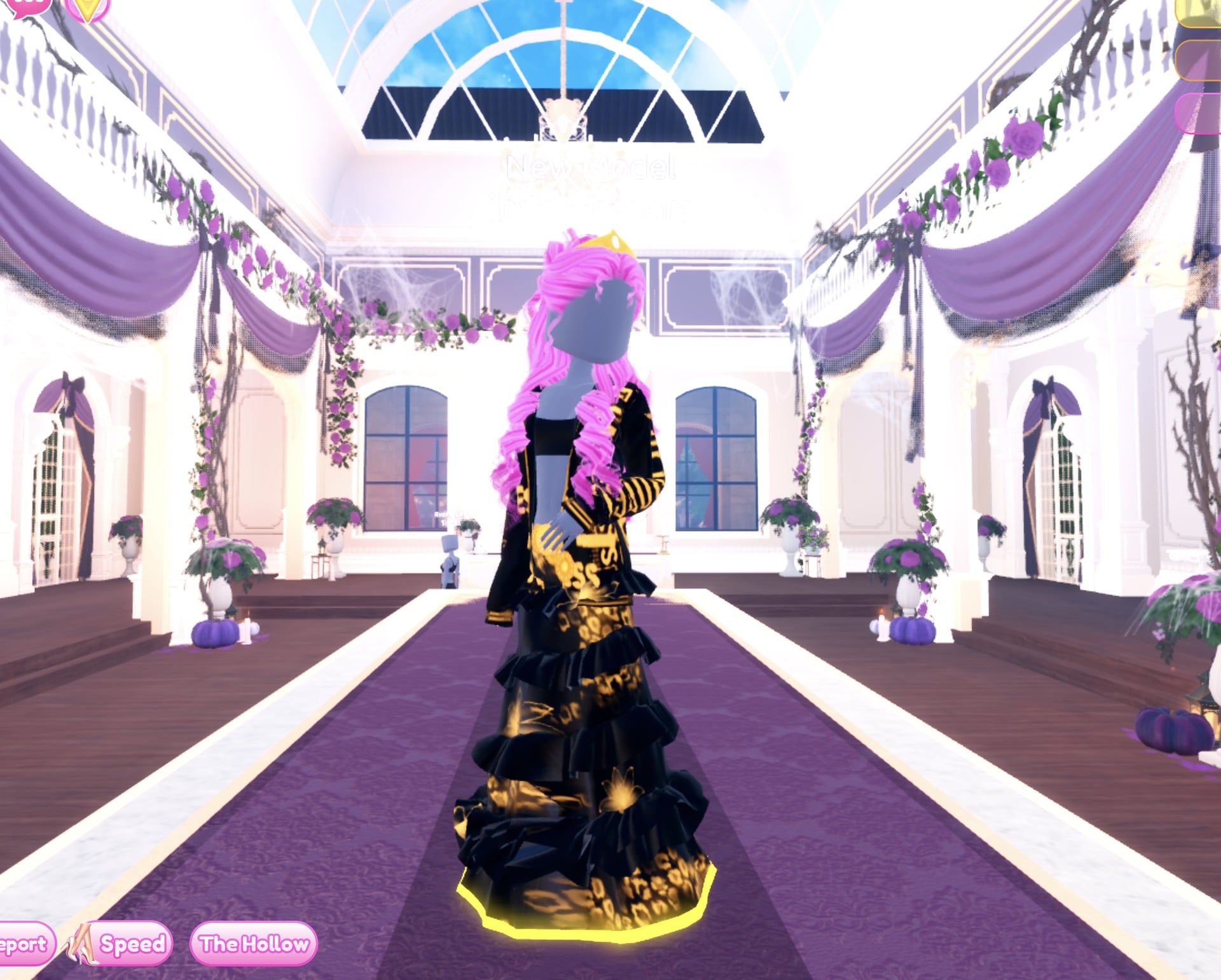
In the Satin pose from the side, the gold lettering runs down the jacket sleeve.
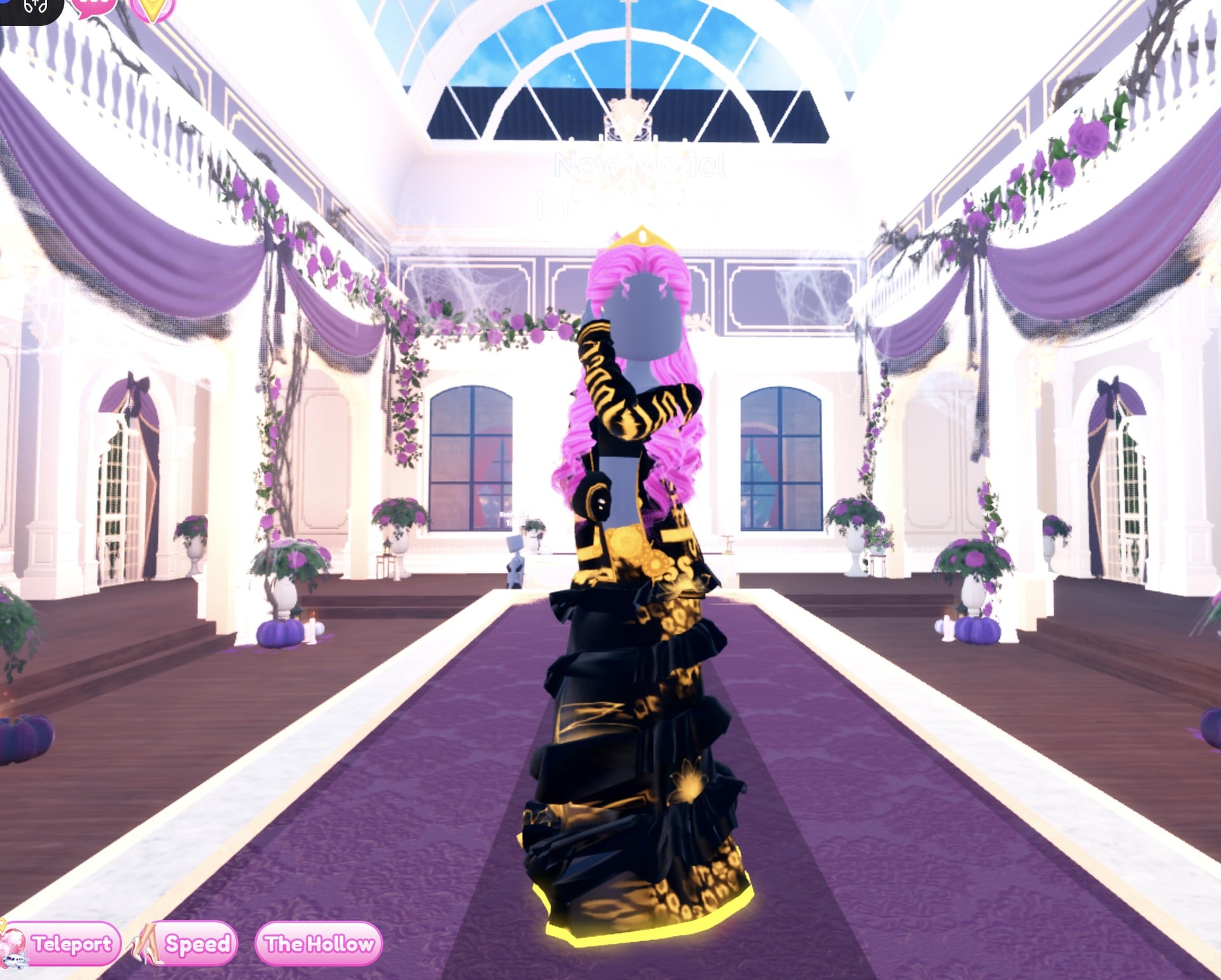
From the back, the gold print and the glowing hem show under the long pink curls.
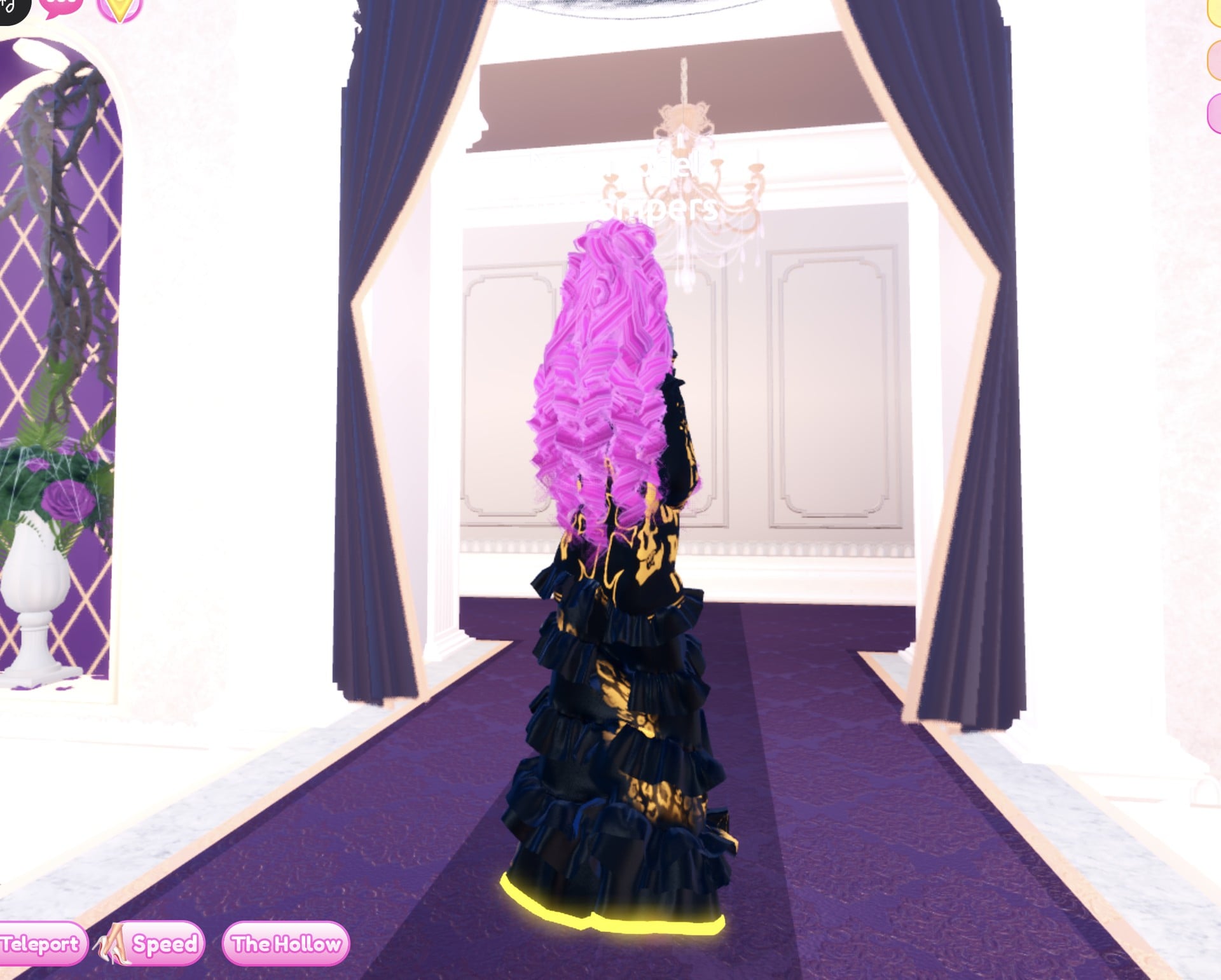
Why these looks read as Drag
Drag is about being big and loud on the runway, so both looks push one idea as far as it goes. The first puts one loud colour on every piece, the hair included; the second goes black with lots of gold. A crown, big curls and shiny materials (Glitter on the skirt, Foil on the print and jacket, Metallic on the gold details and a Neon hem that glows) turn a plain gown into pageant glam.
Drag pieces to look for
None of these pieces has a name in the game, so look for them by place and shape. All of them are free in Freeplay Mode, and all of them worked on our account with no VIP and 0 stars.
| Piece | Where to find it | Colours and materials we used |
|---|---|---|
 Long tiered ruffled gown, hot pink look (five parts, opens at “1/5: Skirt”) Long tiered ruffled gown, hot pink look (five parts, opens at “1/5: Skirt”) | The mannequin in the long pale pink ruffled gown beside the shoe and boot shelf | Skirt hot pink (column 2, row 5) + Glitter, Leopard Print hot pink + Foil, Flower Details gold (column 9, row 4) + Metallic, Hemline deeper pink (column 2, row 6) + Neon, Belt gold + Metallic |
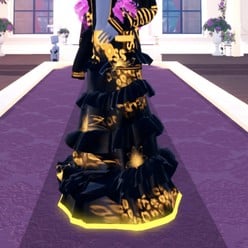 The same gown, black and gold look The same gown, black and gold look | The mannequin in the long pale pink ruffled gown beside the shoe and boot shelf | Skirt black (column 9, row 8) + Glitter, Leopard Print gold + Foil, Flower Details gold + Metallic, Hemline gold + Neon, Belt gold + Metallic |
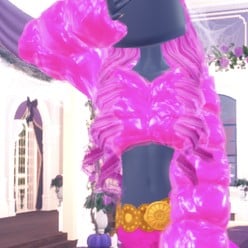 White fluffy cropped fur jacket (one part, “1/1: Preview”) White fluffy cropped fur jacket (one part, “1/1: Preview”) | On the bust to the right of the gown mannequin | Pink (column 2, row 4) + Foil: shiny pink puffed fur |
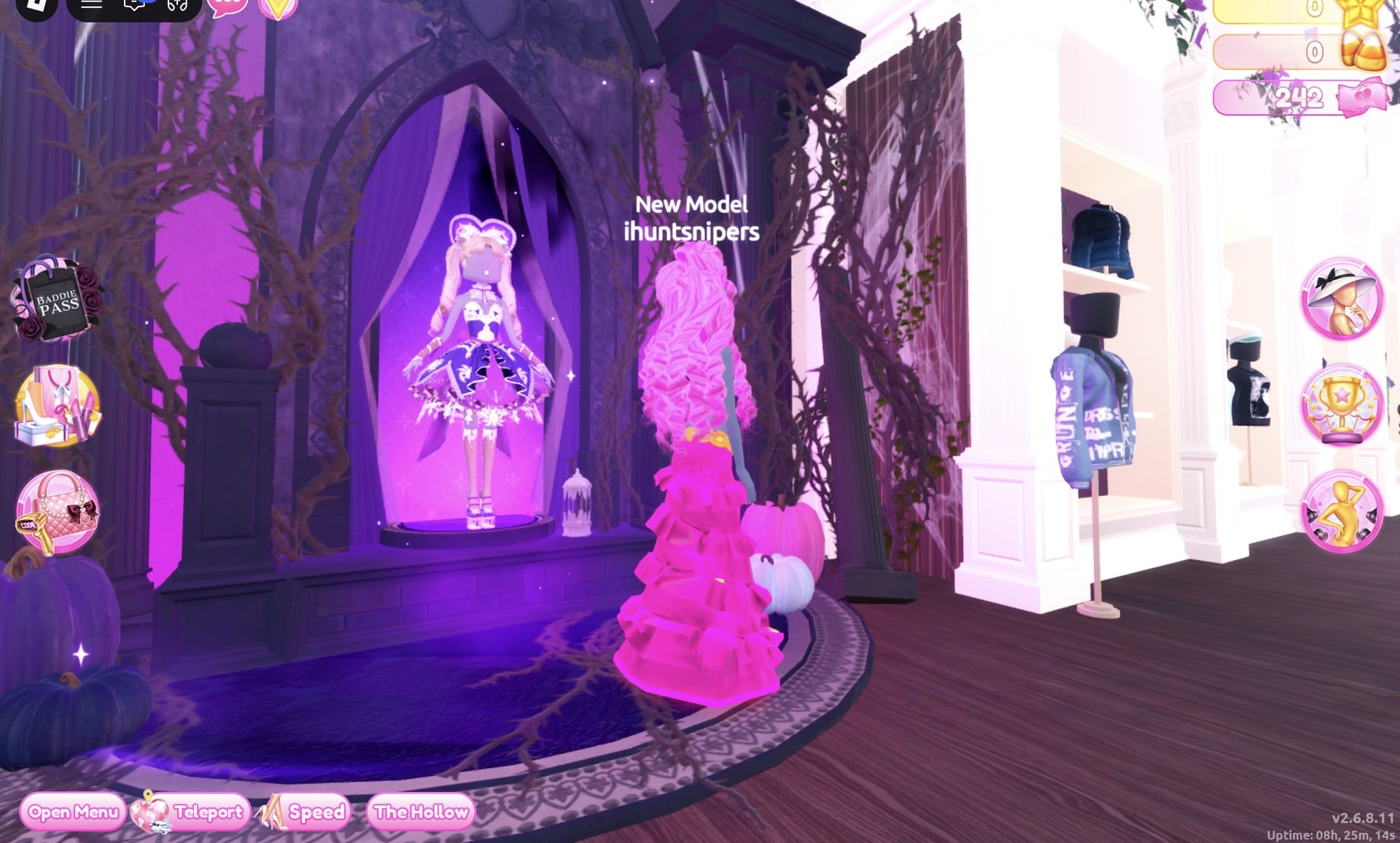
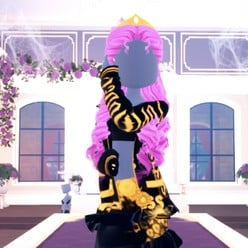 Hooded jacket with big printed lettering (two parts, “1/2: Preview” and “2/2: Preview”) Hooded jacket with big printed lettering (two parts, “1/2: Preview” and “2/2: Preview”) | The jacket wall beside the purple Halloween display, near the dark purple gothic arch | Part 1 black (column 9, row 8) + Leather, part 2 (the lettering) gold (column 9, row 4) + Metallic |
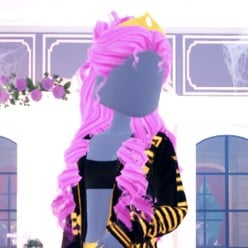 Long curls with a small crown (four parts) Long curls with a small crown (four parts) | Lana’s Salon, Feminine tab, 3rd card | “1/4: Preview” pink (column 2, row 4), “2/4: Preview” light pink (column 2, row 3), “3/4: Crown” left gold |
Poses for Drag
The Poses button on the right side opens the “Poses” panel with Solo and Duo tabs and a Search Bar. The Solo list starts with Satin, Lilac, Dazzle, Pearly, Crystal, Sparkle and Daisy. We used Dazzle (third, one hand up at the face) for the hot pink look and Satin (first) for the black and gold look. Neither showed a price or a lock.
Building it in Freeplay Mode first
Freeplay Mode has no timer, so it is the place to build a look, try colours and materials, and check them on the Freeplay Runway before you need them in a round. Once a look works, you know which mannequin, which palette spots and which materials to go to when Drag comes up for real. For more themes built the same way, see our Boho, Robot Takeover, Album Cover, Potion Maker, Monochrome Mood and Divine Beings outfit ideas.
How a theme round works
We watched ordinary server rounds on other themes, Plaid Fashion and Birds of Paradise among them; Drag did not come up. The theme appears in a banner at the top of the lobby with a timer underneath, for example “Theme: Plaid Fashion” (04:33 left when we saw it). The icon at the top centre opens a hint card for that theme. Once everyone has dressed, players walk the runway one at a time, for about seven seconds each. Everyone else votes with five stars along the bottom of the screen, and a “Voting complete!” banner appears between players. A “Results” card then ranks the players and lists the stars and other rewards each one earned. After that, an “Intermission” countdown of about one minute runs, with a “Pick Theme” button beside it.
Choosing the theme yourself costs Robux. The “Pick Theme” panel reads “You have: 0 Theme Props”, and its “Buy More” button shows 75 Robux (we did not buy, so we did not see how many props that gets). The panel also shows “Use Theme props to choose the theme & runway!”, a “Type here..” box and runway buttons for Regular, Swan, Summer, Halloween ’25 and Halloween ’26. Without Theme Props, the only way to get Drag is to wait for it to roll. When it does, you can build either look without VIP: the gown, jackets and hair were used without buying anything, the materials are free, and neither pose showed a price or lock. We did not dress for the rounds we watched, so we earned no stars.
What we have not checked
We did not open the bigger hairstyle tabs, and we used no wigs, lashes or makeup, so both looks have a bare face. We built two looks, not three. Drag did not come up in the rounds we watched, so these looks have not been through a real vote and we cannot tell you how many stars they earn.
FAQ
What does Drag mean in Dress To Impress?
It calls for a drag queen look: big, loud, high-glam pageant styling. Our two looks use one loud colour everywhere or black with lots of gold, big curls with a crown, and shiny materials.
Can I do Drag without VIP?
Yes. Both looks were built on an account with no VIP and 0 stars, and every piece, colour, material and pose used here worked on it. Nothing was bought.
How do I make clothes shiny in Dress To Impress?
Open the piece’s colour panel and go to the fourth tab, “+”. Glitter, Foil, Metallic and Neon are all free there; Neon makes a part glow, which is why the hems in both looks light up.
Can I change the colour of something I am already wearing?
Yes. Open the “Wearing” panel and click the piece’s picture; its colour panel opens again. We recoloured the worn gown and hair this way for both looks.
Can I pick the Drag theme myself?
Only with Theme Props, which are bought with Robux through the “Pick Theme” button during Intermission. Without them, wait for Drag to come up in an ordinary round.